
AddLight
This plugin allows server admin to add invisible light sources.
Simple light
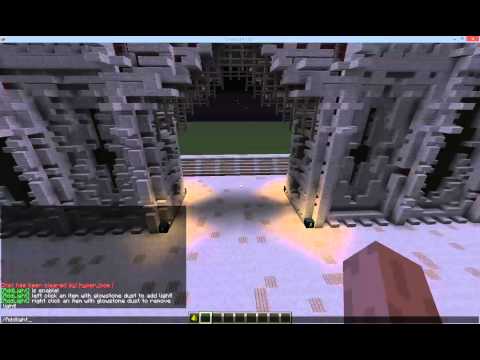
WorldEdit selection light
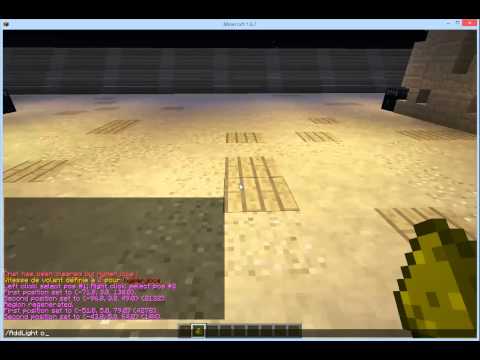
Enable the plugin using the command /AddLight enable then left click any item or inside a WorldEdit selection with glowstone dust to add invisible light source. You can also remove the light source by right clicking.
Commands:
- /AddLight : Display the status of the plugin
- /AddLight [help] : Display AddLight help
- /AddLight [enable|on] : Enable light creation
- /AddLight [disable|off] : Disable light creation
- /AddLight [LightLevel] : Define light intensity (1-15)
- /AddLight [ConnectedBlocks] : Toggle the connected block status (Max connected blocks can be configure in the config file)
- /AddLight [reload] : Reload plugin
Permissions:
- AddLight.admin : Allows creation of light to admin users
- AddLight.user : Allows creation of light to any users
- AddLight.use : Allows a user to use this plugin
- AddLight.worldedit : AddLight can apply to a WorldEditSelection
- AddLight.connected : AddLight can apply to any connected blocks
- AddLight.intensity : user can change the light intensity
- AddLight.bypass.cost : user with this permission will not be charged
- AddLight.admin
- AddLight.use
- AddLight.worldedit
- AddLight.connected
- AddLight.intensity
- AddLight.user
- AddLight.use
Config:
The plugin use metrics and an integrated updater.
Both can be disabled in config.yml
If you want to charge your players in glowstone or money, look into config.yml
If you feel the need to donate to this plugin as coding always take time, then simply click the button below :

Similar projects
Plugin →Let Me Despawn
Improves performance by tweaking mob despawn rules. Say bye to pesky unintentional persistent mobs.
26.2MSueta
JourneyMap
Real-time map used for mapping in-game or your browser as you explore.
14.7MSueta
Emotecraft
Create your own emotes in Minecraft.
7.9MSueta
Simple Tpa
A simple tpa plugin which sends requests
5.4MSueta
Common Network
Forge and Fabric Unified Networking Solution
4.7MSueta
Set Home
A lightweight plugin for players to set their homes.
3.8MSueta