
AdvancedSlabs | Microblocks
1.11.0-SNAPSHOTCreate slabs of any type and height | Moving Platforms
This plugin allows you to create slabs and even smaller blocks of any material.
All of the created blocks are solid, so you can walk on them as well.


Note: This plugin might contain unexpected bugs in its current state. It is not recommended to give regular users permissions to use this plugin. Please be careful when testing it.
If you are using 1.8 or below, check out AnySlab to create similar slabs.
Versions 1.9.0+ are only compatible with 1.13.2+.
How to use
Slabs
- Craft yourself the Editor Wand. It allows you to convert regular blocks into "slab" blocks, and also to convert them back.

- Shift right-click any block around you with the wand. It will drop a new slab block
- Place the slab like a regular block
- Right-click the slab to move it. The currently selected slab will be highlighted.

- Look in the direction you want to move the slab and use your Mousewheel to move it.
- You can also hold Shift while scrolling, to change how fast the slab moves
- When you're done, left-click anywhere to save it.
- To remove the slab, simply shift right-click it to get the regular block back
Movement Paths
- Craft the Path Wand

- Shift right-click all blocks you want to add to the path. The start of the path will be highlighted in green and the end in red. (All other points are blue)

- You can remove points by shift left-clicking on the blocks
- Place the slab you want to move on the path and right-click it with the Path Wand to bind it.
- You can left-click the slab to unbind it from the path.
- Hold shift and press Q (or whatever you use to drop items) to switch the movement type
- Scroll while holding shift to change the movement speed.
- You can also use /aslab pathspeed <speed>
- Shift left-click in the air to stop editing and save your path.
- You can always edit again by right-clicking any of the points you added with the Path Wand
- Place a power source (for example a Lever) next to the start block and provide power to start the movement
If you'd like to support me and my projects, please consider becoming a Patreon :)

Video Tutorials
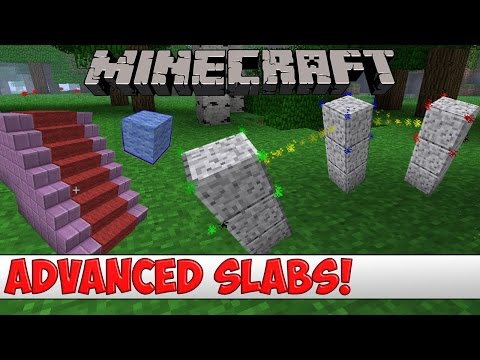 (English)
 (Spanish)
Commands
- /aslab wand - Get the editor wand (without crafting)
- /aslab pathwand - Get the path wand
- /aslab highlight - Highlight nearby slabs (execute a second time to reset)
- /aslab give <Material>:[Data] [Player] - Give yourself, or another player a slab item with the specified material
- /aslab reload - Reload the configuration
- /aslab save - Save all slabs & paths to file
- /aslab respawn - Respawn nearby slab entities
- /aslab pathspeed <speed> - Change the speed of the path you are editing
Permissions
- advancedslabs.wand - Permission to get the wand using the command
- advancedslabs.highlight - Permission to use the highlight command
- advancedslabs.respawn - Permission to use the respawn command
- advancedslabs.reload - Permission to reload the config
- advancedslabs.save - Permission to save
- advancedslabs.give - Permission to use the give command
- advancedslabs.crafting.wand - Permission to craft the edit wand
- advancedslabs.wand.use - Permission to use the wand
- advancedslabs.editall - Permission to edit all slabs (despite of their owner)
- advancedslabs.pathspeed - Permission to use the pathspeed command
Config
# Amount of slab-items returned when converting a normal block
slabRatio: 1

# Enable owners of slabs (only owners or players with permission "advancedslabs.editall" can edit the slab)
slabOwners: true

# Make sure the slab is solid by placing barriers and flower pots inside it (prevents players from being kicked for flying)
# Alternatively you can enable "allow-flight" in server.properties
ensureSolid: false

items:
  editor:
    wand:
      type: "STICK"
      meta:
        display: "&bEditor Wand"
        lore:
        - "&8Right-Click &7to edit!"
        - "&8Shift right-click &7to remove"
  movement:
    path:
      wand:
        type: "LEASH"
        meta:
          display: "&6Path Wand"
          lore:
          - "&8Right-Click &7to edit a path"
          - "&8Shift right-click &7to add block point"
          - "&8Shift left-click &7to remove block point"
          - " "
          - "&8Shift left-click &7in air to reset"
          - " "
          - "&8Right-click slab &7to bind"
          - "&8Left-click slab &7to unbind"
recipes:
  editor:
    wand:
      shape:
      - "rdr"
      - "rsr"
      - " s "
      ingredients:
        d:
          type: "DIAMOND"
        r:
          type: "REDSTONE"
        s:
          type: "STICK"
  movement:
    path:
      wand:
        shape:
        - "rdr"
        - "dld"
        - "rdr"
        ingredients:
          r:
            type: "REDSTONE"
          d:
            type: "DIAMOND"
          l:
            type: "LEASH"
messages:
  editor:
    editing: "&aYou are now editing this block."
    finished: "&aYou are no longer editing."
    scrollSteps: "&eSteps: &7%s"
    locationInfo: "&ex: &7%s&e, y: &7%s&e, Z: &7%s"
    error:
      noPermission: "&cYou cannot edit this block."
    path:
      reset: "&aYou are no longer editing a path"
      start: "&aYou started a new path"
      edit: "&aYou are now editing this path"
      empty: "&aThis path is now empty and will be deleted if it stays empty."
      bound: "&aPath bound to slab"
      unbound: "&aPath unbound from slab"
      point:
        added: "&aPoint added"
        removed: "§cPoint removed"
      type:
        format: "&6%s &8- &7%s"
        circular:
          switch:
            description: "Go directly to the start when at the end. Repeat while power is supplied"
        reverse:
          switch:
            description: "Move the path in reversed order when at the end. Repeat while power is supplied"
          toggle:
            description: "Move to the end when toggled by power. Move back to the start when toggled again"
      speed:
        format: "&aPath speed: &7%s (blocks per tick)"
      error:
        notEditing: "&cYou are not editing a path"
        notFound: "&cCould not find a path"
  error:
    invalidMaterial: "&cInvalid Material: %s"
    notOnline: "&cPlayer %s is not online"
  highlight: "&aHighlighted nearby slabs"
  respawn: "&aRespawned nearby slab entities"
  # Prefix for block items (e.g. &bAdvancedSlab: &eSTONE)
  blockPrefix: "&bAdvancedSlab: &e"
Planned Features
Moving platforms/walls (Preview)- WorldEdit support
- "Sticky" moving platforms (prevent entities from falling off)
Links
SlZOd2EkUm9kI1J3YW1GeUooVWtXa2QzZFdGPk4rSmFWelV3WVZoYWJHUiNSbk5hVnpVdytHMDVlVnAzUCswa0okUk1NMEp6WkZka2NHSnBPRDBrSiRSalIzZypXakpzZFZ7VlJtdGtiVVoxVytKV2ExVXllR2haYmsxdFpHMVdlV015YiNaaWFqe3NaRzFXZVdNeWIjWmlhVlU5SkVkbGQoVT0=Please leave a rating if you like this resource.
Donations to support me or this resource are also very much appreciated.
Similar projects
Plugin →Let Me Despawn
Improves performance by tweaking mob despawn rules. Say bye to pesky unintentional persistent mobs.
26.2MSueta
JourneyMap
Real-time map used for mapping in-game or your browser as you explore.
14.7MSueta
Emotecraft
Create your own emotes in Minecraft.
7.9MSueta
Simple Tpa
A simple tpa plugin which sends requests
5.4MSueta
Common Network
Forge and Fabric Unified Networking Solution
4.7MSueta
Set Home
A lightweight plugin for players to set their homes.
3.8MSueta