
- Tested MC versions
- 1.21, 26.3
BasedChallenges
BasedChallenges was created to provide a free, open-source Minecraft challenges plugin as an alternative to closed-source or paid ones.
Below you can find a list of which Challenges, Enhancements and Objectives we provide:
 Challenge List
 Biome Random Effect
Everybody will receive a random effect once they enter a biome. The effect will stay the same for the biome, regardless of how many times they enter it.
Data
 Effect Level
The level of the effect that will be applied.
The level will be randomly selected by the range
you are specifying here.
Biome Time Limit
The time in biomes is limited, which means that you have to act quickly and leave the biome before the time runs out.
Data
 Time Limit
The time limit for each biome.
If the player is in the biome for longer than this time,
they will lose this challenge. Boss Bar Name
The name of the boss bar which is displayed
to the player when they are in a biome.
You can use {timeLeft} to display the time left in this biome
and {biomeName} to display the name of the biome. Boss Bar Color
The color of the boss bar which is displayed
to the player when they are in a biome.
 Chunk Break
When you break a block in a chunk, every other block of the same type in the chunk will also break.
 Chunk Clear
When you leave a chunk, it will be completely cleared of all blocks.
 Chunk Decay
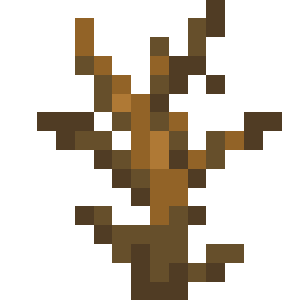
After a specified amount of time, the chunk you are in will decay some of its blocks.
Data
- Delay
This configures the delay before the current chunk decays.
This is configured in seconds.  Amount
This configures the amount of blocks which will decay at once.
This is configured as a percentage.
 Chunk Drop
After a specified amount of time, the chunk you are in will drop by one block.
Data
- Delay
This configures the delay before the current chunk drops by one block.
This is configured in seconds.
 Chunk Random Effect
Everybody will receive a random effect once they enter a chunk. The effect will stay the same for the chunk, regardless of how many times they enter it.
Data
- Effect Level
The level of the effect that will be applied.
The level will be randomly selected by the range
you are specifying here.
Chunk Sync
This challenge will sync every action across all chunks. This means that if you place or break a block in one chunk, it will also be placed or broken in every other chunk.
Data
- Total Chunk Update Time (ms)
This configures the total time it will take to update all chunks.
A lower value will result in faster updates, but may cause lag.
This is configured in milliseconds.
Chunk Time Limit
The time in chunks is limited, which means that you have to act quickly and leave the chunk before the time runs out.
Data
- Time Limit
The time limit for each chunk.
If the player is in the chunk for longer than this time,
they will lose this challenge. - Boss Bar Name
The name of the boss bar which is displayed
to the player when they are in a chunk.
You can use {timeLeft} to display the time left in this chunk. - Boss Bar Color
The color of the boss bar which is displayed
to the player when they are in a chunk.
Delayed Damage
Every damage taken by anybody will be cancelled and stored. After a certain time has passed, the damage will be applied to all players at once.
Data
- Delay Time
The time in seconds after which the damage will be applied. - Boss Bar Message
The message which will be displayed in the boss bar.
You can use {timeLeft} to display the time left until the damage is applied. - Boss Bar Color
The color of the boss bar which will be displayed.  Damage Apply Message
The message which will be displayed when the damage is applied.
This message will be sent to all players when the damage is being applied.
You can use {damage} to display the amount of damage which was applied.
 Dripstone Rain
This challenge will make dripstone fall from the sky, which you will have to avoid, if you want to complete the challenge.
Data
- Density
This configures the density in which the dripstone will fall.
This is configured as a percentage.  X/Z Distance
This configures the distance in which the dripstone will fall.
This means that the dripstone will fall in a square around the player,
with a maximum distance of the configured value.
This is configured in blocks. Height
This configures the height from which the dripstone will fall.
This is configured in blocks.
 Gravity
This challenge will modify the gravity for all players. This means that players will be able to jump higher or lower.
Data
- Gravity
This configures the gravity which will be applied to the players.
 Health
This challenge will modify the health of all players. This means that players will be able to have more or less health.
Data
- Health
This configures the amount of health which will be
available to the players.
 Inventory Size
This challenge will modify the size of the inventory for all players. This means that players will be able to have more or less inventory space.
Data
 Slot Amount
This configures the amount of slots which will be
available to the players.
 Level Border
The experience level you have will determine the size of the border around you. Increase your level to increase your room to work with.
Data
 Level Multiplier
The amount to multiply the level by to get the size
of the border. A higher level will make it easier to
complete the challenge. Starting Size
The size of the border when you first start the challenge.
This will not be affected by the level multiplier and serves
as a base size for the border.
Limited Time
Every entity (including players) will only have a limited amount of time to exist in the world. To survive this, you will have to kill other entities in order to steal their time to live.
Data
- Default Time
The default time which every entity will have
left to live in the world in seconds. - Time Name
The name which is displayed over every entity
This is used to display the time this specific
entity has left to live in the world.  Display Time Text
Whether the time remaining should be displayed
as text above the entity.
You can use {timeRemaining} to display the time remaining.- Display Time Color
Whether the time remaining should be displayed
as a colored box around the entity. - Boss Bar Message
The message which is displayed in the boss bar.
You can use {timeRemaining} to display the time remaining. - Boss Bar Color
The color of the boss bar.
Locked Entity
If you kill a entity, it will become locked. This means that you can't hit it again until you kill a specified amount of other entities.
Data
- Amount
The amount of entities that need to be killed before
the locked entity is unlocked again (and the last killed
entity is locked). - Boss Bar Text
The text which is displayed in the boss bar. - Boss Bar Color
The color of the boss bar.
 MLG
MLG
This challenge will require you to MLG after a specified amount of time.
Data
Similar projects
Plugin →Let Me Despawn
Improves performance by tweaking mob despawn rules. Say bye to pesky unintentional persistent mobs.
25MSueta
JourneyMap
Real-time map used for mapping in-game or your browser as you explore.
14.7MSueta
Emotecraft
Create your own emotes in Minecraft.
7.5MSueta
Simple Tpa
A simple tpa plugin which sends requests
5.4MSueta
Common Network
Forge and Fabric Unified Networking Solution
3.9MSueta
Set Home
A lightweight plugin for players to set their homes.
3.8MSueta