
BetterE-Chest
1.0.0A plugin that doubles your enderchest storage space with customizable rows!

BetterE-Chest
Double your Ender Chest storage space with enhanced features and full customization!
BetterE-Chest is a powerful and lightweight Minecraft plugin that expands your Ender Chest storage by doubling the available rows. Perfect for survival servers, this plugin offers seamless integration with both Java and Bedrock editions, includes admin tools for managing player inventories, and provides full configuration control.
✨ Features
- Double Storage Space - Expands Ender Chests from 3 rows to 6 rows (54 slots)
- Fully Customizable - Configure rows, title, and messages
- Cross-Platform Support - Works with Java & Bedrock players (Geyser compatible)
- Permission-Based Access - Control who can use extended storage
- Admin Tools - View and clear player Ender Chests
- Lightweight & Fast - Optimized performance with no lag
- LuckPerms Integration - Optional integration with automatic fallback
- Version Support - Compatible with Minecraft 1.20.1 - 1.21+
- Data Persistence - All items are saved automatically
Commands
| Command | Description | Permission |
| /ec | Opens your double Ender Chest | enderchest.use |
| /enderchest | Alternative command for /ec | enderchest.use |
| /ech | Short alias for /ec | enderchest.use |
| /ecadmin <player> view | View a player's Ender Chest | enderchest.admin |
| /ecadmin <player> clear | Clear a player's Ender Chest | enderchest.admin |
| /enderchestadmin | Alternative admin command | enderchest.admin |
Permissions
Player Permissions
- enderchest.use - Allows players to open their double Ender Chest
- Default: true (all players have access)
Admin Permissions
- enderchest.admin - Access to all admin commands
- Default: op (operators only)
- Allows viewing and clearing player Ender Chests
Permission Notes
- OPs automatically have all permissions
- Works with LuckPerms, PermissionsEx, or any permission plugin
- Falls back to OP-based permissions if no permission plugin is installed
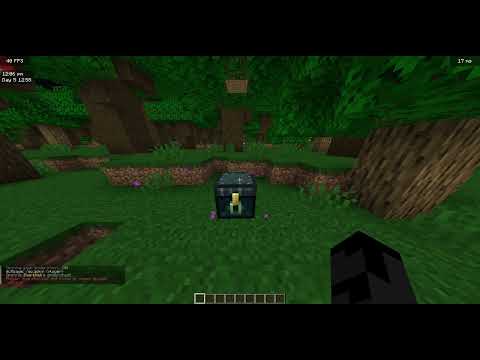
⚡ Showcase Video
⚙️ Configuration
config.yml
# BetterE-Chest Configuration
# Configure your double ender chest settings
# Ender Chest Settings
enderchest:
  # Number of rows (1-6). Default is 6 for double chest size
  rows: 6

  # Title shown when opening the ender chest
  # Use & for color codes (e.g., &6 = gold, &b = aqua)
  title: "&5&lEnder Chest"
# Messages
messages:
  # Message when player doesn't have permission
  no-permission: "&cYou don't have permission to use this command!"

  # Message when player is not found
  player-not-found: "&cPlayer not found!"

  # Admin messages
  admin:
    viewing: "&aViewing {player}'s Ender Chest..."
    cleared: "&aSuccessfully cleared {player}'s Ender Chest!"
    usage: "&cUsage: /ecadmin <player> <view|clear>"
Configuration Options Explained
- Ender Chest Rows
- Min: 1 row (9 slots)
- Max: 6 rows (54 slots)
- Default: 6 rows (double chest)
- Recommended: 6 for double storage experience
- Custom Title
- Supports Minecraft color codes (& format)
- Use &l for bold, &n for underline, etc.
- Examples:
- &6&lGolden Ender Chest - Bold gold text
- &b&o✦ Personal Storage ✦ - Italic aqua with symbols
- Color Codes Reference
&0 = Black       &8 = Dark Gray
&1 = Dark Blue   &9 = Blue
&2 = Dark Green  &a = Green
&3 = Dark Aqua   &b = Aqua
&4 = Dark Red    &c = Red
&5 = Dark Purple &d = Light Purple
&6 = Gold        &e = Yellow
&7 = Gray        &f = White
&l = Bold        &o = Italic
&n = Underline   &m = Strikethrough
&r = Reset
Installation
- Download the latest BetterE-Chest.jar file
- Stop your server
- Place the JAR file in your plugins/ folder
- Start your server
- Configure the plugin in plugins/BetterE-Chest/config.yml
- Reload with /reload confirm or restart the server
Usage Examples
For Players
/ec                    # Open your double Ender Chest
/enderchest            # Same as /ec
/ech                   # Quick access
For Admins
/ecadmin Steve view    # View Steve's Ender Chest
/ecadmin Alex clear    # Clear Alex's Ender Chest
Technical Details
Requirements
- Server Software: Spigot, Paper, Purpur (recommended)
- Minecraft Version: 1.20.1 - 1.21+
- Java Version: 17 or higher
- Dependencies: None (LuckPerms optional)
Soft Dependencies
- LuckPerms - Enhanced permission management (optional)
- Vault - Compatible but not required
Data Storage
- Player Ender Chest data is stored in Minecraft's native save files
- No external database required
- Automatic data persistence
- Compatible with server backups
Performance
- Lightweight: <1MB plugin size
- No Lag: Asynchronous operations where possible
- Memory Efficient: Minimal RAM usage
- Optimized: Smart caching system
️ Permissions Setup Examples
Using LuckPerms
# Give all players access to double Ender Chest
/lp group default permission set enderchest.use true
# Give VIP players admin access
/lp group vip permission set enderchest.admin true
# Give specific player admin access
/lp user 67._._._._._.67 permission set enderchest.admin true
Using PermissionsEx
# Give default group access
/pex group default add enderchest.use
# Give admin group admin access
/pex group admin add enderchest.admin
Using plugin.yml (Simple Servers)
groups:
  default:
    permissions:
      enderchest.use: true
  admin:
    permissions:
      enderchest.admin: true
Compatibility
✅ Compatible With
- Paper (Recommended)
- Spigot
- Purpur
- Geyser (Bedrock support)
- ProtocolLib
- CoreProtect
- WorldGuard
- GriefPrevention
- Most plugins
⚠️ Known Conflicts
- None reported
Updates & Support
Changelog
See full changelog in plugin updates.
Support
- Report bugs on the resource page
- Request features in discussions
- Contact: 67._._._._._.67
Future Plans
- More customization options
- Multiple Ender Chest profiles
- Per-permission row sizes
- GUI admin panel
- Statistics tracking
Thank you for using BetterE-Chest!
Made with ❤️ by Codella

Similar projects
Plugin →Let Me Despawn
Improves performance by tweaking mob despawn rules. Say bye to pesky unintentional persistent mobs.
25MSueta
JourneyMap
Real-time map used for mapping in-game or your browser as you explore.
14.7MSueta
Emotecraft
Create your own emotes in Minecraft.
7.5MSueta
Simple Tpa
A simple tpa plugin which sends requests
5.4MSueta
Common Network
Forge and Fabric Unified Networking Solution
3.9MSueta
Set Home
A lightweight plugin for players to set their homes.
3.8MSueta