
BungeeSigns
2.0{TeleportSigns} Teleport between Servers over nice signs, with cool effects. [DEMO]
(From server.pro)
Old


[German/ Deutsch]
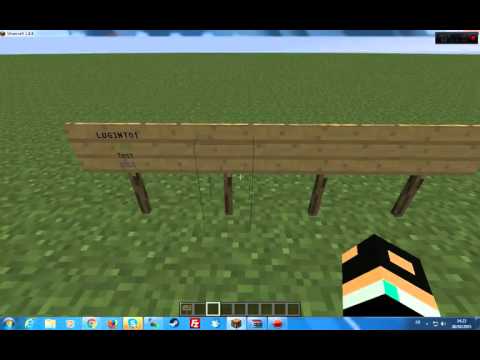
[French/ Francais]
(Inspired by code from codebucket // www.codebucket.de)
Attention: Spigot 1.8.6 is required as minimum
Commands & Permissions:
- /bsinfo - BungeeSigns.info
- /createbssign - BungeeSigns.create
- /removebssign - BungeeSigns.remove
Use Permissions:
BungeeSigns.use
HowTo:
- Set a sign where you want
- Type /createbssign and follow the Instructions
Placeholders
Current-Players
Type %cplayers% and the line will show the current amount of players on this server.
Maximal-Players
Type %mplayers% and the line will show the maximal amount of players which can play on the server.
Motd
Type %motd% and the line will show the current motd of the server.
FAQ
The Plugin says my server isnt reachable but everything should work
- Try it again, sometimes it takes some time.
The Plugin says my server isnt reachable but everything should work
- Check if it is right spelled, case sensitive
- The server is offline but will be online soon: Disable server-alive in the config
If it still doesnt work, write me a PM.
I want a line to be empty but i cant write 'nothing' into the chat
Simply write [SPACE] .
I wrote %mplayers%but nothing happens
It might take a while to load, allow up to 30seconds, if it doesnt appear, write me a PM.
An Error appears, what should i do now?
If the error happens every time you click on the sign or just happens more then one time, send me a PM with Spigot Version, Java Version and the Error itself.
Can I use Color ?
BungeeSigns supports color codes with the '&' char.
Installation
You have to copy the content of you BungeeCord config.yml file inside the bungeeconfig.yml file (inside BungeeSignsPremium directory). Then you restart the server and it should work fine.
Q&A - Support
1.
Q: The command /createbssign is just messaged back in white when i typ it
A: Please recheck your installation, have you copied the content of your bungeecord-config into bungeeconfig.yml? Is the plugin in the spigot server plugins folder?
-> If the Problem still appears please open a Conversation on Spigot with me and provide the information described at "5. Support Request"
2.
Q: There is only "Server loading.." on the sign
A: Please check the installation like mentioned in Question 1. Please check if you have opened every port of your servers.
Check if the IP-Adresses in your bungeeconfig.yml are equal to the global ip from your server.
-> If the Problem still appears please open a Conversation on Spigot with me and provide the information described at "5. Support Request"
3.
Q: There is an error like "java.lang.NoClassDefFoundError: com/google/gson/Gson"
A: Check that your minecraft version is 1.8.6 or above
-> If the Problem still appears please open a Conversation on Spigot with me and provide the information described at "5. Support Request"
4.
Q: There is an error like "Caused by: java.lang.NullPointerException
at de.stealthcoders.Bentipa.bungeecloud.saving.Config.getServerInfos(Config.java:63)"(not only for .bungeecloud.)
A: Please check the installation like mentioned in Question 1.
-> If the Problem still appears please open a Conversation on Spigot with me and provide the information described at "5. Support Request"
5.
Q: Only people like admins can use my sign
A: Check your spawn-protection radius and if world guard blocks any interaction of normal users with your sign.
6. Support Request
If you open a conversation on spigot with me, please provide following data:
- In the config.yml - File: set the value of debug to true and restart your server; Let it run and send me the server log after 3-5 minutes
- All you files inside the plugin folder
- A detailed description of your problem
Attention!
Before opening a support request check if your question can be solved with the answers above.
Do not try to make a bad review to get support, I don't care: If you are not even able to read this Q&A Part you seem not to be able to install and use the plugin.
Still have a question or found a Bug ?
Use our Support!
Only in Premium Version
- Animations (Color Switches // Text Animations)
- MotdParams and MotdBlocks for more custom motd functions
- State Block (empty//half-full//full//offline)
- State Placeholder (Custom and Default Text)
- Playersgra Placeholder (Graphical Representation)
MCStats
This plugin collects information about your server and sends them to mcstats.org, you can configure that in plugins/PluginMetrics/config.yml.
Configuration
chunk-radius: X [X is the amount of chunks in which the plugin should get the players and send them the sign refresh.
Values: 0 [Just the Chunk in which the sign is]
1  [9 chunks where the sign is the center]
2 [25 chunks where the sign is the center][/LEFT]
teleport-mouse: right [Values left | right | both]
teleport-sneak: ignore [Values true | false | ignore]
[LEFT]
Over 43.000 Downloads!
AWESOME! :)
Similar projects
Plugin →Let Me Despawn
Improves performance by tweaking mob despawn rules. Say bye to pesky unintentional persistent mobs.
26.2MSueta
JourneyMap
Real-time map used for mapping in-game or your browser as you explore.
15.6MSueta
Emotecraft
Create your own emotes in Minecraft.
7.9MSueta
Simple Tpa
A simple tpa plugin which sends requests
5.4MSueta
Common Network
Forge and Fabric Unified Networking Solution
4.7MSueta
Set Home
A lightweight plugin for players to set their homes.
3.8MSueta