
ChatBridge
1.0.1ChatBridge is a Minecraft plugin that bridges chat messages between multiple servers using WebSocket
ChatBridge
ChatBridge is a Minecraft plugin that bridges chat messages between multiple servers using WebSockets. It can operate in both server and client modes, allowing for flexible configurations.
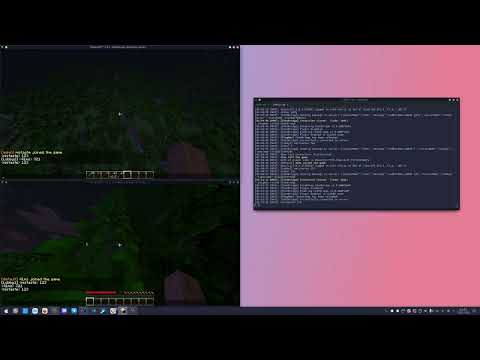
Demo:
Features
- Server Mode: Acts as a WebSocket server to broadcast messages to connected clients.
- Client Mode: Connects to a WebSocket server to send and receive messages.
- Configurable: Easily configurable through `config.yml`.
- Event Handling: Uses an event bus to handle incoming messages.
- Message Formatting: Customizable message format with placeholders for player names and messages.
Installation
1. Download the ChatBridge plugin jar file.
2. Place the jar file in the `plugins` directory of your Minecraft server.
3. Start the server to generate the default configuration file.
Configuration
Edit the `config.yml` file in the `plugins/ChatBridge` directory to configure the plugin:
# Operating mode: true = server, false = client
isServer: false

# Settings for server mode
port: 8888

# Settings for client mode
serverAddress: "ws://127.0.0.1:8888"

# General settings
serverName: "Lobby Server"

# Enable/disable server prefix
serverPrefixEnabled: false

# Message format
format: "<%player%> %message%"
Usage
- Server Mode: When isServer is set to `true`, the plugin will start a WebSocket server on the specified port.
- Client Mode: When isServer is set to `false`, the plugin will connect to the specified WebSocket server address.
Commands
- `/chatbridge reload` - Reloads the plugin configuration and restarts the WebSocket connection.
API
ChatBridge
- ChatBridge.getInstance() - Returns the singleton instance of the plugin.
- ChatBridge.broadcastMessage(String playerName, String message) - Broadcasts a message to all connected clients or the server.
- ChatBridge.broadcastMessageFromServer(String playerName, String message) - Broadcasts a message from the server to all clients.
- ChatBridge.isClientConnected() - Checks if the client is connected to the WebSocket server.
EventBus
- EventBus.subscribe(Consumer<String> handler) - Subscribes to incoming messages.
- EventBus.postMessage(String message) - Posts a message to all subscribed handlers.
Similar projects
Plugin →Let Me Despawn
Improves performance by tweaking mob despawn rules. Say bye to pesky unintentional persistent mobs.
25MSueta
JourneyMap
Real-time map used for mapping in-game or your browser as you explore.
14.7MSueta
Emotecraft
Create your own emotes in Minecraft.
7.5MSueta
Simple Tpa
A simple tpa plugin which sends requests
5.4MSueta
Common Network
Forge and Fabric Unified Networking Solution
3.9MSueta
Set Home
A lightweight plugin for players to set their homes.
3.8MSueta