


CloneMe is an addon for Citizens that turns NPCs into highly interactive, life-like pets! Players are able to summon an NPC to have it follow them around. In addition to this, you can allow the clones to crouch at the same time as players and hit back at them for extra fun!
Players can also chat with their clones and instruct them to wait and follow them!
This plugin was inspired several months back by the increased need for EULA-Friendly donor perks for servers.
CloneMe 2 is a huge step up from the earlier versions of this plugin. It has a ton of new features and has been optimized to significantly reduce the stress it places on the server.
INTERACTIVE CLONE MENU
The CloneMe GUI menu is highly customizeable. You can rename some of the submenus and change their contents to fit the need of your server.
Menu Images


The permission cloneme.use is required to be able to use any of these commands.
Alias: /cm
/cgui - pulls up the CloneMe gui- cloneme.use
/cloneme on - spawns a clone of the player- cloneme.spawn
/cloneme friend (playername) - spawns a clone of another player who
allows clones of themselves to be made - cloneme.friend
/cloneme off - despawns player's clone - cloneme.spawn OR cloneme.friend OR cloneme.companion
/cloneme companion (playername) - spawns a clone of a player that the sender has permission for - cloneme.companion to use and cloneme.PLAYERNAME (ie cloneme.Herobrine case sensitive) to spawn the specific player
/cloneme companion (pet name) - spawns a pet that the sender has permission for - cloneme.pet to use and cloneme.pet.PETNAME (ie cloneme.cow ) to spawn the specific pet
/cloneme allow - allows clones of the player to be made - cloneme.allowcloned
/cloneme unallow - unallows clones of the player to be made - cloneme.allowcloned
/cloneme remove (playername) - removes a player's clone - cloneme.admin
/cloneme disable-allow (playername) - turns off a certain player's ability to be cloned - cloneme.admin
/cloneme remove all - removes all clones on the server - cloneme.admin
/cloneme reload - reloads the config - cloneme.admin
Additionally, players will be required to have the permission, " cloneme.chase " in order for them to be able to have their clones follow another player.
If your players forget these commands you can always refer them to /cloneme help
IMPORTANT:
Due to the way that some pets were programmed, some may not work as intended in areas that are set to disallow mob-spawning. I am currently working on a way around this, but in the meantime, keep this in mind.

If you are upgrading to CloneMe 2.x from versions 1.0 or 1.1, you are going to need to regenerate the config!
Options:
  CloneCreateMessage: §c[§bCloneMe§c]§a A new clone has been dispatched to your location!
  CloneDestroyMessage: §c[§bCloneMe§c]§a Your clone disintigrated!
  CloneChatFormat: '§e[L]§8[§cClone§8]§b&n§8: §7&m'
  CloneInteractEnabled: true #This controls whether or not a clones crouches and hits along with the player.
  PetChatFormat: '§e[L]§8[§aPet§8]§e&n§8: §7&m'
  PageOneName: Companions Category A
  PageOneHead: Frunze
  PageOneCompanions: Ghoti_Mayo,Bob_Ross,Shrek
  PageTwoName: Companions Category B
  PageTwoHead: xC0
  PageTwoCompanions: Notch,Herobrine,Yoshi
  PageThreeName: Companions Category C
  PageThreeHead: TheCrasher8
  PageThreeCompanions: Bob,Mario,PeeweeHerman
  UncreditAuthor: false #It's okay, I forgive you.
  ConversationsEnabled: true #enables/disables chat features
Clones will respond to the following by default:
Keywords
- Their name
- "Hi"
- "Hello"
- "Hey"
- "What do you think about"
- "Stay"
- "Come"
- "What are you doing"
- "Follow (playername)" The last name said will be the one it follows
- "leave" OR "go back" OR "go away" If player has their clone follow another player, the other player can say this to get them to leave.
More may be added as I continue to update the plugin.
You can modify these in keywords.yml.
Keywords Config
Keywords:
  ClonesName:
    Response: Yes?
  EasterEgg:
    TriggerPhrase: do you like bob ross
    Response: Of course I like Bob Ross. He is the greatest painter in the universe.
  Greeting1:
    TriggerPhrase: hello
    Response: Hello there, &p.
  Greeting2:
    TriggerPhrase: hey
    Response: Hey, &p! How's it going?
  WhatDoYouThink:
    TriggerPhrase: what do you think
    Response: I'm not really the one to ask...
  WhatAreYouDoing:
    TriggerPhrase: what are you doing
    Response1: I am waiting here, just as you asked me to.
    Response2: Nothing in particular right now.
  Follow:
    TriggerPhrase: follow
    Response: I will follow them until you need me!
  GoBack:
    TriggerPhrase1: go back
    TriggerPhrase2: go away
    TriggerPhrase3: leave
    TriggerPhrase4: bye
    Response: I'm going back now. Bye!
  Come:
    TriggerPhrase: come
    Response: On my way!
  Stay:
    TriggerPhrase: stay
    Response: I will wait here until you need me.
  ConfusedResponse: Make up your mind, &p!
Anything else said that is not listed in the keywords section above to a clone will be processed through an AIML chat bot known as Chomsky. Everything your players say will get a response!

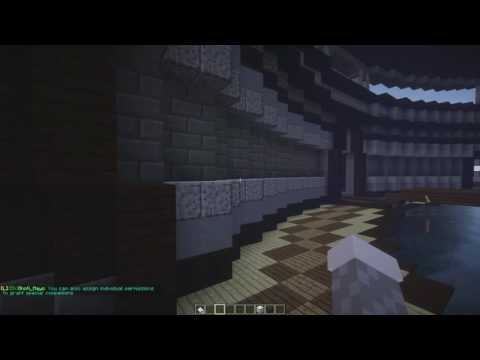
Want to test it out?
You can test it out at my test server
mc.freeplaynetwork.com:25599
Discord Support:
https://discord.gg/3mMfUX4
I put my sweat, blood, and tears (figuratively not literally :p) into this project, so if you like it, please leave a review and/or a like. Also if you have any problems/errors/bugs/feedback/questions do not hesitate to contact me on here or discord. I made this to be used and enjoyed and any input you give me will help me do that better.
Similar projects
Plugin →Let Me Despawn
Improves performance by tweaking mob despawn rules. Say bye to pesky unintentional persistent mobs.
26.2MSueta
JourneyMap
Real-time map used for mapping in-game or your browser as you explore.
14.7MSueta
Emotecraft
Create your own emotes in Minecraft.
7.9MSueta
Simple Tpa
A simple tpa plugin which sends requests
5.4MSueta
Common Network
Forge and Fabric Unified Networking Solution
4.7MSueta
Set Home
A lightweight plugin for players to set their homes.
3.8MSueta