

CodeExecutor enables player to write and execute their code inside your server. CodeExecutor uses Piston code execution engine for the execution of every code. Github page of Piston: here

Basic Usage and Running
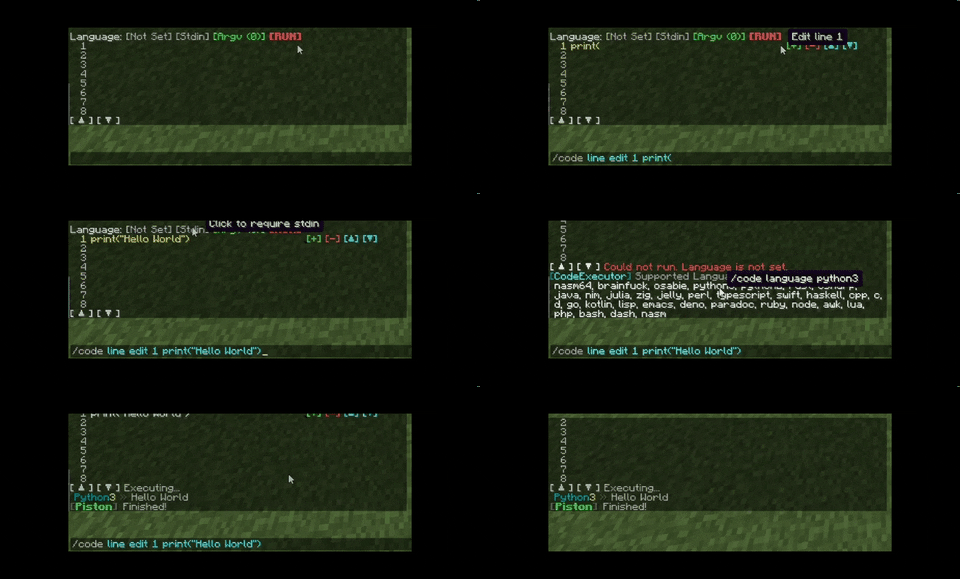
Use of \n (New Line) and \t (Tab)
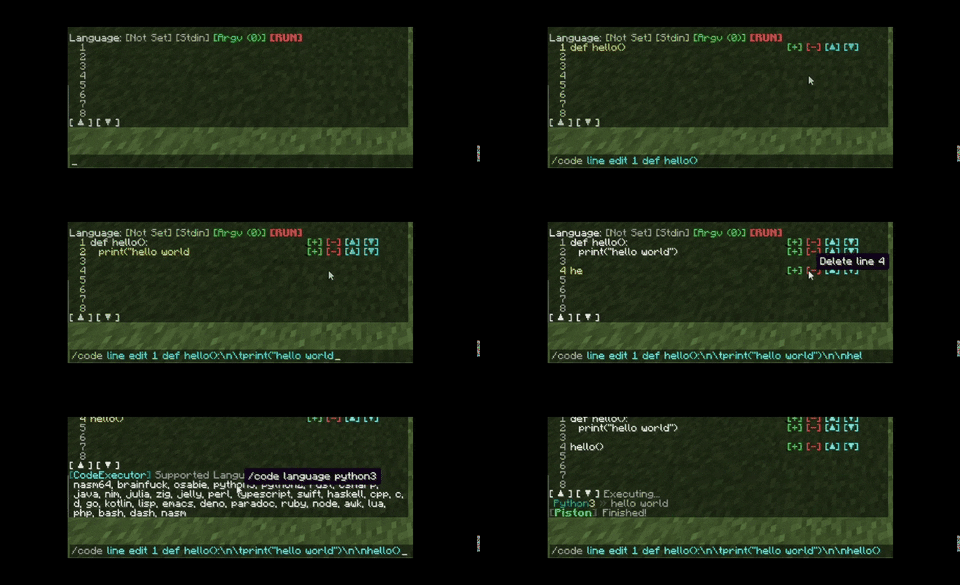
Use of Stdin
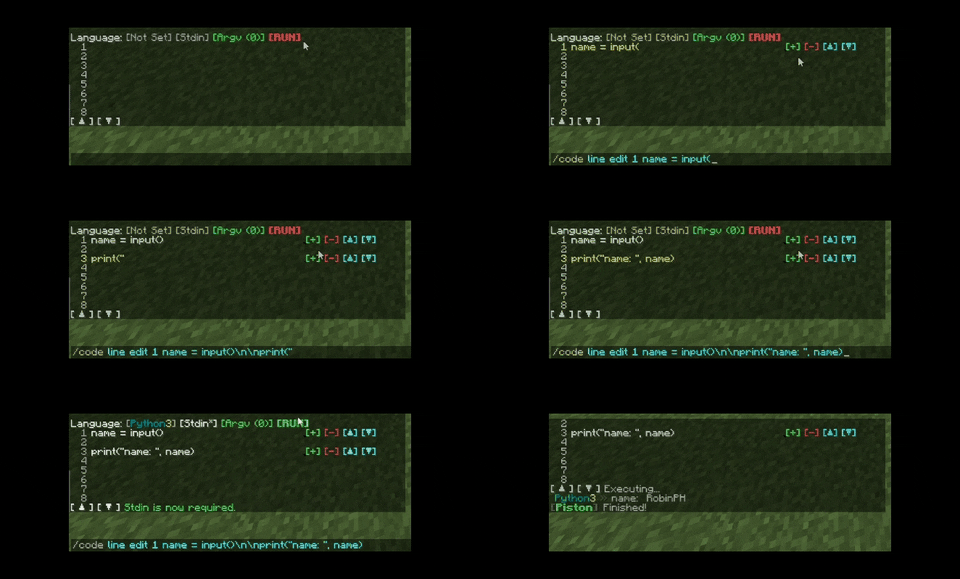
Use of argv
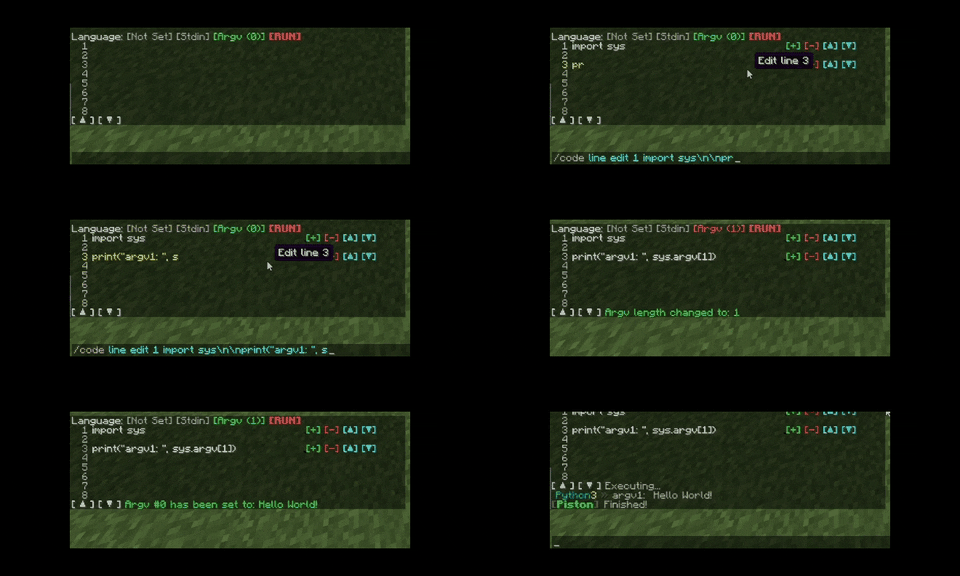
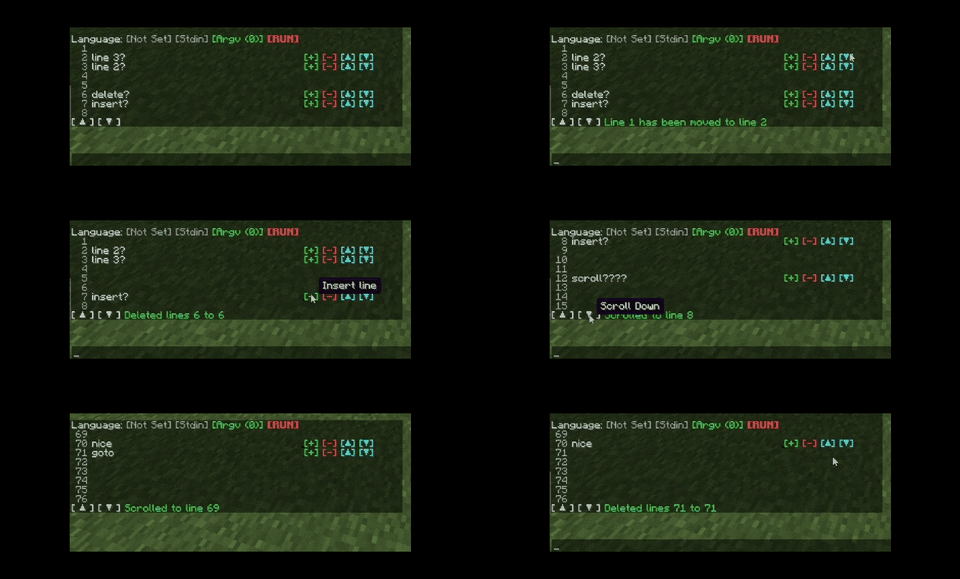
Line move, insert, and delete. Scroll, and go to
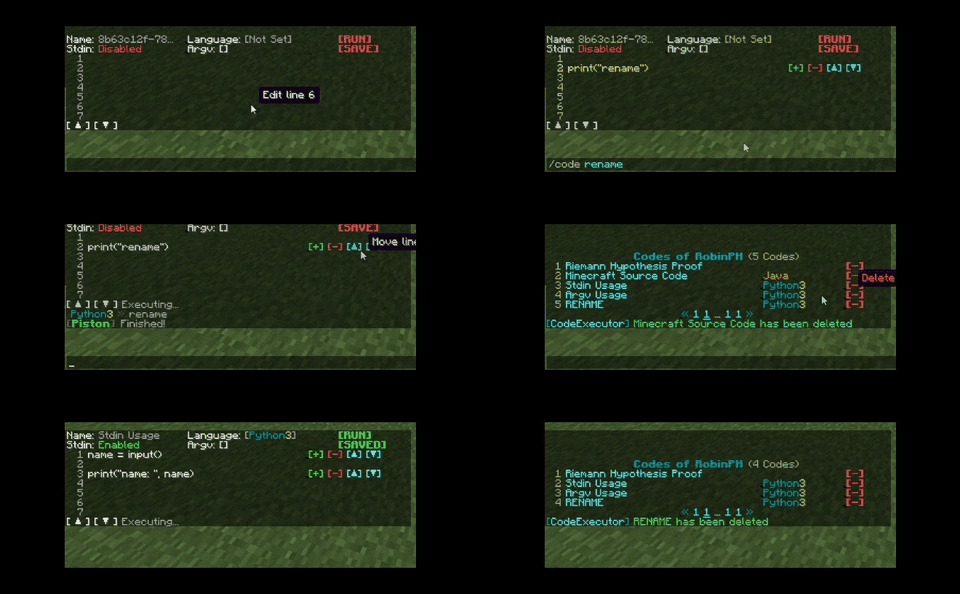
Renaming, Saving, Deleting files

/code - Main entry point of the commands
  /code new - Create a new editor
  /code open - Open the editor
  /code close - Close the editor
  /code run - Run the code in your editor
  /code language - Change the execution language
  /code languages - List of suported languages
  /code scroll - Scroll up/down in the editor
  /code goto - Go to a certain line in the editor
  /code line - Commands for line modifications
    /code line insert - Insert new line
    /code line delete - Delete line
    /code line edit - Edit a line's text
    /code line move - Move line to another line

  /code argv
    /code argv count - Set the number of arguments
    /code argv set - Set the arguments values

  /code stdin - Enable/disable stdin
  /code save - Saves your current editor
  /code rename - Renames your current editor
  /code list - Shows a list of all of your codes
  /code delete - Delete a code editor.
  /code import - Import code from pastebin
codeexecutor.code - Access all of CodeExecutor's functionality
editor-height: 20 # Recommended: 20 and 10
max-line-length: 192 # Recommended: 192. n / 6 == How many 'A' characters can you fit in the line
max-line-count: 1028 # Recommended: <= 1028
max-character-per-line: 128 # Recommended: >=64 && <= 128
max-output-line: 64 # Recommended: <= 64
max-size-per-output: 16384 # Max size per output, 16 kilobytes
max-files-per-player: 32
- The plugin has queue system for code execution because Piston only allows 5 requests per second.
Questions?
Discord: robin#9650
Similar projects
Plugin →Let Me Despawn
Improves performance by tweaking mob despawn rules. Say bye to pesky unintentional persistent mobs.
25MSueta
JourneyMap
Real-time map used for mapping in-game or your browser as you explore.
14.7MSueta
Emotecraft
Create your own emotes in Minecraft.
7.5MSueta
Simple Tpa
A simple tpa plugin which sends requests
5.4MSueta
Common Network
Forge and Fabric Unified Networking Solution
3.9MSueta
Set Home
A lightweight plugin for players to set their homes.
3.8MSueta