
CommandButtons ~ Execute Commands on Block Interaction
5.3.4Bind commands to blocks, with permissions, cooldowns, and economy.
- Tested MC versions
- 1.8, 1.9, 1.10, 1.11, 1.12, 1.13, 1.14, 1.15, 1.16, 1.17, 1.18, 1.19, 1.20, 1.21, 26.1, 26.2, 26.3


CommandButtons is an extremely customizable plugin that allows you to bind an unlimited amount of commands to be executed by the console and/or players when a block is interacted with, allowing you to perform custom actions when players hit buttons/signs, step on pressure plates, or click on blocks.

Customizable
Customize messages and settings to your liking.
Intuitive Editor GUI
Edit all of your command buttons inside a user-friendly GUI menu.
Bind Unlimited Commands
Bind an unlimited number of console and player commands to each command button.
Integrated Economy Support
If you have Vault and a supported economy plugin installed, you can choose to charge players in-game currency per button use.
Cooldowns
Set per-player or global cooldowns on your command buttons. All cooldowns will persist after a server restarts!
Custom Permissions
Require a custom permission node that the player must have before using the command button.
Custom Messages
Add unlimited custom messages to be sent to a player when the command button is used.
Multiple Locations
Add multiple locations for a command button, so the same properties and cooldowns can be shared across multiple blocks.

Editor:

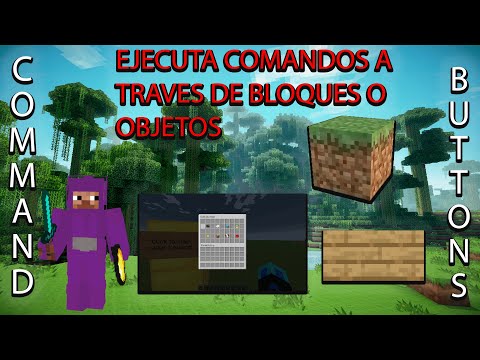
Tutorial (Spanish):

- Java 17+
- Only required if you wish to use the economy feature (charge players in-game currency for using command buttons): Vault and an economy plugin supporting Vault (eg. EssentialsX)

/commandbuttons
Description: Displays plugin information.
Aliases: /cb
/commandbuttons help
Description: Displays a list of commands.
/commandbuttons reload
Description: Reloads configuration files.
Permission: commandbuttons.reload
Aliases: /commandbuttons rl
/commandbuttons create <id>
Description: Creates a new command button with the given identifier, and adds the block the creator is currently looking at as a location.
Permission: commandbuttons.create
/commandbuttons editor [id]
Description: Opens the button editor for the button with the given identifier. If no identifier is provided, a GUI with a list of all buttons currently on the server will be displayed.
Permission: commandbuttons.editor
/commandbuttons addLocation <id>
Description: Adds the block the player is currently looking at as a location for the command button with the given identifier.
Permission: commandbuttons.editor
/commandbuttons removeLocation <id>
Description: Removes the block the player is currently looking at as a location for the command button with the given identifier.
Permission: commandbuttons.editor
Standalone Permission: commandbuttons.bypass.cost
Description: Bypasses button costs.
Standalone Permission: commandbuttons.bypass.cooldown
Description: Bypasses button cooldowns.

settings.yml: https://github.com/demengc/CommandButtons/blob/master/src/main/resources/settings.yml
messages.yml: https://github.com/demengc/CommandButtons/blob/master/src/main/resources/messages.yml

Please join the official Discord server and create a support ticket should you have any questions/inquiries. Do not use the reviews section for support!
Made with ❤️ by Demeng Development.
Official Partner of Revivenode

Use code 'DEMENG' at checkout for 15% off your first purchase!
Similar projects
Plugin →Let Me Despawn
Improves performance by tweaking mob despawn rules. Say bye to pesky unintentional persistent mobs.
25MSueta
JourneyMap
Real-time map used for mapping in-game or your browser as you explore.
14.7MSueta
Emotecraft
Create your own emotes in Minecraft.
7.5MSueta
Simple Tpa
A simple tpa plugin which sends requests
5.4MSueta
Common Network
Forge and Fabric Unified Networking Solution
3.9MSueta
Set Home
A lightweight plugin for players to set their homes.
3.8MSueta