
Cosmic Vaults | Supports 1.8+
3.0.1Player Vaults exactly like "the most famous Factions Server"'s player vaults!


- Java 8, Spigot 1.7.10-1.14.2

Cosmic Vaults Images
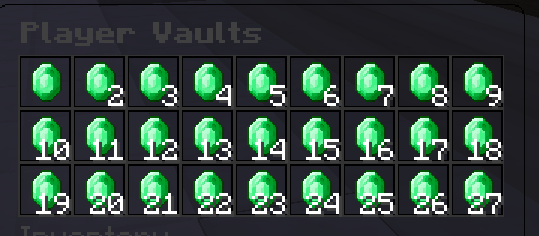
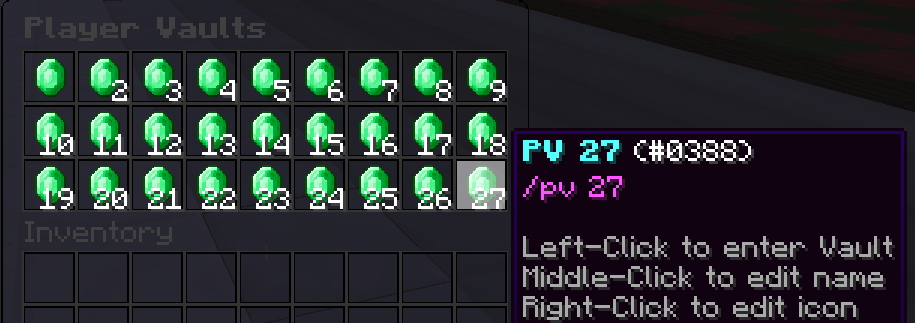
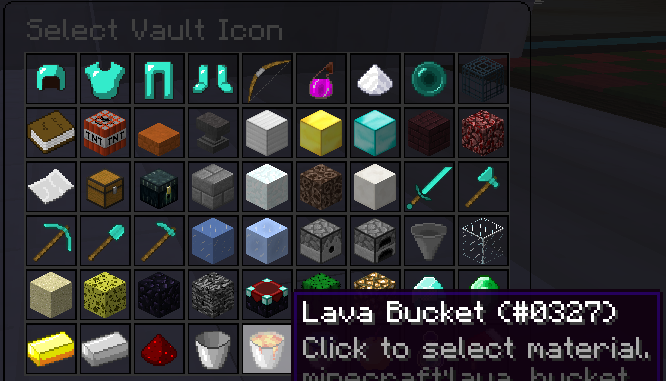


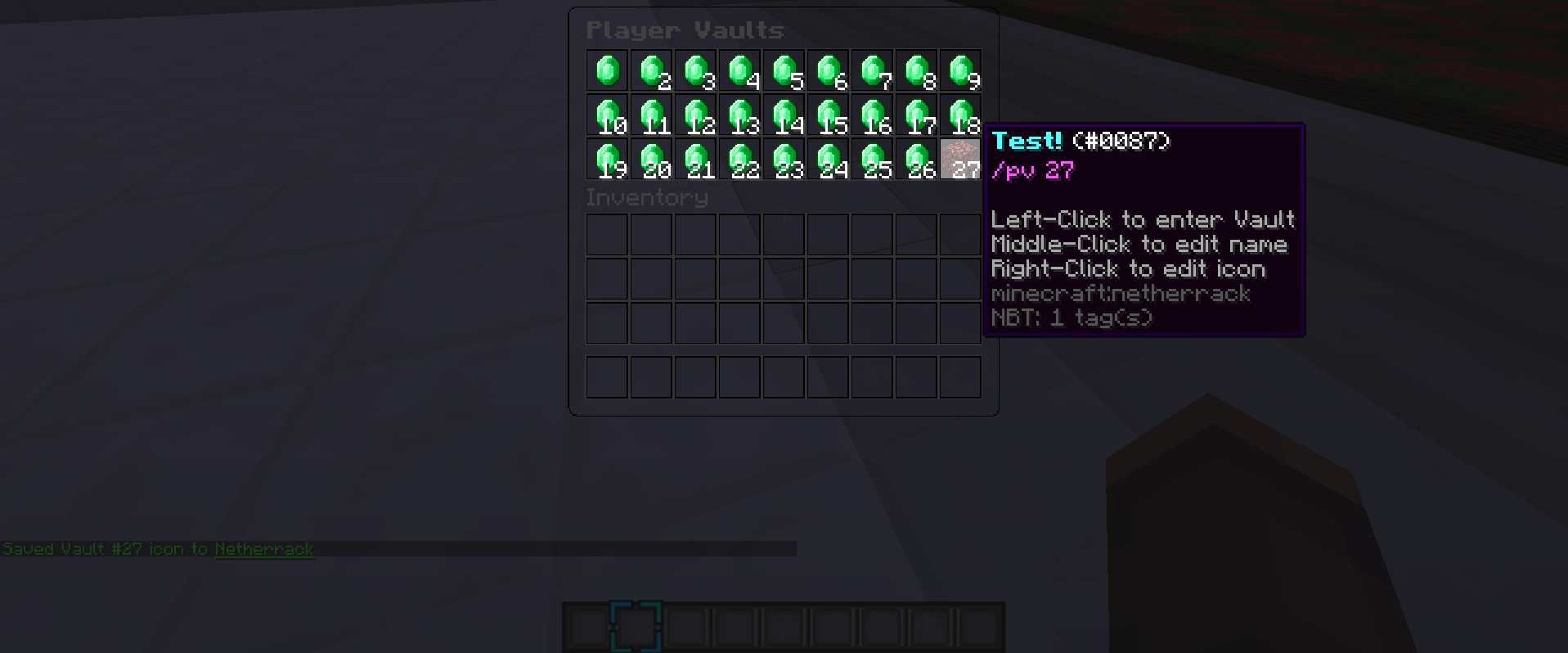

# Made by RandomHashTags
messages:
  prefix: "&8&l[&a&lCosmicVaults&8&l]&r"
  rename vault:
    - " "
    - "{PREFIX}"
    - "&b&l(!)&r &bPlease enter your new desired Vault name."
    - "&7If you wish to cancel type '&ccancel&7' in the chat."
    - " "
  rename vault other:
    - " "
    - "{PREFIX}"
    - "&b&l(!)&r &bPlease enter your new desired Vault name"
    - "&bfor {PLAYER}'s Vault #{VAULT_NUMBER}."
    - "&7If you wish to cancel type '&ccancel&7' in the chat."
    - " "
  rename vault success:
    - "{PREFIX} &a&l(!)&r &aVault #{VAULT_NUMBER} renamed to {NAME}"
  rename vault success other:
    - "{PREFIX} &a&l(!)&r &aYou renamed {PLAYER}'s Vault #{VAULT_NUMBER} to {NAME}"
  rename vault cancelled:
    - "{PREFIX} &cVault naming &lCANCELLED!"
  rename vault cancelled other:
    - "{PREFIX} &c{PLAYER}'s Vault #{VAULT_NUMBER} naming &lCANCELLED!"
  save edited icon:
    - "{PREFIX} &aSaved Vault #{VAULT_NUMBER} icon to &n{MATERIAL}"
  save edited icon other:
    - "{PREFIX} &aSaved {PLAYER}'s Vault #{VAULT_NUMBER} icon to &n{MATERIAL}"
  #
  target player has no vaults:
    - "{PREFIX} &cThis player doesn't have any vaults!"
  no vault access:
    - "{PREFIX} &cYou do not have access to this vault!"
  #
  no permission to edit other vault: # Permission: 'CosmicVaults.pv.other.edit'
    - "{PREFIX} &cYou do not have access to edit this vault!"
  no permission to edit other vault icon: # Permission: 'CosmicVaults.pv.other.edit.icon'
    - "{PREFIX} &cYou do not have access to edit this vault's icon!"
  no permission to rename other vault: # Permission: 'CosmicVaults.pv.other.rename'
    - "{PREFIX} &cYou do not have access to rename this vault!"
  no permission to view other vault: # Permission: 'CosmicVaults.pv.other.view'
    - "{PREFIX} &cYou do not have access to view this vault!"
#
CosmicVaults:
  open menu when:
    renamed vault: true
    closed edit icon: true
    closed self player vault: true
    closed other player vault: true
  # Size of the vaults
  size of vault: 54
  # Max size of /pvs
  max size of pvs display: 54
  # Size of the vault (example: The size of /pv 1, /pv 2, /pv 3, ect.)
  titles:
    # When the player is in a vault that they own, this is the chest's title
    # {VAULT_NUMBER} needs to be last for it to work!
    self: "Vault #{VAULT_NUMBER}"
    # When the player is in a vault they do not own, this is the chest's title.
    # {PLAYER} needs to be first for it to work!
    other pvs: "{PLAYER}'s Vaults"
    # other vault requires {PLAYER} to be first, and {VAULT_NUMBER} to be last in order to work.
    other vault: "{PLAYER}'s Vault #{VAULT_NUMBER}"
    # When the player is editing a vault not owned by them, this is the chest's title.
    # {PLAYER} needs to be first for it to work!
    edit icon other: "{PLAYER}'s PV #{VAULT_NUMBER} Icon"
    # When the player opens the pv menu, this is the chest's title.
    pvs: "Player Vaults"
  #
  default pvs display:
    # "<item>    # You can just have the <item>, and the data will be defaulted to zero
    # {VAULT_NUMBER} = The vault number the
    item: "emerald"
    name: "&b&lPV {VAULT_NUMBER}"
    lore:
    - "&d/pv {VAULT_NUMBER}"
    - " "
    - "&7Left-Click to enter Vault"
    - "&7Middle-Click to edit name"
    - "&7Right-Click to edit icon"
##
# Item format:
# item: "<item>"
#
# Items can only have a name! Color codes ARE allowed!
# Example:
# '0':
#   item: "diamond_helmet"
#   name: "&b&lDiamond Helmet"
##
edit icon:
  # Needs to contain {VAULT_NUMBER} to work!
  title: "Edit PV #{VAULT_NUMBER} Icon"
  size: 54
  select lore:
  - "&7Click to select material."
  '0':
    item: "diamond_helmet"
  '1':
    item: "diamond_chestplate"
  '2':
    item: "diamond_leggings"
  '3':
    item: "diamond_boots"
  '4':
    item: "bow"
  '5':
    item: "splash_potion"
  '6':
    item: "sugar"
  '7':
    item: "ender_pearl"
  '8':
    item: "mob_spawner"
  '9':
    item: "book"
  '10':
    item: "tnt"
  '11':
    item: "stone_slab2"
  '12':
    item: "anvil"
  '13':
    item: "iron_block"
  '14':
    item: "gold_block"
  '15':
    item: "diamond_block"
  '16':
    item: "nether_brick"
  '17':
    item: "netherrack"
  '18':
    item: "paper"
  '19':
    item: "chest"
  '20':
    item: "ender_chest"
  '21':
    item: "smooth_brick"
  '22':
    item: "snow_block"
  '23':
    item: "soul_sand"
  '24':
    item: "quartz_block"
  '25':
    item: "diamond_sword"
  '26':
    item: "diamond_axe"
  '27':
    item: "diamond_pickaxe"
  '28':
    item: "diamond_spade"
  '29':
    item: "diamond_hoe"
  '30':
    item: "ice"
  '31':
    item: "packed_ice"
  '32':
    item: "dispenser"
  '33':
    item: "furnace"
  '34':
    item: "hopper"
  '35':
    item: "glass"
  '36':
    item: "sand"
  '37':
    item: "sponge"
  '38':
    item: "obsidian"
  '39':
    item: "bedrock"
  '40':
    item: "enchantment_table"
  '41':
    item: "cactus"
  '42':
    item: "glowstone"
  '43':
    item: "diamond"
  '44':
    item: "emerald"
  '45':
    item: "gold_ingot"
  '46':
    item: "iron_ingot"
  '47':
    item: "redstone"
  '48':
    item: "bucket"
  '49':
    item: "lava_bucket"
  '50':
    item: "water_bucket"
  '51':
    item: "golden_apple:1"
  '52':
    item: "exp_bottle"
  '53':
    item: "bed"
Admin Commands
/pv <player> <vault number> - Open a specific player's vault
/pv <player> - Open the player's /pvs menu
[CODE]
[CODE]
CosmicVaults.commands.pv    - Access to /pvs (/playervault, /pv)

CosmicVaults.pv.#    - The amount of vaults the player can have
CosmicVaults.pv.1 = The player only has access to vault #1
CosmicVaults.pv.5 = The player only has access to vault #1, 2, 3, 4, and 5
#
# ADMINS
#
CosmicVaults.pv.other.edit - Edit other player's vaults
CosmicVaults.pv.other.edit.icon - Edit other player's vault icons
CosmicVaults.pv.other.rename - Rename other player's vault names in /pvs
CosmicVaults.pv.other.view - Check other player's vaults
#
What's new in v0.6?
- You can edit player's vaults by typing /pv <player> <vault number> OR open the player's vault by typing /pv <player>!
- Admins can edit, rename, and view other player's vaults! (Requires the correct permissions)
Leave bugs in the DISCUSSION, AND TAG ME IN YOUR POST (@RandomHashTags)
========================================
REQUESTED BY @SaltyTBNR HERE
========================================
Similar projects
Plugin →Let Me Despawn
Improves performance by tweaking mob despawn rules. Say bye to pesky unintentional persistent mobs.
25MSueta
JourneyMap
Real-time map used for mapping in-game or your browser as you explore.
14.7MSueta
Emotecraft
Create your own emotes in Minecraft.
7.5MSueta
Simple Tpa
A simple tpa plugin which sends requests
5.4MSueta
Common Network
Forge and Fabric Unified Networking Solution
3.9MSueta
Set Home
A lightweight plugin for players to set their homes.
3.8MSueta