
Crad Gacha | Gacha Cursor UI ✅
1.0.5CradGacha - Cursor-based animated gacha crate system with hologram UI
CradGacha
A modern cursor-based gacha crate system for Minecraft servers.
Interactive hologram UI • Animated rewards • x1 / x10 openings • Cursor-style menus
Premium Version : Click
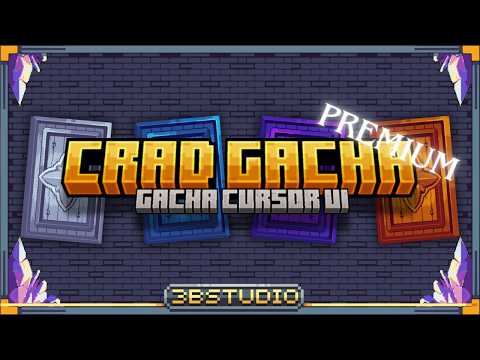

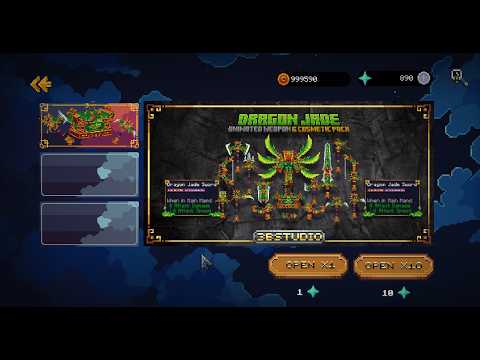
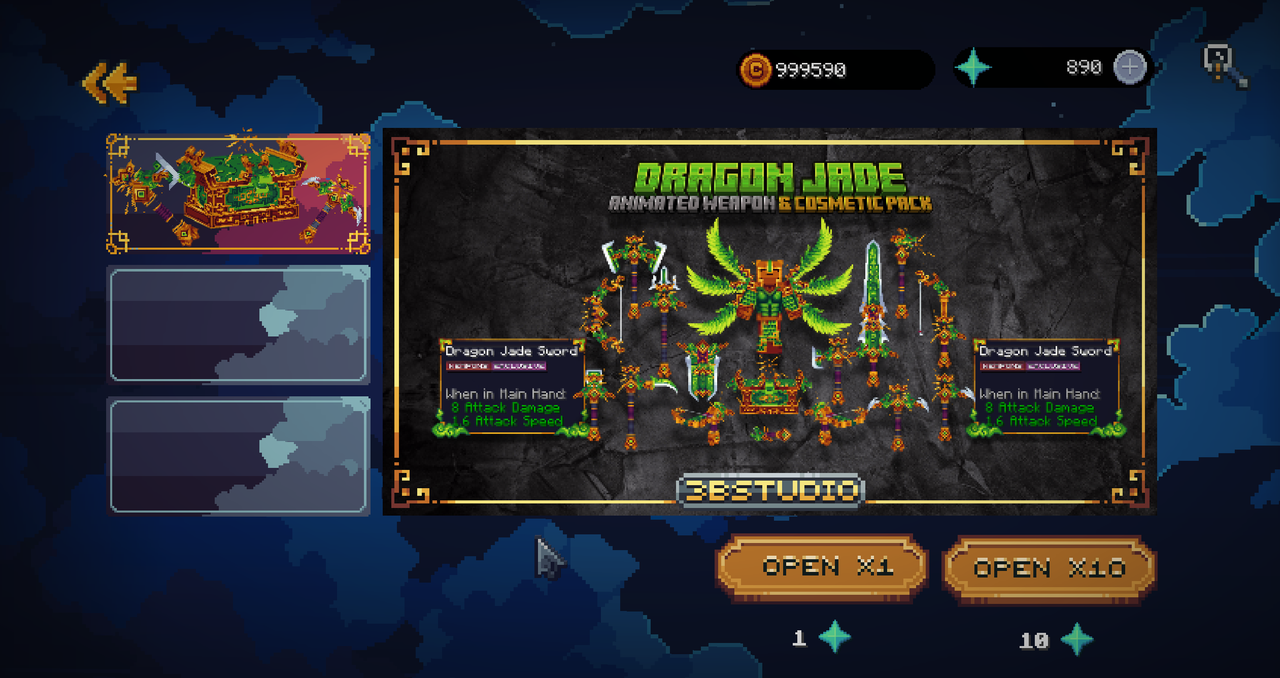
CradGacha is a modern gacha / crate plugin that gives your players a far more exciting opening experience than a traditional inventory GUI.
Instead of a standard chest menu, CradGacha renders a full cursor-style hologram interface directly in the world: players move a virtual cursor, select crates, watch a 3D open animation, and flip animated result cards to reveal their rewards. Every menu is owner-only, so a whole crowd can open crates at the same spot without seeing each other's UI.
It is built for servers that want a polished, visual, game-like crate system.
Main Features
- Cursor-based gacha UI - A modern in-world menu controlled by a virtual cursor with a spectator camera-lock, and real-mouse-feel motion (client-side glide interpolation).
- Hologram / display-entity menus - A fully immersive UI, not a chest inventory.
- Owner-only, crowd-safe menus - Each player only sees their own menu; other players (and their locator-bar dots) are hidden while you're browsing, and they see you standing normally via a packet body-double.
- Crate selection screen - Let players choose between different crate types.
- Open x1 and x10 - Support both single openings and multi-open sessions.
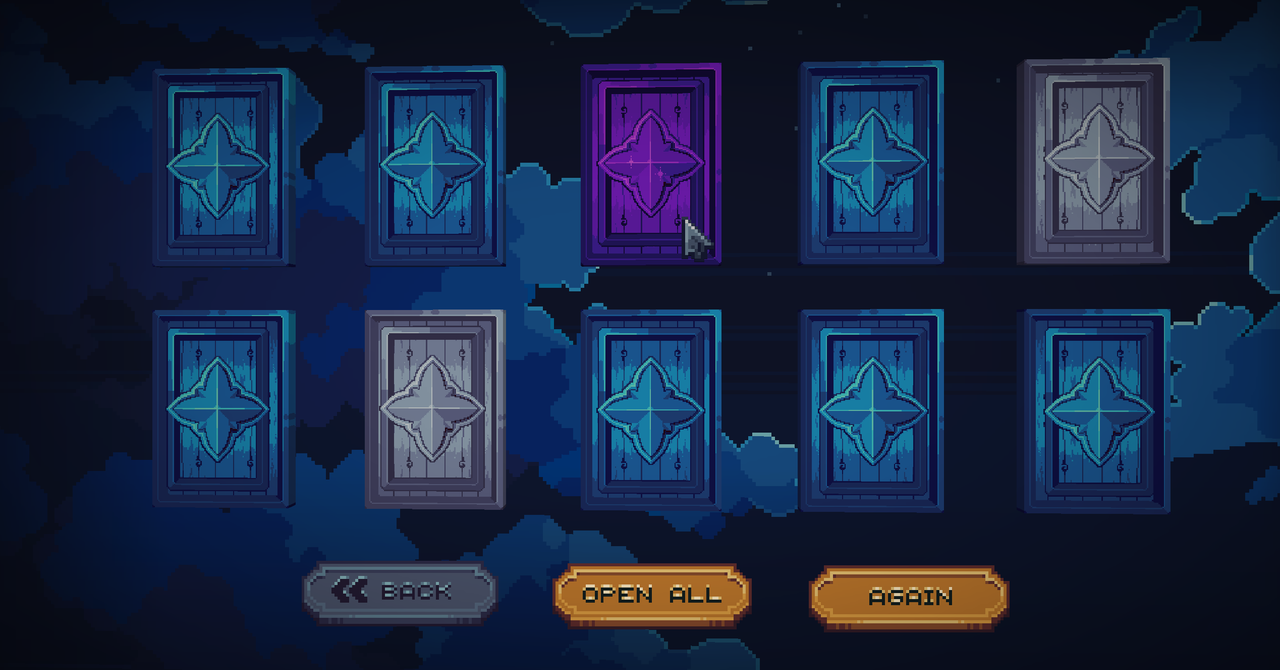
- Animated result cards - Rewards are shown as cards the player reveals one by one.
- Open All for x10 - Reveal all 10 result cards at once.
- Open Again button - Repeats the previous opening amount; auto-flips any still-face-down cards first, so you always see what you got.
- 3D open animation - Optional BetterModel or ModelEngine model plays before the cards, chosen by the rarest reward, with per-rarity animations and play times.
- Weighted rarities - Common to Legendary, fully configurable, with per-reward rarity glow.
- Pity system - Hard pity guarantee (global default + per-crate override) plus an optional soft-pity ramp, shown on an animated pity bar.
- Wishlist - Players pick a target-rarity reward and steer their luck.
- Duplicate to Spark + Spark Exchange shop - Dupes reveal as "+N Spark" right on the card (no chat spoiler before you flip), turning into a currency you spend in a shop.
- Token Shop - Built-in currency with a custom display name.
- Cost types - NONE, ITEM, MONEY (Vault), TOKEN, PLAYERPOINTS, plus multi-cost (require several at once).
- Per-reward message & title - Show a custom chat message / title after a reward is revealed.
- Pull suspense & broadcast - A rising drum-roll on rare pulls, and a server-wide announce on Epic/Legendary that fires only AFTER the card is flipped (no spoilers).
- Reward-loss protection - Rewards survive ESC / disconnect / death / even a server crash (on-disk pending + recovery), with a dupe-proof economy flow throughout.
- Personal pull history - /gacha history shows a player's recent pulls and pity.
- Multiple, fully theme-able menus - Every element as glyph / item / text (position, scale, hitbox); clone/switch between several themes; time-limited crates.
- Custom-item support - Works with Nexo, ItemsAdder, Oraxen, MMOItems, or plain vanilla items.
- Resource pack friendly - Ships a ready-made UI pack for Nexo, ItemsAdder, Oraxen, AND vanilla (no item plugin needed - see below). /gacha setup auto-installs it and even auto-merges the ModelEngine pack into your provider's resource pack for you.
- No item plugin? No problem - vanilla mode ships its own resource pack, and the plugin HOSTS it for you (free, self-served, auto-sent to players on join).
- Translatable - all player-facing text lives in one language file.
- Beginner-friendly setup - One command (/gacha setup) detects your item provider and installs everything; re-running it never overwrites files you've customized, and /gacha setup force resets to defaults on purpose. Full wiki for server owners.
Premium (optional upgrade jar)
Drop in the Premium jar (replaces the free one), restart, and everything below turns on - all editable 100% in-game, no YAML:
- In-game Reward & Crate Settings editor - /gacha edit: set a reward's item from your hand, or pick it from your inventory without closing the menu.
- Crate Creator (build a whole crate from scratch) - /gacha create
- Live Layout editor - /gacha layout [theme]: drag/resize/duplicate elements, create new text elements that ride the cursor, set any element's image straight from the button Library (every font-image your server defines), and assign click functions (open shop/spark/wishlist/rates/history, links, and more) - no YAML editing needed.
- Global Config editor - /gacha config: mouse speed & cursor feel, effects, rarities, background, theme switch/clone - hover any setting for a plain-English description of what it does.
- Stats dashboard + a 1,000-roll odds simulator - /gacha stats
- Rate-Up events - timed rarity boosts with a live countdown
- VIP luck - permission-based rarity boost (great with ranks)
- Crate keys - a key opens the crate free, bypassing cost
- Developer API - Bukkit events (GachaOpenEvent, GachaPreOpenEvent) plus a facade to open crates, manage tokens, and gate opens from your own plugins.
- Unlimited crates - the free version is capped at 3
Why Use CradGacha?
Most crate plugins rely on chest inventories or simple reward messages. CradGacha focuses on presentation. Your players do not just click a crate and receive an item - they interact with a visual gacha screen, watch a 3D animation, reveal cards, and experience the opening like a real game UI.
This makes it a strong choice for:
- Survival servers
- RPG servers
- Cosmetic servers
- Skyblock servers
- Minigame networks
- Servers with custom resource packs
Opening Flow
- The player opens the gacha menu.
- The player selects a crate.
- The player chooses Open x1 or Open x10.
- Rewards are rolled using the configured reward system (weights + pity + any active rate-up).
- An optional 3D model animation plays, chosen by the rarest reward.
- The result panel appears.
- For x1, the player reveals one reward card.
- For x10, the player reveals cards one by one or presses Open All.
- After all cards are revealed, the player can go back or open again.
x10 Result Panel
When opening x10, the result screen includes three buttons under the reward cards:
- Back - Available only after all 10 cards have been revealed.
- Open All - Reveals all 10 cards instantly. Only appears for x10 openings.
- Open Again - Opens again using the same amount as the previous opening (any face-down cards from this round are flipped first, so nothing is skipped).
The Open All button does not appear in x1 openings.
Requirements
- Java: 21 recommended (Java 25 if you use BetterModel for the 3D animation - ModelEngine works fine on Java 21)
- Server: Paper recommended
- Minecraft: 1.21+ (tested across 1.21.4 - 1.21.11)
- packetevents (required) - powers the cursor camera; the menu will not run without it
Optional dependencies:
- Vault - economy support (MONEY cost)
- PlaceholderAPI - placeholder support, if enabled
- PlayerPoints - PLAYERPOINTS cost, if used
- BetterModel or ModelEngine - the 3D open animation (BetterModel needs Java 25)
- Nexo / ItemsAdder / Oraxen / MMOItems - custom UI images and custom reward items, if used by your setup. Not using any of these? The built-in vanilla mode + self-hosted resource pack works out of the box.
Installation
- Download the plugin jar (Free or Premium).
- Place it inside your server's plugins folder.
- Install packetevents (required) and any optional dependencies you want.
- Restart your server once so the plugin can generate its files.
- Run /gacha setup - it detects your item provider (or defaults to vanilla mode) and installs the matching UI pack and config automatically.
- Edit the generated configuration files (or use the in-game editors on Premium).
- Reload or restart again after configuration changes.
Commands & Permissions
Please check the documentation for the full command and permission list.
Command examples:
/gacha                                       open the menu
/gacha open <crate> [1|10]                   open a crate directly
/gacha history                               your recent pulls + pity
/gacha fix                                   unstick yourself (view / gamemode)
/gacha setup [force]                         admin: install/reset the UI pack for your provider
/gacha reload                                admin: reload configs
/gacha token give|take|set <player> <amount> admin: token currency
/gacha key give <player> <crate> [amount]    admin: give crate keys (Premium)
/gacha edit | create | stats | layout | config   admin: in-game editors (Premium)
Permissions:
cradgacha.admin        admin commands (default: op)
cradgacha.luck.<n>     Premium VIP luck: +n% rarity-weight boost (e.g. cradgacha.luck.10)
Documentation
A full beginner-friendly wiki is available here:
https://3bstudio.github.io/CradGacha-docs/
The wiki includes:
- Installation & first setup guide
- Commands & permissions
- Configuration, crate setup, reward setup
- Cursor UI explanation
- Custom-item / resource pack setup
- Troubleshooting & FAQ
- Changelog
Support
Need help setting up CradGacha? Use the support links below:
Discord Support - https://discord.gg/YM6SG7TKaB
Documentation - https://3bstudio.github.io/CradGacha-docs/
Please do not use reviews for bug reports. If you need help, use the support channels above so the issue can be checked properly.
Important Notes
- CradGacha is not a traditional chest GUI crate plugin.
- packetevents is required - the cursor menu will not run without it.
- For the best visual result, one of the included UI packs (Nexo / ItemsAdder / Oraxen / vanilla) is recommended.
- Some visual features may depend on your Minecraft version and server software.
- Paper is recommended for the best compatibility and performance.
- Always test new configurations on a test server before using them in production.
bStats / Metrics
If metrics are enabled, CradGacha may collect anonymous usage statistics through bStats. No personal information is collected. You can disable bStats in:
plugins/bStats/config.yml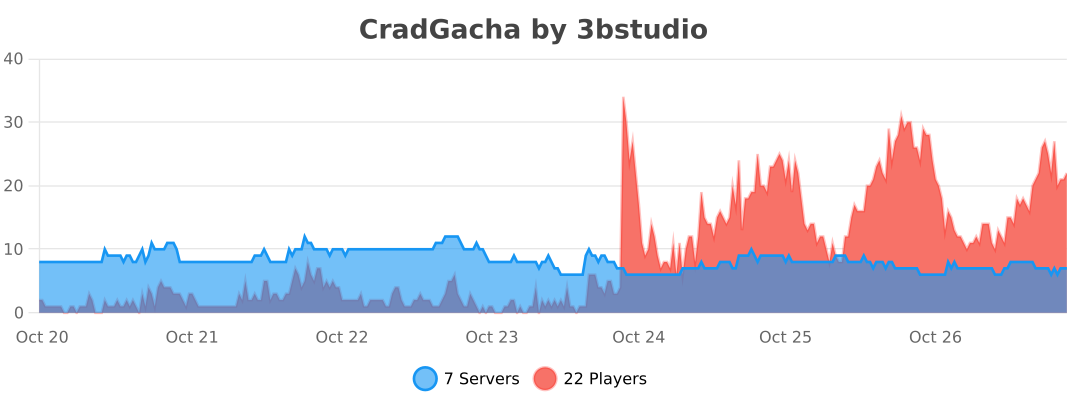
Final Words
CradGacha is designed for server owners who want a more polished and interactive crate-opening experience. If you enjoy the plugin, leaving a review helps a lot and supports future updates.
Similar projects
Plugin →Let Me Despawn
Improves performance by tweaking mob despawn rules. Say bye to pesky unintentional persistent mobs.
25MSueta
JourneyMap
Real-time map used for mapping in-game or your browser as you explore.
14.7MSueta
Emotecraft
Create your own emotes in Minecraft.
7.5MSueta
Simple Tpa
A simple tpa plugin which sends requests
5.4MSueta
Common Network
Forge and Fabric Unified Networking Solution
3.9MSueta
Set Home
A lightweight plugin for players to set their homes.
3.8MSueta