
CS
A multifunctional, customizable, open source and free plug-in
What can it do?
In the current version, it can do:
- When a player joins the game, the entire server broadcasts a custom message and supports PlaceholdAPI
- Custom scoreboard with PlaceholderAPI support
- Almost perfect cooperation with PlaceholderAPI
- Fully customizable function switches
- Build the website on the server
- Link database
- Players send feedback to the server
- Email reminder when server starts or shuts down
Future plan:
- Add Bossbar
- Add gift package function
- More features
Precautions:
- Music must be in nbs format!!! How to convert to nbs format?
- sqlite is not currently supported
Pre-plugin (optional):
- Login message, scoreboard: PlaceholderAPI
- Music: NoteblockAPI
Configuration file (config.yml):
#Set language (zh-cn/en-eu)
language: zh-cn
player:
   join:
     # Whether to enable login message
     Enable: true
     #Message sent when logging in
     Message: Welcome %player_name% to join the server
Scoreboard:
   # Whether to enable scoreboard
   Enable: true
   # Scoreboard title
   title: CSNKTools
   # Scoreboard content
   line:
     - Name:%player_name%
     - Level:%player_level%
     - Delay:%player_ping%
   # Scoreboard update time (tick)
   update: 20
Music:
   Enable: true
   distance: 4
   #CloudMusicPlease enter the link
   qunqing: "https://w.csk.asia/res/nbs/qunqing.nbs"
   #Please put local music into the music folder, and fill in the link as www
   badapple: "www"
website: #webpage
   Enable: false
   #User information data table
   user_table: usertable
   #Webport
   port: 8080
   email:
     #Subject of registration email
     register_subject: "Register Email"
#mysqldatabase
mysql:
   Enable: false
   #mysqldriver
   drive: "com.mysql.cj.jdbc.Driver"#Old version driver: com.mysql.jdbc.Driver
   #mysqlDomain name and port
   host: localhost
   port: 3306
   #Database name
   database: mydatabase
   #mysqlservertimezone
   time: GMT
   #Whether to use ssl
   usessl: true
   #coding
   char: UTF-8
   #Username and password
   username: myuser
   password: mypassword
#sqlite related settings
sqlite:
   #sqlite path, do not change it unless necessary
   path: "plugins/CSNKTools/data/data.db"
#mailsystem
smtp:
   Enable: false
   auth: true
   starttls: true
   #smtpserver
   host: smtp.example.com
   #smtpport
   port: 587
   #email address
   username: [email protected]
   #Email password (authorization code)
   password: smtppassword
#Server switch prompt (requires smtp configuration)
serverendisable:
   enable: false
   #Email address to receive emails
   email: [email protected]
   #Email subject when the server is started
   enable_subject: "The server is started"
   #Email subject when the server is shut down
   disable_subject: "The server is down"
   #Whether it is stored in the database
   savedatabase: false
   #Table Name
   table_name: serverendisable
   #Force to use sqlite
   usesqlite: false
Commands & Permissions:
#The first line is the command
#Second line permissions

/csnktools #Plug-in main command (can be abbreviated as /ct or /cst)
ct.command

/csnktools about #Plug-in information
ct.command.about

/csnktools check #Check for updates
ct.command.check

/csnktools playsound <song name> #Play music
ct.command.playsound

/csnktools soundurl <URL> #Get music from the link
ct.command.soundurl

/csnktools feedback <topic> <content> #Send feedback (stored in data/feedback.yml)
ct.command.feedback

/csnktoolsadmin #Administrator command (abbreviated as /cta or /csta)
cta.command

/csnktoolsadmin download <URL> <path> #Download the file to the server (for example: /cta download https://w.csk.asia/res/nbs/qunqing.nbs plugins/CSNKTools/music/qunqing.nbs)
cta.command.download
Known issues:
- An error may appear when starting for the first time. Just restart.
- An error will be reported when entering commands on the console, but it will not affect the execution.
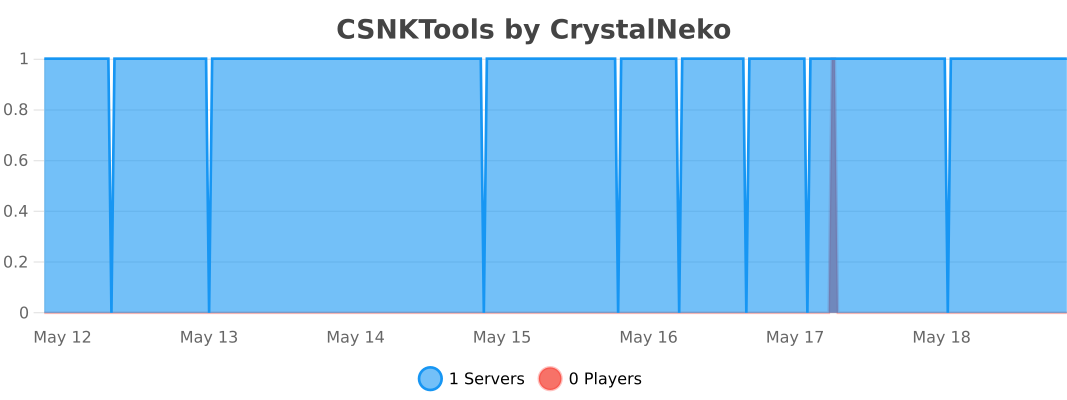
bStats:
Similar projects
Plugin →Let Me Despawn
Improves performance by tweaking mob despawn rules. Say bye to pesky unintentional persistent mobs.
25MSueta
JourneyMap
Real-time map used for mapping in-game or your browser as you explore.
14.7MSueta
Emotecraft
Create your own emotes in Minecraft.
7.5MSueta
Simple Tpa
A simple tpa plugin which sends requests
5.4MSueta
Common Network
Forge and Fabric Unified Networking Solution
3.9MSueta
Set Home
A lightweight plugin for players to set their homes.
3.8MSueta