
Custom Images+ | GUI| Discord URLs | Multilang | WorldGuard
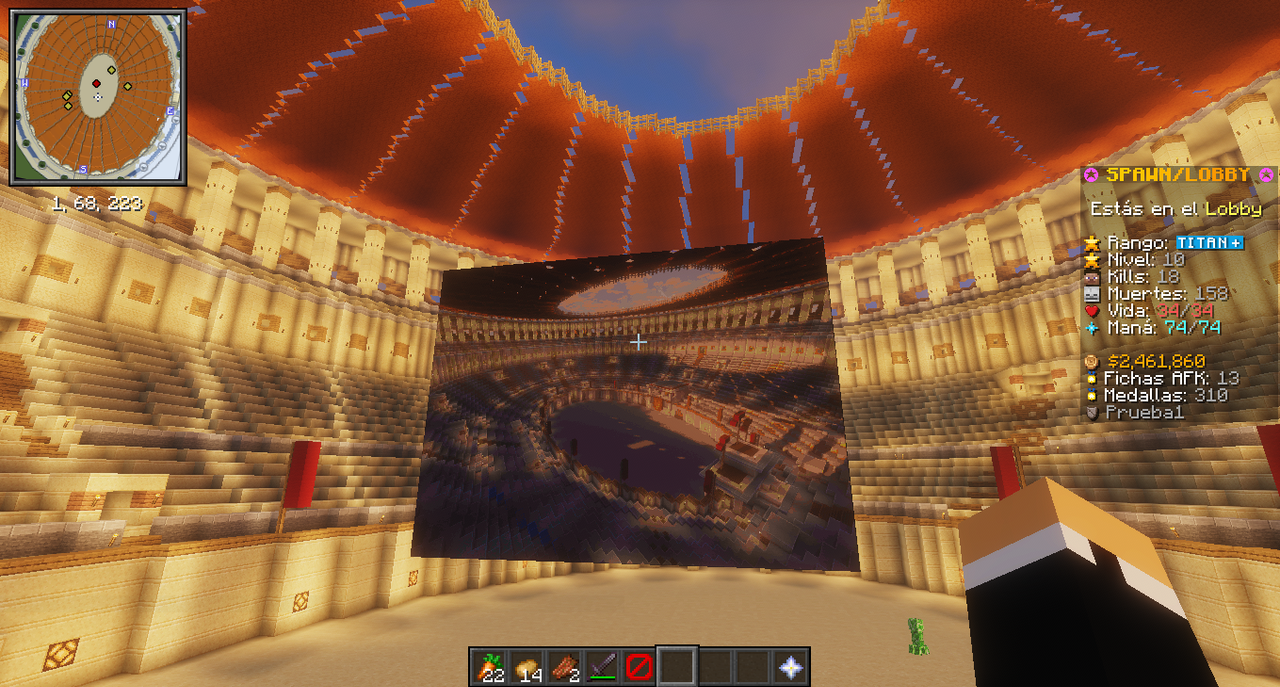
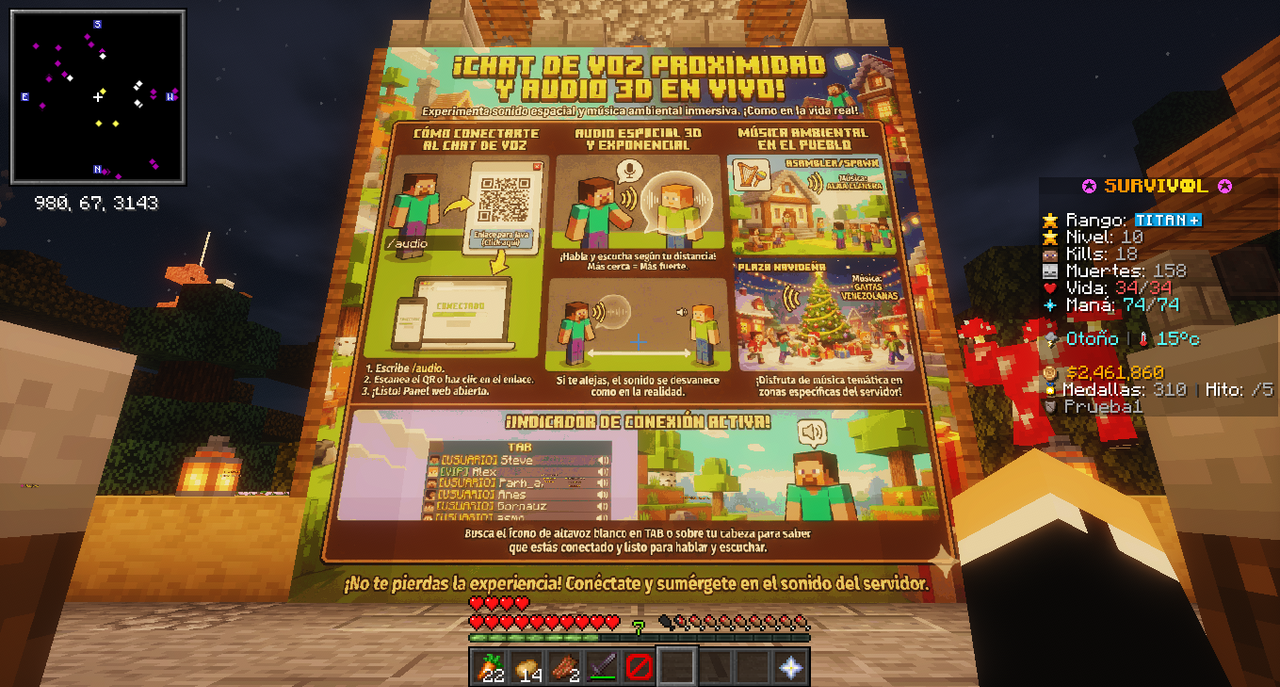
1.4.1Place custom images on walls, floors & ceilings in your server from any URL/Discord. Easy to use
️ Custom Images+
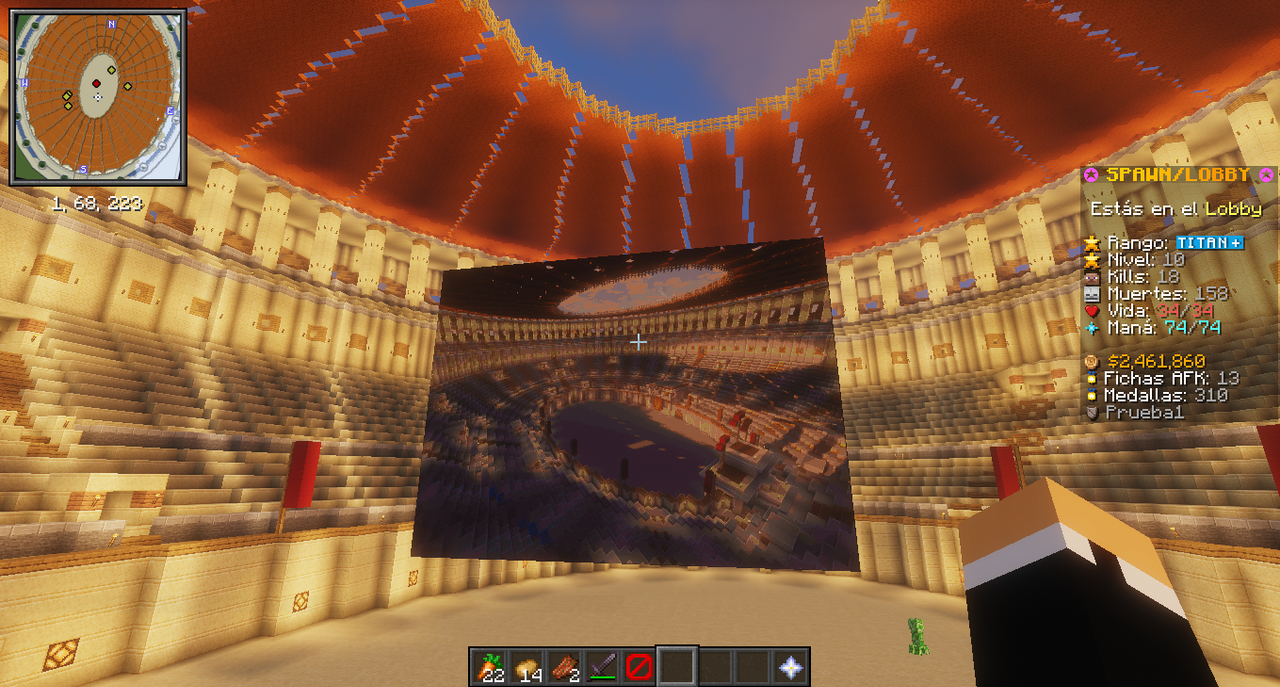
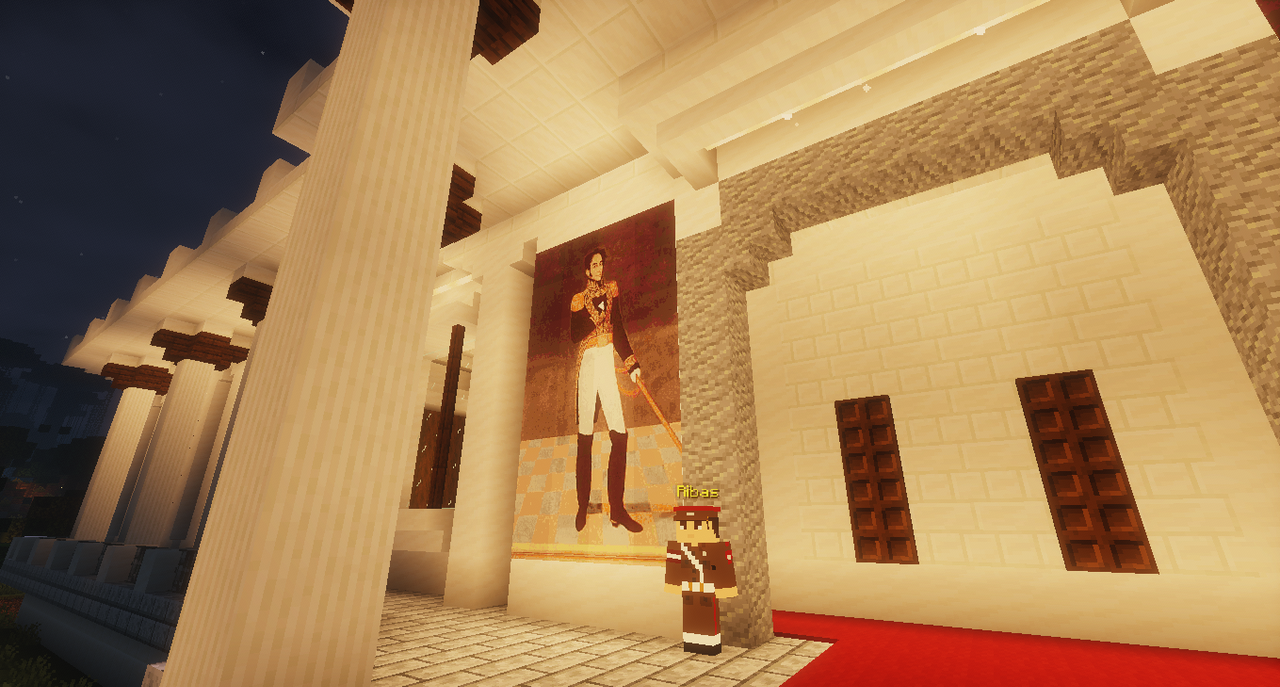
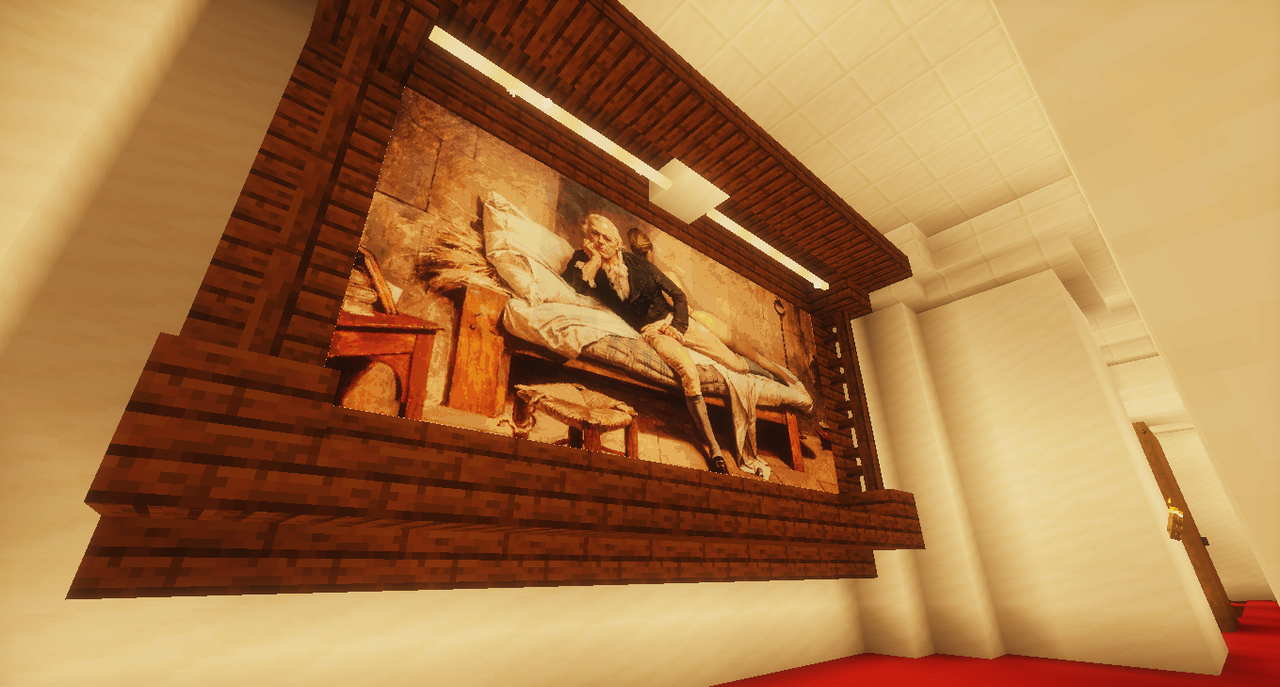
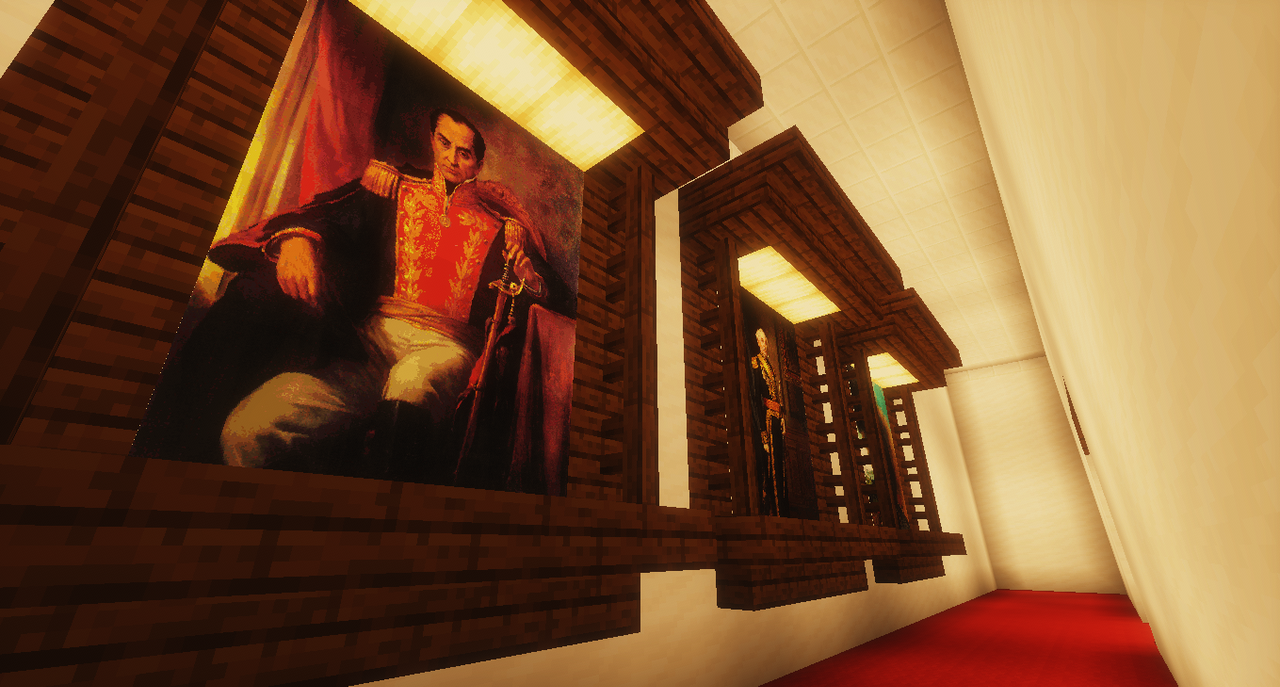
Place real images in your Minecraft world — from Discord, Imgur, or any direct URL
Enhanced fork of Custom Images by Andavin — improved with AI-assisted development (Claude Code)
⚡ All improvements developed, tested and deployed in ~1 hour using AI ⚡
✦━━━━━━━━━━━━━━━━━━━━━━━━━━━━━━━━━━━━━━━━━✦
⚡ Why Custom Images+?
The original Custom Images plugin is great, but it hasn't kept up with modern needs. Discord changed their CDN in 2024 and now serves images as WebP — breaking every image plugin that tries to load Discord URLs. On top of that, the original has no multilanguage support, no region protection, no per-rank limits, and no reload command.
Custom Images+ fixes all of that.
✦━━━━━━━━━━━━━━━━━━━━━━━━━━━━━━━━━━━━━━━━━✦
The Killer Feature: Discord URL Support
Your players already use Discord. Now they can use it as their image host:
- Upload any image to any Discord channel or chat
- Right-click the image → "Copy image link"
- Paste the URL in
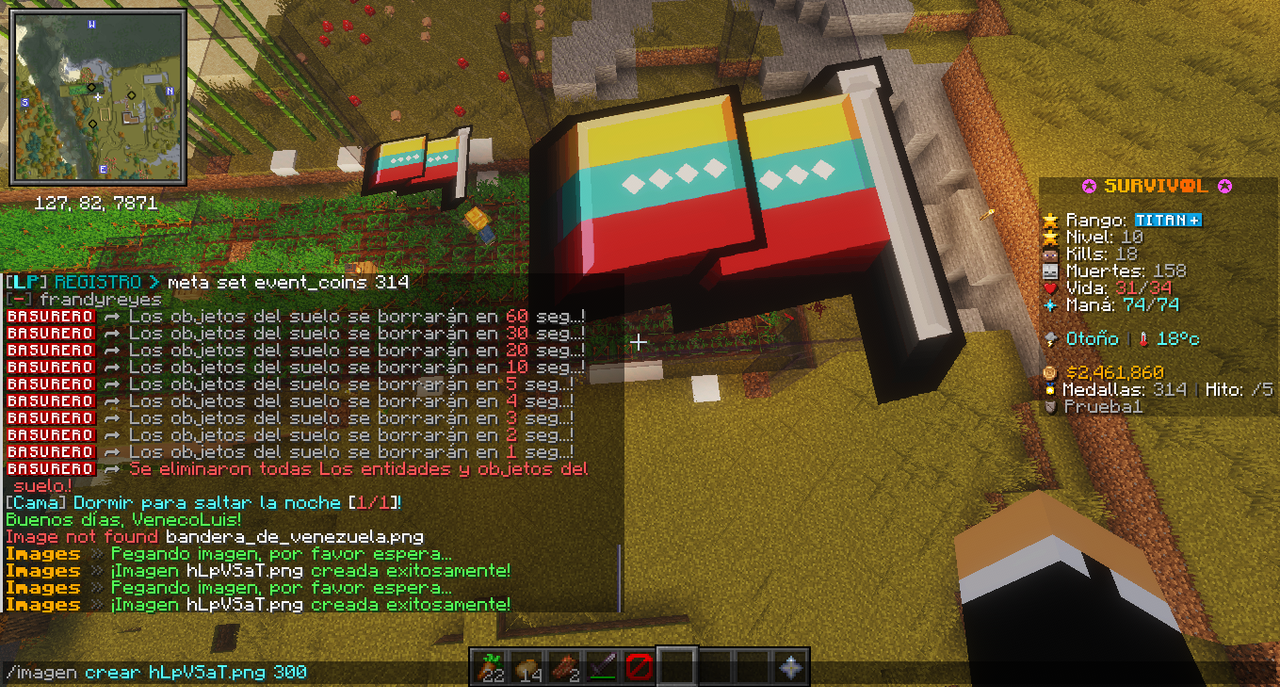
/images create <URL> - Click on a wall → done. The image is placed.
No extra steps. No external hosting. No format errors.
The plugin automatically detects Discord URLs, converts media.discordapp.net to cdn.discordapp.com, strips the WebP conversion parameters, and keeps the authentication tokens. Your players don't need to know any of this — they just paste and it works.
Also supports direct URLs from Imgur, websites, or any link ending in .png / .jpg
Local files too!
You can also place image files (.png, .jpg) directly in the plugins/Images/ folder. Then in-game, type /images create and press TAB — the plugin auto-suggests all available images from the folder. No URL needed.
✦━━━━━━━━━━━━━━━━━━━━━━━━━━━━━━━━━━━━━━━━━✦
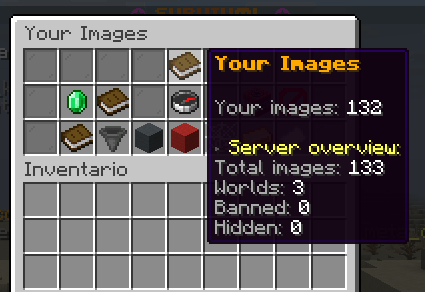
v1.4 — Visual management GUI (/image gui)
Chest-based management menu, one command away
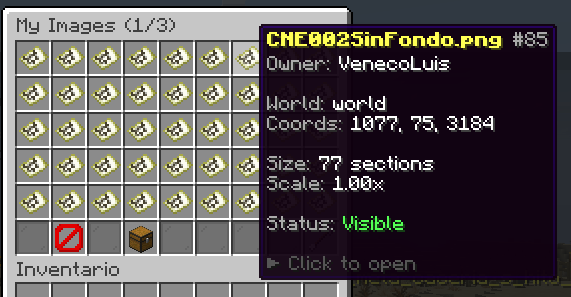
Tired of walking to every image to click-delete? Tired of grepping images.log to figure out who placed what? Run /image gui (alias /imagen menu) and get a unified visual inventory for admins AND users:
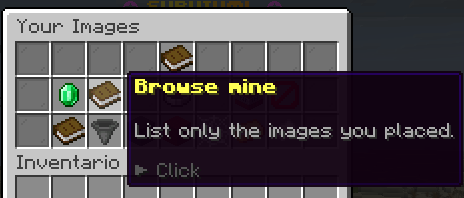
- "Your Images" — everyone lands on their own personal scope first: stats, a browser filtered to images they placed, and a one-click delete for each of their own entries
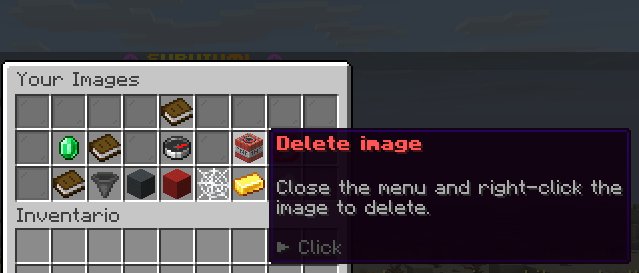
- Create + Delete buttons for users — regular players never have to learn chat commands. The top row shows a green Create image button (prompts for a URL + scale in chat, then click a wall) and a red Delete image button (puts you in right-click-to-delete mode, sneak to cancel). Works identically on Java, Bedrock PC, and Bedrock mobile
- Admin shortcuts — holders of
images.gui.adminget an extra bottom row with Browse-all, Filter (world/date/status), Hidden, Banned, Orphan scan, Leaderboard, Export CSV. Regular players see decorative crystals instead - Smart titles — "Your Images" / "My Images" for personal scope, "Manage" for admin server-wide, so staff always know what they're acting on
Brand-new moderation primitives
- Hide / Unhide — un-render an image for everyone without destroying its data. Reversible. Useful when you want to temporarily take down content without losing the placement
- Ban / Unban — hard moderation flag with admin + reason + timestamp. Only staff with
images.gui.bancan lift. Survives restarts - Move (true relocate) — keep the same database id, creator,
placedAtand history. Click Move → confirm → right-click the new block. No orphan audit trail from delete+recreate - Bulk actions — toggle multi-select, pick N images, then Bulk Delete / Ban / Hide with one confirmation
- Context-aware buttons — ban/hide/move never appear on your own images. Admins see the full toolbox only on others' content
Discovery & housekeeping
- Image finder — type a keyword in chat to filter by name or URL. Admin search covers the server; users search their own
- Orphan scan — finds images whose item-frames were destroyed but metadata is still in the DB. Bulk-delete the leftovers with one click
- Owner leaderboard — top players by image count and storage used
- CSV export — dumps the full registry to
plugins/ImagesPlus/exports/images-<timestamp>.csv(17 columns)
️ Personalization & audit
- Image alias — set a personal label on your own images ("Living Room", "Shop Banner") so the GUI is readable. The original filename stays untouched in the lore
- Safe teleport — the TP button stands you 2–3 blocks in front, looking at the image, on safe ground. No falling into lava
- Confirmation dialog on every destructive action — short title, full prompt wrapped on a paper item inside the menu
- New audit tags in
images.log:HIDE,UNHIDE,BAN,UNBAN,MOVE,BULK_DELETE,GUI_TP. GUI-driven removals addvia=GUI/via=BULK. A "History" button in the detail menu surfaces the last 5 log entries for that image
Fully translatable
Every GUI string (titles, buttons, lores, click hints, messages, stats) is a lang key. Drop a pt.yml / fr.yml in plugins/ImagesPlus/lang/ and reload. Unified color palette across all buttons: green = positive, red = destructive, gold = highlight, aqua = tool, yellow = navigation.
Plugin rename
The plugin now shows as ImagesPlus in /pl and logs — no more confusion with the original Custom Images. On first boot the data folder plugins/Images/ is automatically migrated to plugins/ImagesPlus/. No manual step, no data loss. All existing images, config and lang files come along.
✦━━━━━━━━━━━━━━━━━━━━━━━━━━━━━━━━━━━━━━━━━✦
v1.2 — Audit log & click-to-inspect
Detailed audit log (plugins/Images/images.log)
Every image placement and removal is written to a plain-text, grep-friendly log file. Perfect for anti-grief investigations and activity audits.
[2026-04-14 16:25:03] PLACE player=Steve uuid=... world=world x=100 y=64 z=200 direction=NORTH player_x=99.50 player_y=64.00 player_z=200.30 source=URL name=foo.png url=https://cdn.discordapp.com/... scale=1.00
[2026-04-14 16:30:15] REMOVE player=Steve uuid=... method=COMMAND_DELETE confidence=EXACT world=world x=100 y=64 z=200 image_name=foo.png creator_uuid=abc-... creator=OtherPlayer- Toggle via
logging.enabled: truein config - Thread-safe, append-only — survives restarts
- Use
tail -fto watch live,grep "player=Xxx"to audit a specific user - Covers both placements and removals, with confidence level (EXACT vs PROBABLE for area deletes)
Click-to-inspect (/imagen quien / /images who)
Run the command, then click any image in the world to see a detailed info panel:
--- Image Info ---
 Name: foo.png
 Placed by: Steve
 UUID: 1b4bb76f-1bd9-45f1-9d08-f017a1c14b08
 Date: 2026-04-14 16:25:03
 World: world
 Coordinates: 100, 64, 200
 Direction: NORTH
 Source: URL
 URL: https://cdn.discordapp.com/...
 Scale: 1.00x
----------------------- DB-backed storage — every v1.2+ image stores its own metadata (placedAt, source, URL, scale) in the plugin database
- Instant lookup — no log parsing needed for new images
- Log fallback — older images without DB metadata are resolved by parsing
images.log - Perfect for staff — answer "who put that up?" in one click
Other v1.2 fixes
- Lang auto-merge — new message keys in future updates are merged into your existing
lang/*.ymlfiles automatically, so you never get<placeholder.key>on screen after an update - "Just works" defaults — the config now ships with
place-mode: OPand safe default permissions, so the plugin works immediately after drop-in without LP setup - Separated
images.command.placedpermission — was sharingimages.command.listin v1.1, now cleanly separated (staff can have audit tools without granting list)
✦━━━━━━━━━━━━━━━━━━━━━━━━━━━━━━━━━━━━━━━━━✦
Multilanguage — Not Just Bilingual
The plugin ships with English and Spanish fully translated (47 configurable message keys each). But you can add any language:
- Copy
lang/en.ymltolang/pt.yml(or any language code) - Translate the values
- Run
/images reload— loaded instantly, no restart needed
Smart language detection: The plugin detects the language from the command the player uses:
/imagen crear→ Spanish messages and tab suggestions/images create→ English messages and tab suggestions- Mix freely:
/images crearworks (English messages),/imagen createworks (Spanish messages)
✦━━━━━━━━━━━━━━━━━━━━━━━━━━━━━━━━━━━━━━━━━✦
Commands
Spanish
/imagen crear <name | URL> [scale]     — Create and place an image
/imagen eliminar                       — Delete by right-clicking
/imagen eliminar cerca <range>         — Delete all images within range
/imagen lista                          — List available images
/imagen colocadas [radio]              — Show placed images with coords (click to TP)
/imagen quien                          — Click an image to see who placed it  (v1.2)
/imagen menu                           — Open the visual management menu  (v1.4)
/imagen importar                       — Import legacy data (5 min cooldown)
/imagen transferir <MySQL|SQLite|File> — Transfer database (auto-shutdown)
/imagen recargar                       — Reload config & languages
English
/images create <name | URL> [scale]    — Create and place an image
/images delete                         — Delete by right-clicking
/images delete near <range>            — Delete all images within range
/images list                           — List available images
/images placed [radius]                — Show placed images with coords (click to TP)
/images who                            — Click an image to see who placed it  (v1.2)
/images gui                            — Open the visual management menu  (v1.4)
/images import                         — Import legacy data (5 min cooldown)
/images transfer <MySQL|SQLite|File>   — Transfer database (auto-shutdown)
/images reload                         — Reload config & languages
Root aliases: /image, /images, /img, /customimage, /imagen, /imagenes
Each subcommand also has aliases: crear/new/add/load, eliminar/del/remove/borrar/quitar, lista/options/opciones, recargar/rl, etc.
✦━━━━━━━━━━━━━━━━━━━━━━━━━━━━━━━━━━━━━━━━━✦
Scale
Control the image size with any number after the URL:
/images create <URL> 50- 10-20 — Fits in 1 block (icons, small logos, details)
- 50 — Half size
- 100 — Original size (default if omitted)
- 150 — 50% larger
- 200 — Double size
Use any number you want: 25, 70, 80, 120... experiment until it looks right. Don't like it? Delete and recreate with a different scale.
Each Minecraft block = 128x128 pixels. A 1280x720 image at scale 100 occupies ~10x6 blocks.
✦━━━━━━━━━━━━━━━━━━━━━━━━━━━━━━━━━━━━━━━━━✦
️ Supported Image Formats
- PNG — Recommended. Supports full transparency (transparent areas are invisible on Java Edition)
- JPG/JPEG — Great for photos, no transparency
- BMP — Uncompressed, large files
- GIF — First frame only (not animated)
- Discord URLs — Auto-converted from WebP. Just paste the link
Transparency: PNG images with transparent backgrounds are supported. Transparent areas show as the default map color (light beige). Combine with invisible-frames: true (default on 1.16+) for best results.
Placement: Images must be placed on a solid block (wall, floor, or ceiling). Horizontal placement (floor/ceiling) supported on 1.13+.
Protocols: http://, https://, ftp://, ftps://
Security: The plugin automatically rejects local, loopback, and internal network URLs to prevent SSRF attacks.
✦━━━━━━━━━━━━━━━━━━━━━━━━━━━━━━━━━━━━━━━━━✦
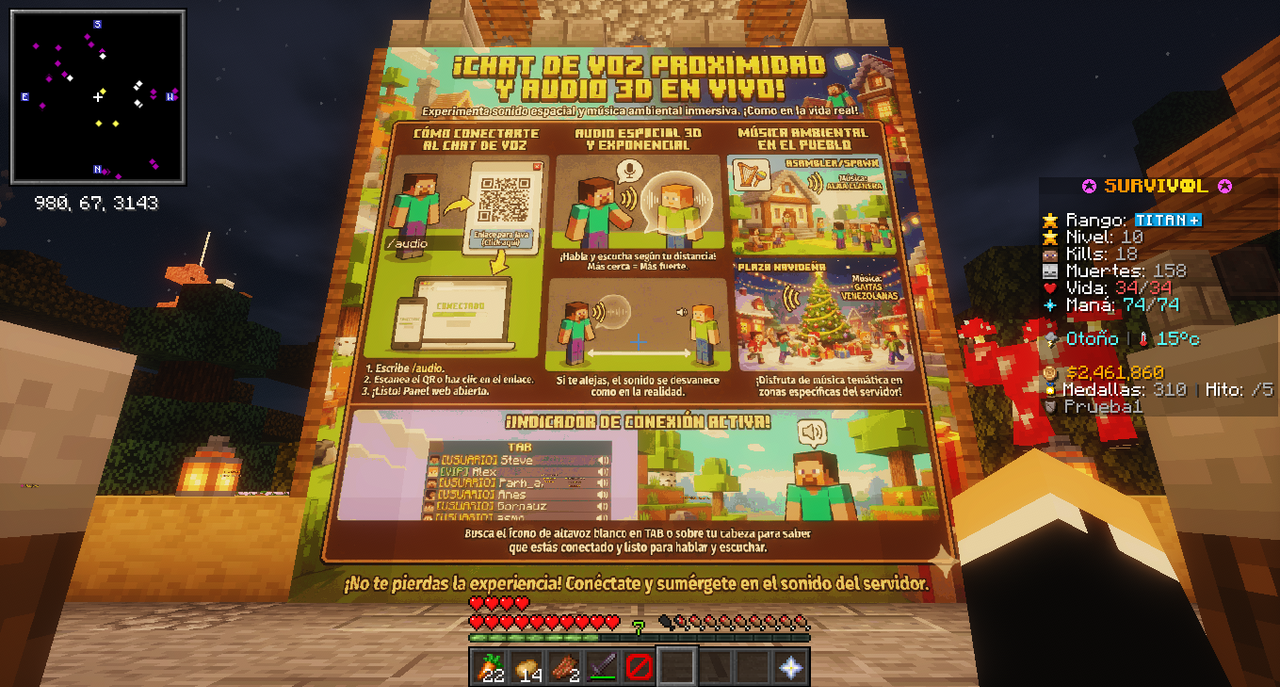
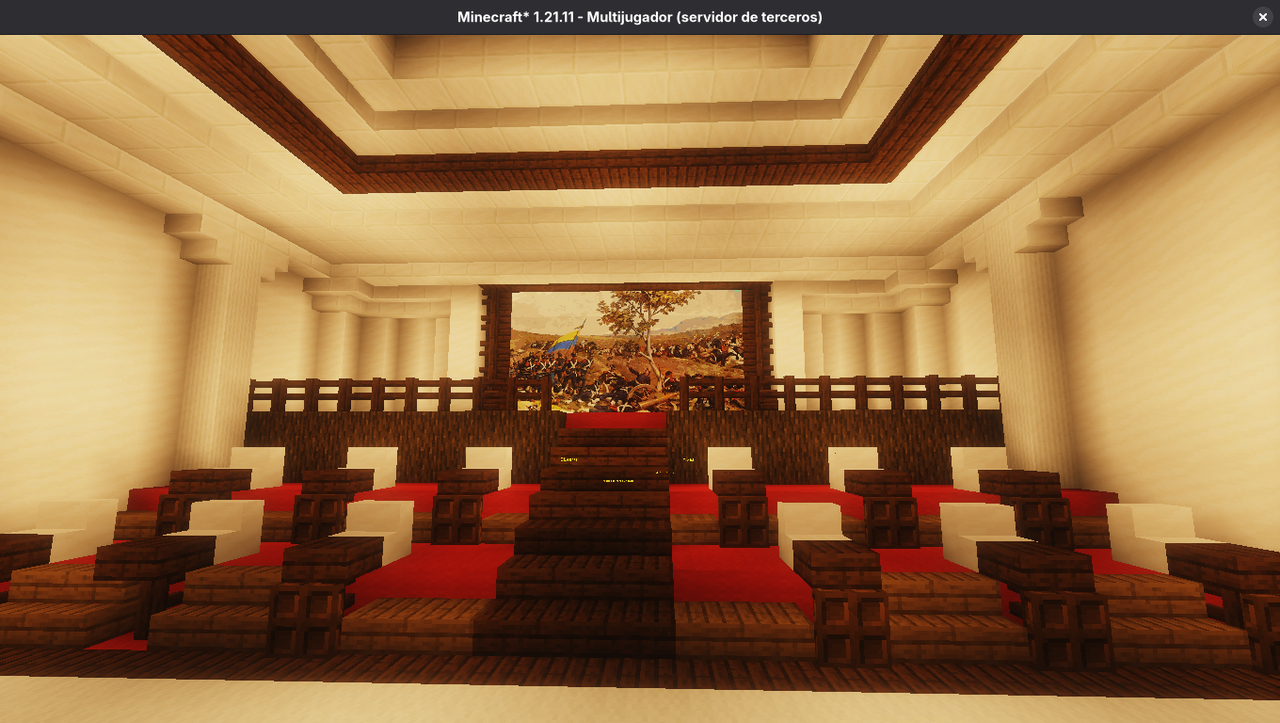
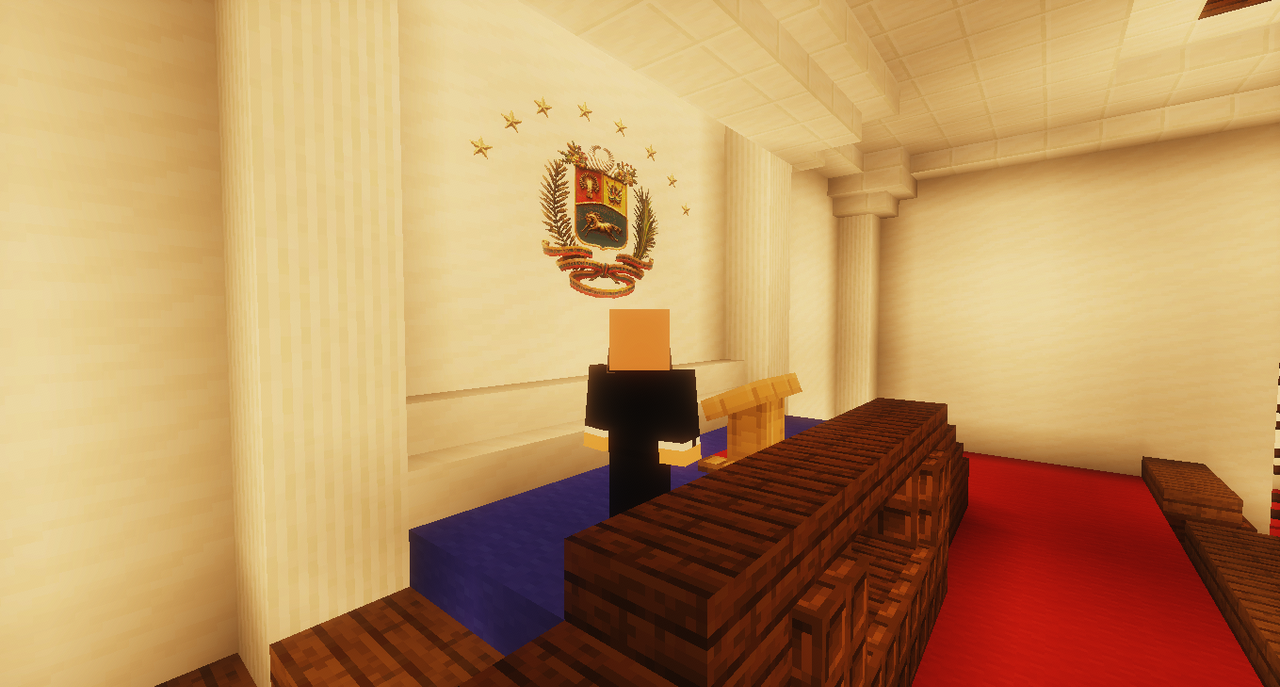
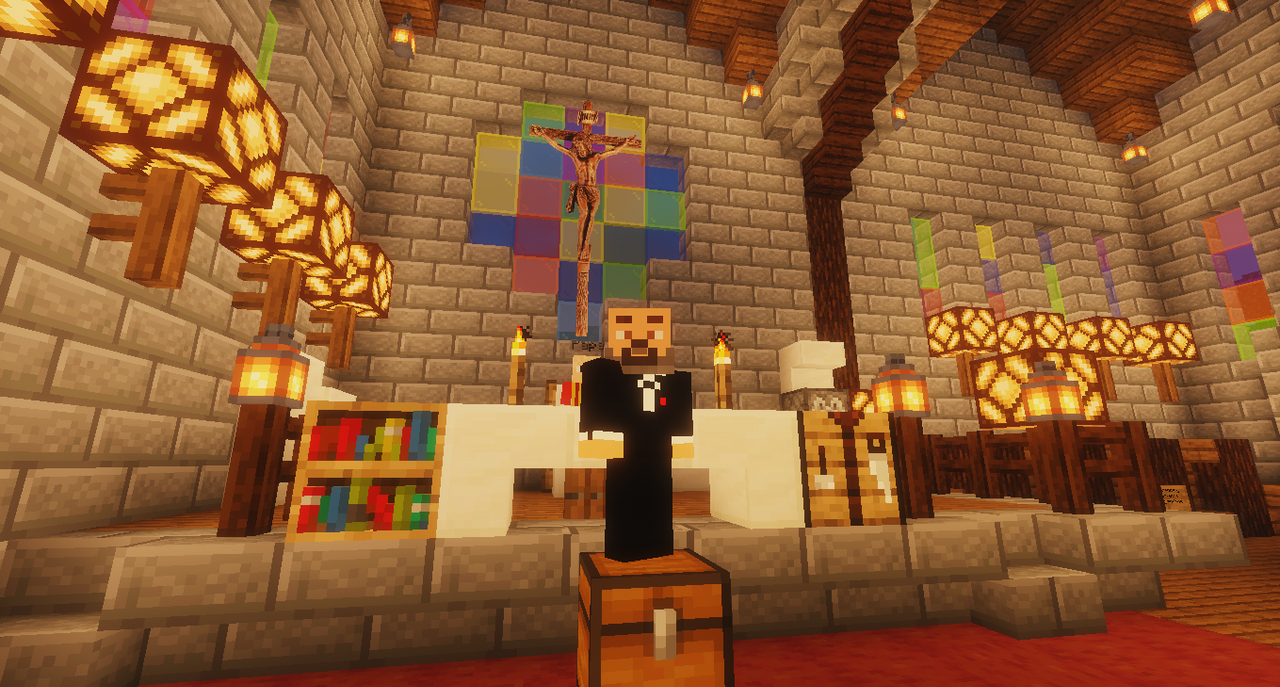
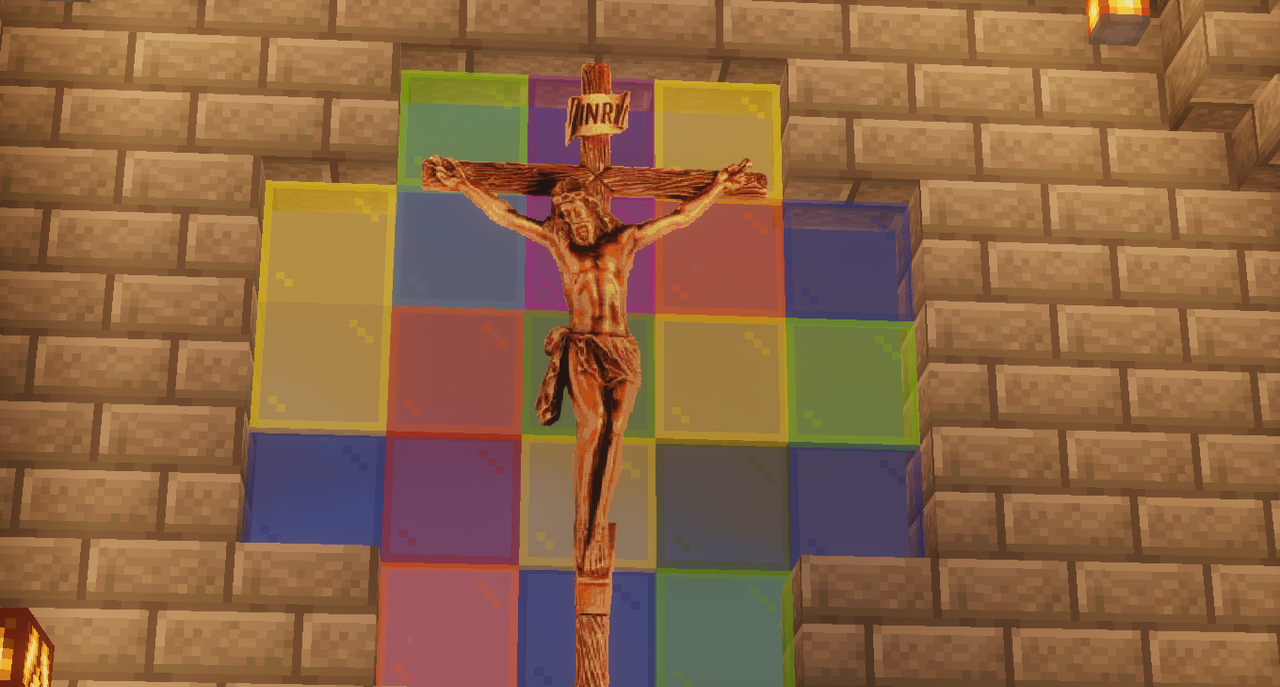
CLICK HERE TO SEE ALL SCREENSHOTS / HAZ CLIC PARA VER CAPTURAS
⬇️ Open to see images / Abrir para ver imágenes ⬇️

--------
---------
✦━━━━━━━━━━━━━━━━━━━━━━━━━━━━━━━━━━━━━━━━━✦
Permissions
Similar projects
Plugin →Let Me Despawn
Improves performance by tweaking mob despawn rules. Say bye to pesky unintentional persistent mobs.
25MSueta
JourneyMap
Real-time map used for mapping in-game or your browser as you explore.
14.7MSueta
Emotecraft
Create your own emotes in Minecraft.
7.5MSueta
Simple Tpa
A simple tpa plugin which sends requests
5.4MSueta
Common Network
Forge and Fabric Unified Networking Solution
3.9MSueta
Set Home
A lightweight plugin for players to set their homes.
3.8MSueta