

CustomPolls is the ultimate polls plugin, featuring a well designed GUI-based panel allowing creating polls a walk in the park.


- Tons of toggles - Show on Join, etc
- Voting Rewards
- Powered by GUIs
- Clickable poll choices
- JSON Chat & Tooltips (Configurable)
- MySQL & FlatFile
- Endless combinations
- Fully customizable

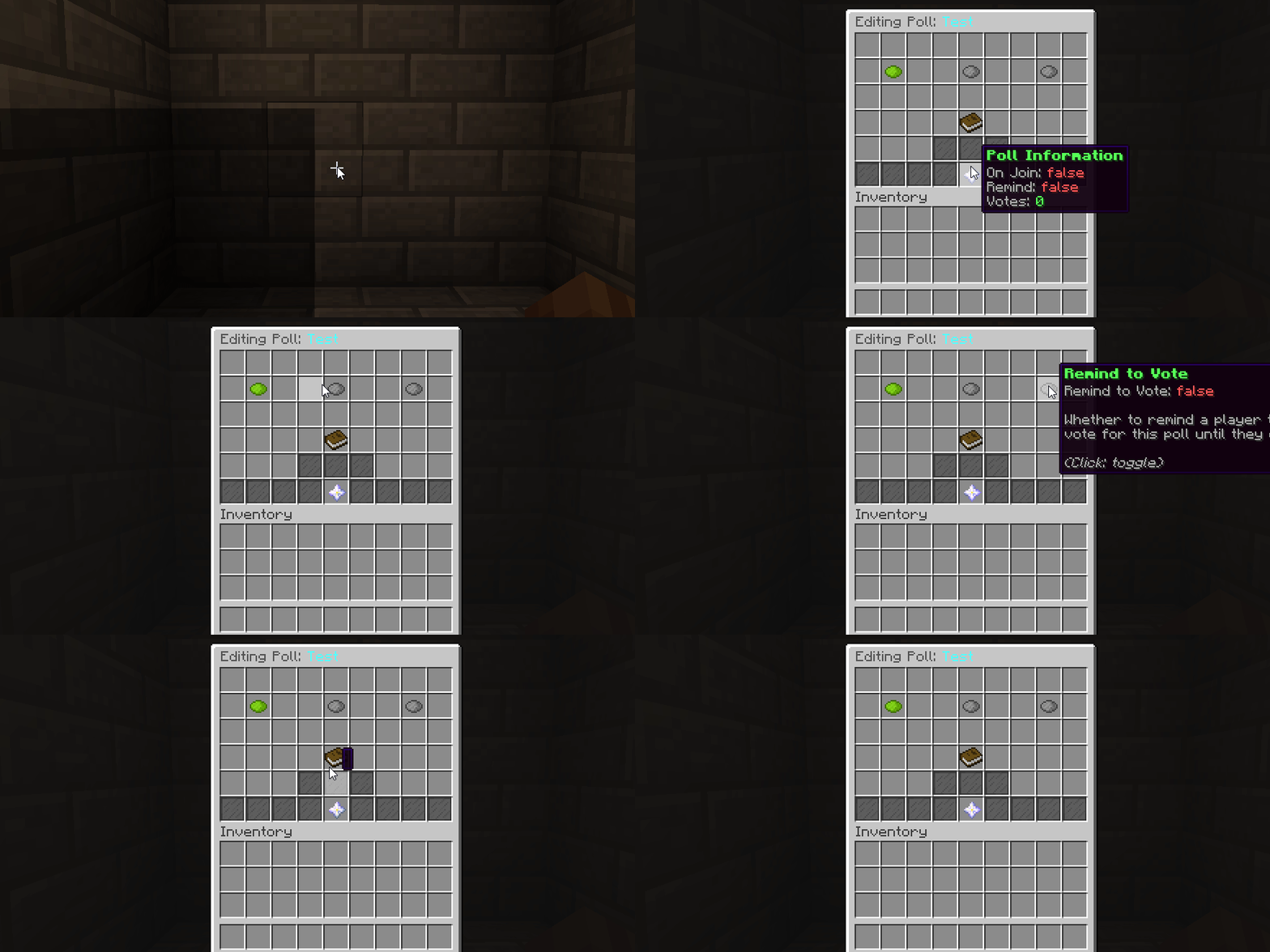
Caption: Above displays the main menu once /poll edit <poll> has been typed.
View More Screenshots

Caption: Adding choices are simple, just click Create a Choice and type in chat!

Caption: Voting is as easy as clicking in chat, all of this fully customisable!

Caption: Check out the poll results with just one command! Up to 9 choices can be set!

Caption: Easily see created polls with just a simple command!

- /poll help - Displays commands
- /poll create <poll> <question> - Create a poll
- /poll edit <poll> - Edit a poll (GUI)
- /poll delete <poll> - Delete a poll
- /poll list - show the JSON poll list
- /poll results <poll> - View the results of a poll (GUI)
- /poll view <player> <poll> - View which choice a player voted for
- /poll broadcast <poll> - Broadcast a poll to every player who hasn't voted for it
- /poll show <player> <poll> - Show a player a poll, regardless of whether they have voted for it
- /poll reload - Reload the configuration files
- /poll sync - Sync with the MySQL database

- poll.command.vote - Grant access to vote on a poll
- poll.command.create - Grant access to the create command
- poll.command.edit - Grant access to the edit command
- poll.command.delete - Grant access to the delete command
- poll.command.list - Grant access to the list command
- poll.command.results - Grant access to the results command
- poll.command.view - Grant access to the view command
- poll.command.broadcast - Grant access to the broadcast command
- poll.command.show - Grant access to the show command
- poll.command.reload - Grant access to the reload command
- poll.command.sync - Grant access to the sync command

config.yml
guiconfig.yml
messageconfig.yml

How do I create a poll?
- /Poll Create <Name> <Question> - The question can be as long as you wish, and will be what is asked of the player when shown the poll. However the name acts as the identifier, and can only be one word.
- /Poll Edit <Poll> - The 'Poll' is the name you stated in part 1. Now you can set the toggles in here, and by pressing the 'Choices' button you can easily add choices
How can players vote for / see a poll?
You can either show it to them using the '/poll show' command or the '/poll broadcast' command. Or alternatively toggle 'on join' and/or 'remind' so that the poll will be shown to the user until they vote for it.
Once they see the poll, they can click their choice to vote (if they have 'poll.command.vote')
I have an issue / suggestion
PM me privately, I will reply as quick as possible.
How do I edit a poll to show on join?
You would use /poll edit <poll> and toggle the 'on join' option. Once this item appears Green it will be displayed on join.
What does the remind toggle do?
It makes it so that, given the remind delay in the config, it will remind players who haven't voted for the polls with 'remind' set to true, by showing them the voting options.
Similar projects
Plugin →Let Me Despawn
Improves performance by tweaking mob despawn rules. Say bye to pesky unintentional persistent mobs.
26.2MSueta
JourneyMap
Real-time map used for mapping in-game or your browser as you explore.
14.7MSueta
Emotecraft
Create your own emotes in Minecraft.
7.9MSueta
Simple Tpa
A simple tpa plugin which sends requests
5.4MSueta
Common Network
Forge and Fabric Unified Networking Solution
4.7MSueta
Set Home
A lightweight plugin for players to set their homes.
3.8MSueta