
Discord Economy Bridge - 1.7-1.21 [SlashCommands][ [Minigame
5.3Discord commands to interact with your server's economy on discord
Features:
- Minigames to play in discord!
- Player and admin control of economy!
- Slash commands!
- Almost 95% of message responses are customizable!
- The use of plugin is done trough linking the minecraft account to the bot(discord) either trough DiscordSRV or without it
- Integration with DiscordSRV. Works without it also or you can use a separate bot while still using DiscordSRV's linking feature!
Note that this plugin won't work with offline users if the server is in offline environment (but should work with bungee online mode)
Bot commands
- help - Shows all the available commands
- bal, balance @user - Shows your or someone elses balance.
- addmoney amount @user - Adds money to the specified player's balance
- removemoney, remmoney amount @user - Removes money from the specified player's balance
- leaderboard, lb, top - Shows the top 10 richest players on the server!
- blackjack, bj <bet> - Bet an amount of money in a blackjack game
- coinflip, cf <wager> - Wager an amount of money on who gets the good coin side! (Multiplayer) Play against other Discord users.
- pay -Send/Pay an certain amount of money to a player!
- rockpaperscissors -
Play a game of rock papers scissors!
TODO:
- Tell me something todo
Please suggest features
Dependencies
- Vault
- An economy plugin that supports Vault
Updating config.yml to a newer version:
- Regenerate config.yml and refill the fields or add the missing fields using the example from here: https://github.com/Pliexe/DiscordEconomyBridge/blob/v1.1/src/main/resources/config.yml
- https://github.com/Pliexe/DiscordEconomyBridge/blob/master/src/main/resources/discord_messages.yml
Supported Plugins:
- DiscordSRV
- PlaceholderAPI
Features
- Add/Remove money from player trough discord!
- Check player's balance trough discord (offline checking only works for online mode servers!)
- Custom command creation with placeholders
- All inbuilt command responses are customizable (with a custom embed builder in discord_messages.yml)
- Gambling minigames such as blackjack and coinflip
- Slash commands (With permissions) Have to enable it first in config. Guide is located here.
- DiscordSRV implementation
- Also works without DiscordSRV but is not recommended since it reduces the amount of features
Installation
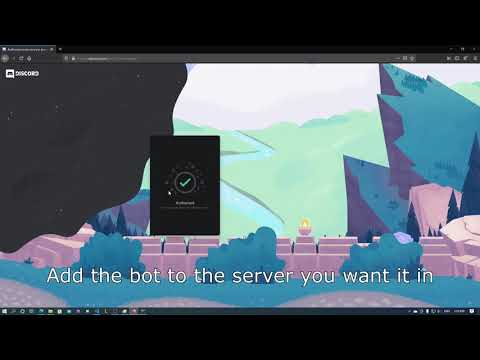
Making a discord bot account
- Go to https://discordapp.com/developers/applications/me
- Create a new application
- Name your application whatever you want and click create
- Now go to Bot settings and click Add Bot button and click Yes, do it!
- Now if you want you can change the profile picture of the bot here but what we are here for is the token
- So click copy to get the token, we will need this for later
Setting up the plugin
- Load up the server with the plugin, this should generate config.yml in the plugins/DiscordEconomyBridge folder
- In config.yml in TOKEN field change BOT_TOKEN to the token you just copied
- Now restart the server and the bot should be online
Setting up roles - since you need role to be able to add, remove money
- Method 1 - escaping the role
- \@rolename will give you: <@&822455111140900864> the underlined numbers is the id of the role, of course this is just an example
- Now in config.yml under discordModerators add the role id
- Method 2 - Enabling developer mode
- In discord go to settings then appearance
- Under advanced enable Developer Mode
- Now right click on your desired role in the server role explorer and click copy id, now the id is copied to your clipboard
- Now in config.yml under discordModerators add the role id
Setting up slash commands -
- Put in the ID of the server you want slash commands in
slashCommandServers field. It's an list. So example - To get the id of the server you have to enable developer mode in discord, don't worry it's nothing hard to do.
- Just go to User Settings -> Advanced and enable Developer Mode
- Now you can right click on the server icon to copy the id. A new button will be there called Copy ID
-
You can join my discord server if you need further help - https://discord.com/invite/6KHyaeqE2a
Similar projects
Plugin →Let Me Despawn
Improves performance by tweaking mob despawn rules. Say bye to pesky unintentional persistent mobs.
26.2MSueta
JourneyMap
Real-time map used for mapping in-game or your browser as you explore.
14.7MSueta
Emotecraft
Create your own emotes in Minecraft.
7.9MSueta
Simple Tpa
A simple tpa plugin which sends requests
5.4MSueta
Common Network
Forge and Fabric Unified Networking Solution
4.7MSueta
Set Home
A lightweight plugin for players to set their homes.
3.8MSueta