
[DiscordLogs] Remasterd ( Ingame Support )
3.2Add Discord Logs via Webhook to your spigot Server

Total Lines of Code: 3111
This Plugin is Providing to send logged events to Discord.
You can configurate a lot in the Config.yml.
You can select induvidually webhooks for every log, also you can select a Custom color!
Please report bugs or send Suggestions via /Feedback ( Message ) ingame.
If you need help type /support <i need help with....> <YourDiscordTag#0123>
or open a Ticket at my Discord!
Discord
Note: the Java panel opens on the host computer, Not at the clients.
Infos about your Server is getting send for Development reasons to the Developer, if you dont want this write "false" in the config.yml at "Sendserverinfo:"
Enter Your Discord Tag at  to get a better experience and better Support!
Commands:
/discordlogs info = show config status
/discordlogs serverid = shows serverid
/feedback (message) = send feedback
/editconfig (logtype) (true/false) = Toggle logs ingame
/editconfig (logtype) color (color(blue,green ....)) = changes color
/editconfig imagetop (ImageURL) = set Top Embed thumbnail
/editconfig imagedown (ImageURL) set Bottom Embed thumbnail
/keyword list = lists all keywords
/keyword add (keyword) = add a Keyword
/keyword remove (keyword) = remove a Keyword
/keyword list clear = Clears the Keyword list
/keyword roleid (roleid) = changes the discord role
/invgui = opens Inventory GUI
/sendtodiscord = send costum message to chat channel
/support (I Need support for the config) (yourdiscordtag#0123)
Permissions:
discordlogs.info = use /discordlogs info
discordlogs.serverid = use /discordlogs serverid
discordlogs.feedback = use /feedback (message)
discordlogs.joinnote = get join config status
discordlogs.ingame.addkeyword = use /keyword add (keyword) command
discordlogs.ingame.config = use /editconfig colorlist, use /editconfig list
discordlogs.ingame.removekeyword = use /keyword remove (keyword)
discordlogs.ingame.roleid = /keyword roleid (roleid)
discordlogs.ingame.list.clear = use /keyword list clear
discordlogs.ingame.list.view = use /keyword list
discordlogs.ingame.config.help = use /editconfig help
discordlogs.ingame.invgui = use /invgui
discordlogs.ingame.sendmessage = use /sendtodiscord
discordlogs.use = use /discordlogs
discordlogs.support = use /support
How to use?
1. drag the "discordlogs.jar" in the Plugins folder
2. Start the Server
3. go in plugins/discordlogs/config.yml
4. Type at
Enable: true or false to toggle the log
5. paste ur own Webhook-URL at
Webhook-URL: www.discordwebhook.com
6. Type /discordlogs rl/reload
7. Done
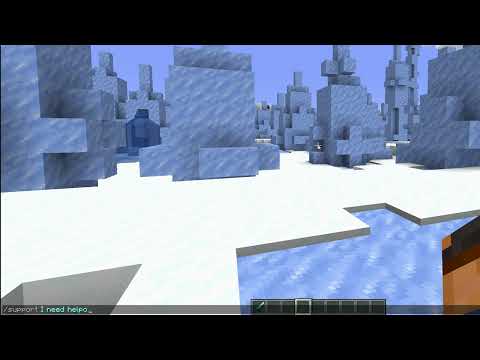
Latest Tutorial:
Similar projects
Plugin →Let Me Despawn
Improves performance by tweaking mob despawn rules. Say bye to pesky unintentional persistent mobs.
25MSueta
JourneyMap
Real-time map used for mapping in-game or your browser as you explore.
14.7MSueta
Emotecraft
Create your own emotes in Minecraft.
7.5MSueta
Simple Tpa
A simple tpa plugin which sends requests
5.4MSueta
Common Network
Forge and Fabric Unified Networking Solution
3.9MSueta
Set Home
A lightweight plugin for players to set their homes.
3.8MSueta