
Create a portal with one command.
(required: Multiverse-Portals v2~4 or v5.2~)
How to use
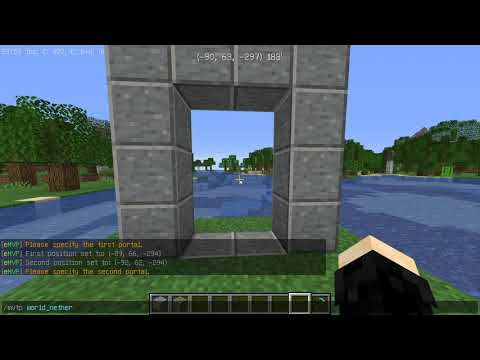
1. Execute "/emvp"
2. Left-click on the end of the portal with a wand.
3. Right-click on the other end of the portal.
4. Face the portal and Shift right-click on the wand.
5. Setup the other portal in the same way. (step 2~4)
6. Finally, enter the portal name and you're done!
Command
/emvp
Permission
・easymvportal.command.help
・easymvportal.command.create
・easymvportal.command.reload
Similar projects
Plugin →Let Me Despawn
Improves performance by tweaking mob despawn rules. Say bye to pesky unintentional persistent mobs.
25MSueta
JourneyMap
Real-time map used for mapping in-game or your browser as you explore.
14.7MSueta
Emotecraft
Create your own emotes in Minecraft.
7.5MSueta
Simple Tpa
A simple tpa plugin which sends requests
5.4MSueta
Common Network
Forge and Fabric Unified Networking Solution
3.9MSueta
Set Home
A lightweight plugin for players to set their homes.
3.8MSueta