
Elytra
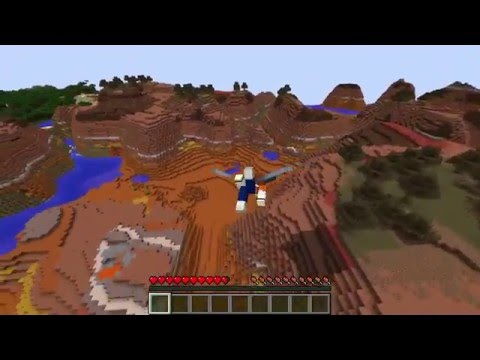
This is a very simple plugin that allows you to fly-up using Elytras.
How to use?
- Install plugin
- Equip with elytras and fly
- When your speed is getting low - try to look up, your speed will be increased
Permission
- elytra.speedup — allows to speed-up while flying with elytras
- elytra.auto — allows to use auto-glide feature (Automatically activate Elytra, like in snapshots)
- elytra.const-flight — allows to use constant speed
- elytra.shift-activation — allows to activate boost using shift key (sneak)
- elytra.runup — allows fly-up after sprinting defined amount of blocks
Configuration
# Auto-glide
# If this feature is enabled player will not require
# to press "space" to start gliding.
#
auto-glide:
  enable: true # Enable auto-glide feature
  required-air-under-player: 3 # Amount of empty block under player feet required to start gliding

# Constant flight
# Determines minimum glding speed, allows to flight constantly
constant-flight:
  enable: false  # Enable constant flight feature
  velocity: 1.1  # Minimum velocity

# Speed boost by pressing shift-key
shift-speed-up:
  enable: true  # Enable shift speed-up feature
  max-activation-speed: 1.2 # player's speed must be lower to activate
  velocity-multiplier: 1.5  # Velocity multiplier
  cooldown:
  enable: true  # Enable cooldown
  time: 1s  # Cooldown delay

# Speed-up during flying
# Look up while flying and your speed will be incresed
speed-up:
  enable: true  # Enable speed-up feature
  cooldown:
  enable: false  # Set true to enable cooldown
  time: 3s  # Cooldown delay
  activation:  # Speed-up activation conditions
  angle-min: 50  # Minimum angle required for activation
  angle-max: 80  # Maximum angle required for activation
  speed-min: 0.5  # Minimum speed required for activation
  speed-max: 1.5  # Maximum speed required for activation
  multiplier: 1.3 # Velocity multiplier

# Run-up
# Allows to start flying just after sprinting with weared Elytra
run-up:
  enable: true  # Enable run-up
  activation:
  angle-min: 30  # Minimum angle required for activation
  angle-max: 70  # Maximum angle required for activation
  boost: 1.5  # Fly-up velocity
  cooldown:
  enable: true  # Enable cooldown
  time: 1s  # Cooldown delay

# G-Force effect
# Additional effect (debuff) occured when speed-up performed
g-force:
  damage-elytra: 10  # Break elytra
  damage-player: 2.0 # Deal damage to player

# Particles effects
particles:
  enable: true  # Enable particles
  type: SPELL_WITCH  # Particle name, all possible effects listed here: https://hub.spigotmc.org/javadocs/bukkit/org/bukkit/Particle.html
  radius: 0.3  # Particles parameters
  amount: 15  # Amount of particles
  extra-param: 0.0  # Extra param (some effects need it)
  play-repeat: 3  # Repeat effect playing

# Sound effects
sound:
  enable: true  # Enable sound effect
  activation:
  type: ENTITY_BAT_TAKEOFF # Sound effect type. You can choose another: https://hub.spigotmc.org/javadocs/bukkit/org/bukkit/Sound.html
  pitch: 0.8  # Sound pitch
  volume: 0.5  # Sound volume
  play-repeat: 3  # Repeat sounds
  play-delay-ticks: 3 # Delay between repeats
  cooldown-fail:  # Cooldown fail sound effect
  type: UI_BUTTON_CLICK # Sount effect type
  pitch: 0.8  # Sound pitch
  volume: 0.5  # Sound volume
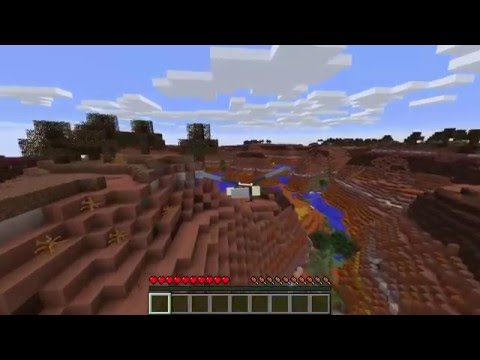
Video
Similar projects
Plugin →Let Me Despawn
Improves performance by tweaking mob despawn rules. Say bye to pesky unintentional persistent mobs.
26.2MSueta
JourneyMap
Real-time map used for mapping in-game or your browser as you explore.
14.7MSueta
Emotecraft
Create your own emotes in Minecraft.
7.9MSueta
Simple Tpa
A simple tpa plugin which sends requests
5.4MSueta
Common Network
Forge and Fabric Unified Networking Solution
4.7MSueta
Set Home
A lightweight plugin for players to set their homes.
3.8MSueta