
✨ EpicChatFREE // Chat Management Plugin
2.0.0It started with chat formatting plugin and transformed to something bigger..
MINECRAFT 1.19: Players may get disconnected when chatting, this is an issue on MC's side due to the new chat reporting system implemented by Microsoft. Real quick exists, together with Epic Chat, add this plugin too: https://github.com/V1nc3ntWasTaken/NoEncryption/releases. We can't do anything else except of waiting and hope, that they will fix it as soon as possible.
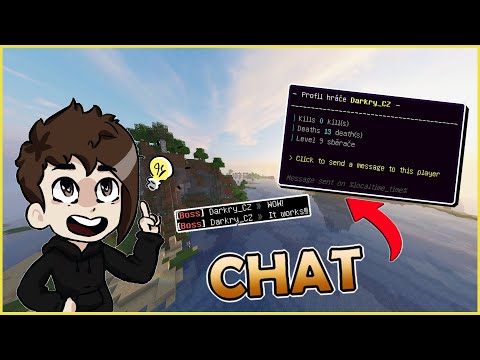
FEATURES
Format
Chat format used by default for the player.
Group Format
If you have Vault and Permission plugin, you can use format for specified groups.
Color Support
Color codes are supported with '&', '§', '{#hex}' or #hex (Hex colors are only supported from 1.16+ Minecraft version).
Message Types
We have own system, so you can send the message not only in the chat. ( https://github.com/AdoNikeOFFICE/EpicChat/wiki/Message-Types)
Version Compatibility
Battle tested and works from Minecraft version 1.8 to the newest one.
Discord Integration
You can enable this feature (if you want to), create a Discord bot and your Minecraft and Discord chat will be connected. ( https://github.com/AdoNikeOFFICE/EpicChat/wiki/Discord)
Easy To Use
Incredibly easy to setup and configure.
(Fully) Customizable
99% of what the plugin includes is configurable, simply configurable.
Translatable
Our plugin is fully translatable to any language.
Reloading
You don't need to restart or reload your server, you can reload the plugin with reload command, that's built-in for you, all changes will be applied.
Fast Support
Professional and fast support that we provide on Discord is incredible. See for yourself.
Plugin Quality
Plugin have certain standard, it's not poorly coded.
Documentation
All you need to know is available in our documentation and all features includes comments also in the settings.yml. Even the beginner can setup the plugin with ease.
Placeholder Support
Many built-in placeholders with PlaceholderAPI and even MVdWPlaceholderAPI support.
Open-Source
Fully open-source on our GitHub page.
Permission to use the chat
Configure permission to use the chat, if you wish, this option is optional, disabled by default.
Permission to use the colors
Give your players permission to use the colors in the chat.
Mention System
Feature enabled by default (you can disable it, if you wish). You can configure message, sound and color of the mention. Because of this feature Message_Color exists, we take care of replacing the color after mention back to the last color before the mention.
Anti-Spam (Cooldown)
Feature enabled by default (you can disable it, if you wish). You can configure message, bypass permisision and the delay after which player can send the message again.
Hoverable Message
You can configure fancy hoverable message when pointing on the format in the chat with PlaceholderAPI support. You can also configure the suggest command, if player click on this chat format.
Emoji
You can configure any message, that can be replaced to the emoji or anything!
Question
You can configure questions, that can be send to the player every time you can specify! And there is also placeholders for answered questions, see https://github.com/AdoNikeOFFICE/EpicChat/wiki/Placeholders.
Announcement
You can configure announcements, that can be send to the player every time you can specify! You can also configure the Sound, Permission and Message that is supposed to be send, <center> placeholder is supported there.

Similar projects
Plugin →Let Me Despawn
Improves performance by tweaking mob despawn rules. Say bye to pesky unintentional persistent mobs.
25MSueta
JourneyMap
Real-time map used for mapping in-game or your browser as you explore.
14.7MSueta
Emotecraft
Create your own emotes in Minecraft.
7.5MSueta
Simple Tpa
A simple tpa plugin which sends requests
5.4MSueta
Common Network
Forge and Fabric Unified Networking Solution
3.9MSueta
Set Home
A lightweight plugin for players to set their homes.
3.8MSueta