
Please submit bugs, questions, issues and suggestions on Discord
A easy to use API for developers to take advantage of custom shaped/shapeless recipes with nbt/textures/meta/enchantments….
If you're a server owner:
FancyCrafting may be required in a plugin which has directed you to this page, download the plugin and put it in your 'plugins' directory and boom, you're good to go!
If you're a developer
FancyCrafting is simple and easy to use, first download and import the plugin into your project or use maven:
<dependency>
            <groupId>de.ancash</groupId>
            <artifactId>fancycrafting</artifactId>
            <version>4.5.3</version>
</dependency>
You will want to import it as a dependency into your plugin.yml just so no errors occur.
Shaped Recipe
You'll want to import:
import de.ancash.fancycrafting.recipe.IShapedRecipe;
import de.ancash.fancycrafting.base.AbstractFancyCrafting;
ItemStack[] ingredientsArray = new ItemStack[] {
new ItemStack(Material.COAL_BLOCK), new ItemStack(Material.COAL_BLOCK),
new ItemStack(Material.COAL_BLOCK), new ItemStack(Material.COAL_BLOCK),
};
//dimension of this array is 2 x 2
//up to 8 x 6 possible (8 x 6 = 48 ingredients)
ItemStack result = new ItemStack(Material.DIAMOND_BLOCK);
IShapedRecipe shapedRecipe = new IShapedRecipe(ingredientsArray, 2, 2, result, "Shaped Tutorial", UUID.randomUUID());
AbstractFancyCrafting.registerRecipe(shapedRecipe);Shapeless Recipe
You'll want to import:
import de.ancash.fancycrafting.recipe.IShapelessRecipe;
import de.ancash.fancycrafting.base.AbstractFancyCrafting;
ItemStack[] ingredientsArray = new ItemStack[] {
new ItemStack(Material.COAL_BLOCK), new ItemStack(Material.COAL_BLOCK),
new ItemStack(Material.COAL_BLOCK), new ItemStack(Material.COAL_BLOCK),
};
//dimension of this array does not matter
//however max length is 48 & null values will be ignored
//Any other collection can be used as well
ItemStack result = new ItemStack(Material.DIAMOND_BLOCK);
IShapelessRecipe shapelessRecipe = new IShapelessRecipe(Arrays.asList(ingredientsArray), result, "Shapeless Tutorial", UUID.randomUUID());
AbstractFancyCrafting.registerRecipe(shapelessRecipe);Random Shaped Recipe
You'll want to import:
import de.ancash.fancycrafting.recipe.IRandomShapedRecipe;
import de.ancash.fancycrafting.base.AbstractFancyCrafting;
Map<ItemStack, Integer> probMap = new HashMap<>();
probMap.put(new ItemStack(Material.DIAMOND_BLOCK), 1);
probMap.put(new ItemStack(Material.COAL_BLOCK), 1);
//the probability of one item from the map appearing is
//it's value divided by the sum of all values
ItemStack[] ingredientsArray = new ItemStack[] {
new ItemStack(Material.COAL_BLOCK), new ItemStack(Material.COAL_BLOCK),
new ItemStack(Material.COAL_BLOCK), new ItemStack(Material.COAL_BLOCK),
};
ItemStack result = new ItemStack(Material.CHEST);
ItemMeta meta = result.getItemMeta();
meta.setDisplayName("Random Result");
meta.setLore(Arrays.asList("§7Diamond Block: §a50%", "§7Coal Block: §a50%"));
result.setItemMeta(meta);
IRandomShapedRecipe randomShapedRecipe = new IRandomShapedRecipe(ingredientsArray, 2, 2, result, "Random Shaped Recipe", UUID.randomUUID(), probMap);
AbstractFancyCrafting.registerRecipe(randomShapedRecipe);Random Shaped Recipe
You'll want to import:
import de.ancash.fancycrafting.recipe.IRandomShapelessRecipe;
import de.ancash.fancycrafting.base.AbstractFancyCrafting;
Map<ItemStack, Integer> probMap = new HashMap<>();
probMap.put(new ItemStack(Material.DIAMOND_BLOCK), 1);
probMap.put(new ItemStack(Material.COAL_BLOCK), 1);
//the probability of one item from the map appearing is
//it's value divided by the sum of all values
ItemStack[] ingredientsArray = new ItemStack[] {
new ItemStack(Material.COAL_BLOCK), new ItemStack(Material.COAL_BLOCK),
new ItemStack(Material.COAL_BLOCK), new ItemStack(Material.COAL_BLOCK),
};
ItemStack result = new ItemStack(Material.CHEST);
ItemMeta meta = result.getItemMeta();
meta.setDisplayName("Random Result");
meta.setLore(Arrays.asList("§7Diamond Block: §a50%", "§7Coal Block: §a50%"));
result.setItemMeta(meta);
IRandomShapelessRecipe randomShapelessRecipe = new IRandomShapelessRecipe(Arrays.asList(ingredientsArray), result, "Random Shaped Recipe", UUID.randomUUID(), probMap);
AbstractFancyCrafting.registerRecipe(randomShapelessRecipe);Installation:
Custom Recipes:
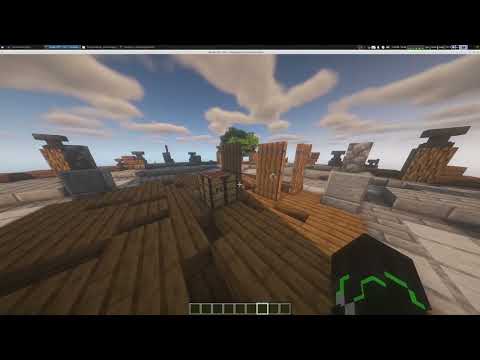
Custom Grids:
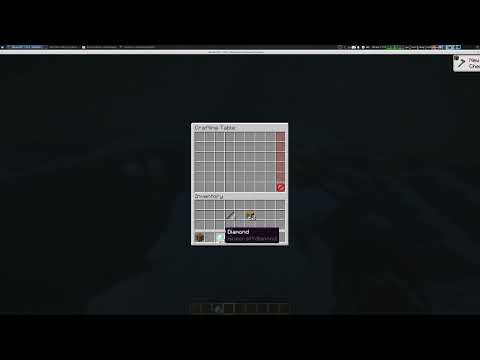
Vanilla Crafting Table (3x3 & 2x2):
Random Recipes (Results):
Recipe Blacklisting:
Auto Crafter:
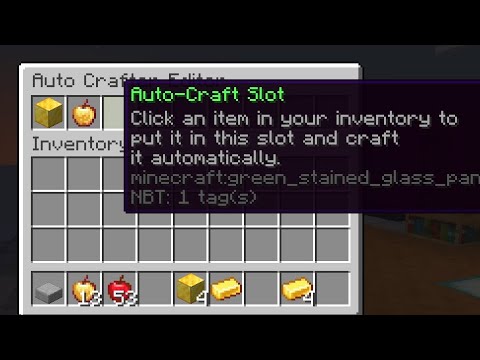
Commands:
Sub commands of "/fc":
open
No arguments: Opens default grid. Permission: "fancycrafting.open"
"<1-8> <1-6>": Opens different grids, first width then heigth. Permission: "fancycrafting.open.<1-8>x<1-6>"
"<player>": Opens default grid for a player. Permission: "fancycrafting.open.other"
"<player> <1-8> <1-6>": Opens different grids for a player, first width then height. Permission: "fancycrafting.open.other.<1-8>x<1-6>"
reload
No arguments: Reload vanilla & custom recipes and config files. Permission: "fancycrafting.admin.reload"
create
No arguments: Opens a GUI to create a new custom recipe. Permission: "fancycrafting.admin.create"
edit
"<recipe-name>":
edit
Edit one or multiple custom recipes with the same name where "<recipe-name>" is the name of the recipe with " " replaced with "-". If there are two or more custom recipes with the same name, you can click through them by clicking the arrow buttons. Permission: "fancycrafting.admin.edit"
view
No arguments:
view
View all custom recipes. Permission: "fancycrafting.admin.view"
"<recipe-name>": View all custom recipes with the same name where "<recipe-name>" is the name of the recipe with " " replaced with "-". Most vanilla recipes can be viewed as well. Permission: "fancycrafting.view.<recipe-name>"
Crafting & permissions
All Players do not have these permissions by default, even if they are op.
All permission have to be set explicitly.
Crafting Custom Recipes with perms-for-custom-recipes Set to true requires the player to have the permission: "fancycrafting.craft.<recipe-name>" (replace " " with "-")
Crafting vanilla Recipes with perms-for-vanilla-recipes Set to true requires permission: "fancycrafting.craft.<recipe-name>" (replace " " with "-") where recipe-name is the Name of the result
Creating Recipe
"fancycrafting.admin.create"
Editing Recipe
"fancycrafting.admin.edit"
View All Recipes
"fancycrafting.admin.view"
Quick Crafting
"fancycrafting.qc"
Open Default GUI
"fancycrafting.open"
Reload
"fancycrafting.admin.reload"
Deluxe Menus implementation
To open the crafting GUI from inside a Deluxe Menus GUI you have to add the following commands:
- '[close]'
- '[player] fc open <delay=2>'
Important:
Requires ILibrary(https://www.spigotmc.org/resources/ilibrary.89796/)
Requires NBTNexus(https://www.spigotmc.org/resources/nbtnexus.111041/)
Similar projects
Plugin →Let Me Despawn
Improves performance by tweaking mob despawn rules. Say bye to pesky unintentional persistent mobs.
26.2MSueta
JourneyMap
Real-time map used for mapping in-game or your browser as you explore.
14.7MSueta
Emotecraft
Create your own emotes in Minecraft.
7.9MSueta
Simple Tpa
A simple tpa plugin which sends requests
5.4MSueta
Common Network
Forge and Fabric Unified Networking Solution
4.7MSueta
Set Home
A lightweight plugin for players to set their homes.
3.8MSueta