
[FORK] Kit Preview Essentialsx addon
3.3.3A plugin that allows players to preview essentialsx kits.
KitsPreview
Let players preview EssentialsX kits before they claim them
A fork of Kit Preview EssentialsX Addon by EnzoL_.
Overview
KitsPreview is a companion plugin for servers running EssentialsX kits. It gives players a clean, intuitive GUI to see exactly what's inside a kit before they claim it, and lets admins fully customize each preview's layout for a polished, professional look.
Previews also know where the player came from. Open one from your kits menu and the back button returns them to the kits menu, open the same kit from your store menu and it returns them there instead, so the preview slots into whatever menu system you already run.
✨ Features
- GUI Kit Previews: players open a graphical menu showing every item in a kit with one command.
- Customizable Layouts: arrange each kit's preview items into the exact positions you want.
- Back Button With Context: the preview remembers which menu it was opened from and sends players straight back there.
- Your Own Items: add any items you like to the preview, with click actions, custom heads, and placeholders.
- Sign Integration: place a sign players can right-click to instantly open a kit preview, with fully configurable text.
- EssentialsX Integration: automatically loads all your existing Essentials kits.
- Admin Editing Tools: a dedicated command set to create, edit, and manage preview inventories.
- Configurable: customize GUI titles, sign formats, and every custom item to match your server's theme.
Back Button & Menu Contexts
Open a preview with a context, a label saying which menu the player came from:
/kitpreview <kit> [context]In DeluxeMenus, that goes on the kit item of each menu:
# kits menu
left_click_commands:
  - '[player] kitpreview warrior kits'

# store menu
left_click_commands:
  - '[player] kitpreview warrior store'
Then decide where each label goes back to, using your own menu names. default covers previews opened without a label, from a sign or straight from chat:
contexts:
  default:
    back-actions:
      - "[close]"
  kits:
    back-actions:
      - "[player] dm open kits"
  store:
    back-actions:
      - "[console] dm open store {player}"
The back button is on by default, an arrow in the bottom left, and pressing Esc can go back too with back-on-close: true.
Custom Items
Add as many items as you like to the preview, each with its own material, name, lore, glow, slot and click actions. Use material: PLAYER_HEAD with a texture: value for a custom head, from base64, a texture URL, or a player name.
slot takes a number, a negative number counted from the end, or one of top-left, top-center, top-right, bottom-left, bottom-center and bottom-right.
Actions run top to bottom when the item is clicked:
[back]go back through the context the player arrived with[player] <command>run a command as the player[console] <command>run it from console, with{player}for the name[close]close the menu[message] <text>send a chat line[sound] ENTITY_EXPERIENCE_ORB_PICKUP;1;1play a sound
{player}, {kit} and {context} work in names, lore and commands, and PlaceholderAPI placeholders do too if you have it installed.
Commands & Permissions
Commands and Permissions
Player Commands
/kitpreview <kit> [context]open the preview GUI for a kit, with an optional context label (no permission required)
Admin Commands (kitpreview.edit)
/kiteditpreview createinventory <rows> <kit>create a new preview inventory for a kit/kiteditpreview edit <kit>open the editor to arrange a kit's preview items/kiteditpreview setrows <rows> <kit>change the number of rows for a kit's preview GUI
Reload (kitpreview.reload, op by default)
/kitpreview reloadreread the config, so you can set your menus up without restarting
Sign Creation (kitspreview.sign)
- Place a sign with
[kitpreview]on the first line and the kit name on the second line.
⚙ Configuration
config.yml
# Configure the format of the kit preview signs.
# Use {kitname} as a placeholder for the kit's name.
sign:
  lines:
    1: "&a[KitPreview]"
    2: "&e{kitname}"
    3: ""
    4: ""

# Configure the title of the preview GUI.
gui:
  title: "&eKit preview {kit}"
  items:
    balance: GOLD_NUGGET
    commands: COMMAND_BLOCK

# Where the back button sends players, per context label.
contexts:
  default:
    back-actions:
      - "[close]"
  kits:
    back-actions:
      - "[player] dm open kits"

# Items placed inside the preview.
custom-items:
  back:
    enabled: true
    material: ARROW
    amount: 1
    name: "&c&lBack"
    lore:
      - "&7Return to the previous menu."
    glow: false
    slot: bottom-left
    actions:
      - "[back]"

# Pressing Esc also runs the back action.
back-on-close: false
Dependencies
- EssentialsX (required)
- PlaceholderAPI (optional) for placeholders in custom item names, lore and commands
Compatibility
- Minecraft: 1.16+
- Server software: Spigot, Paper, Purpur
- Java: 17 or higher
- Requires: EssentialsX
Support
Found a bug or have a suggestion? Post in the Discussion tab or join the Discord.
Click here to join the Discord
Metrics
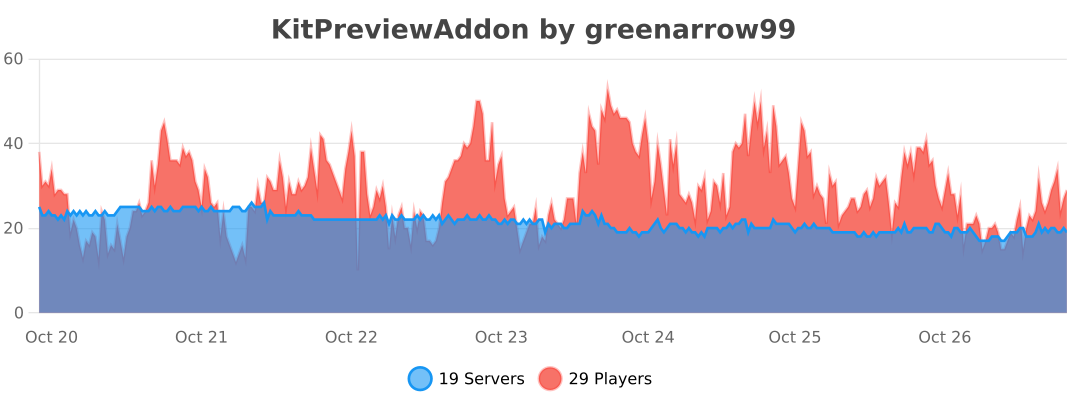
This plugin uses bStats to collect anonymous usage stats. You can opt out anytime in plugins/bStats/config.yml.
Similar projects
Plugin →Let Me Despawn
Improves performance by tweaking mob despawn rules. Say bye to pesky unintentional persistent mobs.
25MSueta
JourneyMap
Real-time map used for mapping in-game or your browser as you explore.
14.7MSueta
Emotecraft
Create your own emotes in Minecraft.
7.5MSueta
Simple Tpa
A simple tpa plugin which sends requests
5.4MSueta
Common Network
Forge and Fabric Unified Networking Solution
3.9MSueta
Set Home
A lightweight plugin for players to set their homes.
3.8MSueta