
FusionPixelmon
1.11Add a little extra to your Pixelmon experience - PokeBuilder, ArcPlates, Modifier Tokens, and more!
FusionPixelmon


Add a little extra to your Pixelmon experience - PokeBuilder, ArcPlates, Modifier Tokens, and more!
Dependencies
- Forge - forge-1.12.2-14.23.5.2847-universal.jar
- Pixelmon Reforged - Pixelmon-1.12.2-8.1.2-universal.jar
- Spigot
Features
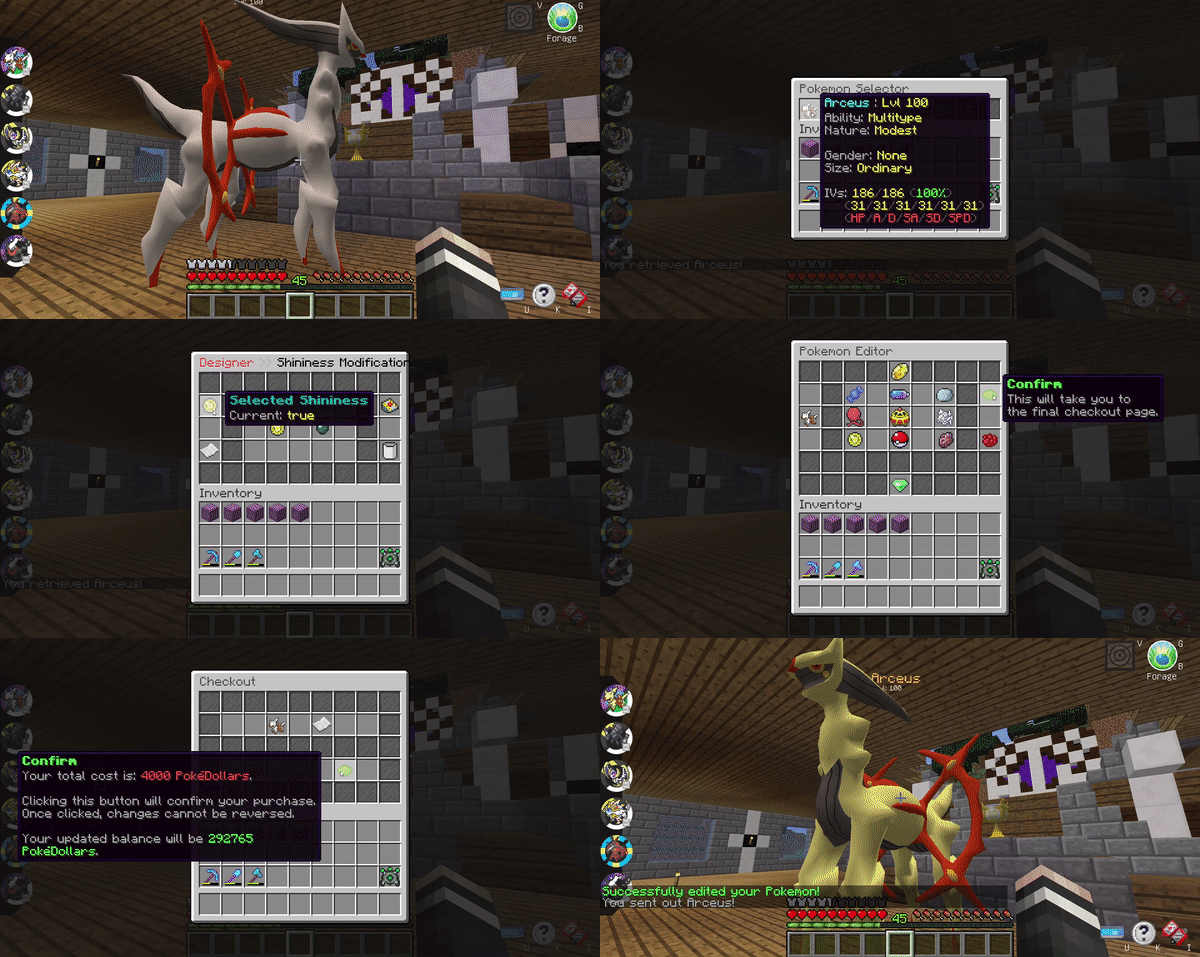
PokeDesigner
An interactive PokeDesigner with 12 shops for modifying your Pokemon.
Inspired by the pokemon designer on PokeCentral.org
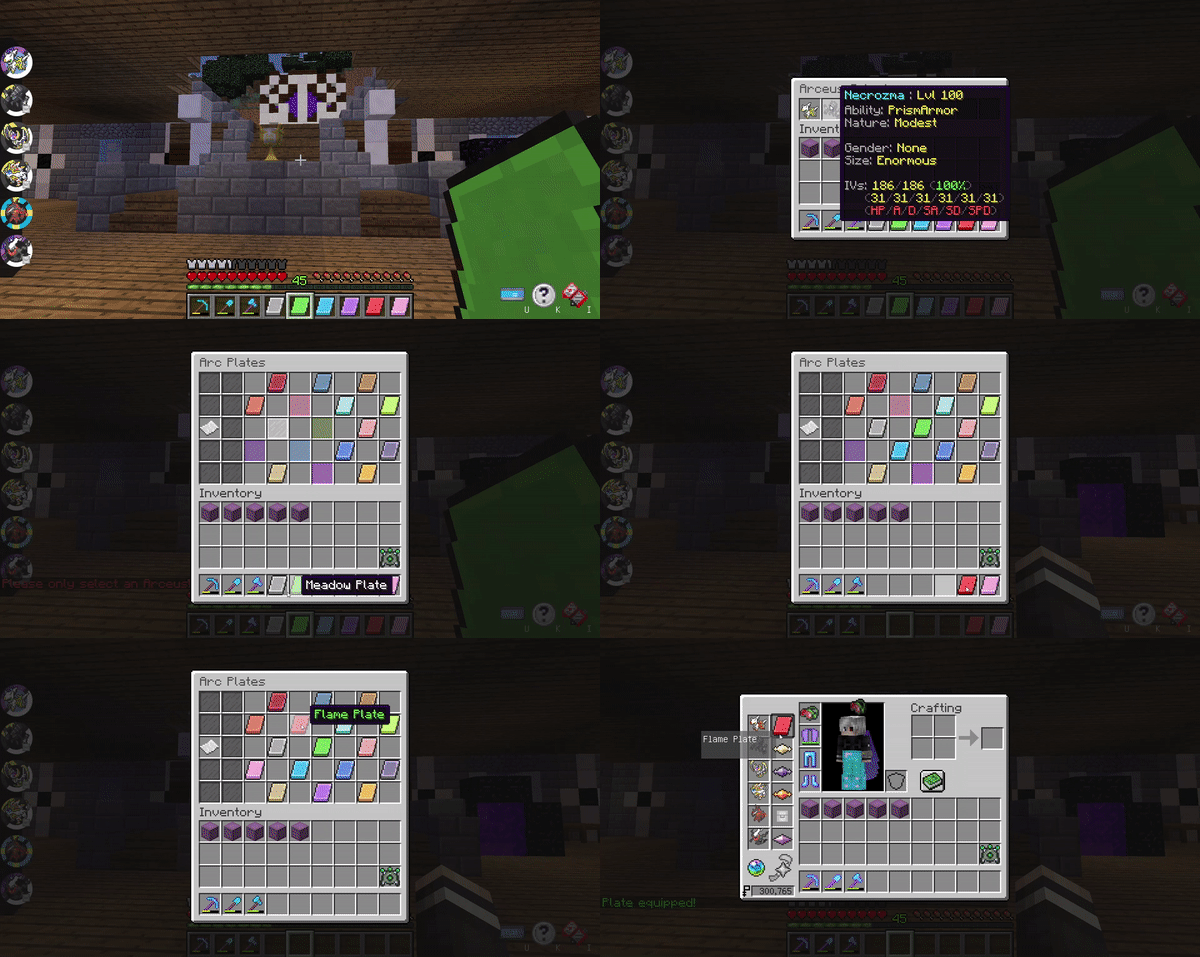
ArcPlates
An interactive management UI for storing Arceus Plates and quickly switching between them.
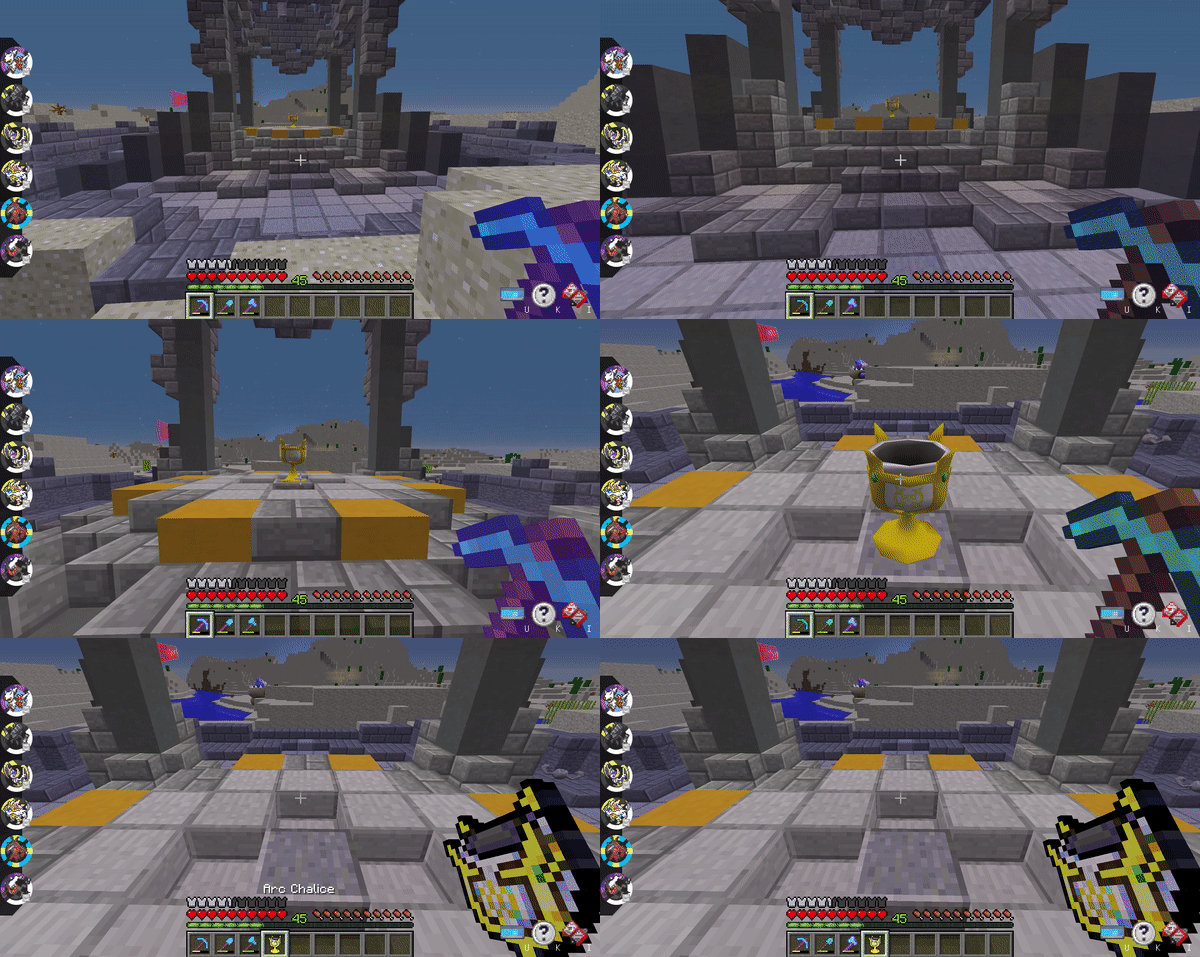
Shrine Pickup
Allows the "breaking" and picking up of Pixelmon's unbreakable Shrines, Timespace Altars, and Chalices.
Clicking one of these structures in survival mode while holding the appropriate diamond tool will drop this item in your inventory, if there are available slots.
In the multiplayer versions, shrines can also be locked to prevent other players from picking them up.

Modifier Tokens
Token items which can be used to modify specific aspects of your Pokemon.
Admins could add modifier tokens to chest loot or prizes for players, if original item data is preserved.

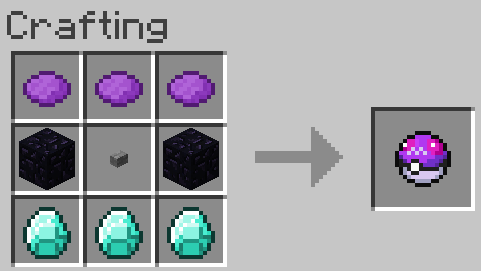
Craftable Master Balls
Adds the Master Ball crafting recipe back into the game.
Commands and Permissions
| Command                               | Permission                                | Description                   |
|---------------------------------------|-------------------------------------------|-------------------------------|
| `/pd` or `/pokedesigner`              | fusionpixelmon.command.pokedesigner       | Opens the PokeDesigner UI     |
| `/arc`                                | fusionpixelmon.command.arc                | Opens the ArcPlates UI        |
| `/pokemodifier <modifier> [player]`   | fusionpixelmon.command.admin.pokemodifier | Gives Pokemon modifier tokens |
Config
The config files can be found in `<server>/plugins/FusionPixelmon`.
To modify features of this plugin, open `fusionpixelmon.conf`, and start the server after saving any changes made.
Above each setting in the config file, there will be comments explaining the feature and how to disable it.
To return the `fusionpixelmon.conf` config file back to the original, you can either delete it and it'll be created upon next server startup, or copy-paste the values from the default config.
Links
- Discord
- Issue tracker
Similar projects
Plugin →Let Me Despawn
Improves performance by tweaking mob despawn rules. Say bye to pesky unintentional persistent mobs.
25MSueta
JourneyMap
Real-time map used for mapping in-game or your browser as you explore.
14.7MSueta
Emotecraft
Create your own emotes in Minecraft.
7.5MSueta
Simple Tpa
A simple tpa plugin which sends requests
5.4MSueta
Common Network
Forge and Fabric Unified Networking Solution
3.9MSueta
Set Home
A lightweight plugin for players to set their homes.
3.8MSueta