
Want to see more of my scripts? View every public one here including spigot resources
Installation:
- Download Skript. This works with 2.2
- Run your server to generate the Skript folder, go into the Skript scripts folder and add gates.sk
- Use /sk reload gates
Requirements:
- Requires skQuery 3.21.4
Don't want these requirements? These plugins are only required for automated gates delete this part of the code to remove the requirement
Video Demonstration:
Gates v1
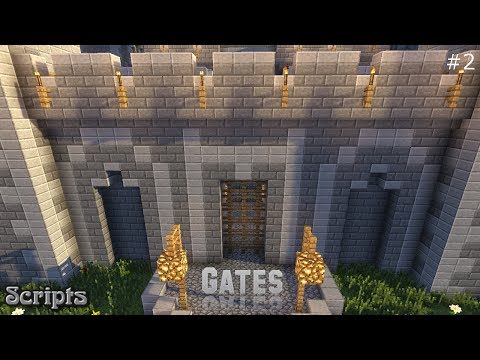
Gates v2

Features:
- Create a gate that can be animated to go up and down
- Use a command to toggle a gate
- Use a block that can be left clicked to toggle the gate
- Use a block that can be right clicked to toggle the gate
- Use a block that can be either left clicked or right clicked to toggle the gate
- List gates that you have set
- Delete gates that you have set with a simple command
- Permission nodes for every feature
- Toggle on and off gate creation for a gate
- Allows you to toggle creation for multiple gates by using /gate <gate name>
- Allows one click event to toggle multiple gates at once
- Option to change the timer for the gate to go up and down
- Option to set a cap for how many fences can be used for one gate
- Option to set the default fence type
- Option to set the default tool type
- Change block types per gate
- Remove blocks from gates by breaking the block
- Remove any toggle blocks you have set
- Make gates automatically open and close as a player walks into a certain area
- Help menu to see commands and features (/gate help)
- Paint specific parts of the gate. Enter gate selection and right click while holding a block and looking at a gate block to paint it what you are holding and left click to do the same for the close animation
Commands:
- /gate <gate name> = set points for a gate by placing a block
- /gate = Clear gates mode so you no longer have to set points
- /deletegate <gate name> = Permanently delete a gate and all of it's switches
- /togglegate <gate name> = Toggle a gate
- /gates = List all gates
- /clickgate <right/left/both> <gate name> = Set a clickable left, right or both clicked block that will toggle the gate (look at the block then issue the command)
- /gatetype <gate name> <block> = sets the block for a gate to animate. Resets all paint
- /clickremover (gate) = removes all toggle blocks or a specific gates toggle blocks
- /autogate <gate name> <radius> = Allows you to check the area around you and if someone is in the area the gate will open and if nobody is in the area the gate will close
- /delautogate [<gate name>] = Deletes all auto gates or all auto gates connected to a specific gate
- /autogates = Lists all auto gates currently active
- /gateviewall = Shows all automated gates & gates
- /gatehelp = Shows the help page
Permission Nodes:
- gate.add = Able to create gates and add on fences to already made gates
- gate.remove = Able to delete already made gates
- gate.toggle.command = Able to toggle a gate by using a command
- gate.list = Able to list all active gates
- gate.toggle.click.set = Allows you to set a block that can be clicked to toggle a gate
- gate.toggle.click.both = Allows you to click gate toggle blocks that allow left & right clicks
- gate.toggle.click.left = Allows you to click gate toggle blocks that allow left clicks
- gate.toggle.click.right = Allows you to click gate toggle blocks that allow right clicks
- gate.type = Allows you to set a block for a gate (enables /gatetype)
- gate.click.removal = Allows you to remove toggle blocks (enables /clickremover)
- gate.automation = allows the use of /autogate
- gate.automation.list = allows the use of /autogates
- gate.automation.deletion = allows the use of /delautogate
Review Me!
Please take time to review this script. I've spent a lot of time trying to please and for better or worst I want to view your opinion! It's the best motivation for me to add new features :)
FAQ:
- I get an error when I reload the script "Possible name conflict of variables" - A: That's just a warning. Go to plugins>Skript>config>line 140>disable variable conflict warnings: true
Warning:
Having hundreds of automated gates could cause lag! I've coded it in a way to reduce as much lag as possible but I've only tested a few automated gates. Other than that there shouldn't be any lag with this script unless you make HUGE gates since your server will have to be placing/removing blocks but since it does it in a time span it's not a major issue unless your gates are thousands of blocks wide and you don't have a lot of Ram. Turning the time span to 0 seconds with huge gates could also be an issue since it will place and remove gates instantly
tl;dr:
As long as your gates don't have millions of blocks added and don't have hundreds of automated gates you should have no problems
For legacy builds go here
Similar projects
Plugin →Let Me Despawn
Improves performance by tweaking mob despawn rules. Say bye to pesky unintentional persistent mobs.
26.2MSueta
JourneyMap
Real-time map used for mapping in-game or your browser as you explore.
14.7MSueta
Emotecraft
Create your own emotes in Minecraft.
7.9MSueta
Simple Tpa
A simple tpa plugin which sends requests
5.4MSueta
Common Network
Forge and Fabric Unified Networking Solution
4.7MSueta
Set Home
A lightweight plugin for players to set their homes.
3.8MSueta