



HologramDrops
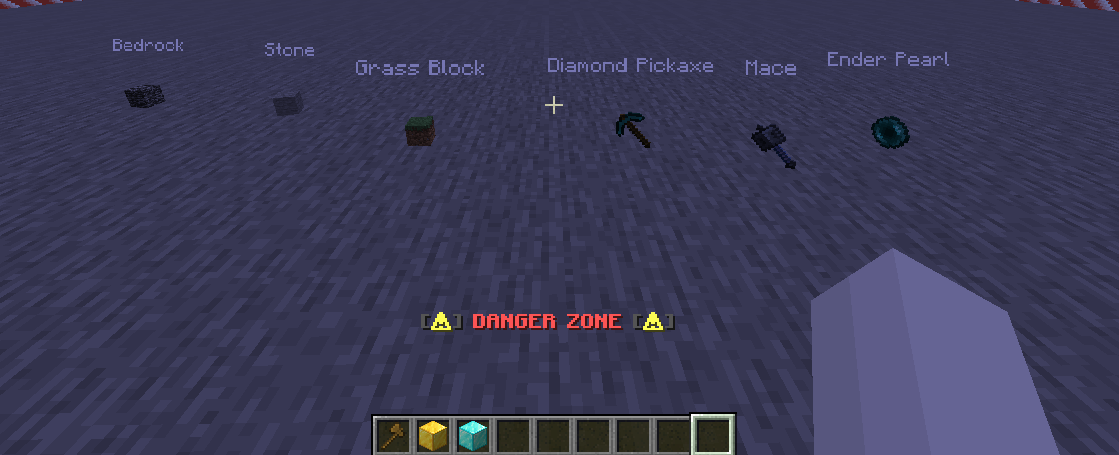
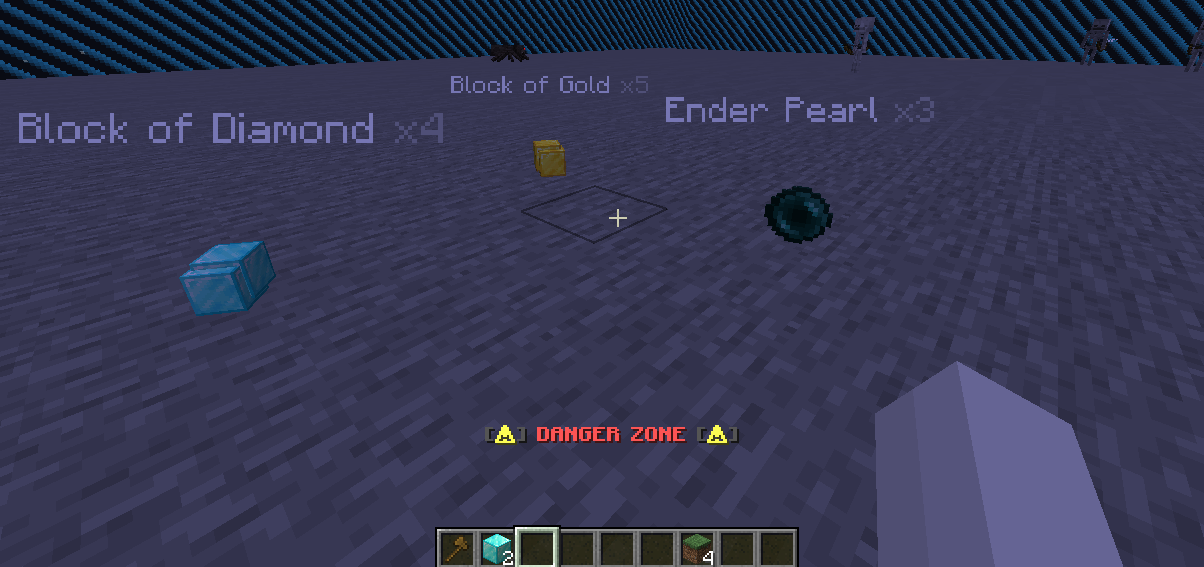
Floating item labels above every drop
Lightweight Paper plugin that displays the item name and stack count
as a beautiful hologram above every dropped item on the ground.
[HR][/HR]
:star: Features
- Instant Holograms — A floating label appears above every dropped item the moment it hits the ground.
- Dynamic Stack Updates — When items merge on the ground, the hologram automatically updates to show the new count.
- Partial Pickup — Pick up part of a stack? The hologram recalculates instantly.
- Instant Cleanup — Holograms vanish immediately when items are fully picked up or despawn.
- MiniMessage Support — Full support for gradients, HEX colors, bold, italic, and more via Adventure API.
- Modern TextDisplay — Uses TextDisplay entities instead of ArmorStands. Much lighter on performance!
- Zero-Tick Tracking — Holograms ride as passengers on the item entity. No scheduled tasks for positioning.
- Auto Translation — Item names are shown in each player's own language automatically via translatable components.
- Fully Configurable — Custom format, height offset, scale, shadow, background color, world filter, blacklist, and more.
[HR][/HR]
:wrench: Commands & Permissions
| Command | Description | Permission | Default |
/hdreload | Reload the configuration | hologramdrops.reload | OP |
Aliases: /hdr, /holoreload
[HR][/HR]
:gear: Configuration
The plugin generates a config.yml on first run. All text fields support MiniMessage format.
# Hologram format. Placeholders: <item> = item name, <amount> = stack count
hologram-format: "<white><item> <gray>x<amount>"

# Hide the count when stack size is 1
hide-single-count: true

# Vertical offset above the item (in blocks)
hologram-height-offset: 0.75

# Background color (AARRGGBB hex). "00000000" = fully transparent
text-background-color: "00000000"

# Text scale (1.0 = default size)
text-scale: 1.0

# Text shadow for readability
text-shadow: false

# Worlds where holograms are active (empty = all worlds)
enabled-worlds: []

# Materials that will NOT get a hologram
blacklisted-materials: []
#  - COBBLESTONE
#  - DIRT

# Only show holograms for items with a custom display name
custom-names-only: false

# Override display names for specific materials
item-name-overrides: {}
#  DIAMOND: "<aqua>Diamond"
#  GOLDEN_APPLE: "<gold>Golden Apple"
[HR][/HR]
:art: Format Examples
| Style | Config Value |
| Simple white | <white><item> <gray>x<amount> |
| Gold gradient | <gradient:gold:yellow><item></gradient> <gray>(x<amount>) |
| HEX color | <#FF6B35><item></#FF6B35> <dark_gray>x<amount> |
| Bold + italic | <bold><aqua><item></bold> <italic><gray>x<amount></italic> |
[HR][/HR]
:inbox_tray: Installation
- Download HologramDrops.jar from the download button above.
- Place the JAR into your Paper server's
plugins/folder. - Restart your server.
- Edit
plugins/HologramDrops/config.ymlto your liking. - Apply changes in-game:
/hdreload.
[HR][/HR]
:clipboard: Requirements
- Server: Paper 1.20.x or 1.21.x (Spigot is NOT supported)
- Java: 17 or newer
- Dependencies: None! Standalone plugin.
[HR][/HR]
:zap: Why TextDisplay?
| ArmorStand (old way) | TextDisplay (HologramDrops) | |
| Packet overhead | Equipment + metadata packets | Single lightweight entity |
| Collision | Has hitbox, interactable | No hitbox, invisible to gameplay |
| Rendering | Renders a full model | Text only, billboard mode |
| Positioning | Needs tick-based updates | Rides as passenger, zero ticks |
[HR][/HR]
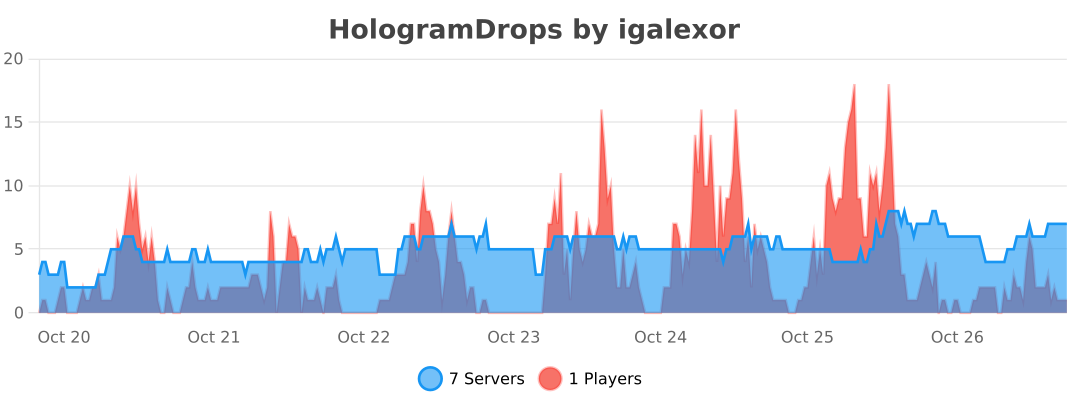
:bar_chart: Stats & Support
Found a bug or have a suggestion?
Leave a message in the Discussion tab or open an issue on GitHub!
Similar projects
Plugin →Let Me Despawn
Improves performance by tweaking mob despawn rules. Say bye to pesky unintentional persistent mobs.
25MSueta
JourneyMap
Real-time map used for mapping in-game or your browser as you explore.
14.7MSueta
Emotecraft
Create your own emotes in Minecraft.
7.5MSueta
Simple Tpa
A simple tpa plugin which sends requests
5.4MSueta
Common Network
Forge and Fabric Unified Networking Solution
3.9MSueta
Set Home
A lightweight plugin for players to set their homes.
3.8MSueta