
icJukeBox is a plugin which allows you to choose noteblock songs from a list, a random one or enable a server-wide radio.
Update
Please note that icJukeBox starting at version 1.6 has seen some major updates! To switch from <1.5.x to 1.6 or higher, please follow the instructions below!
- Stop your server
- Delete NoteBlockAPI from your plugins folder (icJukeBox 1.6 or higher no longer depends on this API in order to work)
- Start your server
- Configuration is now loaded and saved by icJukeBox rather than bukkit. This means the configuration file has a new setup. Please configure the configuration.yml to your server's needs. The config.yml will no longer be used!!!
- Type /music reload to load the new configuration.
Features
- Organise all your songs in an easy to use GUI list
- Simply place .nbs songs inside the 'tracks' folder. Songs can be downloaded right here: http://dev.bukkit.org/bukkit-plugins/icjukebox/pages/tracks/
- Play random songs using /music random
- Enable shuffle-mode using /music shuffle
- Enable a server-wide radio using /music radio
- Ability to configure menu-buttons, chatmessages and much much more.
- Turn on a random song, shuffle mode or a server-wide radio when a player joins the server
- Reload configuration in-game
- Configurable lobby-items (useful for hub servers)
Videos
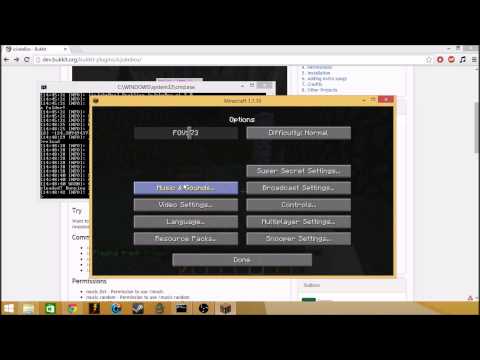
Here are some short videos to explain what icJukeBox is capable of bringing to your server:
Video by Numer Uno
https://www.youtube.com/channel/UCeKsAqqRcDs_1uo8GJYj3DA
Video by Jithin Sunny
https://www.youtube.com/channel/UC1hjaF_2IjWxYNApX6akKdQ
Video by AbsintoJ (Portuguese)
https://www.youtube.com/channel/UCfe3bEdWYbEX66dy5JoZ3xQ
Commands
- /music - Opens the music-GUI
- /music <pageNumber> - Opens the music-GUI at the given page
- /music item [shuffle, random, radio, list] <player>
- /music off - Turns off the current song
- /music random - Play a random song
- /music shuffle - Enable shuffle-mode
- /music shuffle skip - Skip a song during shuffle-mode
- /music reload - Reload icJukeBox configuration
- /music radio [on/off] - Toggle the server-radio for yourself
- /music radio skip - Skip a radio-song (global effect)
Permissions
- music.list - Permission to use /music
- music.random - Permission to use /music random
- music.shuffle - Permission to use /music shuffle
- music.shuffle.skip - Permission to use /music shuffle skip
- music.reload - Permission to use /music reload
- music.radio - Permission to use /music radio
- music.radio.skip - Permission to use /music radio skip
- music.item.spawn.[shuffle/radio/random/list]
- music.item.use.[shuffle/radio/random/list]
Installation
- Place the latest version of icJukeBox inside the plugins folder of your server
- Restart or Reload the server
- Type /music to play
Adding extra songs
- Download extra songs right here: http://dev.bukkit.org/bukkit-plugins/icjukebox/pages/tracks/
- Place the downloaded .nbs files inside the tracks folder of icJukeBox. Located at your server files /plugins/icJukeBox/tracks/
- Type /music reload to reload the stored stracks (and automatically enabled those) or reload/restart your server
- Type /music to see the result
Credits
- Video's created by: Numero Uno, Jithin Sunny and AbsintoJ
- Authors of NoteblockAPI: xxmicloxx and michidk
- Author of icJukeBox: jeussa
Similar projects
Plugin →Let Me Despawn
Improves performance by tweaking mob despawn rules. Say bye to pesky unintentional persistent mobs.
25MSueta
JourneyMap
Real-time map used for mapping in-game or your browser as you explore.
14.7MSueta
Emotecraft
Create your own emotes in Minecraft.
7.5MSueta
Simple Tpa
A simple tpa plugin which sends requests
5.4MSueta
Common Network
Forge and Fabric Unified Networking Solution
3.9MSueta
Set Home
A lightweight plugin for players to set their homes.
3.8MSueta