
[Itemize Command] Store Commands in your items!
1.2Sell items with commands on your server, avoiding having to add the players to a permission group!

This command allows you to store any other command in any item including commands from other plugins!
You could use this to sell items with commands on your server, avoiding having to add the players to a permission group. With this you can give them permissions to a single command for limited usages.
Features:
- No permissions required to run the command in the item
- Compatible with any command from any other plugin
- As easy as a right click to activate the command in the item
- Tested for 1.15
Permissions
Just add the permission 'itemizecommand.commndtoitem' to the player or group
Warning: Be careful who you give the permission to run this command because they could make themselves server operators, next version will include a way to exclude commands.
Version 1.2 now includes Blocked Commands configuration to block commands from being used with this plugin
Parameters
- Number of uses:
The number of uses you want the command to be available for in the item, set 0 for infinite.
- Command you want to store in the item:
Any command available in the server.
- Arguments of the command you want to store (optional):
Any arguments for the command
Usage
Hold the item in your main hand and type the following command
/commndtoitem numberOUses anyCommand anyparameterThen right click in the item to execute the command
Usage Examples
Will clear the weather when the player right clicks on the item, usable 10 times
/commndtoitem 10 wheather clearWill set the time to night, usable 1 time
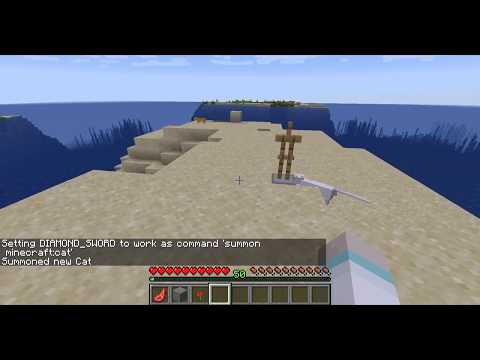
/commndtoitem 1 time set nightWill summon a cat, infinite uses
/commndtoitem 0 summon minecraft:catWill give the player holding the item diamond, 3 uses
/commndtoitem 3 give @holder minecraft:diamondBehavior:
From 1.2 using the selector @holder will be replaced with the name of the player holding the item on execution
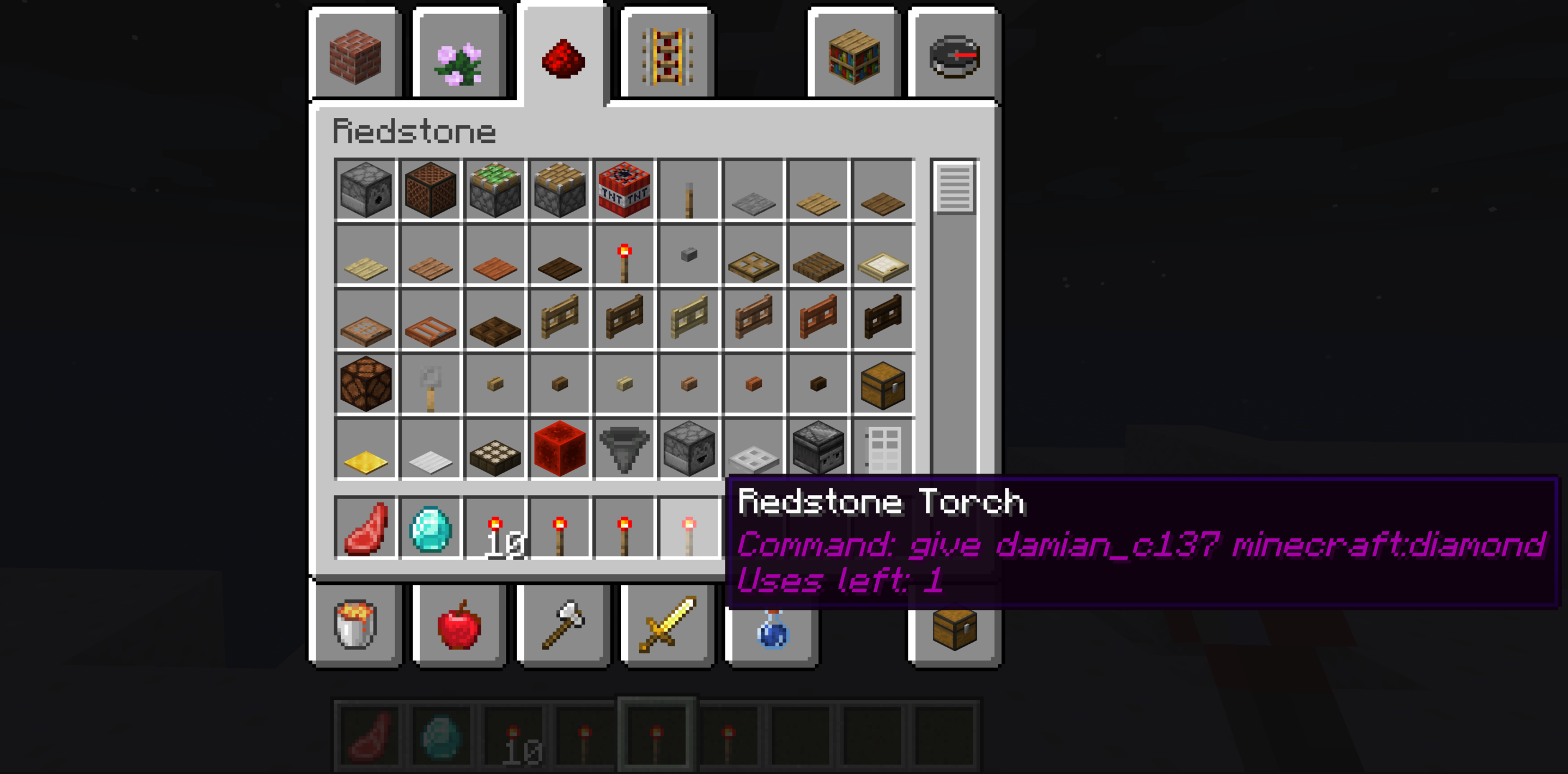
If you add a command to the stack a stack of items, the plugin will use that stack as one single item.
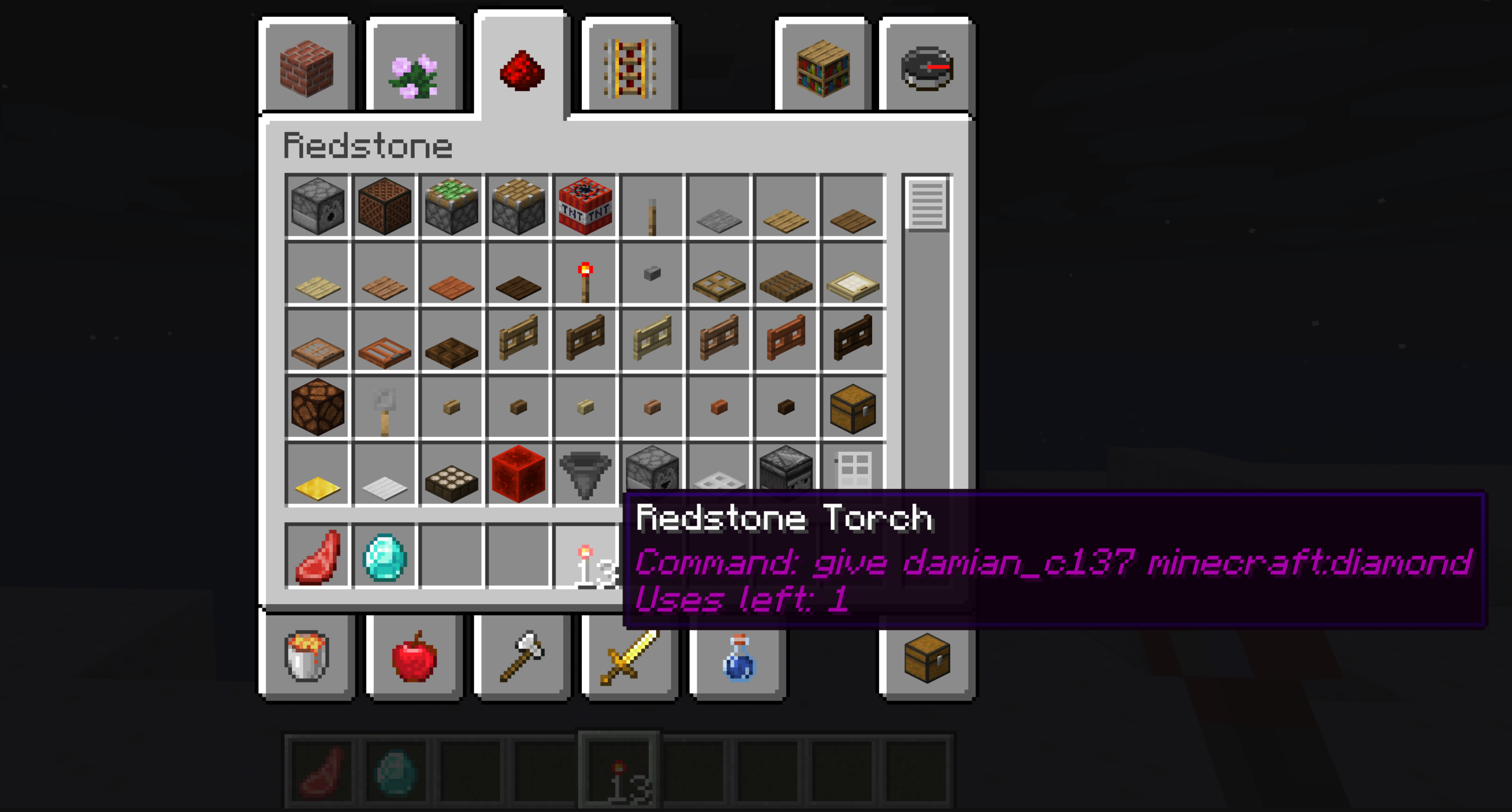
However if you separate the items after adding the command, each item will have the number of usages that you added to the stack
Config:
[/SIZE][/SIZE]
[SIZE=5][SIZE=4]Blocked Commands:  #list of you want to be blocked from using with this plugin
- op
- deop
Activate Tab Completion: true #set this to false to remove the tab completion if you find it annoying
Remove Item after all command usages: false #set this to true to remove the item after the usages have been consumed
Installation:
Just copy the jar file to your plugins folder and restart the server, and give the permissions to the users you want to be able to use.
Leave suggestions on the comments
Consider donating if you like the plugin or would like to see more.
For any questions, support or if you want a custom plugin for a small fee contact me on discord toaster_with_wheels#0891
Similar projects
Plugin →Let Me Despawn
Improves performance by tweaking mob despawn rules. Say bye to pesky unintentional persistent mobs.
25MSueta
JourneyMap
Real-time map used for mapping in-game or your browser as you explore.
14.7MSueta
Emotecraft
Create your own emotes in Minecraft.
7.5MSueta
Simple Tpa
A simple tpa plugin which sends requests
5.4MSueta
Common Network
Forge and Fabric Unified Networking Solution
3.9MSueta
Set Home
A lightweight plugin for players to set their homes.
3.8MSueta