
What is this?
If you don't know JIRA, it is an issue-management software (actually much more than that). You can track issues with this plugin for better tracking of projects.
How it works?
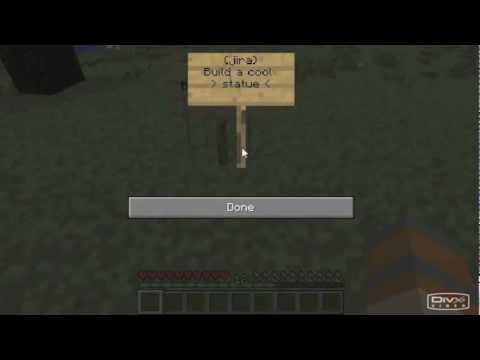
1. Place sign to create issue
a. First line: {jira}
b. Second line: description of issue
2. Colour sign to red to mark 'In Progress'
3. Break sign to resolve to 'Done'
Getting Started
1. Setup a JIRA application [on this site]( https://jira.atlassian.com/)
2. Create Custom Fields with names: World, X, Y, Z (All of them text fields, single line)
3. Make them available on all screens
4. Modify config.yml with your base url, API token ( https://id.atlassian.com/manage/api-tokens), username (email), your project key, (if you want to put it under a parent issue, then create it and use it's key as parent, otherwise leave empty).
Features
- Add/Remove issues
- Mark issue as 'In Progress' by colouring sign to red
- Teleport to issue
What it can't do (yet?)
- Mark which user added the issue
- possibly many other things
Original developer is jaysee00, he abandoned the project in 2012, so I updated it so it works on newer versions.
Similar projects
Plugin →Let Me Despawn
Improves performance by tweaking mob despawn rules. Say bye to pesky unintentional persistent mobs.
25MSueta
JourneyMap
Real-time map used for mapping in-game or your browser as you explore.
14.7MSueta
Emotecraft
Create your own emotes in Minecraft.
7.5MSueta
Simple Tpa
A simple tpa plugin which sends requests
5.4MSueta
Common Network
Forge and Fabric Unified Networking Solution
3.9MSueta
Set Home
A lightweight plugin for players to set their homes.
3.8MSueta