
KillEffects ✴ 54 Epic Particle Kill Effects ✴
v2.0.1Unique Kill Effect Particles to enhance your player's minecraft experience.
- Tested MC versions
- 1.7, 1.8, 1.9, 1.10, 1.11, 1.12, 1.13, 1.14, 1.15, 1.16, 1.17, 1.18, 1.19, 1.20, 1.21, 26.1, 26.2, 26.3
KillEffects
53 effects that play where you kill players
Minecraft 1.7.10 – 26.3 ✴ Spigot · Paper · Purpur · Folia ✴ No dependencies
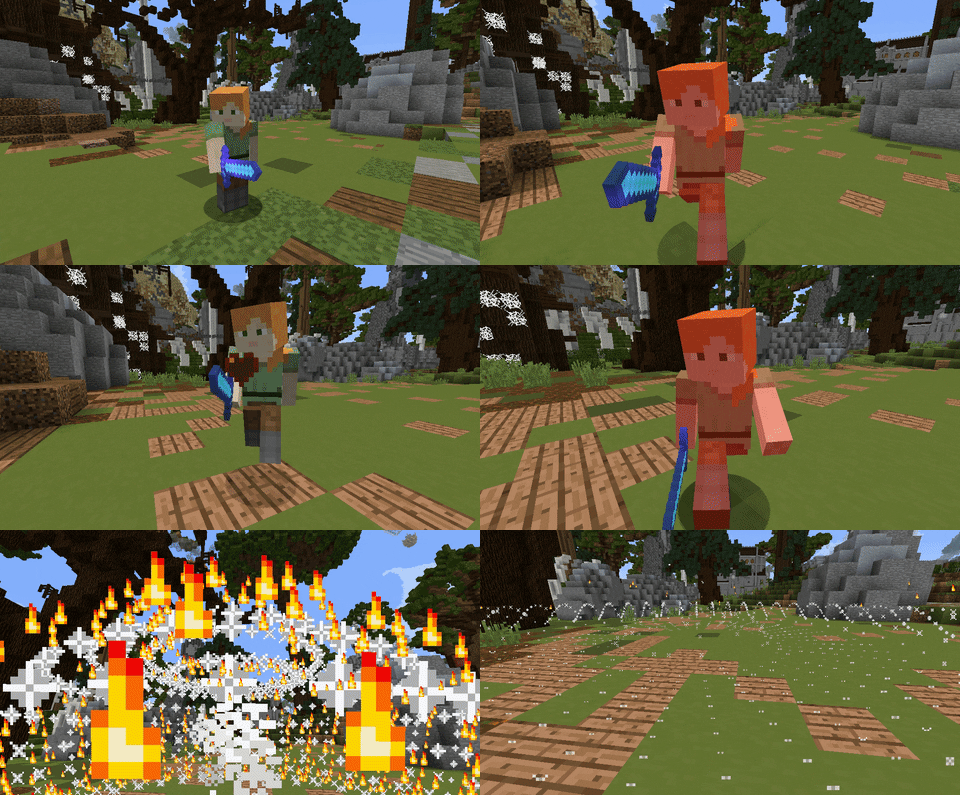
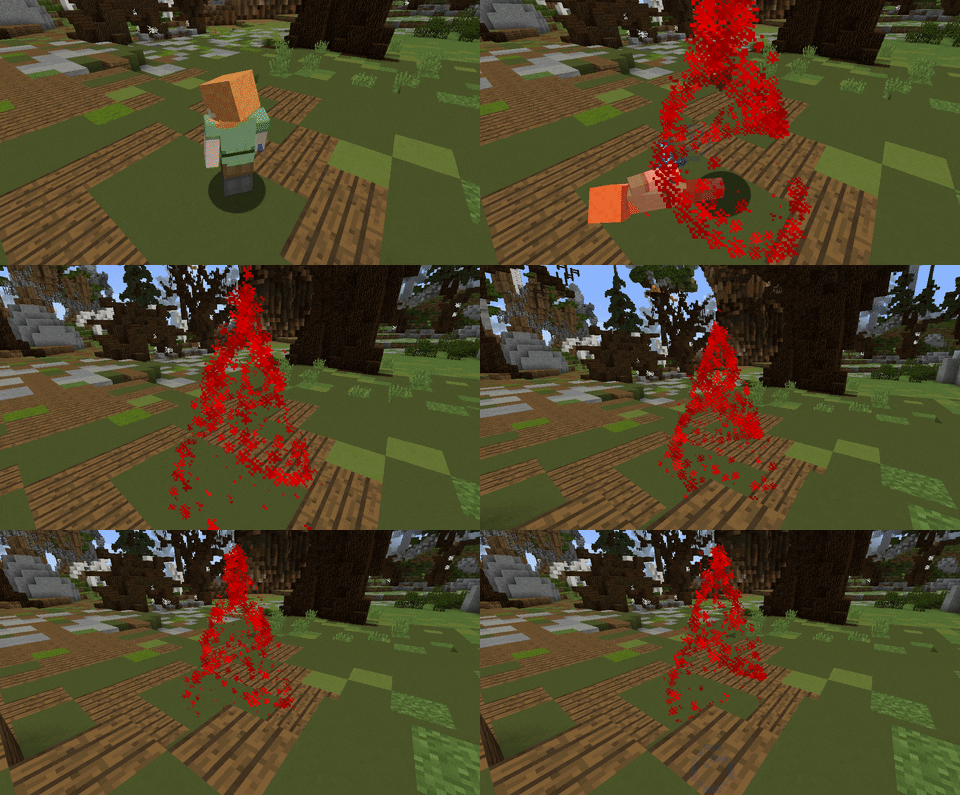
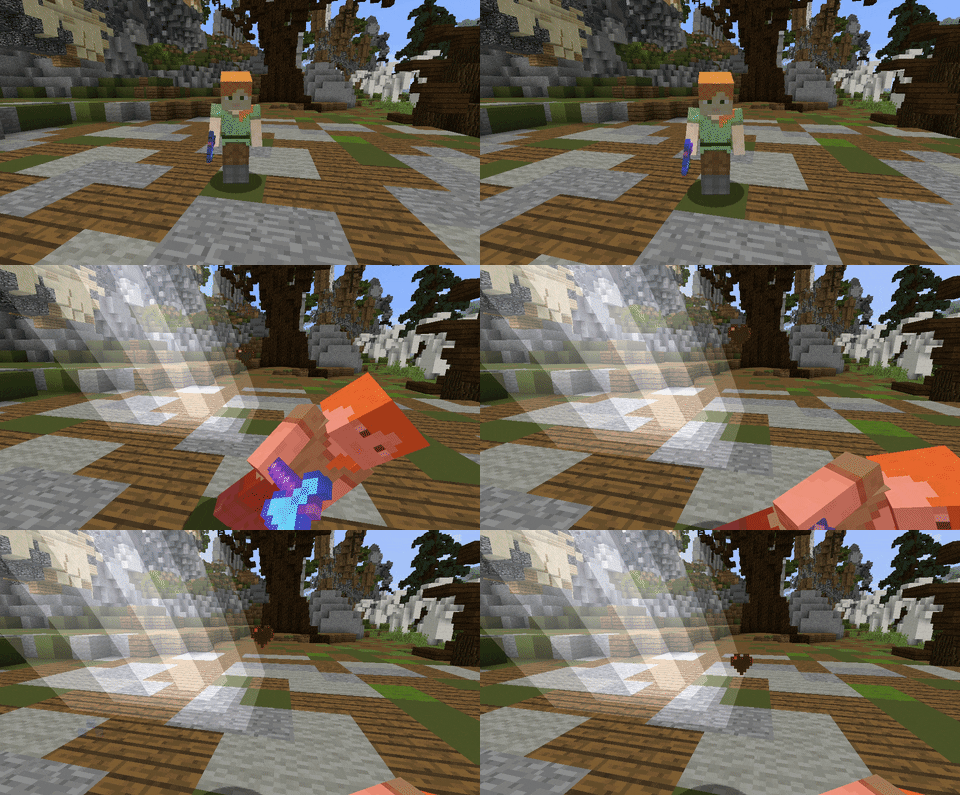
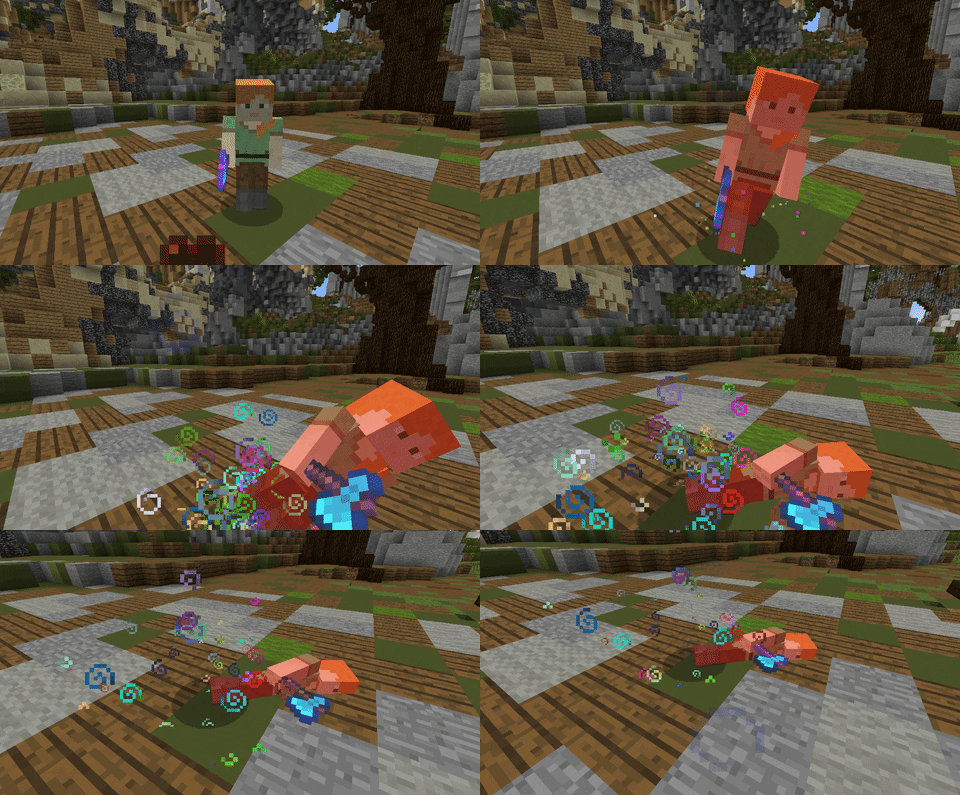
Players pick an effect in a menu, and it plays where they die: particle bursts, fireworks, harmless lightning, sounds, and animated shapes such as a vortex, a DNA helix, a disco ball and a dragon's breath. Every effect can be changed in a YAML file, and you can add your own without writing any code.
Version 2.0 is a complete rewrite. One jar runs on every version from 1.7.10 to 26.3, EffectLib is no longer needed, and your old configuration and your players' effects are converted automatically.
✴ Effects
10 animated effects, fireworks, lightning, 30 particle effects and holiday specials. Players see every effect in the menu and can preview it with a right click, even the ones they haven't unlocked yet, which makes effects a nice perk for ranks.
All 53 effects
Animated: Vortex, DNA, Disco, Dragon, Blood Helix, Nuke, Circle, Pentagon, Rainbow, Sun
Fireworks and lightning: Firework, New Year, Lightning, Thunder
Particles: Flame, Heart, Cloud, Coin, Happy, Potion, Blood, Note, Flower, Chess, TNT, Treasure, Water, Lava, Ender, Warm, Cold, Pastel, Fish, Cookie, Snow, Smoke, Meat, Angry, Enchanted, Coal, Iron, Gold, Diamond, Emerald
Holidays: Halloween, Thanksgiving, Black Friday, Father's Day, Mother's Day, St. Patrick's Day, Easter, Christmas, Valentine's Day
✴ Features
- Make your own effects in effects.yml from particle, firework, lightning, sound and animation layers: 13 animated shapes, colours (hex, rainbow, random), delays and repeats. No code needed.
- A menu that fits your server: any number of effects over several pages, with configurable slots, buttons, items and sounds. Locked effects can be shown or hidden, and the selected effect glows.
- Previews: right click an effect in the menu or use /ke preview, with a cooldown and an option to show previews only to the player.
- The right names on every version: item, sound and particle names in your files are written for your server's Minecraft version. When you move to another version, they are translated in place, comments and all, and a backup is kept.
- A permission for everything: the menu, each command and each effect. An effect can stop playing when a rank expires.
- YAML, SQLite or MySQL/MariaDB. Selections are saved by UUID. If the database goes down, they are kept in a file and copied over once it is back.
- Works with KillEffects: run both on one server and choose whether both effects play when one player kills another, or only one.
- Duel and practice plugins: effects also play for fight deaths that the duel plugin cancels, right where the player died. StrikePractice is supported out of the box.
- Light on your server: particles only go to players close enough to see them. Set the view distance, a limit on running animations and a particle multiplier.
- Every message in messages.yml, with & colour codes and &#RRGGBB hex colours on 1.16+.
- Clear error messages: a typo in your files is reported with its exact place while the rest keeps working, and settings.debug shows why an effect did or didn't play.
- Safe: fireworks and lightning are purely visual and never cause damage or fire.
- Developer API: cancellable events, plus methods to read and change selections and to play effects.
✴ Compatibility
- Minecraft: 1.7.10 to 26.3, one jar for every version
- Server software: CraftBukkit, Spigot, Paper, Purpur, Folia and their forks
- Java: whatever your server needs (the plugin itself runs on Java 8 and newer)
- Dependencies: none
✴ Installation
- Put KillEffects-2.0.1.jar in your plugins folder and restart the server.
- Change plugins/KillEffects/config.yml, effects.yml and messages.yml to your liking, then run /ke reload.
Upgrading from 0.11 or older? Replace the jar, and remove EffectLib if no other plugin needs it. On first start, your old config.yml is converted (a backup is kept as config-v1-backup.yml), keeping your effect names, icons, menu texts, sounds, messages and MySQL settings, and your players' saved effects are imported. One thing to check: killeffects.* now grants everything, including the admin commands. Give players killeffects.alleffects to let them use every effect.
Commands
Players
- /ke: open the effect menu (/ke <number> opens that page)
- /ke help: the commands you may use
- /ke list: all effects
- /ke select <effect>: pick an effect (/ke <effect> works too)
- /ke preview <effect>: play an effect in front of you
- /ke clear: remove your effect
- /ke info: show your effect
Admins
- /ke select <effect> <player>: pick an effect for someone else
- /ke clear <player>: remove someone else's effect
- /ke open <player> [page]: open the menu for someone else
- /ke info <player>: show someone else's effect
- /ke reload: reload all files
- /ke version: version and server details
/killeffects and /killeffect work as well. /ke help and tab completion only show what a player may use.
Permissions
Players (everybody has these; take one away to turn that feature off for a group)
- killeffects.gui: open the menu
- killeffects.select: pick an effect by command
- killeffects.clear: clear your own effect
- killeffects.preview: preview effects
- killeffects.list, killeffects.info, killeffects.help: those commands
Effects (operators by default; change this with settings.effect-permission-default)
- killeffects.<effect>: use one effect, for example killeffects.vortex
- killeffects.alleffects: use every effect
- killeffects.preview.bypass: preview without the cooldown
Admins (operators by default)
- killeffects.reload, killeffects.version
- killeffects.gui.others, killeffects.select.others, killeffects.clear.others, killeffects.info.others
- killeffects.admin: all admin commands
- killeffects.*: everything
Example with LuckPerms: lp group vip permission set killeffects.alleffects true
Making your own effects
Add a section under effects: in effects.yml and run /ke reload:
effects:
  stars:
    name: '&eStar &aEffect'
    icon: NETHER_STAR
    lore:
      - '&7Seeing stars.'
    layers:
      - type: particle
        particle: FIREWORK
        count: 40
        offset: 0.5
        speed: 0.05
      - type: animation
        shape: RING
        particle: DUST
        color: '#FFD700'
        radius: 1.5
        duration: 40
      - type: sound
        sound: ENTITY_PLAYER_LEVELUP
        pitch: 1.5
There are five layer types: particle, firework, lightning, sound and animation. Every layer can start later (delay) and repeat (repeat, interval). Animations come in 13 shapes: helix cone, shockwave, ring wave, vortex, DNA, disco ball, dragon breath, polygon, sphere, ring, helix, tornado and fountain. Every option is explained at the end of effects.yml.
For developers
Cancellable events: killeffectPlayEvent (before an effect plays; the effect and location can be changed) and killeffectselectEvent (before a player's effect changes), both in com.dank420girl.killeffects.api.
KillEffectsPlugin killeffects = (KillEffectsPlugin) Bukkit.getPluginManager().getPlugin("KillEffects");
String effect = killeffects.getSelectedEffectId(player.getUniqueId()); // null = none
boolean changed = killeffects.setSelectedEffect(player, "vortex");     // fires the select event
killeffects.playEffect("dna", location, player);                       // play any effect anywhere
Set<String> ids = killeffects.getEffectIds();                          // all effects, in menu order
Add the jar as a compileOnly dependency and softdepend: [KillEffects] to your plugin.yml.
✴ Also try KillEffects
KillEffects has the same effects, played where your victims die. The two plugins work side by side.
✴ Support
Found a bug or have an idea? Post in the Discussion tab or open an issue on GitHub. For bugs, please include the output of /ke version and your console log from startup.
KillEffects is open source (MIT): source code on GitHub.
~ GUI ~


~ Kill Effects ~
Similar projects
Plugin →Let Me Despawn
Improves performance by tweaking mob despawn rules. Say bye to pesky unintentional persistent mobs.
25MSueta
JourneyMap
Real-time map used for mapping in-game or your browser as you explore.
14.7MSueta
Emotecraft
Create your own emotes in Minecraft.
7.5MSueta
Simple Tpa
A simple tpa plugin which sends requests
5.4MSueta
Common Network
Forge and Fabric Unified Networking Solution
3.9MSueta
Set Home
A lightweight plugin for players to set their homes.
3.8MSueta