
LumberJack | Tree Gravity & Leaf Decay & Custom Tree Drops
5.4.0Toggle tree gravity + configurable faster leaves decay. Prevents torch exploit + auto config updater
Feature requests and bug reports in the review section will be completely ignored. Use the discussion or GitHub.
:alien: Best tree gravity plugin for 1.14+ :alien:
Includes torch exploit prevention, advanced tree detection algorithm and configurable leaf decay!

Are you tired of climbing trees like a monkey?
- Toggle tree gravity per player
- Require players to use a specific kind of axe if you like
- Let leaves decay in a configurable amount of time
- Define additional drops with custom percentages for leaves and stripping logs
- Detects player placed leaves/logs without any database or files
- ... and much more
Please note that gravity for mangrove trees isn't working yet! I'll have to play around and look at how exactly they get generated before I can make those have proper gravity, too.
LumberJack provides the /lumberjack command (you can also use /treegravity or /gravity or /tg), which will toggle tree gravity per player. Players need the lumberjack.use permission to do so.
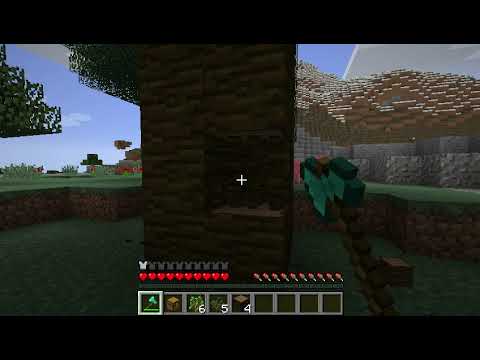
If gravity is enabled, logs above a destroyed log will behave like sand. Logs attached at the side or diagonally will also fall to the ground. This is perfect for harvesting big trees without risking your life :)
It's also possible to speed up the leaves decay in the config.yml.
By default, players will need to use an axe for tree gravity, but this can be disabled in the config.
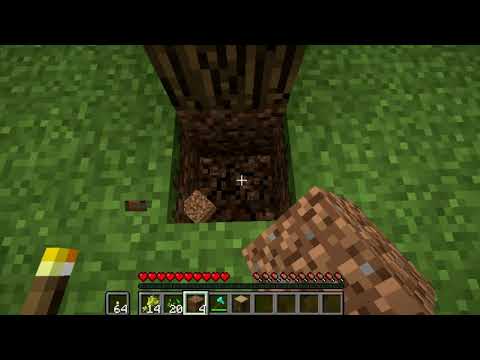
Placing torches or other non-solid blocks inside falling tree blocks is blocked by default (can be changed in the config). When the exploit prevention is enabled, trees will also not fall down if the first non-empty block below the trunk is not solid.
Logs placed by players (AFTER installing LumberJack) will NOT be detected as trees. This works without any database, etc.
Works with all types of log. Unlike other tree gravity plugins, LumberJack does not use deprecated methods and is compiled against the latest Spigot API.
Old Videos
Commands
/lumberjack or /treegravity or /gravity or /tg
Permission: lumberjack.use
Permissions
lumberjack.use:
Allows usage of the /lumberjack command
lumberjack.force:
Forces a player to use tree gravity.
lumberjack.force.ignore:
Ignores the force permission. (This is needed so that players with wildcard permissions can disable LumberJack)
Notes
Gravity is disabled by default for all new players, but you can change that in the config. If it is disabled, players will be shown a message on how to enable gravity when they destroy a log for the first time.
All messages are customizable. Automatic update checker integrated.
PlaceholderAPI
A list of available placeholders can be found on GitHub.
Default config file
The configuration file is automatically generated if it does not exist. On every new LumberJack release, the config file will be updated to include the newest options. Your changes will be kept.
You can view the default configuration file here. The example configuration for additional drops can be found here.
Other Plugins by me


Similar projects
Config →Let Me Despawn
Improves performance by tweaking mob despawn rules. Say bye to pesky unintentional persistent mobs.
26.2MSueta
JourneyMap
Real-time map used for mapping in-game or your browser as you explore.
14.7MSueta
Emotecraft
Create your own emotes in Minecraft.
7.9MSueta
Simple Tpa
A simple tpa plugin which sends requests
5.4MSueta
Common Network
Forge and Fabric Unified Networking Solution
4.7MSueta
Set Home
A lightweight plugin for players to set their homes.
3.8MSueta