
Madhouse RPG All in One Premium multi-plugin + Custom Zombie
1.0.22Feature rich, many premium functions, highly customizable use what you want disable the rest
Brief run down of all the built in features:
All features/functions overall can be disabled/enabled as you see fit
**Zombie Apocalypse Gamemode, highly configurable more features to come (WIP)**
Zombie Information & Commands:
Spoiler
- When enabled it will use the settings in config.yml
- There is a special rpg skill system specially made for this mode
- Points are earned by killing hostile mobs (amount configured in custom mobs with the field Zombie_Apocalypse_Point_gain
- /skills, opens up the skill menu separated by category, it is in the initial stage and a WIP, please report any bugs/issues
- Can either be run by default with server or by command
- Can configure all aspects of zombies spawning
- Reward system by day
- Customizable wave spawn by day
- turns on with the feature being activated with /zombie start, this will generate the zombie_world and start a pre join session
- All online players will receive a message letting them know one is being started and they can join with /zombie join
- If at any time a player wants to leave it they can with /zombie leave
- Inventories between zombie apocalypse world and main worlds are separate
- Everytime /zombie start, is ran a brand new world is generated
- **Plan to make options for it to be ran as a random world each time, a set world file that resets, or in your open world**
- Mobs will respect torch logic and not spawn there and find a further away location
- Mobs will teleport out of water to a near by safe location to continue going after players
Zombie Commands
- /zombie info - View apocalypse info scoreboard
- /zombie join - Join the zombie world
- /zombie leave - Leave the zombie world
- /zombie start - Start the zombie apocalypse
- /zombie stop - Stop the zombie apocalypse
- /zombie day - Show current day
- /zombie pause - Pause the zombie apocalypse
- /zombie resume - Resume the zombie apocalypse
- /zombie skip - Skip current wave
- /zombie reload - Reload zombie apocalypse settings
- /zombie admin set - Set a player's zombie skill level
- /zombie close - Close zombie scoreboard
**Essentials style base commands**
Command List:
Spoiler
Admin:
/ci - Main admin command (reload, give, spawn, help)
/admin - Open admin control panel GUI
/fly - Enable or disable flight for a player
/flyspeed - Set fly speed for a player
/reloaditems - Reload all custom items and default Minecraft item configurations
/server - Server management (restart, stop)
/grief - Grief rollback commands
/door - Custom door system commands
Teleportation:
/tp - Teleport to a player
/tphere - Teleport a player to you
/tpo - Teleport override for tptoggle
/tpohere - Teleport here override for tptoggle
/tppos - Teleport to coordinates
/tpall - Teleport all players to you
/tptoggle - Toggle teleport requests
/tpoffline - Teleport to offline player's last location
/tpa - Request to teleport to a player
/tpahere - Request a player to teleport to you
/tpaccept - Accept a teleport request
/tpadeny - Deny a teleport request
/tpaall - Request all players to teleport to you
/tpauto - Toggle auto-accept teleport requests
/tpacancel - Cancel your teleport request
/tpr - Random teleport
/settpr - Set random teleport radius
Homes & Warps:
/home - Teleport to your home
/sethome - Set your home
/delhome - Delete your home
/renamehome - Rename your home
/warp - Teleport to a warp
/setwarp - Set a warp
/delwarp - Delete a warp
/warpinfo - Get info about a warp
/back - Teleport to your last location
/top - Teleport to the highest block
/bottom - Teleport to the lowest safe block
/jump - Jump to the block you're looking at
Moderation:
/ban - Ban a player
/banip - Ban an IP address
/unban - Unban a player
/unbanip - Unban an IP address
/tempban - Temporarily ban a player
/tempbanip - Temporarily ban an IP address
/kick - Kick a player
/kickall - Kick all players
/mute - Mute a player
/jail - Jail a player
/unjail - Unjail a player
/setjail - Set a jail location
/deljail - Delete a jail
/jails - List all jails
Player Management:
/heal - Heal a player
/feed - Feed a player
/god - Toggle god mode
/speed - Set player speed
/scale - Set player or entity scale
/vanish - Toggle vanish mode
/afk - Toggle AFK status
/kill - Kill a player
/suicide - Kill yourself
/rest - Set time to day and weather to clear
Items:
/give - Give an item
/item - Give yourself an item
/more - Fill item stack to max
/repair - Repair items
/enchant - Enchant an item
/itemdb - Get item information
/itemname - Set item name
/itemlore - Set item lore
/hat - Wear item as hat
/skull - Get a player skull
/clearinventory - Clear inventory
/clearinventoryconfirmtoggle - Toggle clear inventory confirmation
/unlimited - Toggle unlimited item placement
/condense - Condense items into blocks
Kits:
/kit - Get a kit
/createkit - Create a kit
/delkit - Delete a kit
/showkit - Show kit contents
/kitreset - Reset kit cooldown
Utility/Workbench:
/workbench - Open crafting table
/anvil - Open anvil
/cartographytable - Open cartography table
/grindstone - Open grindstone
/loom - Open loom
/stonecutter - Open stonecutter
/smithingtable - Open smithing table
/enderchest - Open enderchest
/invsee - View player inventory
/disposal - Open disposal interface
World/Environment:
/time - Set world time
/weather - Set weather
/thunder - Toggle thunder
/ptime - Set player time
/pweather - Set player weather
/world - Teleport to world
/tree - Spawn a tree
/bigtree - Spawn a big tree
/spawner - Change spawner type
/spawnmob - Spawn a mob
/remove - Remove entities
Combat/Fun:
/lightning - Strike lightning
/fireball - Launch a fireball
/nuke - Launch a nuke
/antioch - Throw Holy Hand Grenade
/kittycannon - Fire a kitty cannon
/beezooka - Fire a beezooka
/burn - Set player on fire
/ext - Extinguish fire
/ice - Freeze a player
/firework - Launch a firework
/potion - Apply potion effect
Communication:
/msg - Send a private message
/r - Reply to last message
/msgtoggle - Toggle messages
/rtoggle - Toggle reply mode
/mail - Manage mail
/me - Perform an action
/broadcast - Broadcast a message
/broadcastworld - Broadcast to world
/helpop - Send message to staff
/socialspy - Toggle social spy
/ignore - Ignore a player
Information:
/list - List online players
/whois - Get player information
/seen - Check when player was last seen
/near - List nearby players
/getpos - Get player position
/compass - Get your direction
/depth - Get your depth
/ping - Check player ping
/playtime - Check playtime
/realname - Get real name from nickname
/gc - Get server information
Other:
/nick - Set nickname
/editsign - Edit a sign
/essentials - MadHouse info
/backup - Backup server
/sudo - Force player to run command
/powertool - Assign command to item
/powertooltoggle - Toggle powertools
/break - Break block you're looking at
/exp - Manage experience
/gamemode - Change gamemode
/survival - Change to survival mode
/creative - Change to creative mode
/spectator - Change to spectator mode
/book - Reopen sealed book
/recipe - Show recipe
Info/Help:
/help - Show help
/info - Show server info
/motd - Show MOTD
/rules - Show rules
Spawn:
/spawn - Teleport to spawn
/setspawn - Set spawn location
Economy:
/eco - Economy management
/balance
/add
/remove
/set
/info
/top
/send
/help
**Server restart functionality**
Gives automatic restart functionality and ability to stop/restart by command
Server Restart Commands:
Spoiler
- a start-server.bat and start-server.sh file will generate after first run
- edit it to your servers jar name, and run the server from bat for windows or sh from linux
- this also adds automatic server restarting from crash
- commands
- /server restart now, would restart right away with reason now
- /server restart now Pushing Updates, would restart now with that reason
- /server restart 1h New Update, would restart in 1 hour and give reminders at 30 minutes, 15 minutes, 5 minutes, every minute after and at 30 seconds until restart (Plan to make this customizable as well as the visual)
- to stop the server after a restart simply ctrl+c and click y to confirm
- or to stop the server from in game type /server stop time reason
- /server stop 5s update, would give a 5 second counter than stop the server with that reason
**Anti Griefer logging and rollback functionality**
Grief Rollback Commands:
Spoiler
- /grief, to get list of commands
- /grief rollback codepilot 5m, would prompt to rollback 5 mins of codepilot
- /grief rollback confirm, after to complete the rollback
- all blocks broken/placed logged in player-break-place-log
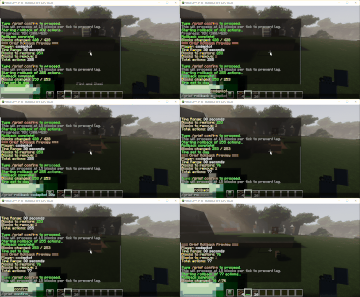
**Custom items/mobs/creatures/blocks/armor with some limitations (WIP)**
- To add a new custom item texture simply place the .png file in the MadHouse\resource_pack_source\assets\madhouse\textures\item\
folder, and than inside of the custom items entry "madhouse:item/large_melon_slice" put the file name in this format
so if your file name is Big_Sword.png, it would be "madhouse:item/Big_Sword" is case sensitive and does not currently support spaces use _ in place of spaces in the filename and entry
- after you have added it restart the server, and run /ci generate, it will generate a fresh resource pack in the madhouse folder (currently does not have functionality to push/force to client will be able to in the future)
- texture pack generation with /ci generate, pushing to client manually (WIP)
**Default minecraft items/mobs/creatures/blocks/armor editing ability**
**Full Permission system with ranks and easy setup**
Permissions Commands:
Spoiler
/ciperms - Permission system commands
/ciperms help
/ciperms info
/ciperms setgroup playername groupname
/ciperms addperm
/ciperms removeperm
/ciperms reload
/ciperms refresh
**Custom Enchants system configurable, currently hardcoded (WIP)**
**Factions system fairly in depth and configurable**
Factions Commands:
Spoiler
Factions Commands
- /factions help - Show help
- /factions list - List all factions
- /factions create - Create a faction
- /factions claim - Claim a region
- /factions unclaim - Unclaim your region
- /factions expand - Expand your region
- /factions invite - Invite a player
- /factions accept - Accept faction invite
- /factions decline - Decline faction invite
- /factions settings - View and manage faction settings
- /factions ranks - View faction ranks
- /factions promote - Promote faction member
- /factions demote - Demote faction member
- /factions kick - Kick faction member
- /factions disband - Disband faction
- /factions admin - Admin faction commands
- /factions border - Show faction border
- /factions spawn - Teleport to faction spawn
- /factions setspawn - Set faction spawn
- /factions settings - This will open up your leader ranks factions settings UI window where you can change faction settings or control members ranks/kicking
**Elevator blocks configurable block and distance (WIP)**
Spoiler
**Custom pet taming system configurable, pets.yml to adjust (WIP)**
/pet menu, this will get you to some useful settings for your tamed pets
- Pet Gear, this will allow you to customize what gear your tamed pet is using (pet gets full benefit from the armor/weapons and their stats
- There is also pet skills you can learn that boost offence and defense from the same menu, simply type /pet menu, select the pet, than select the menu category corresponding to it, points are earned by leveling your pet up
Pet Commands:
Spoiler
Pet Commands
- /pet guard - Set pets to guard mode
- /pet follow - Set pets to follow mode
- /pet stay - Set pets to stay mode
- /pet hold - Set pets to hold mode
- /pet release - Release pets
- /pet tame - Show taming info for a mob
- /pet stats - Show all your pets' stats
- /pet info - Show pet info scoreboard
- /pet teleport - Teleport pets to you
- /pet leash - Set pet leash distance
- /pet cleanup - Remove all horses
- /pet menu - Open pet management GUI
- /pet help - Show help
- /petinfo - Show pet info scoreboard
**Custom Tab display configurable, customtab.yml**
**Misc settings configurable**
- Trample protection
- Furance smelting speed
**Tree Felling configurable, break entire tree at once including leafs**
**Shift left click fast transfering all of an item to - from a chest**
**Inventory and chest sorting, hold an item and middle mouse click in either to sort**
**Mob Stacking configurable, is disabled on zombie apocalypse**
- good for the custom spawners and mob farms
**Custom Mob Spawners configurable, spawners.yml to set speeds/amount that spawn**
- Supports spawn amount range like 1-2 mobs, spawners can be stacked, mobs automatically stack (if mob stacking is enabled)
**Automatic loot pickup, configurable and permission tied madhouse.autopickup**
- automatically moves items you gain from killing mobs or breaking blocks to inv
**Popup hover text, configurable in config.yml**
**Dual Wielding, allows to use a weapon/tool in offhand shield slot**
- Attack with offhand weapon with right click
**Custom Doors, configurable**
- Allows for linking a button to blocks/doors/trapdoors to all open with button use
- also has the function of remotely opening by command /door open doorname
- use /door, to get list of commands
**MMO system, configurable**
- MMO folder contains all current skills/setting config files
- Each skill is individually configurable with different bonus's/requirements
- /mmo stats, will open an actively updated mmo skill list and current levels
- /mmo, for help menu
MMO Commands:
Spoiler
MMO Commands
- /mmo stats - Toggle stats scoreboard
- /mmo stats on - Enable stats scoreboard
- /mmo stats off - Disable stats scoreboard
- /mmo - View skill info and abilities
- /mmo info - View MMO info
- /mmo help - Show help
- /mmo admin set - Set a player's skill level
- /mmo close - Close MMO stats scoreboard
**Chest and furnace protection**
- Protects your chest or furnace from sign/chest/furnace being broken or accessed
- simply right click a sign on a chest or furnace and put [protect] on top line
- is not case sensitive can be [protect] or [Protect]
**Custom Mob information display**
- Supports mob level display (elite mob support)
- Has 3 health theme options to choose from (WIP)
- Render distance configurable
- Can disable by world as well
**Custom Teleports**
- /tele add name, creates a teleport destination where you are standing and protects the block your standing on
- /tele rem name, removes selected teleport and unprotects block below it
- /tele link name, makes the block where you are standing teleport to the linked teleport you selected
- /tele unlink, unlinks the bock your standing on from the teleport
- /tele list, lists out all teleports created with /tele add
**Mob Heads gained by custom decapitation enchant**
- Most mobs if killed with decapitation enchant can drop their mob head (WIP)
- **Not all mobs properly drop their head**
- Drop chance based off enchant level
**Admin GUI Panel**
- admin rank has by default but use /admin, will load it up
- admin_gui.yml has an in depth config to customize what loads on each page
- No limit on how many pages/configurations you can do, you can select the icon that shows, text, command used ect
**Regions**
- This gives you control over setting set regions with a list of functions you can control in the region
Similar projects
Plugin →Let Me Despawn
Improves performance by tweaking mob despawn rules. Say bye to pesky unintentional persistent mobs.
25MSueta
JourneyMap
Real-time map used for mapping in-game or your browser as you explore.
14.7MSueta
Emotecraft
Create your own emotes in Minecraft.
7.5MSueta
Simple Tpa
A simple tpa plugin which sends requests
5.4MSueta
Common Network
Forge and Fabric Unified Networking Solution
3.9MSueta
Set Home
A lightweight plugin for players to set their homes.
3.8MSueta