
MCEEW
A real-time Earthquake Early Warning (EEW) plugin for Minecraft servers and
Velocity, BungeeCord, and Waterfall proxy networks.
Features
- Receives JMA, CENC, Sichuan, Fujian, CWA, and Chongqing earthquake warnings
- Receives final earthquake-list reports from JMA and CENC
- Delivers configurable chat and title notifications; Bukkit and Velocity also
support their configured sound channel - Supports permission-based delivery and deterministic test alerts
- Provides cached earthquake information and safe configuration reload commands
- Supports standalone Spigot/Paper/Folia servers, Velocity proxies, and a
BungeeCord build compatible with the final Waterfall release
Choose the correct artifact
| Environment | Install |
|---|---|
| Standalone Spigot 1.13.2+ | MCEEW-x.y.z.jar |
| Standalone Paper 1.13.2+ | MCEEW-x.y.z.jar |
| Standalone Folia 1.19.4+ | MCEEW-x.y.z.jar |
| Velocity network | MCEEW-Velocity-x.y.z.jar in the proxy's plugins/ directory only |
| BungeeCord network | MCEEW-BungeeCord-x.y.z.jar in the proxy's plugins/ directory only |
| Waterfall final 1.21 release | The same MCEEW-BungeeCord-x.y.z.jar |
| Backend behind MCEEW-Velocity | Do not install the Bukkit MCEEW artifact |
| Backend behind MCEEW-BungeeCord | Do not install the Bukkit MCEEW artifact |
mceew-core is an internal library and is not a user-installed plugin.
Important proxy deployment warning
When MCEEW-Velocity or MCEEW-BungeeCord is installed on a proxy, do not
install the Bukkit MCEEW plugin on its backend servers. The proxy plugin
already provides the network's earthquake connection, cache, notifications,
targeting, permission checks, commands, information lookup, and reload support.
Running both artifacts in the same network is unsupported and not recommended.
They are independent plugins: MCEEW does not detect, coordinate, disable, or
deduplicate them. Installing both may create duplicate Wolfx connections,
player notifications, and console output, with separate cache and lifecycle
state. Avoiding this deployment is the administrator's responsibility.
Installing only the Bukkit plugin on an individual backend remains valid
standalone Bukkit behavior, but it does not provide proxy-wide targeting.
Installation
Standalone Bukkit-family server
- Download or build
MCEEW-x.y.z.jar. - Place it in the Spigot, Paper, or Folia server's
plugins/directory. - Start the server and edit the generated Bukkit configuration if needed.
This artifact retains the established Bukkit connection, cache, notifications,
commands, bStats, and updater behavior. No proxy settings are required.
Velocity network
- Download or build
MCEEW-Velocity-x.y.z.jar. - Place it in
Velocity/plugins/. - Start Velocity once so
plugins/mceew/config.ymlis created and loaded. - Configure notifications and network targeting as needed, then use
/eew reload. - Remove the Bukkit MCEEW plugin from backend servers if it is present.
No backend MCEEW plugin is required for targeting, permission checks, chat,
titles, supported sound, commands, cache/info, or reload.
BungeeCord / Waterfall network
- Download or build
MCEEW-BungeeCord-x.y.z.jar. - Place it in the proxy's
plugins/directory. - Start the proxy once so
plugins/MCEEW/config.ymlis created and loaded. - Configure notifications and network targeting as needed, then use
/eew reload. - Remove the Bukkit MCEEW plugin from backend servers if it is present.
MCEEW uses only the public BungeeCord API. The same artifact is compatible with
the final Waterfall 1.21 build 615, but Waterfall itself is archived and
end-of-life. There is no Waterfall-specific artifact or code path.
Requirements and tested platforms
| Artifact | Plugin bytecode | Tested platform/runtime |
|---|---|---|
MCEEW-x.y.z.jar | Java 11 (major 55) | Spigot/Paper 1.13.2+; Folia 1.19.4+ |
MCEEW-Velocity-x.y.z.jar | Java 17 (major 61) | Velocity 3.4.x on Java 17+, 3.5.x on Java 21+, and 4.x on Java 25+ |
MCEEW-BungeeCord-x.y.z.jar | Java 11 (major 55) | BungeeCord builds 1999 and 2086; Waterfall 1.21 build 615, each on Java 17 |
The pinned automated compatibility smoke matrix is Velocity 3.4.0 build 566 on
Java 17, 3.5.1 build 615 on Java 21, 4.0.0 build 6 on Java 25, BungeeCord
builds 1999 and 2086 on Java 17, and Waterfall build 615 on Java 17. These
checks prove plugin discovery, lifecycle, disabled-runtime commands, reload,
shutdown, and linkage. They do not replace real-client notification E2E.
Newer Minecraft server releases can require a newer Java runtime than the
Bukkit plugin bytecode itself. Use the Java version required by the server or
proxy when it is higher.
Velocity-delivered sound requires a Minecraft Java client 1.19.3 or newer and
a current backend connection. When sound cannot be delivered, chat and title
notifications continue; only sound is skipped. There is no packet fallback.
BungeeCord and Waterfall support only broadcast (chat) and title; sound is
not supported because MCEEW's compatibility contract has no acceptable public
BungeeCord API path for it.
Commands
/mceew is an alias of /eew.
| Command | Proxy permission | Behavior |
|---|---|---|
/eew | None | Shows the plugin version and available command paths |
/eew info jma | None | Shows the latest locally cached JMA earthquake-list entry |
/eew info cenc | None | Shows the latest locally cached CENC earthquake-list entry |
/eew test forecast | mceew.admin | Sends the deterministic JMA forecast test |
/eew test alert | mceew.admin | Sends the deterministic JMA alert test |
/eew test sc | mceew.admin | Sends the Sichuan test |
/eew test fj | mceew.admin | Sends the Fujian/Taiwan test |
/eew test cwa | mceew.admin | Sends the Taiwan CWA test |
/eew test cenc | mceew.admin | Sends the China CENC test |
/eew test cq | mceew.admin | Sends the Chongqing test |
/eew reload | mceew.admin | Validates and atomically applies the proxy configuration |
The info commands read the local cache; they do not perform a fresh network
query. Data may be unavailable until the first earthquake-list update arrives.
The test command uses the normal proxy notification, targeting, channel, and
permission path. Its fixed test warning is command feedback sent separately to
the proxy console and connected players. It does not contact Wolfx or modify
the earthquake cache.
On Velocity and BungeeCord/Waterfall, /eew reload validates the complete new
configuration before it is committed. An invalid file leaves the working
configuration and runtime active. An enabled-to-enabled reload retains the
existing Wolfx connection and cache; source, notification, and target changes
apply to future data.
Proxy permissions
Velocity notification permissions
Velocity player delivery requires both mceew.notify.all and the applicable
source permission:
mceew.notify.jma.alertmceew.notify.jma.forecastmceew.notify.jma.eqlistmceew.notify.cenc.eqlistmceew.notify.scmceew.notify.fjmceew.notify.cwamceew.notify.cenc.eewmceew.notify.cq
All notification permissions default to allowed, so ordinary players receive
notifications without explicit permission grants. Explicitly denying either
mceew.notify.all or the applicable source permission opts that player out.
BungeeCord / Waterfall suppression permissions
BungeeCord and Waterfall use positive suppression permissions because their
generic permission API is boolean. With no suppression permission, a player
receives notifications. A true suppression permission opts that player out:
mceew.suppress.allmceew.suppress.jma.alertmceew.suppress.jma.forecastmceew.suppress.scmceew.suppress.fjmceew.suppress.cwamceew.suppress.cenc.eewmceew.suppress.cqmceew.suppress.jma.eqlistmceew.suppress.cenc.eqlist
For a source, delivery requires both mceew.suppress.all and that source's
suppression node to resolve false. Do not use the Velocity mceew.notify.*
nodes on BungeeCord/Waterfall.
MCEEW queries only concrete nodes; the installed permission provider owns
wildcard semantics. Granting mceew.* through a wildcard-aware provider may
therefore grant both mceew.admin and mceew.suppress.*, suppressing that
administrator's notifications. Grant mceew.admin directly instead.
mceew.admin controls test and reload commands on both proxy editions. It is
default-deny and must be granted explicitly.
Proxy-console notifications are proxy-global. Player target membership, player
permissions, and backend-specific channel overrides do not govern console
delivery.
Velocity configuration
The Velocity file is plugins/mceew/config.yml. Its current top-level schema is:
platform_config_version: Velocity schema version; currently1global.enabled: enables or disables the one proxy-global Wolfx runtimeglobal.sources: realtime processing switchesenable_jp,enable_sc,
enable_fj,enable_cwa,enable_cenceew, andenable_cqnotifications.time_format: date-time format shared by rendered reportsnotifications.defaults: globalbroadcast,title, andalertdelivery
switchesnotifications.sources: source messages, titles, sounds, and optional
source channel overridestargets: default and source-specific player-recipient rulesgroups: named sets of Velocity backend server namesservers: backend-specificbroadcast/title/alertoverrides
global.sources controls realtime warning processing. JMA and CENC
earthquake-list cache updates remain independent of those realtime switches.
The independent report-delivery switches are
notifications.sources.jma_eqlist.broadcast and
notifications.sources.cenc_eqlist.broadcast. Disabling either switch stops
that report's broadcast while its local cache and /eew info output continue
to update.
With global.enabled: false, the operational Wolfx runtime is disabled, but
the plugin shell, /eew, /mceew, and /eew reload remain available. This is
an operational switch, not a proxy/backend coexistence mode.
Targets
Target modes have these exact meanings:
all: every player currently connected through this Velocity proxyselected: players currently connected to the explicitly listed backend
servers or servers expanded from the listed groupsnone: no player recipients
A source-specific entry under targets.sources completely replaces
targets.default; server and group lists are not deep-merged.
Example:
targets:
  default:
    mode: selected
    servers: [lobby]
    groups: [games]
  sources:
    jma_alert:
      mode: all

groups:
  games: [survival, creative]
Valid source keys are jma_alert, jma_forecast, sichuan, fujian, cwa,
cenc_eew, chongqing, jma_eqlist, and cenc_eqlist. The same keys are
used under notifications.sources, targets.sources, and server source
overrides.
Delivery-channel precedence
For the broadcast (chat), title, and alert (sound-enable) switches, the
most specific configured value wins:
server + source > server > source > global
Example backend overrides:
servers:
  lobby:
    notifications:
      alert: false
    sources:
      jma_alert:
        title: false
The nested sound object under a notification source contains the Adventure
sound key, volume, and pitch; it is distinct from the boolean alert
delivery switch.
groups and servers describe delivery. They do not create per-backend
connections, caches, parsers, or runtimes: the proxy owns exactly one of each.
BungeeCord / Waterfall configuration
The BungeeCord file is plugins/MCEEW/config.yml and uses
platform_config_version: 1. Its main sections are global, notifications,
targets, groups, and servers. Its canonical source keys are jma_alert,
jma_forecast, sichuan, fujian, cwa, cenc_eew, chongqing,
jma_eqlist, and cenc_eqlist. Its notification channels are only
broadcast and title; alert and sound are rejected as unsupported.
Target modes are all, selected, and none. A selected target is the union
of its explicit backend server names and the backend names expanded from its
selected groups. Multiple matching server/group paths are UUID-deduplicated,
so one player receives one notification. A source-specific target completely
replaces the default target; it does not merge with it.
For both Bungee channels, the most specific configured value wins:
server + source > server > source > global
Proxy-console broadcast uses the global value followed by the source override.
It is independent of player targeting, suppression permissions, current
backend, groups, and server-specific overrides.
Configuration lineage
The artifacts use intentionally separate configuration schemas:
- Bukkit:
config-version: 9 - Velocity:
platform_config_version: 1 - BungeeCord / Waterfall:
platform_config_version: 1
These are independent platform schemas. Do not copy one platform's
configuration over another platform's file. Bukkit's deployment behavior
remains standalone and contains no proxy mode.
Building
Run:
mvn -B clean package
The user-installable outputs are:
mceew-bukkit/target/MCEEW-x.y.z.jar
mceew-velocity/target/MCEEW-Velocity-x.y.z.jar
mceew-bungeecord/target/MCEEW-BungeeCord-x.y.z.jar
The root Maven ${revision} property is the single current-version authority
for module versions, plugin metadata, artifact filenames, and command version
output.
Downloads
- SpigotMC
— Bukkit-family server artifact - Modrinth
— Bukkit, Velocity, and BungeeCord/Waterfall artifacts; proxy editions must
be downloaded here
Screenshots
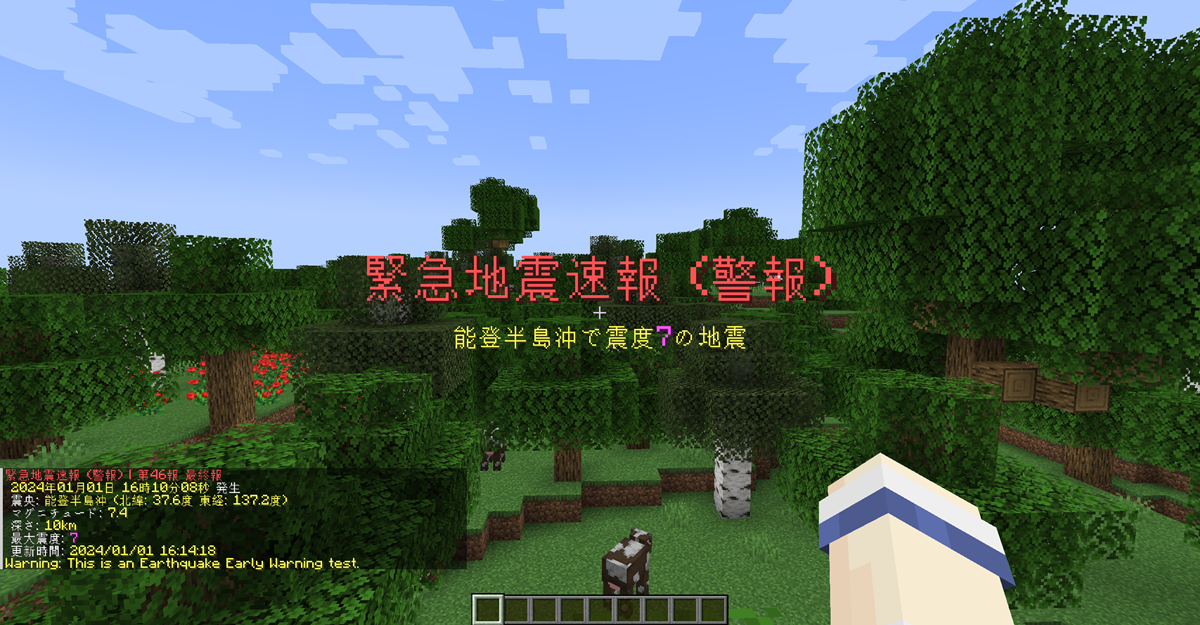
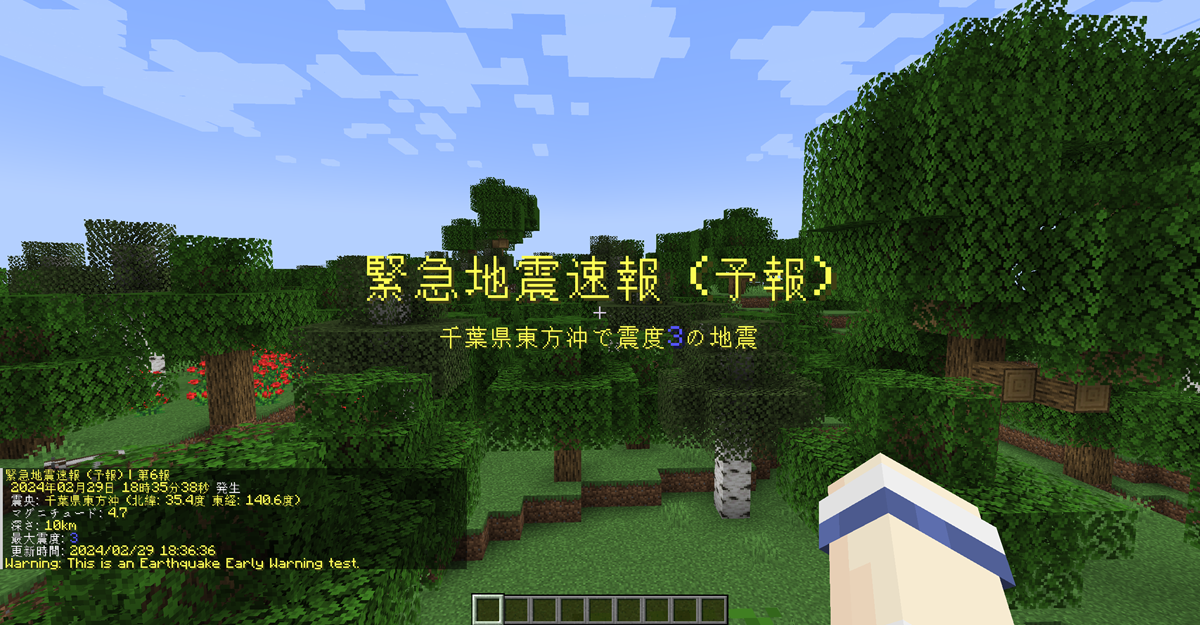
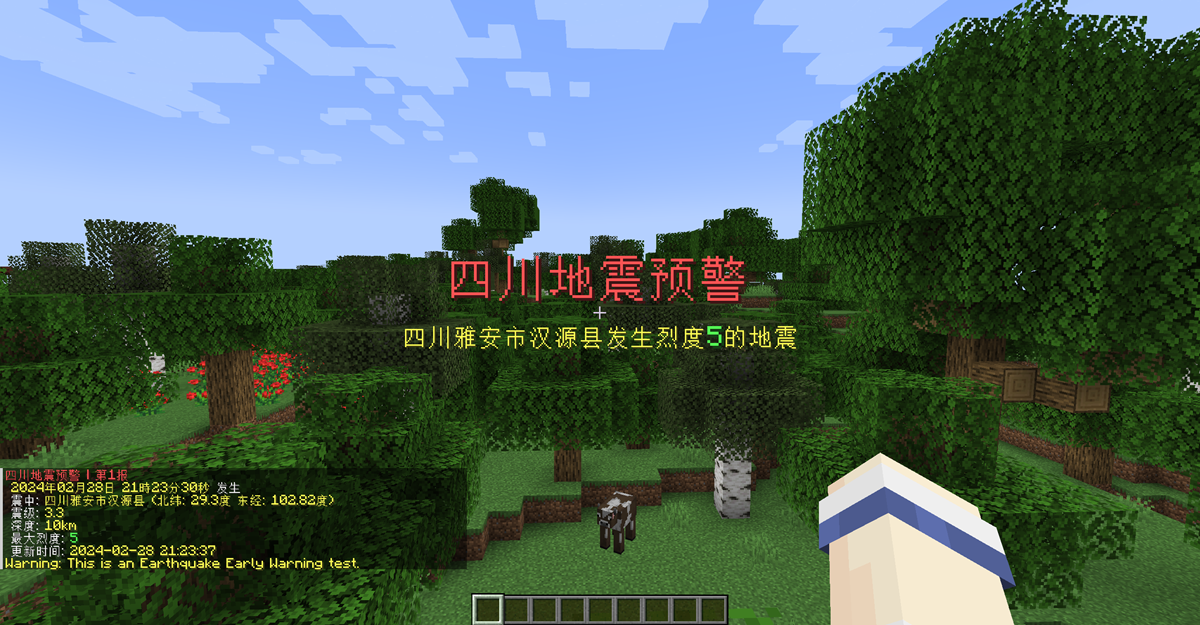
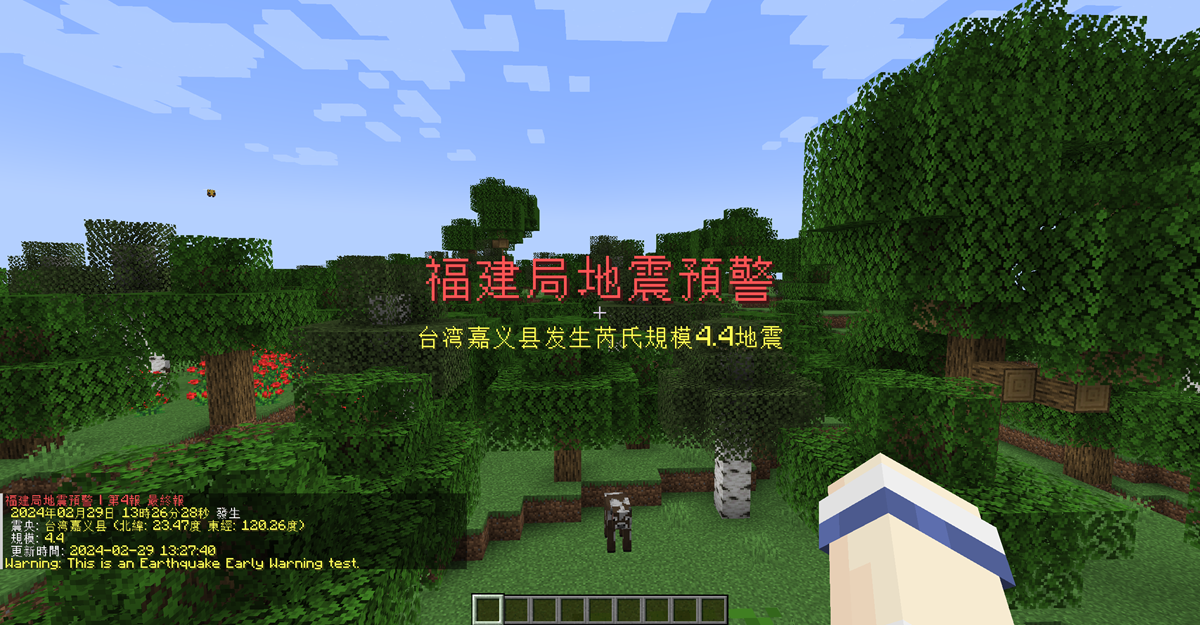
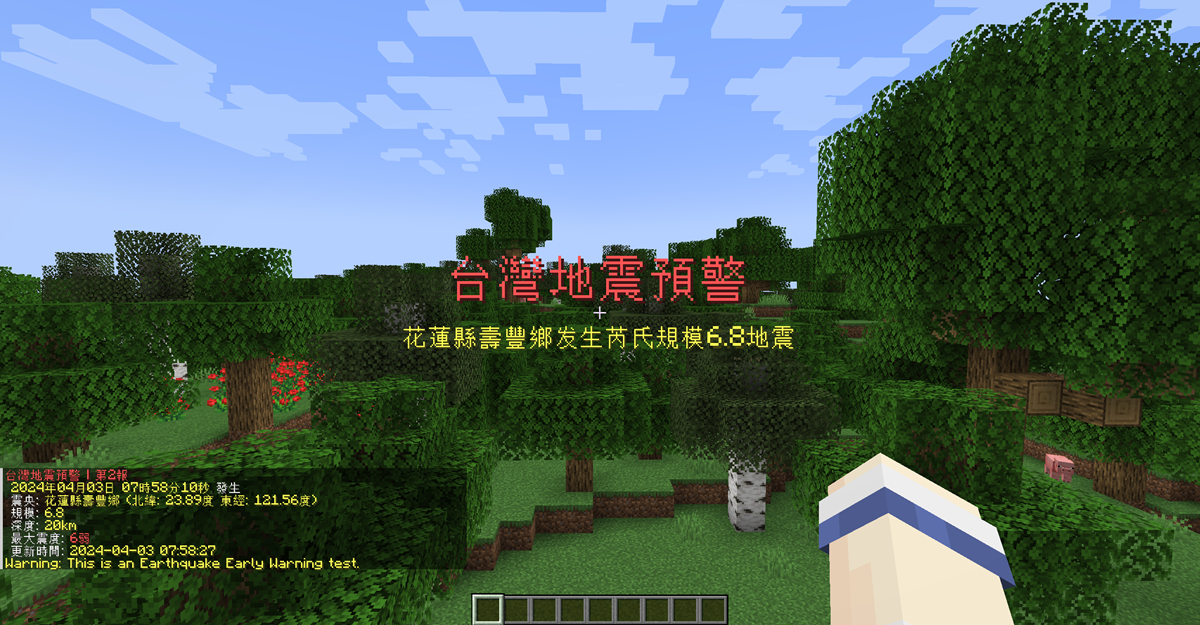
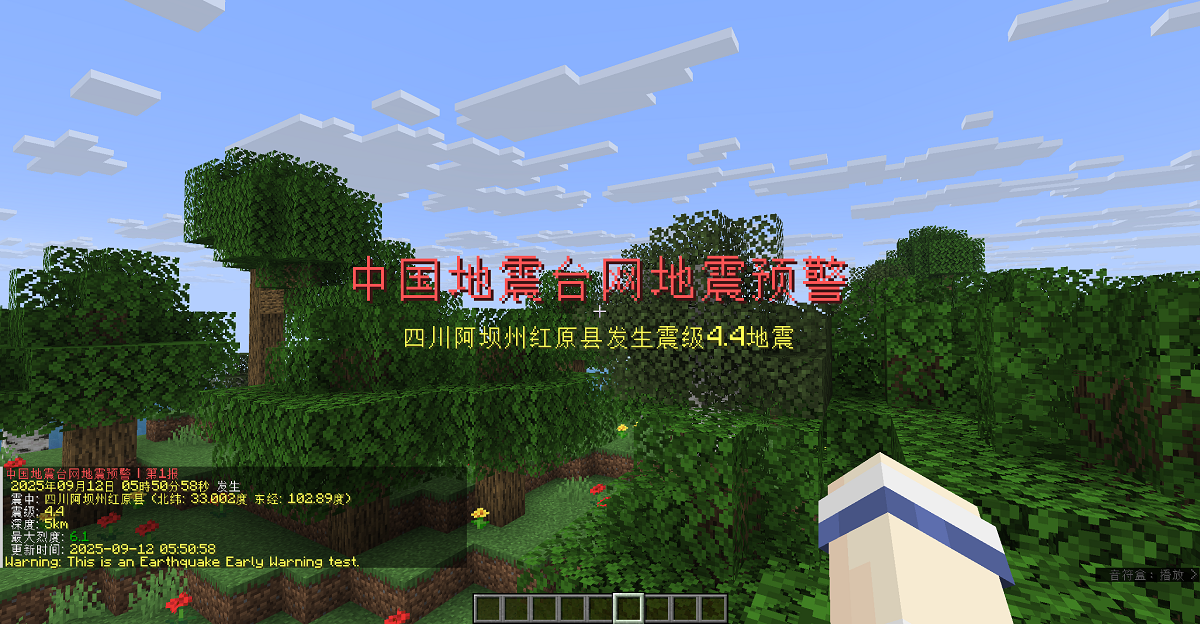

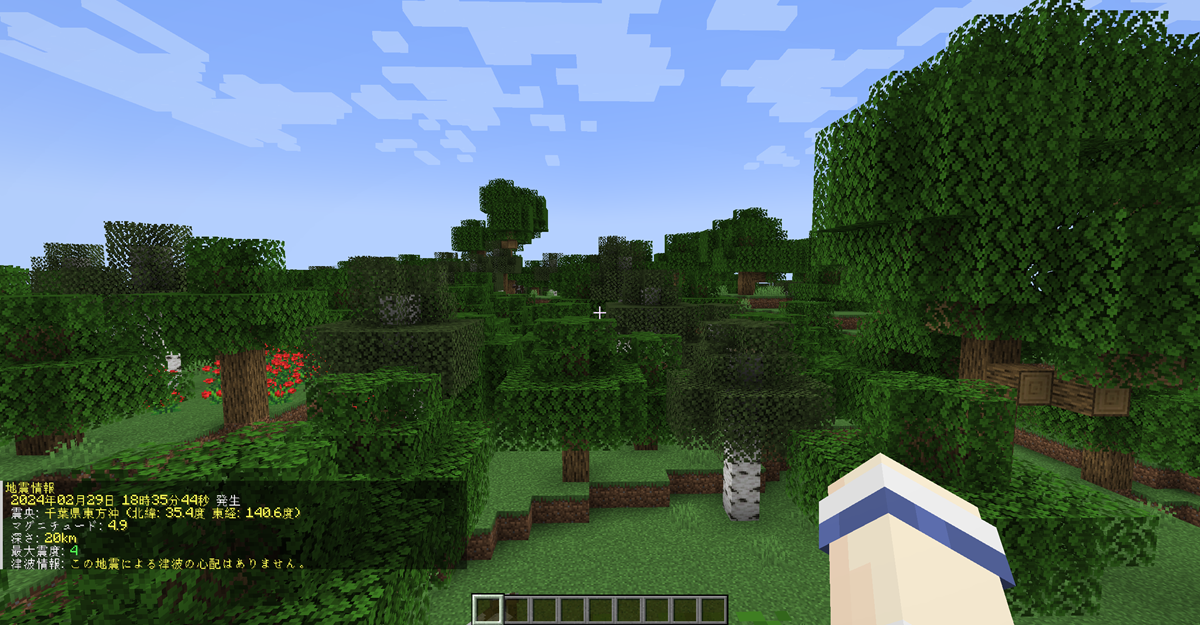
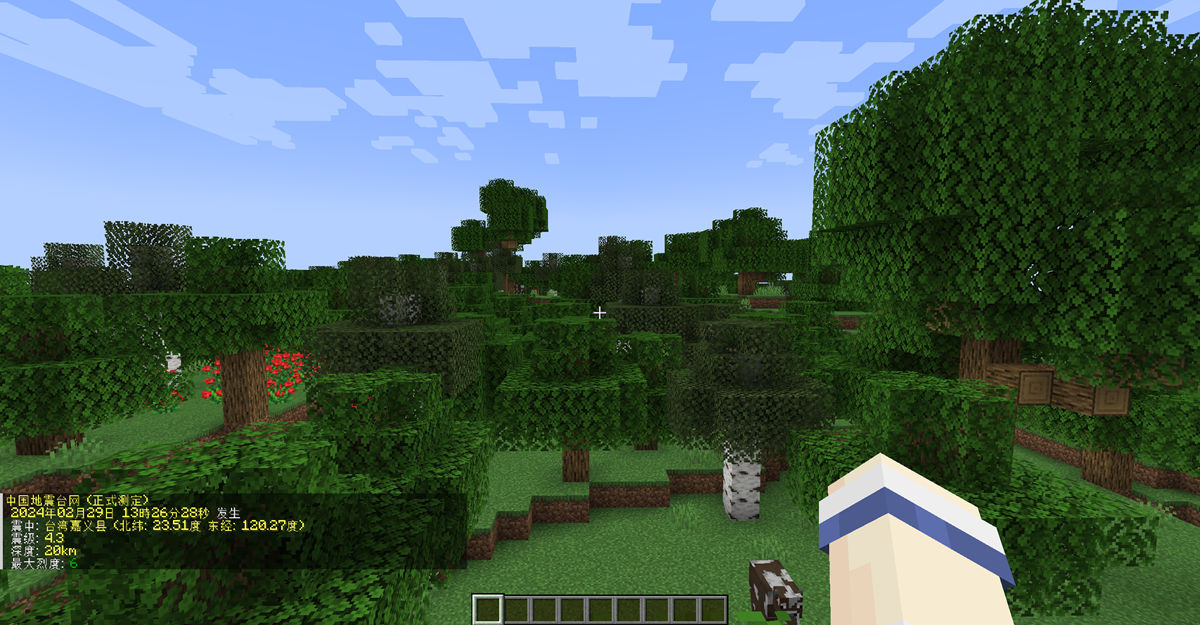
bStats
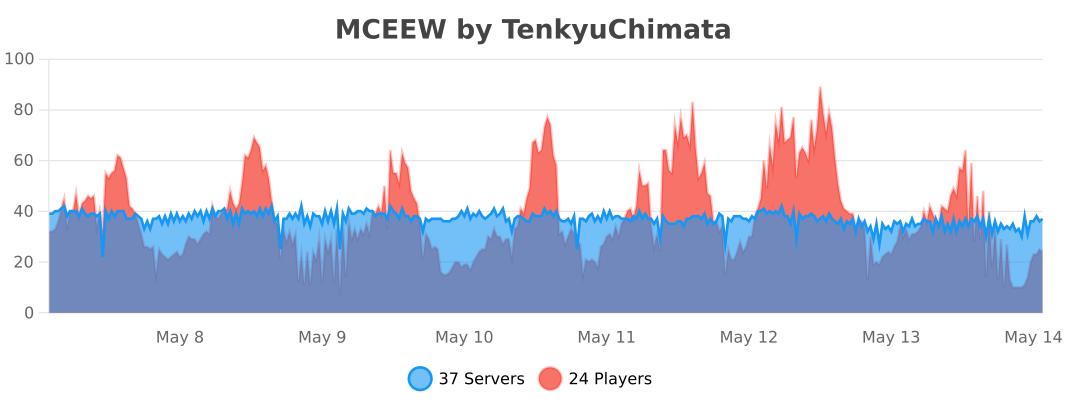
The standalone Bukkit artifact uses bStats project 17261:
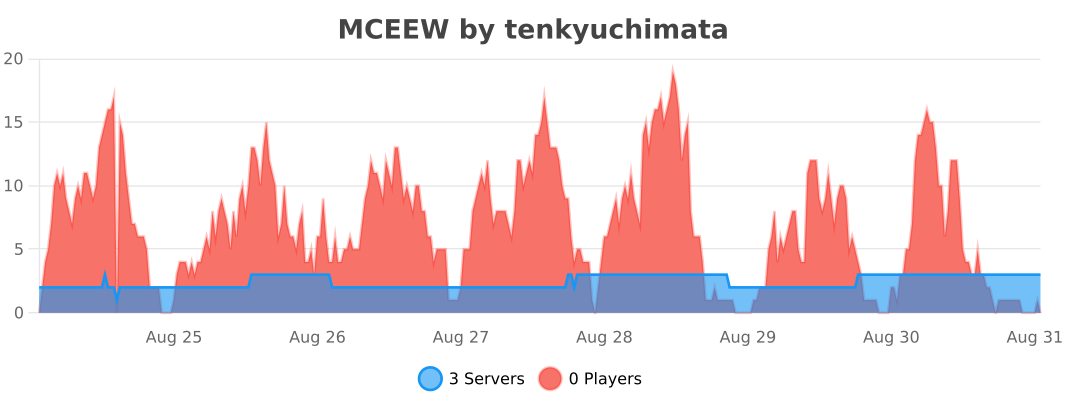
The Velocity artifact uses its separately registered bStats project 33363:
The BungeeCord/Waterfall artifact uses its separately registered bStats project 33371:
Similar projects
Plugin →VeinMiner
Mine the whole vein on mining a single ore/block. Make the tedious mining experience to something satisfying and fun! FTB Ultimine alternative
99.3MSueta
Simple Voice Chat
A working voice chat in Minecraft!
76.8MSueta
Chunky
Pre-generates chunks, quickly and efficiently
18.4MSueta
VeinMiner Enchantment
Veinminer Addon - Adds vineminer enchantment to enchanting tables. Only tools with the enchantment can veinmine
18MSueta
JourneyMap
Real-time map used for mapping in-game or your browser as you explore.
14.7MSueta
WorldEdit
A Minecraft Map Editor... that runs in-game! With selections, schematics, copy and paste, brushes, and scripting. Use it in creative, or use it temporarily in survival.
11.6MSueta