
About
McTranslate++ works as a library that allows plugin developers to easily translate messages with their plugins without having to actually call any real translation service in their own code, and prevents extra leaks of Google API keys into other plugins, as you only have to set it once with this plugin.
Video Tutorial
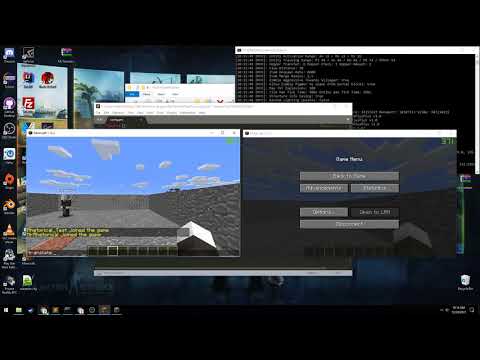
Note: The tutorial is outdated, and you no longer need the "mctranslateplusplus_lib" folder for the plugin to run! (The jar is now also renamed to just "mctranslate.jar" as well! :D)
User Setup
For use with a Minecraft server running CraftBukkit/Bukkit/Spigot/PaperSpigot
Steps
1. Drag the 'mctranslate.jar' into your '/plugins' folder.
2. Within the 'config.yml' located in the McTranslatePlusPlus plugin folder, change the value of the Google API key to whatever your Google API Key is. A video is located at the bottom of the page if you need help creating one.
3. After launching the server once, under 'translate.api_key'an API key will be provided. Provide this to other plugins that will use translation that hook into this plugin.
Note: If the 'config.yml' file fails to load or the 'api_key' cannot be loaded, the API key will be reset, and you will have to provide the new credentials to all the plugins that utilize the plugin's libraries.
Code Usage (With a Minecraft Server)
Steps
1. Add the jar for this artifact into your class path.
2. Store an object (Preferably in your Main.java/App.java) with the Object type 'McTranslate' (Must be accessible wherever you want to translate any item.) Also create a String called 'api_key' and create a getter and setter for the variable.
public static McTranslate translate;

private String api_key;
4. Declare the function with the plugin and set 'translate' to the new Object.
translate = new McTranslate(this.getPlugin(), this.getApiKey());5. To translate a string on runtime, and not save it to a file, use the method below:
translate.translateRuntime(String message, McLang source, McLang target);6. To get and set a string for a specific language to your 'lang_FR.yml' file from english for example, use the methods below:
translate.translateToFile("Messages.hello", "Hello", McLang.EN, McLang.FR);

Output in file -> Messages.hello : Bonjour

`translate.getTranslationFromFile("Messages.hello", McLang.FR);

Returns -> "Bonjour" as StringSimilar projects
Translation →Let Me Despawn
Improves performance by tweaking mob despawn rules. Say bye to pesky unintentional persistent mobs.
25MSueta
JourneyMap
Real-time map used for mapping in-game or your browser as you explore.
14.7MSueta
Emotecraft
Create your own emotes in Minecraft.
7.5MSueta
Simple Tpa
A simple tpa plugin which sends requests
5.4MSueta
Common Network
Forge and Fabric Unified Networking Solution
3.9MSueta
Set Home
A lightweight plugin for players to set their homes.
3.8MSueta