
OpenAudioGUI
Tried using OpenAudioMC, but you cannot use a GUI or save the song so you don't have to remember it again, then this script is just for you.
How to install:
Disclaimer: As of OpenAudio 2.3, the installation is still the same. Please do not load as a JavaScript mod when it is a skript plugin that has to be installed in your scripts folder in /path/to/plugins/skript/.
Also as of 4.0 some things like events were removed. We made a workaround on some things
- Make sure you have the following Java plugins installed (Sorry for the large dependency list =/ ): Skript, SkQuery, Umbuska, WildSkript, TuSKe, WolvSK, Skellett, skUtilities, SkStuff, OpenAudioMc
- Download and put OpenAudioGUI.sk in plugins/Skript/scripts
- Run command /skript reload all or restart your server
- You should have a config.yml in plugins/OpenAudioGUI which should look like this by default:
# OpenAudioGUI by Legoman99573. Config by XanderWander.
#
# Name of songs must match each other or the plugin will act up.
#
# Example of what it should look like and must be in same order
# OpenAudioGUI:
#   Prefix: §8[§9§lOpenAudioGUI§8]§r
#   Songs:
#   - Example Song 1
#   - Example Song 2
#   Example Song 1:
#     URL: link/to/song1.mp3
#     Artist: Song Artist 1
#   Example Song 2:
#     URL: link/to/song2.mp3
#     Artist: Song Artist 2
#
# Set Updater false if you dont want to use the Updater Feature
#
# Do not Config Version as this will reset your configuration.


OpenAudioGUI:
  Prefix: §8[§9§lOpenAudioGUI§8]§r
  Songs:
  - MTC
  - Song-of-Spaghets
  MTC:
    URL: https://www.youtube.com/watch?v=-zHm77FkW3U
    Artist: S3RL
  Song-of-Spaghets:
    URL: https://www.youtube.com/watch?v=xGEcwBytP3Q
    Artist: TwinkieMan
Config:
  Updater: 'true'
  loop: 'false'
  KeepPlayingOnNewSongSelect: 'false'
- Use /oamenu and you should be good to go.
Permissions:
- oagui.play (For playing/stopping songs)
- oagui.volume (Adjusts volume web side)
- oagui.hue (Use hue settings)
- oagui.admin (For admin menu, or the gold ingot :D)
Screenshots:
Main Menu:
Hue Menu:
Volume Menu:
Admin Menu:
Music List:
Videos:
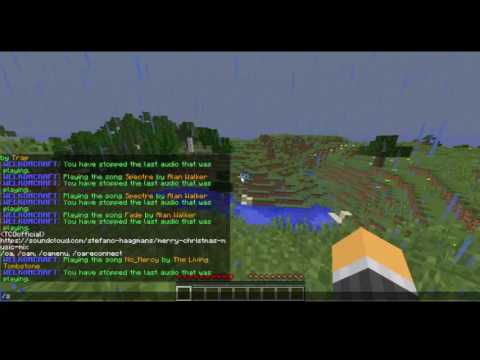
Hope you enjoy my script. If you wanna suggest something, let me know in discussions. Don't leave a bad review because of bugs, a feature is missing, or being a biggot because its done in skript.
Wanna help me keep on developing, consider buying me a pizza by clicking here.
Similar projects
Script →Let Me Despawn
Improves performance by tweaking mob despawn rules. Say bye to pesky unintentional persistent mobs.
25MSueta
JourneyMap
Real-time map used for mapping in-game or your browser as you explore.
14.7MSueta
Emotecraft
Create your own emotes in Minecraft.
7.5MSueta
Simple Tpa
A simple tpa plugin which sends requests
5.4MSueta
Common Network
Forge and Fabric Unified Networking Solution
3.9MSueta
Set Home
A lightweight plugin for players to set their homes.
3.8MSueta