
PhantomSpawnControl [1.13.X - 1.14.X] [FREE]
2.1.1Control when a phantom can spawn, GM Changes resets timer!
PhantomSpawnControl allows you to control when a phantom with customized stats can spawn around a player. Also if a player changes to one of the customized gamemodes (survival and adventure by default), the phantom-spawn-timer gets reset. It is also possible to configure endless different types of phantoms (size, health, damage, speed etc.) as well as their spawning chances.
Please be aware that the free version of PhantomSpawnControl will not be updated anymore. However I will keep updating it as a premium plugin just like before. Make sure to check out the premium version with all new and updated features of PhantomSpawnControl: https://www.spigotmc.org/resources/...-1-14-x-50-off-for-the-first-10-buyers.71538/
Features:
- Customize a whole lot of spawning conditions (see config below!)
- Customize after what time of no rest a phantom can spawn
- Customize for what gamemodes this timer should get reset
- Disable time resetting for specific players (permission)
- Disable phantom spawning for players with specific gamemodes (default: creative, spectator)
- Giant_Phantoms: Different phantoms for different no rest times
- Customize giant_phantoms (spawn chances, phantom stats)
- Add as much phantom types as you want
- Toggle command to toggle phantom spawning for each player individually
- DebugMode for faster plugin support
Important Information:
- Explanations about the added mechanics can be found in the configuration file!
- On first enable this plugin creates a new objective on your scoreboard. Do not delete this (name is shown in console)!
- If phantom_spawn is not disabled this plugin will handle phantom spawning all by its own allowing you to configure lots of different spawning conditions in the config. spawn_chance_multiplier multiplies the result of the default MC formula as stated in the wiki.
- Reloading should be supported but nevertheless it is never a good idea to reload your server.
- To enable the debugMode, add "debug: true" to the configuration file.
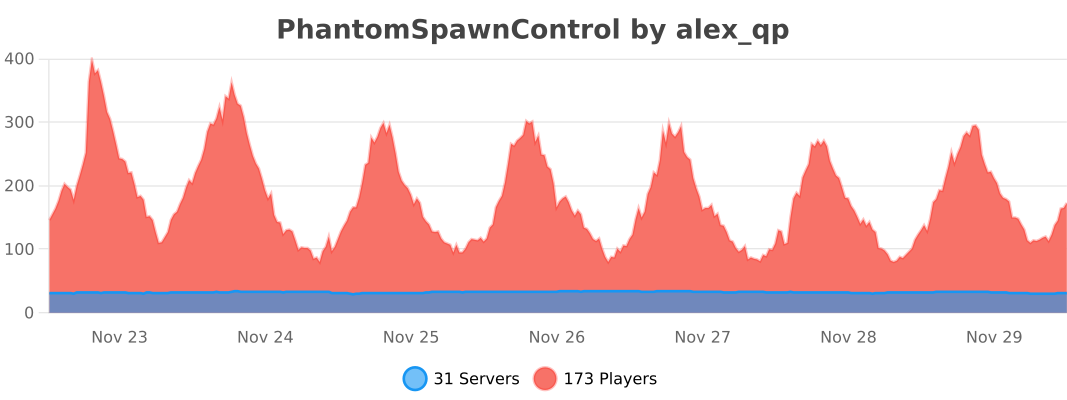
- This plugin uses bstats
Installation:
Just put the jar file into your server's plugins folder. After restarting your server you can make adjustments in the config. (Do not forget to restart/reload afterwards)
Commands:
- Aliases: /psc [subcommand]
- /phantomspawncontrol: credits
- /phantomspawncontrol help: Shows all for that player available commands.
- /phantomspawncontrol toggle: Toggles phantom spawning for the performing player. (toggle status will be saved on logout if save_playerdata is enabled in the config)
Permissions:
- phantomspawncontrol.stopreset: Stops resetting of phantom timer on gamemode change (default none)
- phantomspawncontrol.stopspawn: Disables phantom-spawning for the specific player.
- phantomspawncontrol.toggle: Grants access to the toggle command.
Configuration File:
Config
# PhantomSpawnControl by Alex_qp
 # This plugin provides the ability to control phantom spawning.
 # Please leave a review after a while to help me improve my plugins!

 # Time in which no phantoms will spawn. This gets reset if a player enters a bed or changes to one of the enabled gamemodes (configure below)
max_ticks   :  72000

 # If set to true a player's "phantom timer" gets reset if he changes to the specific gamemode.
gamemode_reset  :
  adventure   :  true
  creative   :  false
  spectator   :  false
  survival   :  true

 # If set to true a player with the specific gamemode cannot spawn phantoms.
gamemode_disable  :
  adventure   :  false
  creative   :  true
  spectator   :  true
  survival   :  false

 # Manual Phantom Spawning Algorithm. Using this will disable natural phantom spawning done by the game.
phantom_spawn  :
  enable_manual_phantom_spawning   :  true

  general_restrictions  :
    player_above_sea_level   :  true
    max_light_level   :  7
    max_group_size   :  4
    spawn_chance_multiplier   :  1

  world_restrictions  :
    disable_day_worlds   :  true
    enabled_environments  :
      normal   :  true
      nether   :  false
      the_end   :  false
    disabled_worlds   :
        # - ...

   # In this section you can define for what blocks above a player no phantom will spawn.
   # ignore_solid_blocks is to set blocks that are solid and should not cancel spawning.
   # add_blocks is to set blocks which will prevent spawning in all enabled worlds.
   # Note: You can find a list of all materials here: https://hub.spigotmc.org/javadocs/spigot/org/bukkit/Material.html Do not use none-block materials!
   # ignore_solid_blocks
  spawn_blocks  :
    no_solid_block_above_player   :  true
    enabled_environments  :
      normal   :  true
      nether   :  false
      the_end   :  true
    disabled_worlds   :
        # - ...
    ignored_solid_blocks   :
        # - ...
    add_blocks   :
        # - ...

  spawn_attempts  :
    min_delay   :  1200
    max_delay   :  2400

  spawn_area  :
    min_height   :  20
    max_height   :  34
    xz_plane_diameter   :  19

  bed_protection  :
    bed_spawn_not_near   :  true
    bed_spawn_protection_radius   :  100.0

 # For further explanations see below.
advanced  :
  use_legacy   :  false
  giant_phantoms   :  true
  save_playerdata   :  true


 # ===========================================================
 # Explanations about legacy mode:
 # ===========================================================

 # IMPORTANT: If you use the manual phantom spawning there is no need to bother about this section. The Plugin will spawn its own phantoms so there is no need for both of these variants.

 # TL:DR none legacy mode is more precise but needs more time to remove the phantom. I would not recommend legacy mode especially if you disable spawning for a lot of players.

 # Normally the plugin will wait until the phantom chooses its first target and then either remove the phantom or (if giant_phantoms is enabled) apply different stats.
 # Legacy mode will detect any player near the spawn location of a phantom and check if there is someone who you do not want to be able to spawn phantoms. So this means one player is enough to disable phantom spawning around his location. However if all players around the phantom's spawn location have a greater score than max_ticks it will choose the lowest score in order to spawn the weakest phantom. (this is only relevant if giant_phantoms is enabled)


 # ===========================================================
 # Explanations about giant_phantoms:
 # ===========================================================

 # If giant_phantoms is enabled the plugin will create a configuration file in which you can configure this mechanic.
 # If you open the file you will find some suggestions created by me. The first section with "0:" is the default phantom as stated in the wiki. Let me split this up to make it as easy as possible to understand hopefully:

 # CONFIGURATION
 # I think most of the values are self explaining. The name of each section is the amount of no rest ticks needed beyond (!) max_ticks (top of this file). If the player has equal or greater no rest ticks than max_ticks + section-Name he/she will be able to spawn phantoms of that type.
 # IMPORTANT: All values except size have to be a double value, size must be an integer! (otherwise you will receive a warning message in the console)

 # SPAWN CHANCES
 # I did not want the chances to be linear so I chose a different system, I will try to explain the system as good as possible in steps:
 # 1. No rest ticks of player must be above max_ticks + section-name
 # 2. For each additional tick above this value this phantom type will get one additional chance to spawn until the next higher phantom type is reached.
 # 3. At the end a phantom type will be chosen randomly in consideration of all "chance-points"
 # If you have a better idea on how to determine those chances, please let me know!

 # ADDITIONAL CREDITS
 # The idea for this feature is inspired by Xisumavoid's vanilla tweak data pack.
Bug Report and Suggestions:
- Please report bugs in the discussion section!
- Feel free to leave suggestions for future updates!
bstats
Similar projects
Plugin →Let Me Despawn
Improves performance by tweaking mob despawn rules. Say bye to pesky unintentional persistent mobs.
26.2MSueta
JourneyMap
Real-time map used for mapping in-game or your browser as you explore.
14.7MSueta
Emotecraft
Create your own emotes in Minecraft.
7.9MSueta
Simple Tpa
A simple tpa plugin which sends requests
5.4MSueta
Common Network
Forge and Fabric Unified Networking Solution
4.7MSueta
Set Home
A lightweight plugin for players to set their homes.
3.8MSueta