
Piano
1.2.3Play with your friends on the interactive piano model and play MIDI files, great for lobby



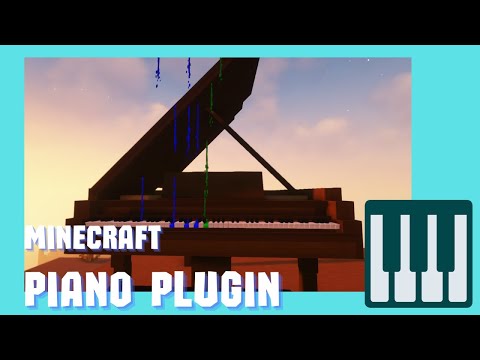
A Minecraft plugin that adds a playable piano to the game would allow players to interact with a piano in the game world.
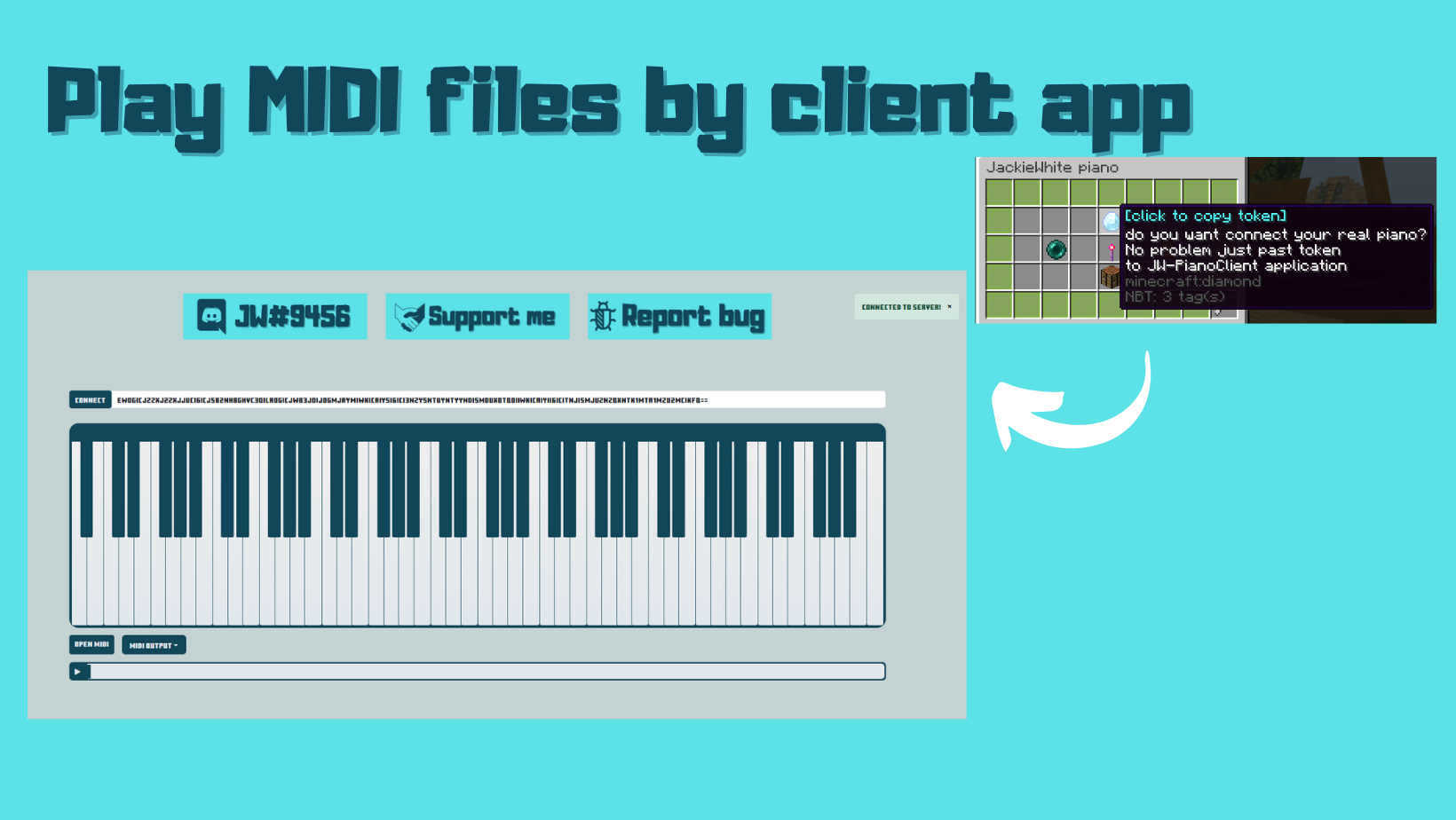
This piano would function just like a real-life piano, allowing players to play individual notes or full melodies using their real keyboard with Desktop app connection.
The plugin would add a new level of creativity and musical expression to the game, allowing players to showcase their musical talents and compose their own tunes.
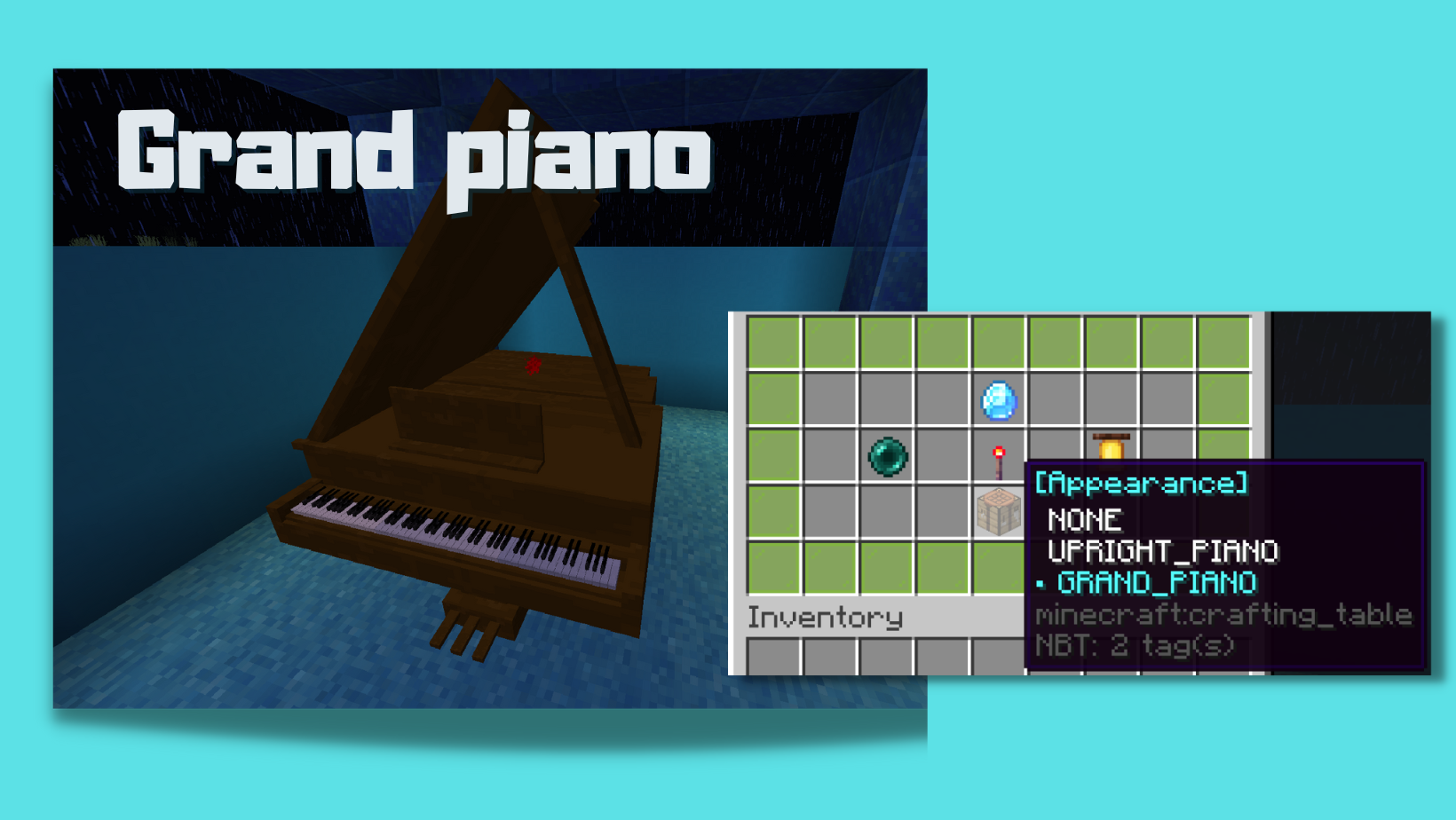
Additionally, the piano could be used as a decorative item in the game world, adding a new element of realism and immersion to the game.
Overall, this plugin would be a fun and unique addition to Minecraft, providing players with a new way to interact with the game world and express themselves.
Oraxen
Oraxen:
Oraxen configuration
- Setup for all users that willing to use Piano with Oraxen
#Generated template for Oraxen, It only contains models from pianopack
#Remember to refresh config when pianopack got updated
#Note that when you change LEATHER_HORSE_ARMOR to other material functionalities as Colored keys, Pianos, will not work

bench:
 displayname: bench
 material: LEATHER_HORSE_ARMOR
 excludeFromInventory: true
 Pack:
  generate_model: false
  model: item/jw/bench
  custom_model_data: 167072

flyingnote:
 displayname: flyingnote
 material: LEATHER_HORSE_ARMOR
 excludeFromInventory: true
 Pack:
  generate_model: false
  model: item/jw/flyingnote
  custom_model_data: 167073

icon:
 displayname: icon
 material: LEATHER_HORSE_ARMOR
 excludeFromInventory: true
 Pack:
  generate_model: false
  model: item/jw/icons/icon
  custom_model_data: 167074

piano-black-key:
 displayname: piano black key
 material: LEATHER_HORSE_ARMOR
 excludeFromInventory: true
 Pack:
  generate_model: false
  model: item/jw/key/piano_black_key
  custom_model_data: 167075

piano-black-key-down:
 displayname: piano black key down
 material: LEATHER_HORSE_ARMOR
 excludeFromInventory: true
 Pack:
  generate_model: false
  model: item/jw/key/piano_black_key_down
  custom_model_data: 167076

piano-key:
 displayname: piano key
 material: LEATHER_HORSE_ARMOR
 excludeFromInventory: true
 Pack:
  generate_model: false
  model: item/jw/key/piano_key
  custom_model_data: 167077

piano-key-down:
 displayname: piano key down
 material: LEATHER_HORSE_ARMOR
 excludeFromInventory: true
 Pack:
  generate_model: false
  model: item/jw/key/piano_key_down
  custom_model_data: 167078

piano-pedal:
 displayname: piano pedal
 material: LEATHER_HORSE_ARMOR
 excludeFromInventory: true
 Pack:
  generate_model: false
  model: item/jw/pedal/piano_pedal
  custom_model_data: 167079

piano-pedal-down:
 displayname: piano pedal down
 material: LEATHER_HORSE_ARMOR
 excludeFromInventory: true
 Pack:
  generate_model: false
  model: item/jw/pedal/piano_pedal_down
  custom_model_data: 167080

pianist-body:
 displayname: pianist body
 material: LEATHER_HORSE_ARMOR
 excludeFromInventory: true
 Pack:
  generate_model: false
  model: item/jw/pianist/pianist_body
  custom_model_data: 167081

pianist-hands:
 displayname: pianist hands
 material: LEATHER_HORSE_ARMOR
 excludeFromInventory: true
 Pack:
  generate_model: false
  model: item/jw/pianist/pianist_hands
  custom_model_data: 167082

pianist-head:
 displayname: pianist head
 material: LEATHER_HORSE_ARMOR
 excludeFromInventory: true
 Pack:
  generate_model: false
  model: item/jw/pianist/pianist_head
  custom_model_data: 167083

electric-piano:
 displayname: electric piano
 material: LEATHER_HORSE_ARMOR
 excludeFromInventory: true
 Pack:
  generate_model: false
  model: item/jw/piano/electric_piano
  custom_model_data: 167084

grand-piano:
 displayname: grand piano
 material: LEATHER_HORSE_ARMOR
 excludeFromInventory: true
 Pack:
  generate_model: false
  model: item/jw/piano/grand_piano
  custom_model_data: 167085

grand-piano-close:
 displayname: grand piano close
 material: LEATHER_HORSE_ARMOR
 excludeFromInventory: true
 Pack:
  generate_model: false
  model: item/jw/piano/grand_piano_close
  custom_model_data: 167086

up-right-piano-close:
 displayname: up right piano close
 material: LEATHER_HORSE_ARMOR
 excludeFromInventory: true
 Pack:
  generate_model: false
  model: item/jw/piano/up_right_piano_close
  custom_model_data: 167087


note_a:
  texture: icons/notes/a
  ascent: 2
  height: 2
  code: 4096
note_aSharp:
  texture: icons/notes/a_sharp
  ascent: 2
  height: 2
  code: 4097
note_b:
  texture: icons/notes/b
  ascent: 2
  height: 2
  code: 4098
note_c:
  texture: icons/notes/c
  ascent: 2
  height: 2
  code: 4099
note_cSharp:
  texture: icons/notes/c_sharp
  ascent: 2
  height: 2
  code: 4100
note_d:
  texture: icons/notes/d
  ascent: 2
  height: 2
  code: 4101
note_dSharp:
  texture: icons/notes/d_sharp
  ascent: 2
  height: 2
  code: 4102
note_e:
  texture: icons/notes/e
  ascent: 2
  height: 2
  code: 4103
note_f:
  texture: icons/notes/f
  ascent: 2
  height: 2
  code: 4104
note_fSharp:
  texture: icons/notes/f_sharp
  ascent: 2
  height: 2
  code: 4105
note_g:
  texture: icons/notes/g
  ascent: 2
  height: 2
  code: 4112
note_gSharp:
  texture: icons/notes/g_sharp
  ascent: 2
  height: 2
  code: 4113
API for developers
API for plugin developers:
JW_Piano provides programming API to manipulate Pianos behaviour.
You can use it but adding JW_Piano.jar as soft dependency to your Plugin
Create Piano
public void creatingPiano(Player player) {
         Optional<Piano> optional = PianoApi.create(player.getLocation(), "new piano");
         if (optional.isEmpty()) {
            Bukkit.getConsoleSender().sendMessage("Unable to create piano ;<");
            return;
         }
         Piano piano = optional.get();
        }
Register new skin
public void addSkin(Piano piano) {
     int customModelId = 100;
     String name = "custom skin";
     ItemStack itemStack = new ItemStack(Material.STICK);
     PianoSkin customSkin = new PianoSkin(customModelId, name, itemStack);
     piano.getSkinManager().register(customSkin);
     piano.getSkinManager().setCurrent(customSkin);
  }
Register new effect
public void addNewEffect(Piano piano) {
        EffectInvoker customEffect = new CustomEffect();
        piano.getEffectManager().register(customEffect);
        piano.getEffectManager().setCurrent(customEffect);
    }


    public class CustomEffect implements EffectInvoker {
        @Override
        public String getName() {
            return "custom";
        }

        @Override
        public void onNote(PianoKey pianoKey, Location location, int noteIndex, int velocity, Color color) {
            Bukkit.getConsoleSender().sendMessage(color + "Note: " + noteIndex + "  Volume:" + velocity);
            location.getWorld().spawnParticle(Particle.NOTE, location, 1);
        }

        @Override
        public void onDestroy() {
            Bukkit.getConsoleSender().sendMessage(getName() + "Destroyed");
        }

        @Override
        public void onCreate() {
            Bukkit.getConsoleSender().sendMessage(getName() + "Created");
        }

        @Override
        public void refresh() {
            Bukkit.getConsoleSender().sendMessage(getName() + "Refreshed");
        }
    }
  }
Common issues
Common issues:
Resourcepack
- When you have some problems with resourcepack download it directly
Desktop app configuration, `config.yml` > `plugin.websocket.server-ip`
- Make sure port you are trying to use is open
- When you've got problems with connection try to change `plugin.websocket.server-ip` or `plugin.websocket.port`
- Check if you need to create new port in the server hosting panel and then set in to `plugin.websocket.port`
- When your server use proxy use Proxy IP to `plugin.websocket.server-ip`
- When you server IP has port ignore port. Example:
Wrong: `craftplayer.com:22225`
Correct: `craftplayer.com`
- When you are running server locally set value to `localhost` to `plugin.websocket.server-ip`
- When above solutions does not help set IP that you use in Minecraft server lists to `plugin.websocket.server-ip`


#
# <PluginConfig>
#
# piano.models-limit
#  Limit of pianos that could be spawn on the server
#
# piano.piano-range
#  Piano became interactive when player distance to piano is lower or equal that `piano-range`
#
#
# sounds.namespace
#  Name of the folder that sounds are save in resourcepack
#
#
# sounds.sound-category
#  Define sound category from minecraft settings that sound will play in.
#  Allowed categories [AMBIENT, BLOCKS, HOSTILE, MASTER, MUSIC, NEUTRAL, RECORDS, VOICE, WEATHER]
#
# </PluginConfig>
#
# plugin.resourcepack.url
#    If you need to replace default resourcepack with your custom one
#    set this to link of you resourcepack
#    ! after plugin update make sure your custom resourcepack is compatible !
#
#
# plugin.resourcepack.download-on-join
#    Downloads resourcepack when player joins to server
#
#
# plugin.websocket.run
#    When false websocket will not run
#
#
# plugin.saving-frequency
#    Determinate how frequent data is saved to files, value in minutes
#
#
# plugin.language
#    If you want add your language open `languages` folder copy `en.yml` call it as you want \n" +
#  "set `language` property to your file name and /reload server
#
#
# plugin.websocket.port
#    Set port for websocket
# ! Make sure that port is open
# ! When you have server on hosting, generate new port on the hosting panel
#
#
#
# plugin.websocket.server-ip
#    Set own IP for websocket, by default plugin use IP of your server
# ! When you are using proxy set here proxy IP
# ! When you are running plugin locally on your PC, set 'localhost'
# ! When default IP not works try use IP that you are using in minecraft server list
#
#

plugin:
  version: 1.2.3
  resourcepack:
    url: https://download.mc-packs.net/pack/5fb90b8870c925ec73f6debc7b7dfb18ec565ebc.zip
    download-on-join: false
  websocket:
    run: true
    port: 443
    server-ip: localhost
  saving-frequency: 5
  language: en
piano:
  models-limit: 10
  piano-range: 3.0
skins:
  value-1:
    name: none
    custom-model-id: 0
    material: AIR
  value-2:
    name: upright piano
    custom-model-id: 167087
    material: LEATHER_HORSE_ARMOR
  value-3:
    name: grand piano
    custom-model-id: 167085
    material: LEATHER_HORSE_ARMOR
  value-4:
    name: electric piano
    custom-model-id: 167084
    material: LEATHER_HORSE_ARMOR
  value-5:
    name: grand piano closed
    custom-model-id: 167086
    material: LEATHER_HORSE_ARMOR
sounds:
  value-1:
    name: Default
    namespace: minecraft
    sound-category: VOICE
commands:
# /piano
  piano:
    children:
      - lang
      - colors
      - update
      - resourcepack
    permissions:
      - jw-piano.commands.piano
    description: base plugin commands, /piano opens piano list
    usage: /piano
# /piano lang <language>
  lang:
    permissions:
      - lang
    arguments:
      - language:
          type: text
          description: select language
          options:
              - cs
              - de
              - en
              - es
              - fr
              - it
              - ko
              - pl
              - pt
              - ru
              - tr
              - zh
    description: Changes plugin languages, changes will be applied after server reload. Change be use both be player or console
    usage: /piano lang <language>

# colors
  colors:
    children:
      - page
    description: command used for internal color picker system, just ignore it
# page
  page:
    arguments:
      - color:
          type: text


# /piano update
  update:
    permissions:
      - update
    description: download plugin latest version, can be trigger both by player or console
    usage: /piano update

# /piano resourcepack
  resourcepack:
    children:
      - download
      - link
    description: downloads plugin resourcepack
    usage: /piano resourcepack
# /piano resourcepack download
  download:
    description: downloads plugin resourcepack
    usage: /piano resourcepack download

# /piano resourcepack link
  link:
    description: sending to player resourcepack link
    usage: /piano resourcepack link
Similar projects
Plugin →Let Me Despawn
Improves performance by tweaking mob despawn rules. Say bye to pesky unintentional persistent mobs.
26.2MSueta
JourneyMap
Real-time map used for mapping in-game or your browser as you explore.
14.7MSueta
Emotecraft
Create your own emotes in Minecraft.
7.9MSueta
Simple Tpa
A simple tpa plugin which sends requests
5.4MSueta
Common Network
Forge and Fabric Unified Networking Solution
4.7MSueta
Set Home
A lightweight plugin for players to set their homes.
3.8MSueta