
✔️Plugin Hide | Clean up your tab-completion & block serve
2.0.8Customize Tab-Completion | Block Commands | Anti Tabcomplete | Web Editor
The Lightweight Command Hider & Tab-Completion Blocker
️ FEATURES
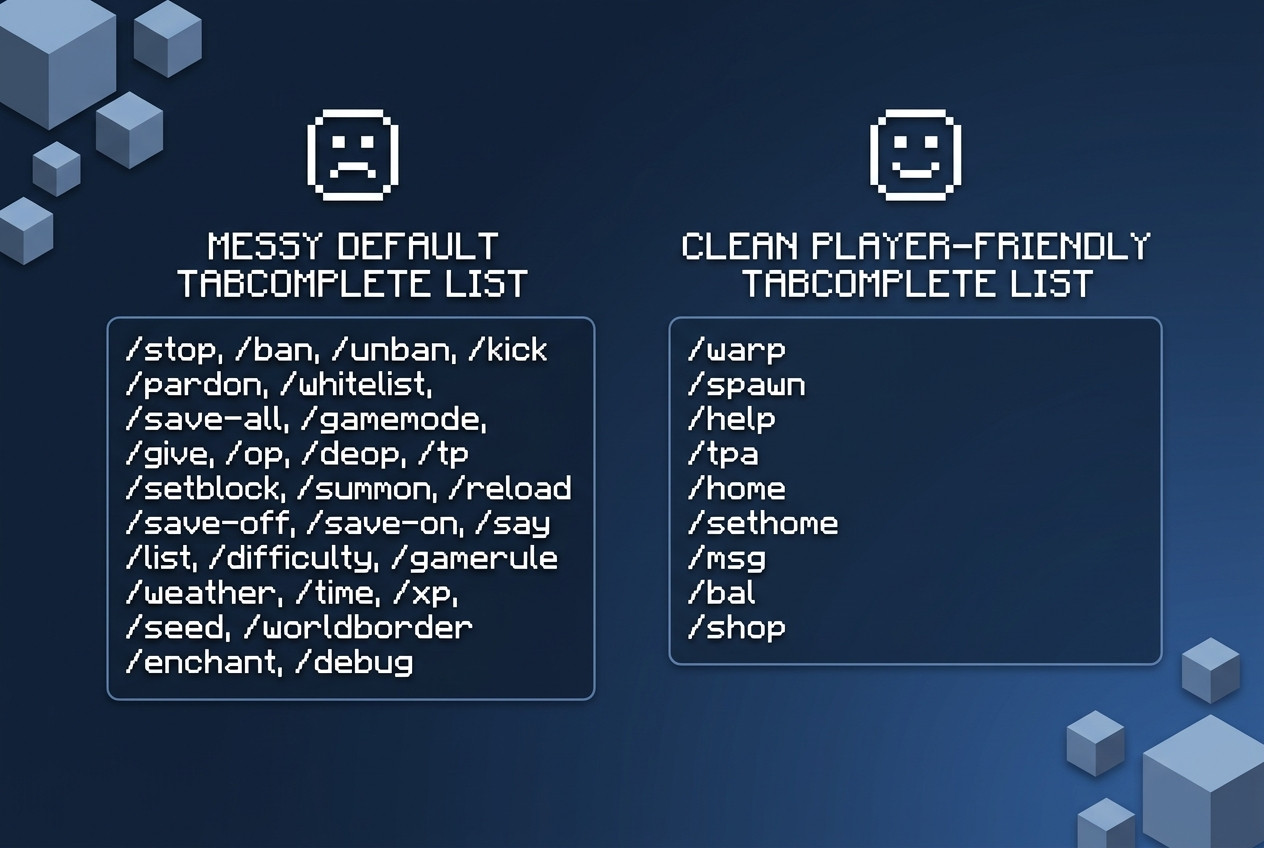
- Block or Allow Tab-Completions & Commands
Manage exactly what commands and suggestions players see on your server. Everything is easily configured via the config.yml!
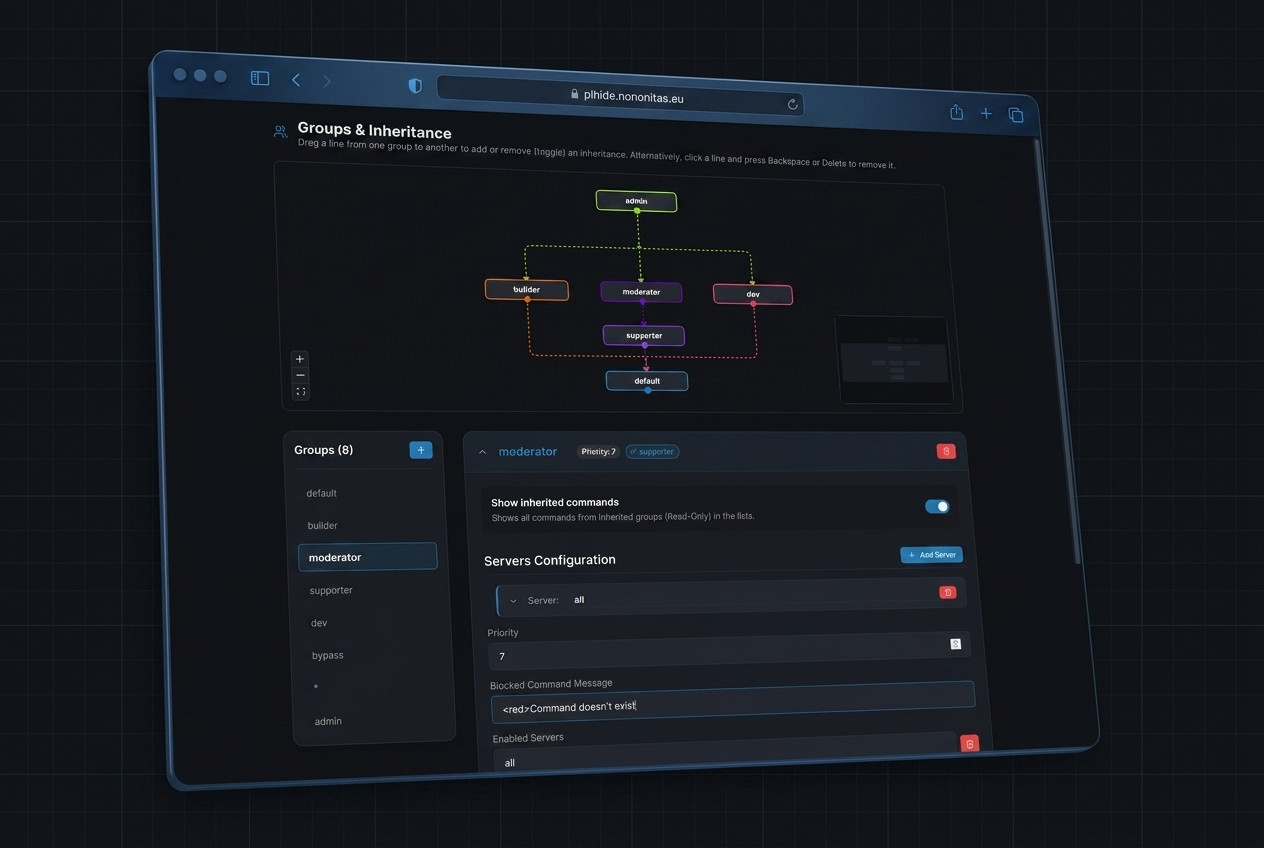
- Official Web Editor Support
Configure and manage your groups and permissions effortlessly using our beautiful Web Editor interface (plhide.nononitas.eu).
Avoid syntax mistakes and edit your configuration files visually!
- Wildcard Support
Allow all commands at once using the * wildcard entry.
- Negated (Blacklist) Entries
Block specific commands within a whitelist group by prefixing them with ! (e.g., !version).
- Custom Block Messages
Define custom messages when a command is blocked. Supports placeholders: {player} and {cmd}.
- Custom /pl (/plugins) Message
Completely customize the response players get when they type /pl or /plugins (or disable it entirely). Admins with bypass permissions can still see the
real list!
- Operator (OP) Protection
Secure your server from malicious operators! Restrict OP permissions to players specified by name or UUID. Anyone else gaining OP will be automatically de-opped and
kicked.
- Command Spam Protection / Rate-Limiting
Prevent players from flooding the server with command executions. Set a maximum number of commands per 2 seconds, and kick abusers with a custom kick message.
- Smart Group System
Create multiple groups with their own whitelist and blacklist settings.
- Group Priority
If a player has multiple group permissions, the plugin automatically resolves conflict by applying the group with the highest priority!
- Group Inheritance
Avoid duplicating configs. Easily inherit commands from other groups to keep configuration files clean.
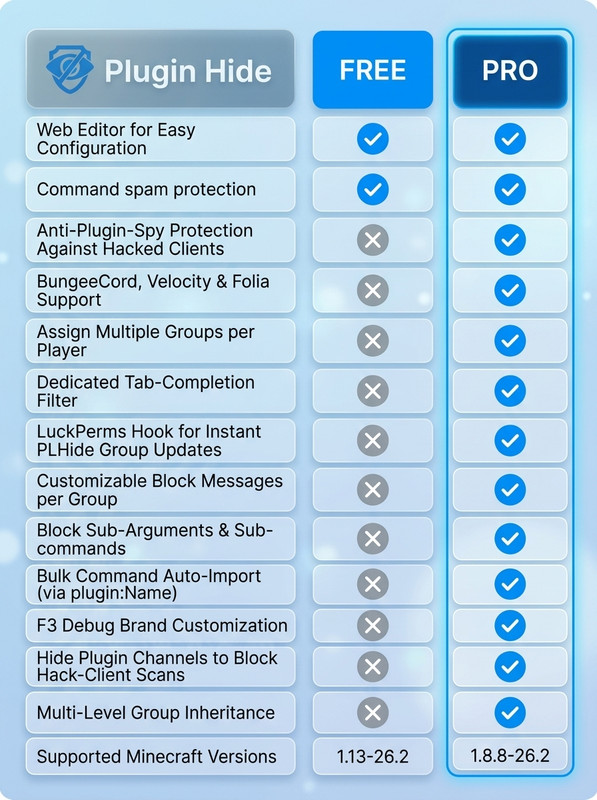
WANT MORE? GO PRO!
Unlock the ultimate power with Pl-Hide-Pro!
What does the Pro Version offer?
[CLICK HERE TO CHECK OUT PL-HIDE-PRO]
GROUPS & PERMISSIONS
- Default Fallback: If no specific group permission is assigned, players receive the default group settings.
- Assigning Groups: Apply a group to a player using the permission: plhide.group.<groupname>
- Group Priority: If a player matches multiple permissions (e.g. plhide.group.user and plhide.group.vip), the group with the highest priority
config value will be assigned.
- Inheritance: Define inherited-groups to merge command sets together.
- Bypass plugins list: Give players the plhide.bypass.pl-message permission to let them see the real list of plugins on
/pl.
⚙️ DEPENDENCIES
- Java 17 or higher
- Spigot / Paper 1.13 or newer
FAQ
My commands aren't removed and aren't blocked
Make sure these aren't Bungeecord commands.
My plugin is a Spigot plugin and not a Bungeecord plugin!
How to use groups
groupName:
    commands:
      - command1
      - command2
    priority: 0
    inherited-groups:
      - group1
Each group needs a different groupname.
commands list:
Commands are whitelisted by default. Use the following syntax to manage allowed/blocked commands:
- List commands to whitelist them.
- Use "!command" to explicitly block a command (negation). The quotation marks are necessary!
- Use "*" to whitelist all commands (the quotation marks are necessary!), then block specific ones with !.
Negated entries take priority over non-negated ones.
In the " inherited-groups" section you can add other groups. The commands and tab completion from the "inherited groups" will be added to this group
Note that the groups from the inherited groups are not inherited by their inherited groups. This is only possible with the pro version.
How to whitelist all commands at once
To do this, simply add the "*" entry to the commands list. Note it has to be surrounded quotation marks!
Example group with whitelist all commands:
bypass:
  commands:
    - "*"
  priority: 10
  inherited-groups: []
How to blacklist a command
Use "!command" to explicitly block a command (negation). The quotation marks are necessary!
Example group with a blacklisted command:
group:
  commands:
    - "!command"
  priority: 10
  inherited-groups: []
Can I allow/block specific subargs
No this is only possible with the pro version
Can I remove a command from the tabcomplete but still make it executable
No this is only possible with the pro version
SUPPORT AND BUGS
If you need support (read FAQ first) or found a bug contact me and send me your config.yml and the latest.log (if there is an error from PL-Hide!)

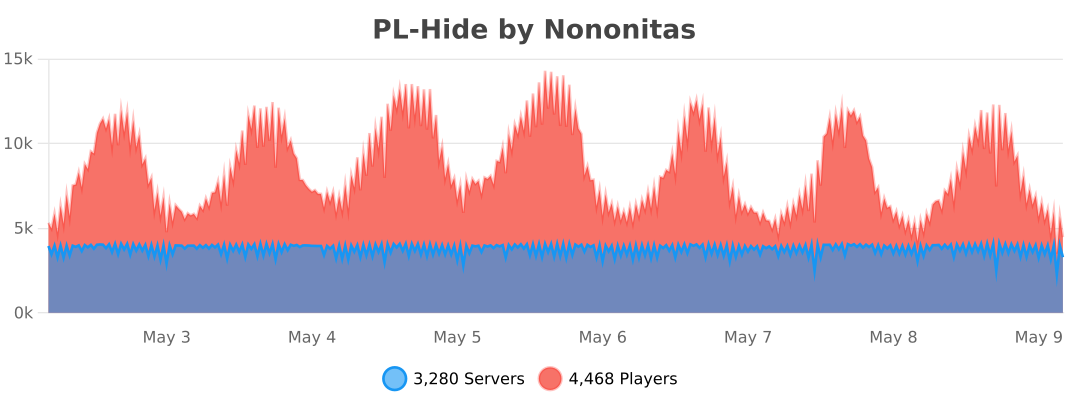
STATS
By downloading this plugin, you agree to:
- Not redistribute this plugin, share any part of the code or resell it.
- You will not post my source code online or offline on any website or in the internet.
Similar projects
Plugin →Let Me Despawn
Improves performance by tweaking mob despawn rules. Say bye to pesky unintentional persistent mobs.
25MSueta
JourneyMap
Real-time map used for mapping in-game or your browser as you explore.
14.7MSueta
Emotecraft
Create your own emotes in Minecraft.
7.5MSueta
Simple Tpa
A simple tpa plugin which sends requests
5.4MSueta
Common Network
Forge and Fabric Unified Networking Solution
3.9MSueta
Set Home
A lightweight plugin for players to set their homes.
3.8MSueta