
⚒ PRO MAINTENANCE MODE ⚒ | 1.8.X - 1.13.X
1.0.5If you want a good maintenance mode for your server, this is your plugin!

THIS PLUGIN IS COMPATIBLE WITH BUNGEECORD
THIS PLUGINS REQUIRES (ONLY IF YOU ARE USING BUKKIT)
ProtocolLib
Link
With this plugin you can set your server in maintenance mode!
Just enter '/Maintenance start [time] [unit]' to start the maintenance mode!
This plugin can change the server icon when the server is in maintenance mode.
This plugin can change the server MOTD when the server is in maintenance mode. (Support any special symbol)
This plugin can change the server version string when the server is in maintenance mode. (Support any special symbol)
To change the Icon: (You have to put a image with the name "maintenance-icon" in format ".png", in the folder "plugins/ProMaintenanceMode").
Only the players with the permission, can join in the server in maintenance mode.
When a player without permission join, this will be kicked from the server with a configurable message.
Just drop the .jar file in the plugins folder, and restart the server.
Example Icon and MOTD in maintenance:
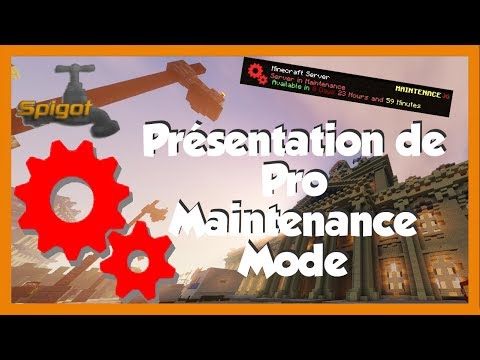
French Tutorial (Thanks OndaEnergyze )

- Maintenance help:
description: Get Maintenance Commands.
- Maintenance start:
description: Start the Maintenance Mode.
usage: /Maintenance start [time] [Unit] (Units: SECONDS, MINUTES, HOURS)
Example: /Maintenance start 10 Minutes
- Maintenance stop:
description: Stop the Maintenance Mode.

- maintenance.op:
description: Allow players to use maintenance commands and join when the server is in maintenance.
- maintenance.join:
description: Allow players to join when the server is in maintenance.

Last-MaintanceMode:
  SaveTime: Save the current maintenance mode time?
  LoadTime: Load saved maintenance mode time?
KickMessage: Message player will receive when kick from the server.
TimeFormat: Format that will be show in the MOTD: (H = HOURS | mm = MINUTES | ss = SECONDS)
Use-Maintenance-Icon: Change the server icon when start the maintenance mode?

ChangeMotd:
  Enabled: Change the server MOTD when start the maintenance mode?
  Title: This is the server MOTD.
  PermanentTitle: This appear when start a permanent maintenance mode.

Version:
  Use: Use the massage that appear at the server ping?
  Message: Message that will appear.

Hover:
  Enabled: Use the massage that appear when you put the mouse on the server Version String?
  Message: Message that will appear.

last-maintance-mode-time: This is the saved maintenance time.Similar projects
Plugin →Let Me Despawn
Improves performance by tweaking mob despawn rules. Say bye to pesky unintentional persistent mobs.
26.2MSueta
JourneyMap
Real-time map used for mapping in-game or your browser as you explore.
14.7MSueta
Emotecraft
Create your own emotes in Minecraft.
7.9MSueta
Simple Tpa
A simple tpa plugin which sends requests
5.4MSueta
Common Network
Forge and Fabric Unified Networking Solution
4.7MSueta
Set Home
A lightweight plugin for players to set their homes.
3.8MSueta