

ShopPlus promises to replace the hard work of creating a shop for your server with fun and easy work. This plugin is designed to be configured directly from the game with a professional GUI very easy to use. In addition, players will find much easier what they want, just a few clicks.
What this plugin do?
Creating a shop is a big problem for every admin of a server. Serching for minecraft codes... thinking about price... thinking about amount... These are some problems for an admin.. so, we need easier way to create a shop. ShopPlus has an integrated list of all items available for your server version.
The only thing an admin needs to do is to click on what he want to put in the shop.. put a price ....and that's it. No searching.. no thinking... no hard work.

Look... the easiest way to find what you want... just look for the category you want and ... that's it!

To run this plugin you need:
-
- Vault plugin - here
- An economy plugin (like essential economy)

No problem... this plugin is configured on its own... creating file... save what it need... no problem with configuration and most likely the best... no file interaction.
File
There are only two files. These are:
- Category.yml: Here the plugin save every category configuration, like name of category, items, if is it visible for players and the head item.
- ShopItems.yml: Here the plugin has codes for every item for the version the server uses, the price for every item and the shown name (e.g. Acacia, Sandstone, etc.).
In game configuration
There are few steps, to create a new category, easier than you think... Let's try!
- Step 1
To acces admin panel use /shop admin command and choose 3rd option -> manage categories
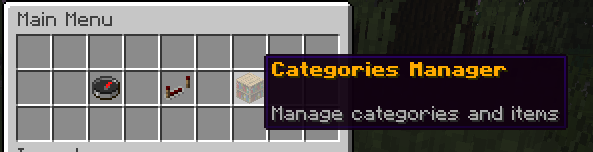
- Step 2
Now you have a list of all available categories. Click Add category

- Step 3
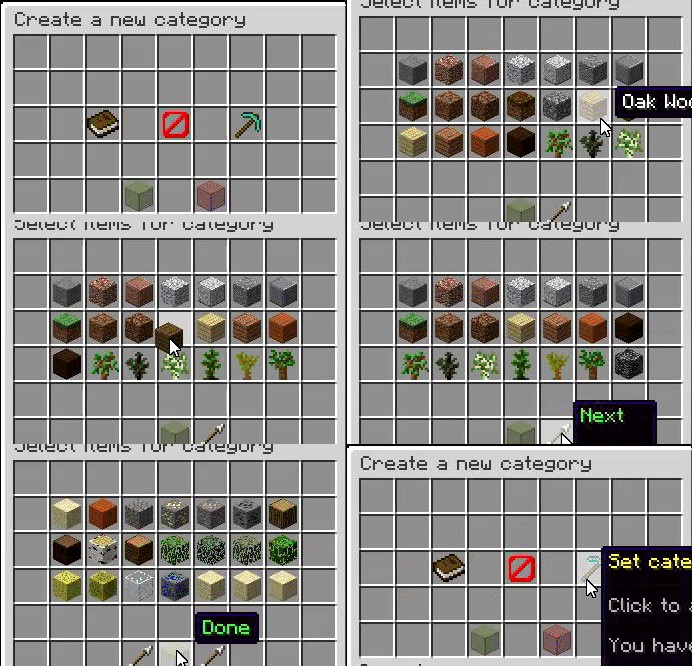
Choose a name for your category, head item and items to buy/sell.
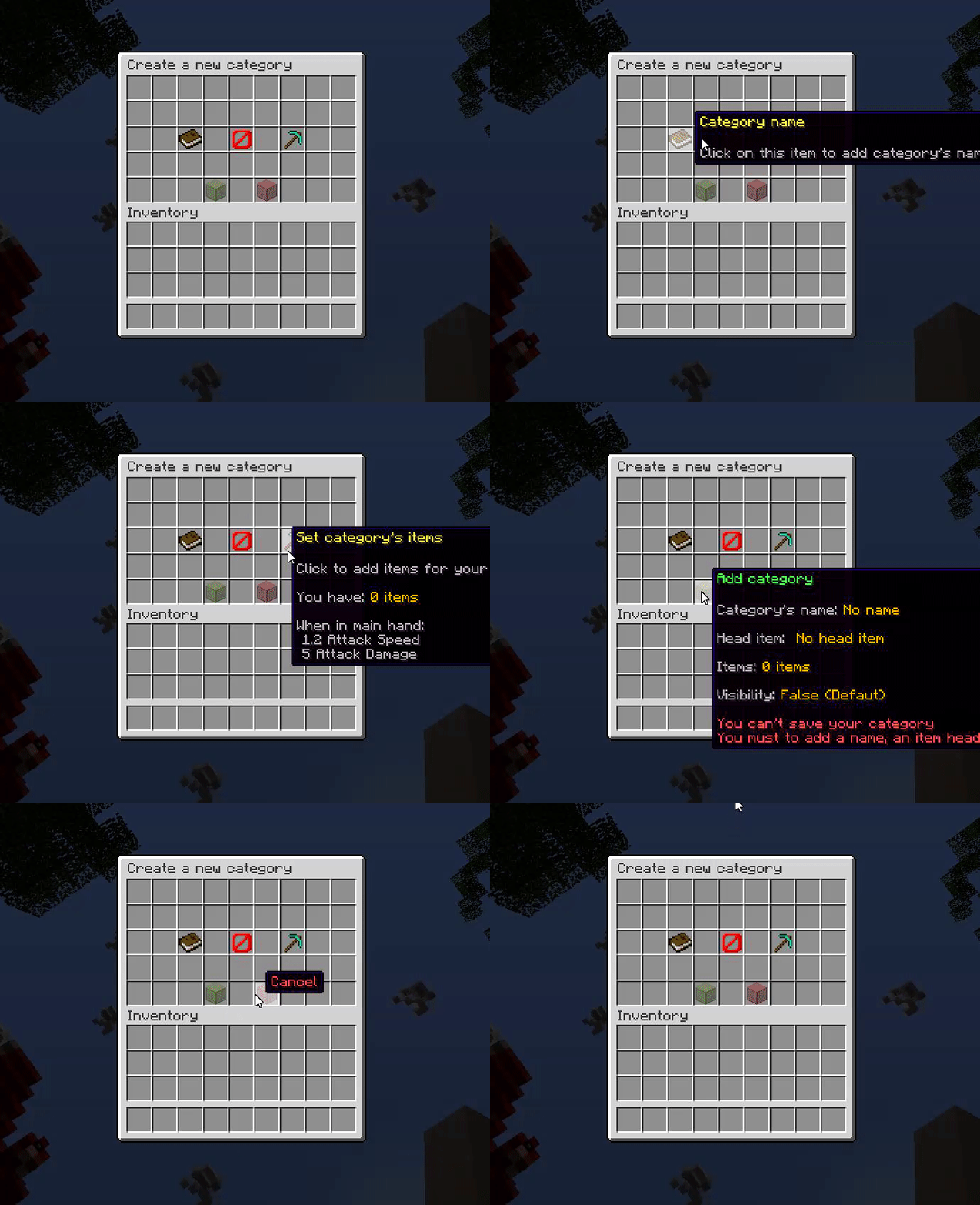
Add items
Attention: default visibility for a category is false (category can't be seen by players). It can be changed in "category manager" - step 4
- Step 4
Manage category the category you just created or other you created before with just one click.
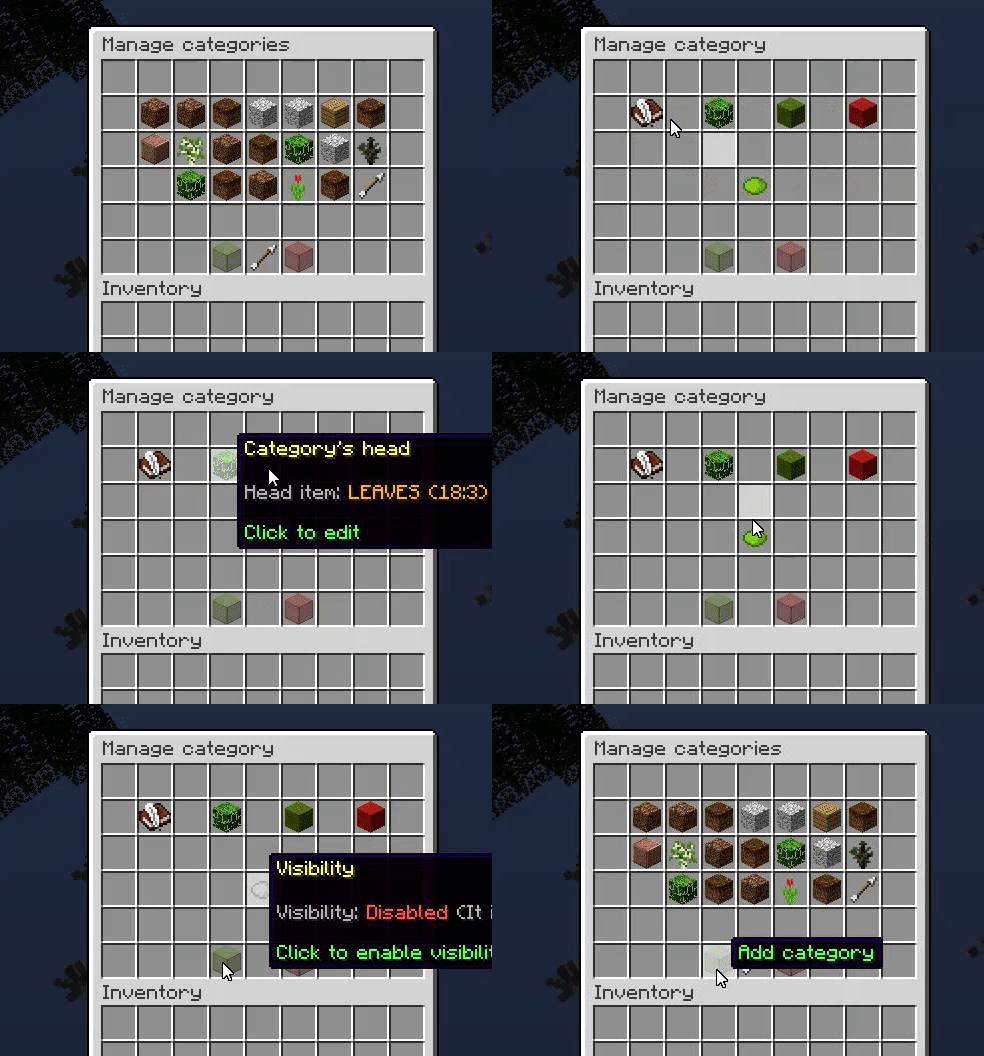
- Step 5
Now it's time to put prices for items which you just selected. You need to enter again in "Main menu", enter in 2nd section and select a category.
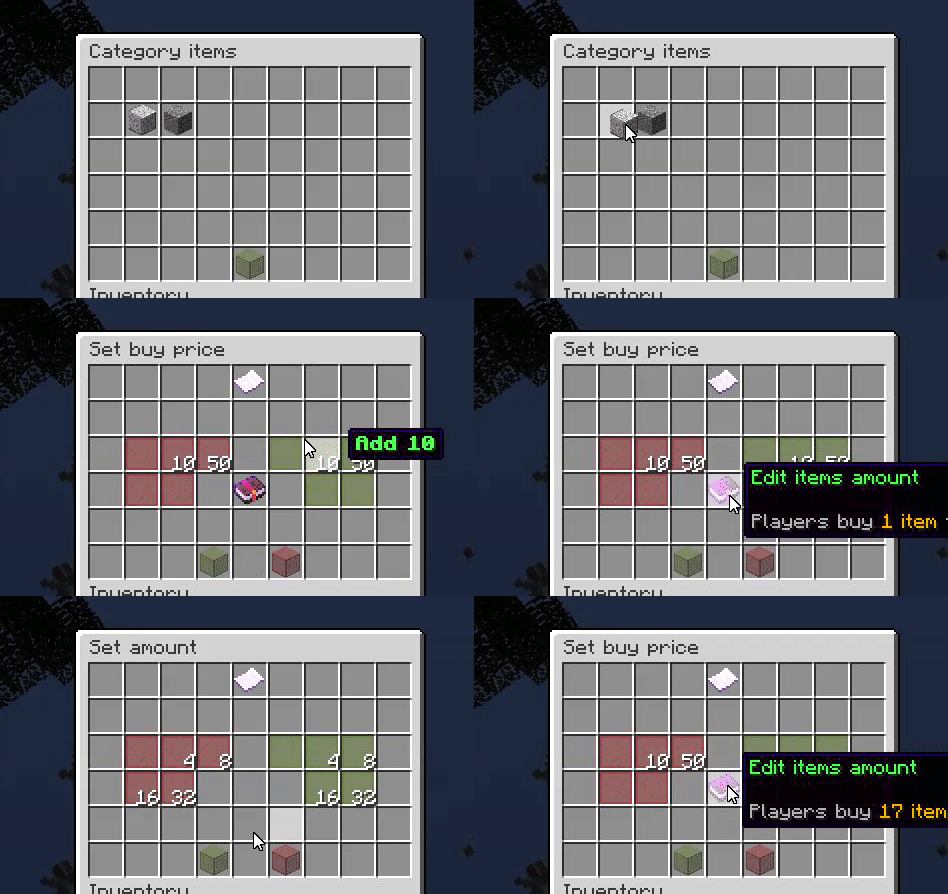
- Step 6
That's it ... enjoy your shop.
Attention!!! Two or more players can't manage categories at the same time

Commands:
- /shop - allow player to open the shop
- /shop admin - allow an admin to enter in main menu and manage categories
- /shop help - show a list of all commands for this plugin (a command will be shown if that player has permission for that command)
Permissions:
- shopplus.* - permission for /shop and /sshop admin commands
- shopplus.admin - permission to manage categories (/shop admin)
- shopplus.shop - allow a player to open the shop

- Add enchant shop section
- Add sign search GUI
- Add "Secure trade" section
- Add NCPs for a category
- Add physical shop (shop with signs)

If you have a problem with this plugin please send me a message with the bug and it will be posted here and I'll fix it.
Bugs:
- "Save" glitch
- Item head/Category names reset automatically
DON'T POST BUGS IN COMMENT SECTION

If you have any problem, please contact me, any time!
Where can you contact me?
- With a private message on website
- On discord at : fujinuji#1360
Attention!!! My time zone is UTC+02:00 (Bucharest, Romania). For example, if in New York is 6 P.M. in my country is 3 A.M. (and I probably sleep), but when I receive a message I'll try to answer as soon as possible.

Leave in the comment section or text me any ideas for this plugin
- Fast price setup (setup price for item you hold on your hand)
- Sort option (by name, by code, etc.)
- Buy/Sell items in multiple amounts
- Plugin comes with some "saved" categories (Armor, Food, Ores, etc.)
- "Fast sell" section
- SQL support for categories and items configuration
- Edit categories location in the GUI
- Adding different permissions for different categories
Similar projects
Plugin →Let Me Despawn
Improves performance by tweaking mob despawn rules. Say bye to pesky unintentional persistent mobs.
26.2MSueta
JourneyMap
Real-time map used for mapping in-game or your browser as you explore.
14.7MSueta
Emotecraft
Create your own emotes in Minecraft.
7.9MSueta
Simple Tpa
A simple tpa plugin which sends requests
5.4MSueta
Common Network
Forge and Fabric Unified Networking Solution
4.7MSueta
Set Home
A lightweight plugin for players to set their homes.
3.8MSueta