
SimpleCinematic | ✅Easy Cinemaitc plugin [1.21.4]
1.0.2A simple powerful tool to make cinematics
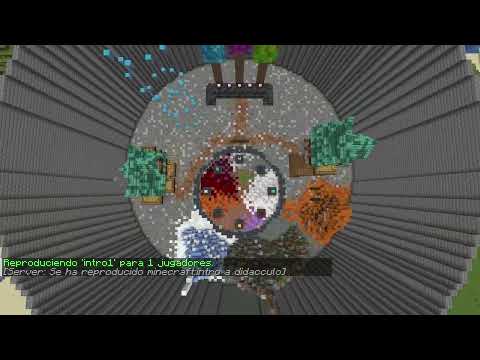
SimpleCinematic is a very easy-to-use tool for creating cinematics on your Minecraft server.
Unlike other plugins that bombard the player 20 times per second, limiting FPS, this one uses Display Entities and Client-Side Interpolation, introduced in modern versions of Minecraft. This results in incredibly smooth camera movements.
The plugin allows you to easily link cinematics (with just one command) so that a single cinematic plays one after another, simulating cuts.
Please feel free to comment and give feedback, it's my first plugin :)
✨ Key Features
- Smooth movement
- In-Game Visual Editor: See your path in real-time with particle visualization.
- Orange particles: Control points.
- White particles: The actual curve the camera will take.
- Orange particles: Control points.
- Event System: Execute commands at precise timestamps (seconds). Play sounds, show titles, or trigger effects perfectly synced with the camera.
Commands
All commands start with /cine.
Management
- /cine create <name>
- /cine edit <name>
- /cine delete <name>.
- /cine save
- /cine list
- /cine info
Editing (While in editor mode)
- /cine add
- /cine und: (Remove the last added point.)
- /cine movepoint (Move the nearest point to your current position)
- /cine time <seconds> (Set the total duration of the path)
- /cine link <name>: (Set the next cinematic to play automatically after this one ends, use 'none' to remove).
Event System
Trigger commands at specific times during the cutscene.
- /cine event add <seconds> <command>
- Example: /cine event add 2.5 playsound entity.dragon.growl master %player%
- Note: Use %player% as a placeholder for the viewer's name.
- Example: /cine event add 2.5 playsound entity.dragon.growl master %player%
- /cine event list
- /cine event clear
Playback & Control
- /cine play <name>
- /cine playall <name> (play cinematic for everyone)
- /cine stop:
- /cine stop all
Permissions
- cine.admin
Similar projects
Plugin →Let Me Despawn
Improves performance by tweaking mob despawn rules. Say bye to pesky unintentional persistent mobs.
25MSueta
JourneyMap
Real-time map used for mapping in-game or your browser as you explore.
14.7MSueta
Emotecraft
Create your own emotes in Minecraft.
7.5MSueta
Simple Tpa
A simple tpa plugin which sends requests
5.4MSueta
Common Network
Forge and Fabric Unified Networking Solution
3.9MSueta
Set Home
A lightweight plugin for players to set their homes.
3.8MSueta