
NOTE: The plugin doesn't work without you adding blacklisted skins! Don't leave a negative review because you didn't put in any blacklisted skins.

SkinBlacklister
Blacklist skins you don't want on your server.

Managing and moderating a Minecraft server is a difficult task. You need to add new features to your server, punish rule breakers and execute many more tasks that just take time. SkinBlacklister can save you and your moderation team some time by automatically punishing players that have a skin that (almost) matches with a skin that you blacklisted.

SkinBlacklister is a plugin that works fine on both Bukkit and Bungeecord. The JAR file works on both types of servers. If you have SkinBlacklister installed on your BungeeCord server you don't need to install it on your Bukkit sub-servers.


Video Tutorials
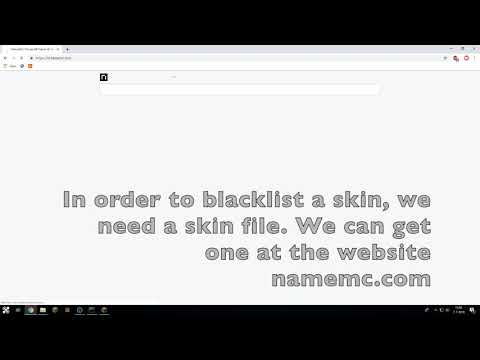
A simple tutorial by me ( @NoahvdAa ):
Text-Based Tutorial
First, stop your server, using the /stop command.
Then, place the SkinBlacklister.jar file in your plugins folder and start your server.
Go to config.yml and modify the values to your needs. I recommend you keep the minMatchRate at 97.5% or higher. If you put it lower, you can start to get false-positives.
Next, add or modify your commands. You can use these placeholders:
- %playername% - The name of the player
- %matchedfile% - The name of the file that had the highest match.
- %matchpercentage% - The match percentage the skin had. (You shouldn't show this to the player, because they can adjust their skin based on this percentage.)
To apply your config changes, type /sblr in chat.
Now you need to add blacklisted skin files. Go to namemc.com and enter the name of the person who's skin you want to blacklist. Then, underneath the preview, go to the part Skins and select the skin you want to blacklist. You can now press the Download button.
Move the just downloaded skin file to the folder blacklisted_skins , you can find it in the SkinBlacklister plugin folder.
If you want to you can rename the skin file, just make sure it is a .png file.
You don't need to reload to apply the changes to blacklisted_skins.

When a player joins your server, the plugin will get the players skin file using Crafatar . It then matches the skin file with the skin files you blocked. If the match percentage is higher or equal to the threshold you put in the config, your custom commands will be executed.

- Looking up a skin can take some time, so I suggest you use a (temp)ban as punishment command, instead of a kick.
- Don't show the match percentage to the punished player as they can adjust their skin based on that number.
- If you don't want to straight-up ban players, you can also have the punishment command be a message sent to your staff-only chat telling them that a player might be using an inappropriate skin.

You can report all bugs/issues/feature suggestions at the Github Issue Tracker . Please don't leave a negative review because of a bug or missing feature, contact me first.
bStats
Like many other plugins, SkinBlacklister uses bStats to collect anonymous metrics. Please don't disable it, it keeps developers motivated.
BUKKIT
BUNGEECORD
Similar projects
Plugin →Let Me Despawn
Improves performance by tweaking mob despawn rules. Say bye to pesky unintentional persistent mobs.
25MSueta
JourneyMap
Real-time map used for mapping in-game or your browser as you explore.
14.7MSueta
Emotecraft
Create your own emotes in Minecraft.
7.5MSueta
Simple Tpa
A simple tpa plugin which sends requests
5.4MSueta
Common Network
Forge and Fabric Unified Networking Solution
3.9MSueta
Set Home
A lightweight plugin for players to set their homes.
3.8MSueta