
SkyMines | Placeable Private Mines | Create Custom Mines & U
2.1.0Place, Upgrade, & Manage Private Mines
SKY MINES
Fully customizable, personal skymines.
Overview Video
Very Outdated (for v1.1.0)
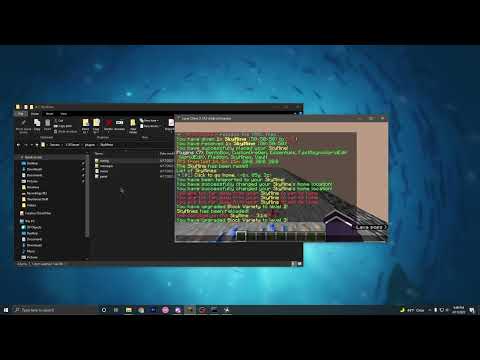
Since then...
- Mines are now completely customizable with unique upgrades paths.
- All configurations have been redone, messages look a lot more polished.
- Multiple commands have been added.
- And so much more...
Additional Images


IMPORTANT NOTE
- Midnight v1.2.8 or later is required. It's my library! : )
- Vault is required. Used for mine upgrades.
- Requires Java 21.
- It has only been tested on Spigot 1.21.
OVERVIEW
SkyMines allows you to give players physical tokens that place private, upgradeable mines. Each token represents a specific mine type with customizable size, layout, and upgrades. Once placed, the mine is only accessible to the owner and can be upgraded through a built-in menu. Server admins can define unique mine types and upgrade paths, including block composition and reset cooldowns. All menus, messages, and behaviors are configurable through the YAML files listed below.
FEATURES
- Mines are personal – only the owner of a mine can access and manage them.
- Mines are placed using physical token items.
- Mines are accessed via right-click on the wall or the /sm panel command.
- Mines have holograms that can show its name, owner, and reset timer.
Mines have homes that can be set (players must be close to the mine). - Define custom mine types in mines.yml:
- Customize token appearance.
- Set default size and border type.
- Link to unique upgrade paths.
- Define custom upgrade types in upgrades.yml:
- Composition – define block distributions per level.
- Reset Cooldown – reduce time between resets.
- Additionally, you can set an upgrade's cost and optional upgrade permission.
- Upgrade menus are dynamic—no manual updates needed when editing upgrades.
- Mines can be customized with the various options available in the config.yml.
- All messages and panel slots are configurable in the messages.yml and menus.yml files.
- Multiple storage options: PostgreSQL, MySQL, SQLite
PLAYER WORKFLOW
- Players can receive SkyMine Tokens that hold the type and size of their mine.
- Players can right-click a SkyMine Token over air to place it down.
- Players can right-click the border of a SkyMine to open its Main Menu.
- Players can then choose to Go Home, Reset Mine, Upgrade the Mine, or Pickup Mine.
- Players can set the mine's home via the /sm sethome [id] command.
- Players can set the mine's name via the /sm name [id] [name] command.
- Players can list and teleport to their mines via the /sm list command.
- Players can edit their mine preferences via the /sm settings command.
- Notifications: Toggle cooldown and other mine notifications.
- Automatic Reset: Toggle automatic resetting of mines (player must be online).
- Players can shift-left-click the border of a SkyMine to instantly teleport to its home.
PLAYER COMMANDS (aliases: /skymines, /skymine, /sm)

More Information
- /skymines
- View help information on skymine commands.
- /sm list
- Lists the IDs of your skymines, along with an easy way to teleport to them.
- /sm name [id] [name] (skymines.name)
- Attaches a name to the specified skymine.
- /sm panel [id]
- Opens up the main panel for the specified skymine.
- /sm upgrades [id]
- Opens up the upgrade menu of the specified skymine.
- /sm home [id] (skymines.home)
- Teleports to the specified skymine.
- /sm sethome [id] (skymines.sethome)
- Sets the home of the specified skymine.
- /sm reset [id]
- Resets the specified skymine.
- /sm pickup [id]
- Picks up the specified skymine.
- /sm settings
- Opens up the preferences menu.
ADMIN COMMANDS (aliases: /skyminesadmin, /skymineadmin, /sma)

More Information
- /sma give [player] {mine} {amount} (skymines.admin.give)
- Gives the player mine tokens with the specified type, size, and amount.
- Example: /skymines give Notch default 10x10x10 5
- /sma lookup [player] (skymines.admin.lookup)
- Lists the IDs of the player's skymines.
- /sma pickup [player] [id] (skymines.admin.pickup)
- Pick up the specified player's skymine.
- /sma remove [player] [id] (skymines.admin.remove)
- Remove the specified player's skymine.
- /sma list (skymines.admin.list)
- Lists all enabled/disabled mines.
- /sma debug (skymines.admin.debug)
- Displays information for the selected mine.
- /sma reload (skymines.admin.reload)
- Reloads all configuration files.
PERMISSIONS
List of Permissions
Player:
- skymines.name - Set your mine's name.
- skymines.home - Teleport to your mine's home.
- skymines.sethome - Set your mine's home.
- skymines.settings - Opens the preferences menu.
- skymines.settings.notify - Toggle the Notifications setting.
- skymines.settings.autoreset - Toggle the Auto Reset setting.
Admin:
- skymines.admin - Access to the /sma command.
- skymines.admin.debug - Access to the /sma debug command.
- skymines.admin.give - Access to the /sma give command.
- skymines.admin.list - Access to the /sma list command.
- skymines.admin.lookup - Access to the /sma lookup command.
- skymines.admin.panel - All skymine panels are accessible via right-click on mine wall.
- skymines.admin.pickup - Access to the /sma pickup command.
- skymines.admin.remove - Access to the /sma remove command.
- skymines.admin.reload - Access to the /sma reload command.
FILE SHOWCASE
mines.yml
#┌━━━━━━━━━━━━━━━━━━━━━━━━━━━━━━━━━━━━━━━━━━━━━━━━━━━━━━━━━━━━━━━━━━━━━━━━━━━━┐
#┃ This file allows you to create unique mines that have its own token item,  ┃
#┃ border type, and upgrade paths. You can even define the default mine size. ┃
#└━━━━━━━━━━━━━━━━━━━━━━━━━━━━━━━━━━━━━━━━━━━━━━━━━━━━━━━━━━━━━━━━━━━━━━━━━━━━┘

# Placeholder for the size of the mine.
size-placeholder: "&7[&a{length}&7x&a{height}&7x&a{width}&7]"

# The default token item to reference below.
# This is also used if there is no defined token item for a mine.
default-token:
  type: TRIPWIRE_HOOK
  name: "&e&lSkyMine Token {size}"
  lore:
   - "&7Right Click → &ePlaces Structure"

# Here, you can create custom mines with a unique identifier.
mines:
  # The identifier of this mine to reference in the give command.
  # Example: /sma give <player> default
  default:
   token: default
   # The default size of the mine.
   # If you want a different size for this mine, just do /sma give <player> default <LxHxW>
   default-size: [10, 10, 10]
   # The material that the mine border is made of.
   border-type: BEDROCK
   # Here, you can reference your upgrades from the upgrades.yml file.
   upgrades:
     composition: default
     reset-cooldown: default
  # This one would be /sma give <player> vip-mine.
  vip-mine:
   token:
     type: OMINOUS_TRIAL_KEY
     name: "&a&lV&b&lI&c&lP &e&lMine {size}"
     lore:
       - "&7Right Click → &ePlaces VIP Mine"
   default-size: [20, 20, 20]
   border-type: NETHERITE_BLOCK
   upgrades:
     composition: vip-composition
     reset-cooldown: vip-reset

#┌━━━━━━━━━━━━━━━━━━━━━━━━━━━━━━━━━━━━━━━━━━━━━━━━━━━━━━━━━━━━━━━━━━━━━━━━━━━━━━━━━━━━━━━━━━┐
#┃ TECHNICAL NOTE:                                                                          ┃
#┃                                                                                          ┃
#┃ A "default" mine isn't strictly required. However, in the case that a player has either: ┃
#┃   1. A token that has the "skymine" NBT tag without a "skymine-identifier" NBT tag.      ┃
#┃   2. An already placed down mine that has no data from the "identifier" DB column.       ┃
#┃ Then, the default mine below will be used in its place.                                  ┃
#┃ The above cases should only happen if you are migrating from SkyMines v1.                ┃
#┃                                                                                          ┃
#┃ This means that the default mine will NOT be used if an invalid identifier is attached   ┃
#┃ to a token or saved in the database. I make no assumptions that you actually wanted to   ┃
#┃ delete an existing mine path or that a non-existing identifier was somehow saved to the  ┃
#┃ database. In any of these cases, it doesn't make sense to permanently convert a player's ┃
#┃ mine to the default path. Instead, a warning message will be sent to the player telling  ┃
#┃ them that the mine identifier does not exist (the message will contain the identifier).  ┃
#┃ In addition, the mine will be disabled and can only be picked up.                        ┃
#┃                                                                                          ┃
#┃ Once you add back in a valid mine above with the same identifier from the warning        ┃
#┃ message, the token/mine will start working again. This technically means it's possible   ┃
#┃ to disable entire mines by deleting its path, but this wasn't the intended behavior! :)  ┃
#┃                                                                                          ┃
#┃ Phew! Sorry for the wall of text. If you have any questions, please go to the Discord.   ┃
#└━━━━━━━━━━━━━━━━━━━━━━━━━━━━━━━━━━━━━━━━━━━━━━━━━━━━━━━━━━━━━━━━━━━━━━━━━━━━━━━━━━━━━━━━━━┘
upgrades.yml
#┌━━━━━━━━━━━━━━━━━━━━━━━━━━━━━━━━━━━━━━━━━━━━━━━━━━━━━━━━━━━━━━━━━━━━━━━━━━━━━━━━━━┐
#┃ This file allows you to create unique upgrade paths for each upgrade type.       ┃
#┃ These can then be referenced in the mines.yml file.                              ┃
#┃━━━━━━━━━━━━━━━━━━━━━━━━━━━━━━━━━━━━━━━━━━━━━━━━━━━━━━━━━━━━━━━━━━━━━━━━━━━━━━━━━━┃
#┃ Upgrade types: composition, reset-cooldown                                       ┃
#┃ By default, all upgrades are available to players.                               ┃
#┃                                                                                  ┃
#┃ Want to require permission to upgrade a mine? Simply negative the permission.    ┃
#┃ -> ex. the whole type: "-skymines.upgrades.composition"                          ┃
#┃ -> ex. a specific level: "-skymines.upgrades.composition.2"                      ┃
#┃                                                                                  ┃
#┃ ^ After negating permission, the player can no longer upgrade the mine until     ┃
#┃ you remove the negation or add the "skymines.upgrades.composition.2" permission. ┃
#└━━━━━━━━━━━━━━━━━━━━━━━━━━━━━━━━━━━━━━━━━━━━━━━━━━━━━━━━━━━━━━━━━━━━━━━━━━━━━━━━━━┘

# Upgrade the composition of a mine.
composition:
  # The name of this upgrade to reference in the mines.yml file.
  default:
   # Level of the upgrade.
   1:
     # Format: {type} {percentage}
     # No, it doesn't have to add up to 100%.
     upgrade:
       - STONE 90%
       - IRON_ORE 10%
       - GOLD_ORE 5%
   2:
     cost: 100000
     upgrade:
       - STONE 70%
       - IRON_ORE 15%
       - GOLD_ORE 10%
       - REDSTONE_ORE 5%
       - LAPIS_ORE 5%
   3:
     cost: 250000
     upgrade:
       - STONE 50%
       - IRON_ORE 20%
       - GOLD_ORE 15%
       - REDSTONE_ORE 7.5%
       - LAPIS_ORE 7.5%
       - DIAMOND_ORE 2%
   4:
     cost: 750000
     upgrade:
       - STONE 30%
       - IRON_ORE 25%
       - GOLD_ORE 25%
       - REDSTONE_ORE 10%
       - LAPIS_ORE 10%
       - DIAMOND_ORE 5%
       - EMERALD_ORE 5%
  vip-composition:
   1:
     upgrade:
       - IRON_ORE 25%
       - GOLD_ORE 25%
       - DIAMOND_ORE 25%
       - EMERALD_ORE 25%
   2:
     upgrade:
       - GOLD_ORE 33%
       - DIAMOND_ORE 33%
       - EMERALD_ORE 33%
     cost: 1000000
   3:
     upgrade:
       - DIAMOND_BLOCK 33%
       - EMERALD_BLOCK 33%
       - ANCIENT_DEBRIS 33%
     cost: 10000000

# Decrease the cooldown until a mine can be reset.
reset-cooldown:
  default:
   1:
     # You can put [seconds/minutes/hours/etc] if you want.
     upgrade: 5 minutes
   2:
     cost: 50000
     upgrade: 2 minutes
   3:
     cost: 100000
     upgrade: 1 minute
   4:
     cost: 150000
     upgrade: 30 seconds
  vip-reset:
   1:
     upgrade: 0 seconds
config.yml
# Storage options to save the skymines.
storage:
  type: SQLite # Options: PostgreSQL, MySQL, SQLite
  host: "localhost"
  port: 3306
  database: "minecraft"
  username: "root"
  password: ""

# Various options to change the different behaviors of the plugin.
option:
  skymine:
   # Maximum amount of skymines per player.
   max-per-player: 10
   # If true, skymines can be placed over transparent blocks (grass, flowers, etc.)
   # This does not include chests.
   override-transparent-blocks: true
   # If true, players can shift-left-click their mine border to instantly teleport to its home.
   fast-home: true
   # Maximum amount of blocks a player can be from the skymine to set its home.
   sethome-distance: 5
   # If true, skymine creation ignores physics, allowing them to be created much faster.
   # If you are having any problems with physics/lighting due to skymines, feel free to disable this.
   ignore-physics: true
  token:
   # If true, players can no longer drop their skymine token.
   prevent-drop: true
  reset:
   # Should a mine reset replace blocks (inside the mine)? If false, only replaces AIR.
   replace-blocks: false
   # Should all players inside the mine be teleported to the mine's home on reset?
   teleport-home: true
   # Should the mine be reset when you upgrade it?
   on-upgrade: true
  cooldown:
   # Cooldown (in seconds) players have to wait if they picked up a skymine.
   # Additional option: 'dynamic' - the cooldown to place it back down would be the current time left to reset the mine.
   pickup-cooldown: dynamic
  hologram:
   # Enables holograms for every placed skymine.
   toggle: true
   # The hologram lines. Placeholders will auto-update if they change.
   # Additional placeholder: {reset-cooldown}
   lines:
     - "&7[&e&lSkyMine&7] &8- &a{label}"
     - "&9Owner: &e{player}"
     - "&9Reset Timer: &c{time}"

misc:
  # Allows us to collect anonymous data about the plugin.
enable-metrics: trueSimilar projects
Plugin →Let Me Despawn
Improves performance by tweaking mob despawn rules. Say bye to pesky unintentional persistent mobs.
25MSueta
JourneyMap
Real-time map used for mapping in-game or your browser as you explore.
14.7MSueta
Emotecraft
Create your own emotes in Minecraft.
7.5MSueta
Simple Tpa
A simple tpa plugin which sends requests
5.4MSueta
Common Network
Forge and Fabric Unified Networking Solution
3.9MSueta
Set Home
A lightweight plugin for players to set their homes.
3.8MSueta