

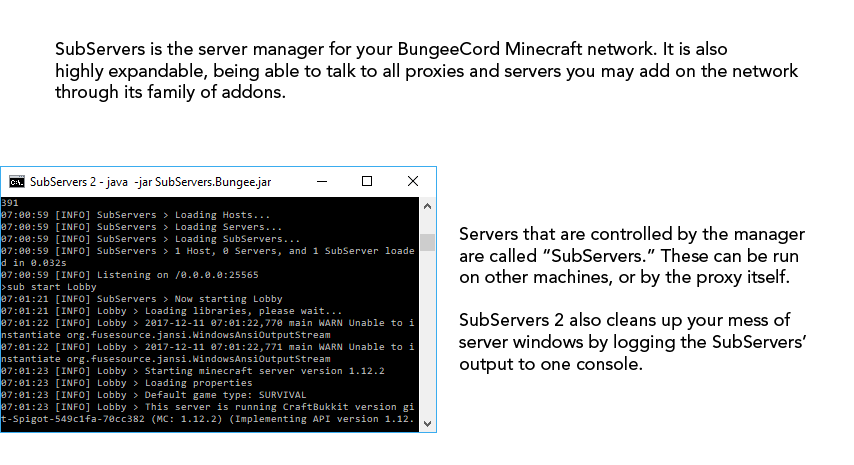


What you just read except it's all text
SubServers 2
The Server Management Platform
SubServers is the server manager for your BungeeCord Minecraft network. It is also highly expandable, being able to talk to all proxies and servers you may add to the network through it's family of addons.
Servers that are controlled by the manager are called "SubServers." These can be run on other machines, or by the proxy itself. SubServers 2 also cleans up your mess of server windows by logging the SubServers' output to one console.
The manager can also create servers* and add them to the network while it is running, removing the need to restart every time. We'll start you off with some templates, but you can make your own if you need something a little more customized.
You can control your SubServers in-game through the client plugin that is automatically installed and updated if your template uses a supported server software. Any text from SubServers 2 that is visible to players can be changed network-wide through one language file.
Are you a developer? Dig into SubAPI to unlock the full potential of the server manager. Does your plugin need a reliable way to send data to proxies or servers on the network? Tap into the SubData API and send your data the same way the server manager does.
Ready to get started? Click here to view a step by step guide on how to get your network running the latest version of SubServers 2.
More Information
How It Works
Designing Your Network
Installation
Configuration
Commands and Permissions
Developer API Documentation
Frequently Asked Questions & Troubleshooting
Q: Do I need SubServers.Host to use SubServers 2?
A: No. SubServers.Bungee is capable of hosting servers by itself.
Q: SubServers.Bungee won't load in the plugins folder!
A: SubServers.Bungee is NOT a plugin, but a runnable jar (therefore it won't load in a plugins folder)
Q: SubServers.Bungee says BungeeCord.jar doesn't exist when it clearly does in the same folder!
A: You may have to patch SubServers into BungeeCord if this happens to you. Use this tool as directed on a machine that meets the requirements of SubServers
Q: The add-on hangs when bungee stops!
A: Make sure you have "-Djline.terminal=jline.UnsupportedTerminal" between "java" and "-jar" on all SubServers
Q: Why can't I use /sub on my SubServers?
A: That's because /sub is console-only, therefore it cannot be used by players. However, SubServers Client will supply this functionality for you.
Q: SubCreator says it can't download from <website url>!
A: If this is the case you may not have access to download the materials subservers uses to build your server with. Make sure your machine meets the requirements of SubServers
Disclaimers
*The templates included with SubCreator may not work on all systems
• If you used a shared host this might be against their Terms Of Service. Use at your own risk
• By using SubCreator, you agree to the Minecraft End User License Agreement
• Spigot and BungeeCord jar files are not included with this app
Reviews are not the place to report bugs or ask for help.
Please use the GitHub Issue Tracker, our Discord Server, or the Discussion Section.
Similar projects
Plugin →Let Me Despawn
Improves performance by tweaking mob despawn rules. Say bye to pesky unintentional persistent mobs.
26.2MSueta
JourneyMap
Real-time map used for mapping in-game or your browser as you explore.
15.6MSueta
Emotecraft
Create your own emotes in Minecraft.
7.9MSueta
Simple Tpa
A simple tpa plugin which sends requests
5.4MSueta
Common Network
Forge and Fabric Unified Networking Solution
4.7MSueta
Set Home
A lightweight plugin for players to set their homes.
3.8MSueta