
Super Lobby system [any 1.8 version]
1.2Super configurable inside the game and costume menus...
About:
This plugin will allow you to set up hubs, Inventory menus, menu toolbars and many more things. Almost all the configuration can be made inside the Minecraft without trying to figure out what to do in configs.
If anyone has suggestions for more features please join the discord (link below).
Features:
- 3 server modes: Hub, Lobby and None. Which means you can just use the inventory menus if you don't like the hub system.
- Multiple Hubs.
- On first join Title configurable message.
- Custom chat style.
- Custom join and leave messages.
- Color codes supported.
- Private message support.
- Private world chats. Which means if you run multiple games on your server you can insolate their chat from the main one.
- Custom clickable items.
- Custom menus.
- Custom toolbars.
- Custom locations.
- Permissions rank system supported.
Images/Videos:
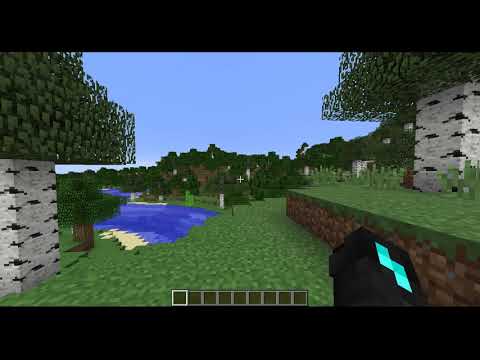
menu setup:

toolbar setup:

Other:


Installation:
- Download the plugin.
- Get Vault Download that as well.
- Put both the plugins inside your plugins folder.
- Run the server.
- Customize the config file.
- Restart the server.
- You are done.
Default Config:
# Plugin made by alandioda

# Color codes are supported.
# &0 = black     | &1 = Dark Blue   | &2 = Dark Green
# &3 = Dark Aqua | &4 = Dark Red    | &5 = Dark Purple
# &6 = Gold      | &7 = Gray        | &8 = Dark Gray
# &9 = Blue      | &a = Green       | &b = Aqua
# &c = Red       | &d = Light Purple| &e = Yellow
# &f = White
# &k = Obfuscated| &l = Bold        | &m = Strikethrough
# &n = Underline | &o = Italic      | &r = Reset

# Chat structure:
# <name> will be replaced with the user's name.
# <prefix> will be replaced with player's prefix.
# <sufix> will be replaced with player's sufix.
minecraft_chat: '[<prefix>] <name> <sufix>: '
costume_chat_style_enabled: true

# Private message structure:
# <sender> will be replaced with sender's user name.
# <receiver> will be replaced with receiver's user name.
private_message_chat: '<sender> > <receiver>: '

# If enabled the players will be able to use color codes in chat
colorcodes_enabled: false

# Message prefix:
# Will be shown before every plugins response message.
message_prefix: '&7[&9&lTest&3&lCraft&7] '

discord_joined_message_enabled: true
discord_left_message_enabled: true
# Message structure when a player joines the server.
# <name> will be replaced with the minecraft user name.
joined_message: '&a<name> joined the game'
leave_message: '&a<name> left the game'

# If disabled the join and leave messages will not be
# displayed in private world chats.
show_join_leave_messages_in_private_worlds: false

# This will brodcaste a message to the scrren when the
# player joines the server for the first time.
# To disable the message set it to ''.
first_join_message: '&6Welcome &e<name>&6!'

# World names listed under private_world_chats
# will be in private chat which means only players
# the same world will be able to talk to each other.
private_world_chats:
- TestWorld

# Server configuration:
# LOBBY mode ('LOBBY'):
# When the player joins they will be teleported to the hub location.
# /hub and /lobby will both teleport player to the hub location.
# HUB mode ('HUB'):
# When the player joins they will be teleported to their last location.
# /hub will teleport player to hub location.
# /lobby will teleport player to their last location.
# If you have multiple hubs the hub location will be randomly selected.
# disabled ('NONE'):
# /hub will not do anything.
# /lobby will not do anything.
server_mode: HUBCommands:
- /m <name> <msg> or /msg <name> <msg> or /message <name> <msg> message a player. (works with console)
- /hub go to hub.
- /lobby go to lobby.
- /tp <name> teleport tp player's location.
- /tphere <name> teleport player to your location.
- /gamemode <game mode> or /gm <game mode> set gamemode.
- /speed <number> set speed.
- /fly toggle flight.
- /inv <name> see inventory of a player.
SetUp commands: (needs: ServerManager.admin)
- /sm or /servermanager work the same.
- /sm help list of commands.
- /sm add location <name> adds new location.
- /sm add menu <name> <rows> adds new menu.
- /sm add bar <name> adds new toolbar menu.
- /sm add item <name> adds new item.
- /sm add hub to add hub location.
- /sm edit to edit.
- /sm remove to remove.
Permissions:
- ServerManager.admin
- ServerManager.gm.me
- ServerManager.gm.other
- ServerManager.go.other
- ServerManager.tp
- ServerManager.tphere
- ServerManager.spped.me
- ServerManager.spped.other
- ServerManager.fly.me
- ServerManager.fly.other
- ServerManager.message.private
- ServerManager.inv.see
- ServerManager.item.<Item Name>
- ServerManager.ignore.bounds
Support and more info:
Join discord: https://discord.gg/uFUgnYZ
Similar projects
Config →Let Me Despawn
Improves performance by tweaking mob despawn rules. Say bye to pesky unintentional persistent mobs.
25MSueta
JourneyMap
Real-time map used for mapping in-game or your browser as you explore.
14.7MSueta
Emotecraft
Create your own emotes in Minecraft.
7.5MSueta
Simple Tpa
A simple tpa plugin which sends requests
5.4MSueta
Common Network
Forge and Fabric Unified Networking Solution
3.9MSueta
Set Home
A lightweight plugin for players to set their homes.
3.8MSueta