


With this plugin you can send automated messages to your players in the chat in a time interval or at certain times.
Create a separate file for each message to not lose the overview!
This plugin supports Kyori MiniMessages.
Config.yml
plugin:
  updateCheck:
    onJoin: true
    seePreReleaseUpdates: true
    timeInterval: 60
  prefix: <dark_gray>[<dark_red>T2C</dark_red>-<color:#5cff5c>Automated</color><color:#69d2ff>Messages</color>]</dark_gray>
  broadcastInConsole: true
  timeFormat: HH:mm:ss yyyy/MM/dd
  messages:
    reloadStart: '[prefix] Reload starting...'
    reloadEnd: '[prefix] Reload successful.'
Messages/xx_messagesDeclaration_xx.yml
Create a separate file for each message to not lose the overview!
#####################################################
## To add another Function just create a new file. ##
#####################################################

# Here you can set whether the message should be activated or deactivated.
enable: false
# Specify here the message that the player should get.
#
# Placeholder:
#   [player] = the player name of the recipient of the message.
#   [time] = The current system time.
#   [prefix] = The prefix set from config.yml.
#
# You can use Minecraft custom color codes: https://minecraft.fandom.com/de/wiki/Formatierungscodes
# You can use the hover module from T2Code:
#   You can add a hover and/or clickable feature to all messages sent to players.
#   Use /*/ to separate the message.
#   Use [nl] to set a line break in a message or hover.
#   Hover message: <message >/*/<hover>
#   Message with hover and click function: <message >/*/<hover>/*/<action>/*/<actionValue>
#   Message only with click function: <message >/*//*/<action>/*/<actionValue>
#   Action:
#     - OPEN_URL - Opens a URL under the path specified in ActionValue.
#     - OPEN_FILE - Opens a file under the path specified by ActionValue.
#     - RUN_COMMAND - Runs the command specified by ActionValue.
#     - SUGGEST_COMMAND - Inserts the string specified in ActionValue into the player text box.
#     - CHANGE_PAGE - Changes to the page number in a book specified by ActionValue.
#     - COPY_TO_CLIPBOARD - Copies the string specified by ActionValue to the player's clipboard.
# You can also use MiniMessage:
#   Wiki: https://docs.adventure.kyori.net/minimessage/format.html
#   WebUI: https://webui.adventure.kyori.net
message: ''
sound:
  # Here you can set whether a sound should be played with the message.
  enable: true
  # Here you can set which sound should be played.
  sound: BLOCK_NOTE_BLOCK_HARP
permissionNeededToSeeMessage:
  # Here you can set whether the players need a permission to receive the message.
  enable: false
  # Here you can set if the players need which permission to receive the message.
  permission: t2c.automatedmessages.messages.exampletime
# Here you can set the time interval (in minutes) at which the message should be sent.
intervalInMin: 1
exactTime:
  # Here you can set whether the message should be sent at certain times.
  # If this option is used, then the intervalInMin option is disabled!
  enable: false
  # In these settings you can set at which minute, hour, day of the month, which month and on which day of the week the message should be sent.
  # Time format examples:
  #   One: 5
  #   At several times: 5/10/15
  #   Every minute, hour, etc.: '*'
  timeMinute: 0
  timeHour: '*'
  timeDayOfMonth: '*'
  timeMonth: '*'
  timeDayOfWeek: '*'
You can use MiniMessage:
Wiki: https://docs.adventure.kyori.net/minimessage/format.html
WebUI: https://webui.adventure.kyori.net

/t2c-automatedmessages | /automatedmessages | /amsg
/t2c-automatedmessages reload - OReload the Plugin | t2c.automatedmessages.admin
/t2c-automatedmessages info - See the current plugin version.| t2c.automatedmessages.admin

- T2CodeLib
- Java 21+
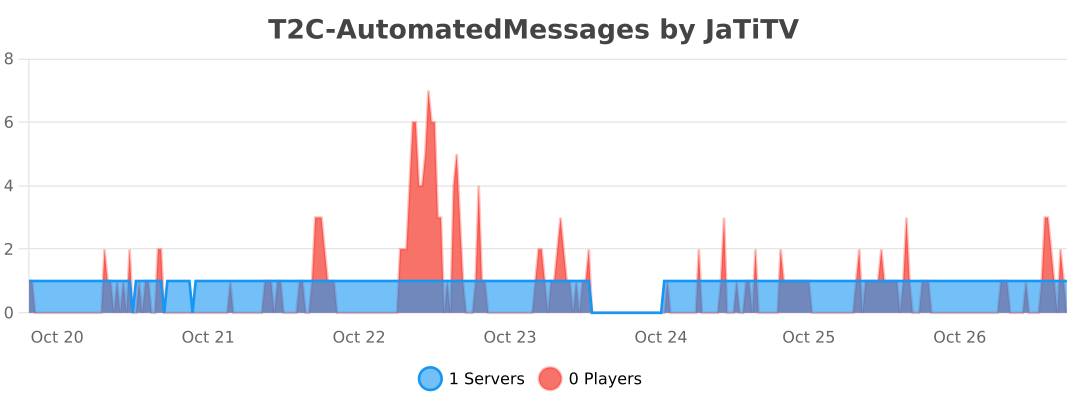
Servers Using T2C-AutomatedMessages:
(Contact me via Discord, Issue or PM if you want to add your serer)

Development by JaTiTV:
T2CodeLib - LuckyBox - T2C-OPSecurity - T2C-CommandGUI
T2C-Alias - T2C-AliasBungee - T2C-AutomatedMessages
T2C-AutoResponse - T2C-AllayDuplicate - PaPiTest
Development by Jkobs:
Booster - Invisible ItemFrames - AntiMapCopy - LoreEditor

Similar projects
Plugin →Let Me Despawn
Improves performance by tweaking mob despawn rules. Say bye to pesky unintentional persistent mobs.
25MSueta
JourneyMap
Real-time map used for mapping in-game or your browser as you explore.
14.7MSueta
Emotecraft
Create your own emotes in Minecraft.
7.5MSueta
Simple Tpa
A simple tpa plugin which sends requests
5.4MSueta
Common Network
Forge and Fabric Unified Networking Solution
3.9MSueta
Set Home
A lightweight plugin for players to set their homes.
3.8MSueta