
TimeControl [1.13.X - 1.14.X] [FREE]
3.1.0Control the length of day and night separately for each world!
TimeControl allows you to control the length of day and night separately for all your worlds (individually). It also has features like customizing how much players have to sleep in order to skip night. See the Features section for more information.
Please be aware that the free version of TimeControl will not be updated anymore. However I will keep updating TimeControl as a premium plugin just like before. Make sure to check out the premium version with all new and updated features of TimeControl: https://www.spigotmc.org/resources/timecontrol-1-13-x-1-14-x-50-off-for-the-first-10-buyers.70363/
Features:
- Simple basic setup
- Customize computing power
- Full support for multiple worlds (different values for each world possible)
- Change length of day and night separately
- Customize how much players have to sleep in order to skip night
- Customize start and end of a normal Minecraft day to choose at which light level it is daytime for you.
- Stop time for empty worlds (optional)
- Customize messages sent to players.
- Exclude worlds entirely by name or environment (nether, the_end)
- Mess-Up Protection for all configurations and data-files (no java-errors)
- Commands to change specific values for each world
- Permissions for all commands
- Info-messages in console
- Save-Enable: Customize all worlds you want to enable before the plugin kicks really into action
Important Information:
- Do not change gamerule doDaylightCycle to true or it will create weird behaviour.
- If you just want to in- or decrease the length of day and/or night only change day-length and night-length in the config.
- needed-sleep-percentage (value between 0 and 1) sets the percentage of how many players have to sleep in order to skip night.
- Gamerule doDaylightCycle will be set to false for all affected worlds (you get the chance to configure those beforehand)
- This plugin uses bstats.
- Last official version of TimeControl supporting Minecraft version 1.12 is v2.07 as stated in the version history.
- All versions <2.02 are for Minecraft versions 1.12.X. Please be aware of a Spigot API bug back in the day (I recommend not using the deactive_empty_worlds option for those versions)
- This version has some known bugs including that data will be reset after every server restart. Check out the premium version here were this got fixed: https://www.spigotmc.org/resources/timecontrol-1-13-x-1-14-x-50-off-for-the-first-10-buyers.70363/
Installation:
Just put the jar file into your server's plugins folder and start your server. You will get asked to configure the plugin's configuration file. If you did, make sure to set "configured" to true and restart your server. Please see the paragraph below for more details about the configurations.
How-To:
In this section I would like to give in depth information about the available configurations concerning time changing.
Configuration
So first of all you should configure day-length and/or night-length :
- day-length: Sets the actual amount of ticks where it will be daytime. For example: If you set it to 24000, this will double the daytime because a vanilla minecraft day has only 12000 ticks
- night-length: Sets the actual amount of ticks where it will be nighttime. For example: same as day-length
Now we talked about how you can change the actual length of a day and or night. 99% of people can now stop reading. But I embezzled one detail: For TimeControl a day or night is not determined by the light levels or something like that, no it is done by the mysterious settings minecraft-day-start-tick and minecraft-day-length . These are - unlike day-length and night-length - no raw amounts of ticks, they are corresponding to the vanilla ticks. Again: These values DO NOT change the final day or night length directly! Let me explain:
A vanilla day-night-cycle has 24000 ticks. minecraft-day-start-tick determines on what VANILLA TICK a day starts. minecraft-day-length determines how long this VANILLA day is (Again: this is NOT the final day length!). These values just tell TimeControl how it should determine the next time update. That is why the sum of both values should not be greater than 24000.
Let me give you a rather drastic example:
day-length is set to 1.000.
night-length is set to 66.000.
minecraft-day-start-tick is set to 10.000.
minecraft-day-length is set to 2.000.
So know what happens?
- The vanilla ticks between 10.000 and 12.000 (this is the minecraft-daytime) will be twice as fast because day-length is 1.000 which is half of 2.000 (12.0000 - 10.000).
- The vanilla ticks between 12.000 and 10.000 of the next day, so in sum 22.000 (24.000 - 12.000 + 10.000) (this is the minecraft-nighttime) will be thrice as long because night-length is 66.000 which is three times greater than 22.000.
Of course in this drastic example your understanding of daytime will be confused because if you use /time set 1000 you would say it is day but for the plugin it is actually night.
I hope these explanations finally help all of you to understand the settings. If not please feel free to contact me via pm or the discussion forum.
Commands:
- Aliases: /tc [subcommand]
- /timecontrol: credits
- /timecontrol help: Shows all for that player available commands.
- /timecontrol reload: Reloads the plugin.
- /timecontrol debug: Shows some debug messages.
- /timecontrol set <option> <value> [world]: Sets the specific option to this value. If no world is declared the current world of the player is used.
- /timecontrol uninstall: Re-enables all gamerules and disables the plugin. (console only!)
Permissions:
- timecontrol.*: Grants access to all command related permissions. (default op)
- timecontrol.reload: Grants access to the reload command.
- timecontrol.debug: Grants access to the debug command.
- timecontrol.edit: Allows you to edit values.
- timecontrol.change.*: Allows you to edit every option.
- timecontrol.change.[option]: Allows you to edit that specific option. All available options: mcdaylength, mcdaystart, daylength, nightlength, sleeppercentage
- timecontrol.sleepingignored : Allows to be always counted as sleeping player (only in affected worlds). Note: This permission is not granted by timecontrol.* ! You may only use this if you do not use some other plugin like essentials which provides already permissions to set a player sleepingignored.
Configuration File:
Config
# TimeControl by Alex_qp
 # By using this plugin you can control the daycycle of minecraft.

 # Set this to true if you are finished with configuration. Then restart your server.
 # Note: After restarting the plugin will proceed to disable gamerule do_daylight_cycle of all worlds which where not disabled down below.
configured   :  false

 # Set the delay between to time updates in ticks.
check-delay   :  5

 # Set to false if time in empty worlds should proceed.
deactivate_empty_worlds   :  true

 # If no other values are set correclty in the worldConfiguration.yml for a enabled world these values will be applied for this world.
default_world_settings  :
  minecraft-day-start-tick   :  0
  minecraft-day-length   :  12000
  day-length   :  24000
  night-length   :  7000
  needed-sleep-percentage   :  1.0

 # Disable certain worlds by name or environment.
world_exceptions  :
  by_name   :
      # - world
     # - world_nether
     # - world_the_end
  by_environment  :
    normal   :  false
    nether   :  true
    the_end   :  true

messages  :
  credits   :   "Use /timecontrol help for all available commands."
  help  :
    header   :   "List of all available commands:"
    reload   :   "Reloads the plugin."
    set   :   "Sets the specified option."
    debug   :   "Shows some debug messages."
    uninstall   :   "Re-enables all gamerules and disables the plugin."
  noPerm   :   "&4You do not have permission."
  wrongCmdUsage  :
    prefix   :   "&CUsage: "
    noSubCmd   :   "&CNo such (sub-)command. Use /timecontrol help for all available commands."
  setCmd  :
    success   :   "&Cvalue successfully changed."
    invalidValue   :   "&Cvalue is not allowed for that option."
Bug Report and Suggestions:
- Please report bugs in the discussion section!
- Feel free to leave suggestions for future updates!
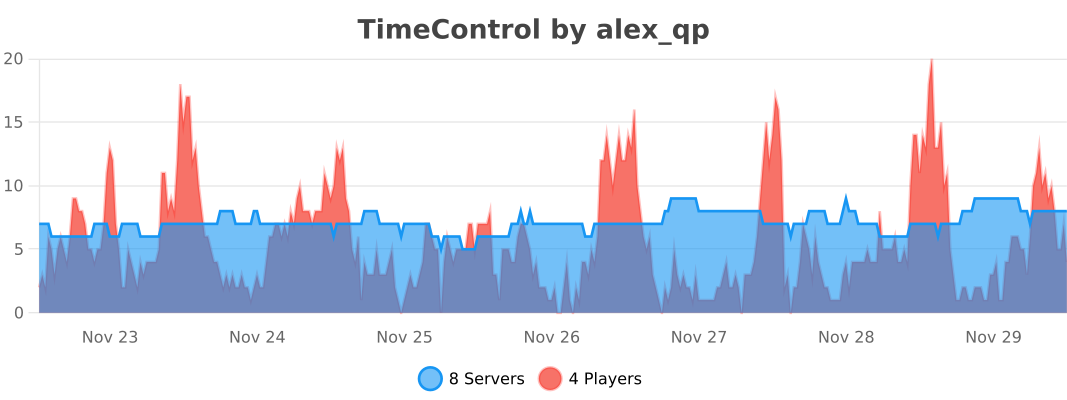
bstats
Similar projects
Plugin →Let Me Despawn
Improves performance by tweaking mob despawn rules. Say bye to pesky unintentional persistent mobs.
25MSueta
JourneyMap
Real-time map used for mapping in-game or your browser as you explore.
14.7MSueta
Emotecraft
Create your own emotes in Minecraft.
7.5MSueta
Simple Tpa
A simple tpa plugin which sends requests
5.4MSueta
Common Network
Forge and Fabric Unified Networking Solution
3.9MSueta
Set Home
A lightweight plugin for players to set their homes.
3.8MSueta