

TimePlayed keeps track of how often and long your players are playing on your server, you can use this to gain accurate understanding of how often both your players and staff are actually playing on your server and keep a record of their play time.
/TimePlayed Online opens a UI showing playtime information for all online players.
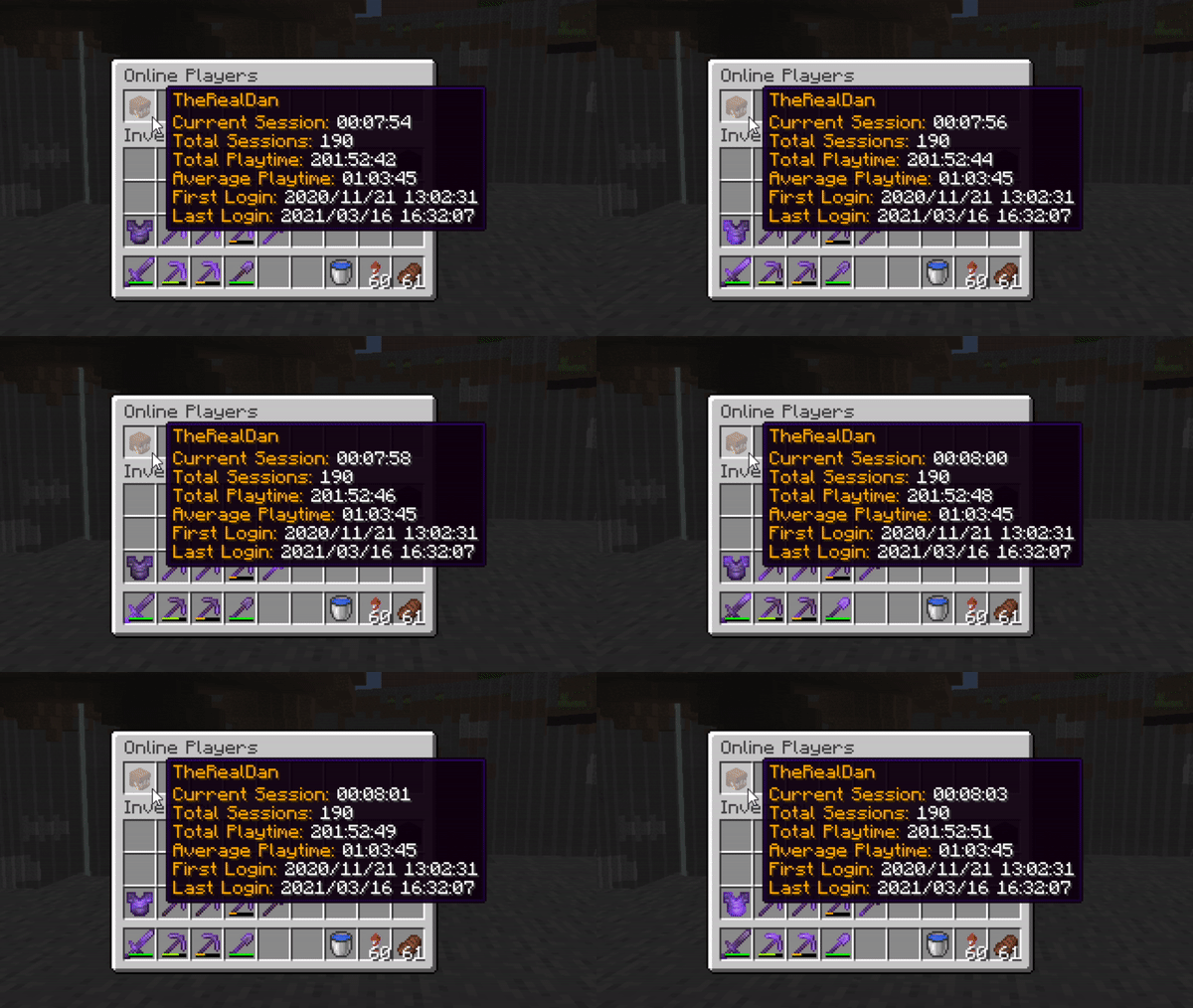
/TimePlayed [Player] works for both online and offline players, and has some more in-depth information on that users playtime.
/TimePlayed [Player]
/TimePlayed [Player] opens an overview for that player showing a head entry for each year in which that player has playtime tracked:

Selecting a year entry will open up a menu corresponding to that year, showing a list of entries for each month within that year:

And finally, selecting a month entry will open up a menu corresponding to that month, showing a list of entries for each day within that month:

/TimePlayed All opens a UI showing the playtime stats for every player captured by TimePlayed (Since it was installed).
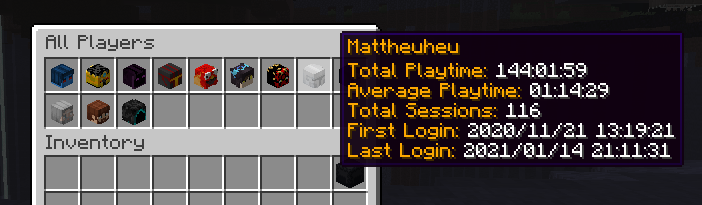
/TimePlayed Active opens a UI showing the playtime stats for the most active players. 'Most active' is determined by two values set in the config, the timeframe to capture only players who have played recently, and the minimum_time to capture players who have played for at least the minimum amount of time. The default settings for these are 7 days and 1 hour, respectively, so this UI shows players who have played for at least 1 hour within the last 7 days.

TimePlayed will run fine the moment you download it. However there are some options in the config.yml you can change.
config.yml
Colors:
  Primary: "&6"
  Secondary: "&f"
Permissions:
  Required_For_Command:
    Timeplayed_Online: false
    Timeplayed_Self: false
    Timeplayed_Other: true
    Timeplayed_Active: true
    Timeplayed_All: true
Active:
  Timeframe: 604800000 // milliseconds (7 days)
  Minimum_Time: 3600000 // milliseconds (1 hour)
TimePlayed has a fairly solid API which you can hook into to get access to a number of handy methods.
TimePlayedAPI timePlayedAPI = TimePlayed.getAPI();TimePlayedAPI interface
interface TimePlayedAPI {

    ITimeData getTimeData(UUID uuid);

    List<ITimeData> getActive();

    List<ITimeData> getActive(boolean orderByPlaytime);

    List<ITimeData> getAll();

    boolean isAFK(OfflinePlayer player);
}
ITimeData interface
ITimeData represents the stored playtime data for a single player
interface ITimeData {

    UUID getOwner();

    long getTimePlayedWithin(long start, long end);

    int totalSessions();

    List<ISession> getSessions();

    long getTotalPlaytime();

    String getFriendlyTotalPlaytime();

    long getAveragePlaytime();

    String getFriendlyAveragePlaytime();

    long getFirstLogin();

    String getFriendlyFirstLogin();

    long getLastLogin();

    String getFriendlyLastLogin();
}
ISession interface
ISession represents a single playtime session
interface ISession {

    boolean contains(long timestamp);

    long getStart();

    long getEnd();

    boolean hasEnd();

    long getLength();

    String getFriendlyLength();
}
timeplayed.command.timeplayed.* Access to all timeplayed commands
timeplayed.command.timeplayed.online Access to /TimePlayed Online
timeplayed.command.timeplayed.self Access to /TimePlayed [Player] for self
timeplayed.command.timeplayed.other Access to /TimePlayed [Player] of other players
timeplayed.command.timeplayed.active Access to /TimePlayed Active
timeplayed.command.timeplayed.all Access to /TimePlayed All
Similar projects
Plugin →Let Me Despawn
Improves performance by tweaking mob despawn rules. Say bye to pesky unintentional persistent mobs.
26.2MSueta
JourneyMap
Real-time map used for mapping in-game or your browser as you explore.
14.7MSueta
Emotecraft
Create your own emotes in Minecraft.
7.9MSueta
Simple Tpa
A simple tpa plugin which sends requests
5.4MSueta
Common Network
Forge and Fabric Unified Networking Solution
4.7MSueta
Set Home
A lightweight plugin for players to set their homes.
3.8MSueta