
Tip4Serv.com | Minecraft donation store system
1.4.0Create a web store and executes commands on the server (Spigot, Bukkit, Paper, Folia, Geyzer)

Compatible with Spigot, Bukkit, Paper, Folia and Geyzer.
This plugin connects your Tip4serv.com store to your Minecraft server. It checks if a player has made a donation on your Tip4Serv store and delivers the order in a minute (group, items, money...) by typing commands in the server console
HMAC authentification
Tip4serv adds a layer of security using HMAC authentication to communicate. It is a strong authentication method that is used by banks https://en.wikipedia.org/wiki/HMAC
Features for starter plan (only 5% fee)
- Unlimited game servers & commands
- Create subscriptions plan
- Commands status tracking
- Stock management
- Deliver roles & messages on Discord
- Create discount coupon
- Add managers for your store
- Purchase email and invoice
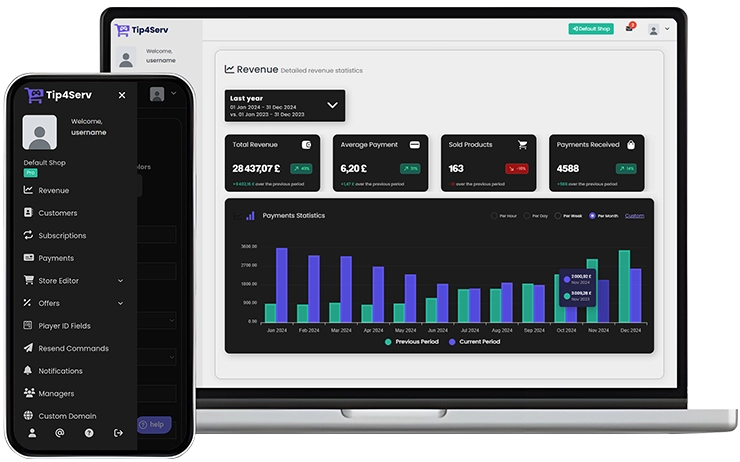
- Sales statistics
- Private flow for subscribers
- Custom sub-domain
- Resend commands
- No ads
Features for PRO members (subscription required)
- Dynamic Dark/Light theme
- Account linking with avatars
- Product page with gallery & video
- GUI colors editor & additional CSS
- Top customers & related products
Store available in 15 languages
English, Danish, Dutch, English, French, German, Hungarian, Italian, Norwegian, Polish, Portuguese, Romanian, Russian, Spanish, Swedish and Turkish.
Payment method
Here are the payment methods you can offer your players: Visa, Paypal, Cash App, Google Pay, Apple Pay, Ideal, GiroPay, BanContact, Sofort, Sepa, EPS, BACS, Amazon Pay, Revolut Pay, Mobile Pay, MultiBanco, BECS, Przelewy24, Boleto, Oxxo, Afterpay, Link.
Installation
Open an account on Tip4serv.com, follow the instructions and add a Minecraft server.
- Drag and drop tip4serv.jar into the plugins directory on your Minecraft server
- Restart your Minecraft server to create tip4serv.key
- Set key to your tip4serv API key in the config file tip4serv.key
- Type the command /tip4serv connect on your server
You should get this message: Server has been successfully connected !
Plugin commands
tip4serv connect - Link your server to Tip4Serv (Ensure the API key is correctly set in tip4serv/tip4serv.key).
tip4serv reload - Deliver pending orders if there are any.
/storelink - Show a link to the store in the server chat.
Minecraft Geyzer
The store is compatible with Minecraft servers which uses the Geyzer & Floodgate plugin. Bedrock player must enter his nickname with a dot during the purchase process, example: .Steeve
Spanish tutorial

Need help ?
Documentation
Contact us
Similar projects
Plugin →Let Me Despawn
Improves performance by tweaking mob despawn rules. Say bye to pesky unintentional persistent mobs.
25MSueta
JourneyMap
Real-time map used for mapping in-game or your browser as you explore.
14.7MSueta
Emotecraft
Create your own emotes in Minecraft.
7.5MSueta
Simple Tpa
A simple tpa plugin which sends requests
5.4MSueta
Common Network
Forge and Fabric Unified Networking Solution
3.9MSueta
Set Home
A lightweight plugin for players to set their homes.
3.8MSueta