
TNT Run
2.8.9Outlast the disappearing floor with layered arenas, double jumps and survival records.
- Tested MC versions
- 1.21, 26.1, 26.2, 26.3

TNT Run
One more jump. One less block. One last survivor.
Layered arenas · Clutch double jumps · Records worth chasing
Turn a disappearing floor into your community's next favorite game.
Give your hub a quick competitive game. Build a towering course with several floors. Bring everyone together for a last-player-standing challenge. TNT Run handles the match, the spectators and the reset, so your players can concentrate on staying alive.
Run across sand, gravel or your configured floor materials as blocks disappear behind you. Each missed jump takes you closer to the void. Save a double jump for the right moment, find the next safe route, and be the final runner standing.

01 / KEEP MOVING
The floor changes. The goal stays simple.
A clear objective makes every round easy to understand: outlast everyone else. Blocks beneath runners are queued for removal after a configurable delay. The longer the game lasts, the fewer safe routes remain.

An active TNT Run arena. Every disappearing block changes the next move.
Build the challenge in layers. A missed jump can drop a player to the next floor instead of ending their run immediately. Make compact courses for quick matches or build several levels for longer games.
Choose the pace. Configure when removal starts, how frequently runners are scanned and how long queued blocks stay in place. Choose which materials disappear and use other blocks for walls, supports and decoration.
Add another kind of competition. Per-arena PvP can let active runners fight once floor removal begins. A lethal player hit eliminates its target into spectator mode; the usual survivor and winner checks still apply.
Read the gameplay guide
02 / MAKE THE SAVE
Keep one jump for the moment that matters.
A collapsing route does not have to be the end. Double jumps launch players forward and upward, giving them a chance to cross a gap, escape a crowded floor or recover from a bad step.
Set the default jump count and cooldown. Assign different counts through permissions such as tntrun.doublejumps.3. Players can use the configured double-jump item or trigger a jump through the flight toggle during an active match.
The jump item, sound and action bar cooldown feedback are configurable. Remaining jumps can also be shown in your scoreboard or through PlaceholderAPI.
Configure double jumps
03 / STAY FOR THE FINISH
Out of the round. Still part of the game.
Eliminated players become spectators and can follow the remaining runners. A player teleporter, adjustable movement speed, night vision and spectator visibility settings make it easy to watch the finish.
Allow or disable late spectator joins per arena. A player arriving during an active match can watch instead of entering the survivor list. Spectators cannot win the round or damage active runners.
Separate arena chat from the rest of your server, choose whether alive players can see spectator chat, and customize the spectator items and menus.
Explore spectator tools
04 / BUILD YOUR ARENA
Your map. A setup menu that brings it to life.
Build the floors, then use /tr create <arena_id> and /tr edit <arena_id> to configure the game through in-game menus. Set the lobby, start and end locations, choose player limits, and register the arena when it is ready.

The setup menu keeps arena settings together in game.
Make joining easy. Players can use /tr join <arena_id> or right-click a linked arena sign. Signs show live game state and player information, so your lobby can point players toward the next match.
Give each arena its own identity. Set map metadata, player amounts, potion effects, PvP, spectator joining and per-arena scoreboard or boss bar settings. Arena records can be reset from the setup tools.
Step-by-step setup with screenshots and GIFs
1. Create the arena.
/tr create <arena_id>

2. Open its setup menu.
/tr edit <arena_id>
Use the editor shown above to configure the arena.
3. Set the required locations.
- Lobby: where players wait before the match.
- Start: where active runners begin.
- End: where players return after leaving or finishing.

4. Choose player amounts.
Set the minimum count needed to start and the maximum arena capacity.

5. Adjust optional settings.
Configure the map name, game displays, potion effects and arena records.

6. Link a join sign, if you want one.
Place a sign, look at it, then use the Sign item in the setup menu.

7. Register and join.
Click the Firework item to save and activate the arena. Join with the command or the linked sign.

05 / MAKE EVERY ROUND COUNT
A win today. A record to beat tomorrow.
Give returning players something to chase. Track games played, wins, losses, current and best win streaks, longest survival time, personal arena bests and global arena records.

Keep the match's player, timer and record information in view.

The statistics menu gives players a reason to come back for another round.
Players can open /tr stats for their own results or /tr stats <player> for another online or cached offline player. Display the best runners on a PlaceholderAPI-compatible hologram, scoreboard or menu.
Use flat-file storage for a local setup, or configure MySQL for player data. Changing storage types requires a restart or plugin reload; automatic data migration is not provided.
Build a leaderboard display
06 / MAKE IT YOURS
A complete game, with room for your server's style.
Choose the presentation. Customize messages, MiniMessage formatting, sounds, game items, menu layouts, scoreboard lines and boss bars. Keep your branding consistent from the first lobby message to the final result.
Choose when rounds begin. Configure the waiting, starting, full-arena and ending timers. Shorter countdowns can apply as the arena fills; a zero-second starting countdown begins play at its player threshold.
Keep the next round ready. Removed blocks are tracked and restored after a match. Persistent snapshots and startup restoration can recover tracked blocks after a restart or interrupted game. Configure removal materials and recovery rules in block-removal.yml.
Set player rules. Configure arena chat, hidden name tags, leave-item behavior and an allowed command list. Use the setup menu for each arena's gameplay and display options.
Main configuration · Block removal and recovery
07 / CONNECT YOUR SERVER
Bring the action to your displays and integrations.
PlaceholderAPI exposes player statistics, current game information, arena settings, spectator preferences and leaderboards. The integration is optional; TNT Run's core gameplay works without it.
A display that follows the player
%tntrun_current_arena%: the player's current arena.%tntrun_current_arena_players_left%: active survivors in that arena.%tntrun_double_jumps%: remaining double jumps.%tntrun_current_arena_best%: the player's formatted personal best there.%tntrun_wins%: their total wins.
A display for one arena
Use %tntrun_arena:arena1:players%, %tntrun_arena:arena1:state% or %tntrun_arena:arena1:record_time% to follow arena1. Replace arena1 with your arena's identifier.
Put the best runners on display
%tntrun_leaderboard:wins:1:name% shows the first-place player by wins. %tntrun_leaderboard:arena_time_arena1:1:formatted_value% shows the best recorded survival time in that arena.
Player statistics, arena data and leaderboard reference
Player statistics
%tntrun_name%: player name.%tntrun_uuid%: player UUID.%tntrun_games_played%: total games played.%tntrun_wins%: total wins.%tntrun_losses%: total losses;%tntrun_loses%is also supported.%tntrun_win_streak%: current win streak.%tntrun_longest_win_streak%: best win streak.%tntrun_longest_survive%: formatted longest survival time.%tntrun_win_rate%: win percentage.
Arena data
Replace <id> with an arena identifier.
%tntrun_arena:<id>:players%: current player count.%tntrun_arena:<id>:players_left%: active survivors.%tntrun_arena:<id>:state%: current game state.%tntrun_arena:<id>:record_holder%: arena record holder.%tntrun_arena:<id>:record_time%: formatted arena record.%tntrun_arena:<id>:min_players%: minimum player count.%tntrun_arena:<id>:max_players%: maximum player count.%tntrun_arena:<id>:map_name%: map name.%tntrun_arena:<id>:map_author%: map author.%tntrun_arena:<id>:map_difficulty%: map difficulty.%tntrun_arena:<id>:ready%: whether the arena is ready.
Leaderboard syntax
%tntrun_leaderboard:<statistic>:<position>:<type>%
Use a position such as 1, 2 or 3. Choose name, uuid, value or formatted_value for the output.
Supported rankings include wins, loses, games_played, win_streak, longest_win_streak, longest_survive and arena_time_<arena_id>. Use loses for the loss leaderboard, even though player statistic placeholders also accept losses. Increase leaderboard-size in config.yml when you need positions beyond the default top 10.
Test an expression with /papi parse me %tntrun_wins%.
All general placeholders · Leaderboard reference
Build your own integration. The public event API covers game start, end, stop and state changes, player join and leave flow, double jumps, eliminations and statistic changes. React to a match result, customize a jump or connect your own plugin to the arena lifecycle.
Developer API guide · Javadocs
08 / GET YOUR FIRST GAME RUNNING
Build the floor. Gather the players. Let it disappear.
Requirements: A Paper-compatible server, such as Paper or Purpur, and Java 25. Supported Minecraft versions include 1.21.11, 26.1 and 26.2. PlaceholderAPI is needed only for placeholders; MySQL is needed only if you choose that storage mode.
Download the JAR, place it in your server's plugins folder and restart. Build an arena with removable floor materials and keep its lobby and end location outside the play area.
/tr create arena1
Give the arena an identifier.
/tr edit arena1
Set locations and player amounts, then register it with the Firework item.
/tr join arena1
Bring your players in. The match starts when its requirements are met.
Commands and permissions
All commands work through /tntrun or /tr. Use permissions to decide who can create, edit and manage arenas.
Player commands
/tr help: view the command help menu. Permission:tntrun.command.help, granted by default./tr join <arena>: join a waiting arena, or spectate an active match if the arena allows it. Leave your current arena before joining another./tr leave: leave your current arena and restore your normal player state./tr stats [player]: open statistics for yourself or another online/cached offline player.
Join, leave and stats do not require administrative permissions by default.

Arena setup and management commands
/tr create <arena_id>: create an arena. Permission:tntrun.arena.create./tr delete <arena_id> [--confirm] [--cancel]: review and confirm or cancel arena deletion. Permission:tntrun.arena.delete./tr edit <arena_id>: open its setup menu. Permission:tntrun.arena.edit./tr list: list arenas and their setup status. Permission:tntrun.arena.list.
tntrun.arena.* grants the arena-management permissions.
Administration commands
/tr start [arena]: force-start your current or a named arena. Permission:tntrun.admin.start./tr stop [arena]: stop your current or a named game. Permission:tntrun.admin.stop./tr kick <player>: remove a player and return them to the end location. Permission:tntrun.admin.kick./tr reload: reload configuration, messages, items, sounds, signs and game settings. Permission:tntrun.admin.reload.- Break arena signs: permission
tntrun.sign.break.
tntrun.admin grants administrative access. Force-starting still requires players to be present.

Debug commands and troubleshooting
Enable debug: true to use the troubleshooting commands. Keep debug mode disabled when you do not need it.
/tr debug join <arena> [--players=p1,p2,...]: join for testing, optionally with named online players. Permission:tntrun.debug.join./tr debug timer [arena] <time>: change an active arena's timer. Permission:tntrun.debug.timer./tr debug component <message> [--path=message.path]: preview MiniMessage text or a configured message. Permission:tntrun.debug.component./tr debug dump: show event timings. Permission:tntrun.debug.dump.

09 / BSTATS METRICS
bStats Metrics
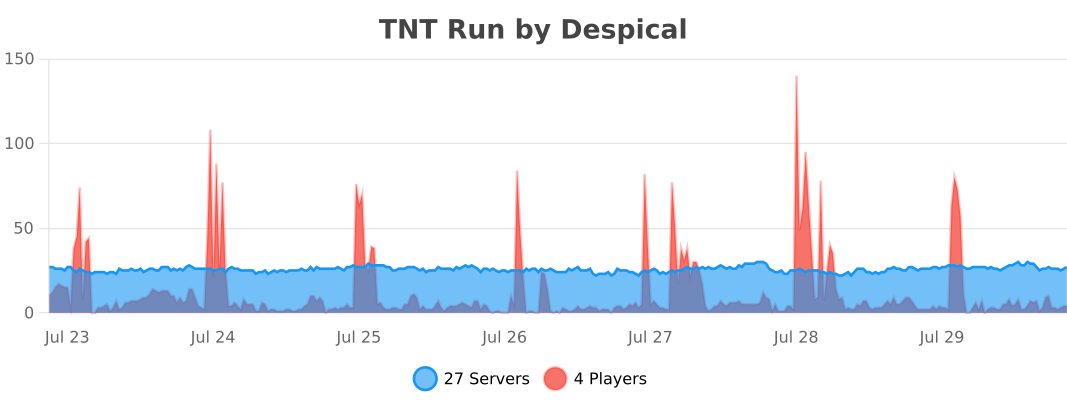
TNT Run collects anonymous usage statistics through bStats. These aggregate statistics help show how the plugin is used and guide future development.
Give your players a reason to run one more round.
Free and open source under GPL v3. Created by Despical.
Installation guide
Documentation · Source code · Discord support
Similar projects
Plugin →Let Me Despawn
Improves performance by tweaking mob despawn rules. Say bye to pesky unintentional persistent mobs.
25MSueta
JourneyMap
Real-time map used for mapping in-game or your browser as you explore.
14.7MSueta
Emotecraft
Create your own emotes in Minecraft.
7.5MSueta
Simple Tpa
A simple tpa plugin which sends requests
5.4MSueta
Common Network
Forge and Fabric Unified Networking Solution
3.9MSueta
Set Home
A lightweight plugin for players to set their homes.
3.8MSueta