
UserTeleportPortals ✨ Simple Commandless Player Portals ✅
1.0.4Simple player portals without any commands. Suits for survival servers.
UserTeleportPortals is a powerful and customizable plugin that brings a new level of convenience and creativity to any Minecraft server. It allows players to create personal teleportation portals using configurable materials, adding an immersive, player-driven way to travel across the world. By integrating teleportation directly into the survival gameplay, this plugin encourages exploration and resource management while maintaining a balanced and fair experience.
For server owners, UserTeleportPortals offers a unique mechanic that enhances player interaction and adds a new dimension to world-building, without being intrusive or overpowered. With its easy setup and material configuration options, server admins have full control over how the portal system integrates into their server's economy and gameplay style. This plugin is perfect for those looking to give players more autonomy and creative freedom in how they navigate the world.
- Highly customizable
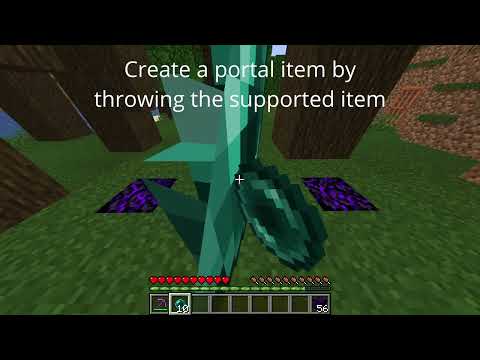
- Portal creation without commands
- MiniMessage messages (hex colors, gradient, ..)
- Portal particles
- Permission based max portals per player (default of 3 portals)
- MaxPortalDistance | Control the distance between the source and the destination in the same world with permission
- VersionChecker | Checks if there are new updates available + Ingame Updater via command
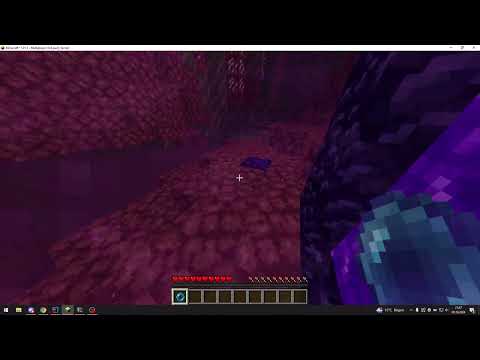
- Restrict players from creating portals between worlds with a permission
- /userteleportportals | The main command
- alias: /utp
- /utp reload | Reload the config files.
- /utp update | Download the newest update available.
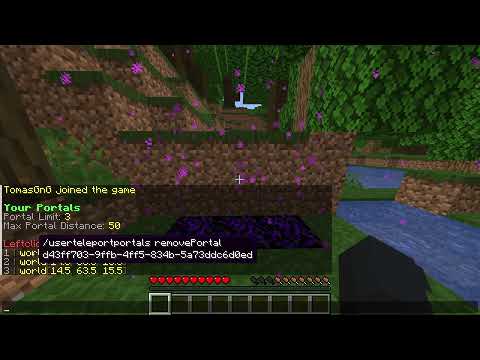
- /utp listportals | Shows your portal limit, max portal distance and created portals
- Not for general player usage. /utp removeportal | Remove a portal by the uuid
- Every permission can be changed in the config.yml file.
- utp.cmd.use | Permission to use the main command.
- Needed for these subcommands: reload and update
- utp.portals.{maxPortals} | Set the max portals for the player.
- Doesn't have an effect if it's below the default value.
- utp.portaldistance.{maxDistance} | Set the max portal distance for a player.
- Doesn't have an effect if it's below the default value.
- utp.dimensionportal | Allow the player to create portals between different worlds.
- Java 21, because this plugin was coded with Java 21 and Minecraft needs Java 21 as of 1.21.
This plugin may work below 1.21 BUT I will not give any support because I am only coding against the latest version.
config.yml
# The permission to access the /utp command
commandPermission: utp.cmd.use
defaultMaxPortals: 3
# The base permission to set max portals per player with permissions
# 'utp.portals.5' would set the max portals of a player to 5
# IMPORTANT! Please use a number after the last '.' otherwise the plugin can't recognize it!
maxPortalsBasePermission: utp.portals
defaultMaxPortalDistance: 50
# The base permission to set the max portal distance in the same world per player
# 'utp.portaldistance.100' would set the max portal distance of a player to 100 blocks
# IMPORTANT! Please use a number after the last '.' otherwise the plugin can't recognize it!
maxPortalDistanceBasePermission: utp.portaldistance
# Players with this permission can create Portals through different worlds.
dimensionPortalPermission: utp.dimensionportal
# The minimum distance between the source and destination in blocks.
# 'sourceLocationTooCloseToDestination' message will be sent if the source location is below the value.
portalMinDistance: 3
# The block where the portals can be created
portalBlockMaterial: CRYING_OBSIDIAN
# The particle that is shown for portals.
portalParticle: PORTAL
portalItem:
  material: ENDER_PEARL
  displayname: <green>Portal Creator
  lore:
  - <gray>Rightclick <yellow>%portalblock% <gray>to set the source location.
  - <gray>Rightclick any <yellow>other block <gray>to change the destination location.
  - ''
  - '<green>Destination Location: <dark_green>%world% (%x%, %y%, %z%)'
messages.yml
sourceLocationTooCloseToDestination: <red>The source location is too close to the
  destination!
portalLimitReached: <red>You cannot create more portals. Destroy portals by breaking
  the block under the source location of any portal.
portalCreated: <green>You created a portal.
portalDestinationChanged: <green>You changed the portals destination.
sourceLocationAlreadyBeingUsed: <red>Portal cannot be created at this location.
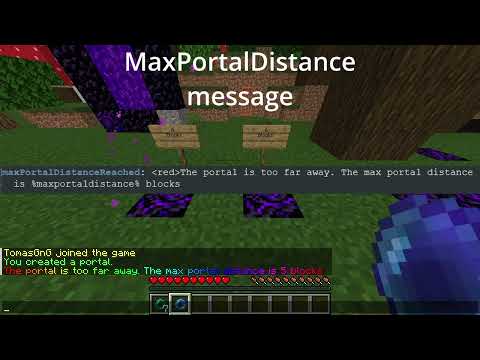
maxPortalDistanceReached: <red>The portal is too far away. The max portal distance
  is %maxportaldistance% blocks
dimensionPortalMissingPermission: <red>You are not able to create portals through different worlds.
command:
  noPermissions: <red>You don't have permissions to execute this command.
  usage:
  - <green>/utp reload <dark_gray>| <gray>Reload the config files
  - <green>/utp update <dark_gray>| <gray>Download the newest update
  - <green>/utp listportals <dark_gray>| <gray>Shows your current limits and your
    created portals
  reloadSuccess: <green>The config files have been reloaded successfully.
  updateNoUpdateAvailable: <green>You are using the newest version.
  updateSuccess: <green>The update has been downloaded. Restart the server to use
    the new version.
  updateFailure: <red>The download of the update has failed.
  listPortals:
    headMsg:
    - <b><green>Your Portals
    - '<gray>Portal Limit: <yellow>%portallimit%'
    - '<gray>Max Portal Distance: <yellow>%maxportaldistance%'
    - ''
    - <red>Leftclick to remove a portal
    format: <gray>%number% <dark_gray>| <yellow>%world%<dark_gray>[<yellow>%x%<dark_gray>,
      <yellow>%y%<dark_gray>, <yellow>%z%<dark_gray>]
removePortal: <green>Portal has been removed.- Customizable Particles | Making the current particles more customizable
- Portal Price | Charging the player when trying to create a portal
- Claimed Region Support | Avoid players to create portals on protected/claimed chunks where they don't have privileges. (WorldGuard, ...)
- Internal Code -> Using a better method to check for dropped items
- Any other suggestions? Write it in the discussions or join my discord ;)
- For fast support I recommend you to join my discord.
- Alternatively you can use the discussion of this plugin.
Similar projects
Plugin →Let Me Despawn
Improves performance by tweaking mob despawn rules. Say bye to pesky unintentional persistent mobs.
25MSueta
JourneyMap
Real-time map used for mapping in-game or your browser as you explore.
14.7MSueta
Emotecraft
Create your own emotes in Minecraft.
7.5MSueta
Simple Tpa
A simple tpa plugin which sends requests
5.4MSueta
Common Network
Forge and Fabric Unified Networking Solution
3.9MSueta
Set Home
A lightweight plugin for players to set their homes.
3.8MSueta