
This plugin was the result of a suggestion to make players look like bats when they fly if they are vampires. It ties into MassiveCraft's Vampire plugin to determine vampiric status, or you can just set a permission node (vampfly.vampire) to designate a vampire if you don't want to use MCV.
Commands:
VAMPFLY
Primary interface. Pass no args for help.
VAMPFLY ALLOWFLIGHT
vampfly.admin
Toggles whether or not vampires can use double jump to fly.
VAMPFLY RELOAD
vampfly.admin
Reloads the Vampire Flight configuration from disk
VAMPFLY MCV
vampfly.admin
Toggles whether or not to use MassiveCraft Vampires to determine if a player is a vampire or not. If enabled, it ignores the vampfly.vampire permission
VAMPFLY SEE
vampfly.see
Toggles whether or not you can see your form when you are flying. Some forms, like a Vindicator for example, totally obscure your vision when in first person.
VAMPFLY SPAM
vampfly.spam
Toggles the suppression of status messages (like "You are now a bat" and the like)
VAMPFLY TOGGLE
vampfly.toggle
Toggles whether or not to change form when flight is initiated.
VAMPFLY FLY
vampfly.flight
Toggles whether or not you want double-jump to initiate flight. Will not do anything if the server doesn't allow flight (via /vampfly allowflight)
VAMPFLY FORM
vampfly.form
Shows what form you will take when you fly
VAMPFLY FORM formtype
vampfly.form
Sets the form you wish to take. The only ones that will be available are the server default form (bat if unspecified) and the ones matching the user's permissions. Assign form permissions in the format vampfly.forms.formtype
VAMPFLY FORM DEFAULT formtype
vampfly.admin
Sets the default form for the server. If a user has never chosen a form, this is what they become. Defaults to bat if you never set it.
VAMPFLY FORM player formtype
vampfly.admin
Sets a player's form.
VAMPFLY FORM LIST
vampfly.form
Lists all the available forms. Filtered by permission, so they only see the server default and whatever ones you have explicitly provided.
The config.yml file has all messages in the messages section in case you want to translate for another language. Some commands have variable support. Typically it's %player% for the player running the command, %form% if it is form related and %target% if it involves running against another player account. I also added bStats as I'm curious how used this is. If you want to opt-out, add config: metrics: false to your config file (in proper YAML line / indentation spacing of course).
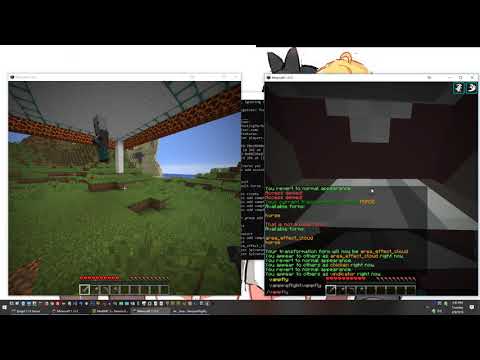
Setup tutorial
Dependencies:
Similar projects
Plugin →Let Me Despawn
Improves performance by tweaking mob despawn rules. Say bye to pesky unintentional persistent mobs.
25MSueta
JourneyMap
Real-time map used for mapping in-game or your browser as you explore.
14.7MSueta
Emotecraft
Create your own emotes in Minecraft.
7.5MSueta
Simple Tpa
A simple tpa plugin which sends requests
5.4MSueta
Common Network
Forge and Fabric Unified Networking Solution
3.9MSueta
Set Home
A lightweight plugin for players to set their homes.
3.8MSueta